1. Sarrera
Thank you for choosing the KONIX 61 Keys Roll Up Piano, Model PS61B. This portable electronic keyboard is designed for beginners, children, and adults, offering a versatile and convenient way to learn and play music. Its compact, rollable design and various features make it suitable for practice anywhere. Please read this manual carefully to understand the product's functions and ensure proper use.
2. Produktua amaitu daview
2.1 Paketearen edukia
- KONIX 61 Keys Roll Up Piano (PS61B)
- USB kargatzeko kablea
- Elikatze-moldagailua
- Erabiltzailearen eskuliburua

Image 2.1: The KONIX 61 Keys Roll Up Piano unrolled, alongside its USB charging cable, power adapter, and instruction manual.
2.2 Ezaugarri nagusiak
- 61 giltza estandar: Provides a full range for learning and playing.
- Portable & Rollable Design: Made from environmental silicone, allowing for easy storage and transport.
- Bi bozgorailu estereo: Integrated speakers for clear sound output.
- MIDI & Bluetooth Functionality: Connects to smart devices for music creation and learning apps.
- Multiple Playability Modes: 128 tones, 128 rhythms, 14 demo songs, recording, editing, playback, sustain, vibrato, teaching, and chord functions.
- Bateria kargagarria: Built-in Lithium battery for 6-8 hours of playtime per charge.
- Aurikularrak Jack: Praktika pribaturako.

Image 2.2: A child playing the KONIX 61 Keys Roll Up Piano, illustrating its multifunctional capabilities including 128 tones, 128 rhythms, 14 demo songs, and a durable battery.
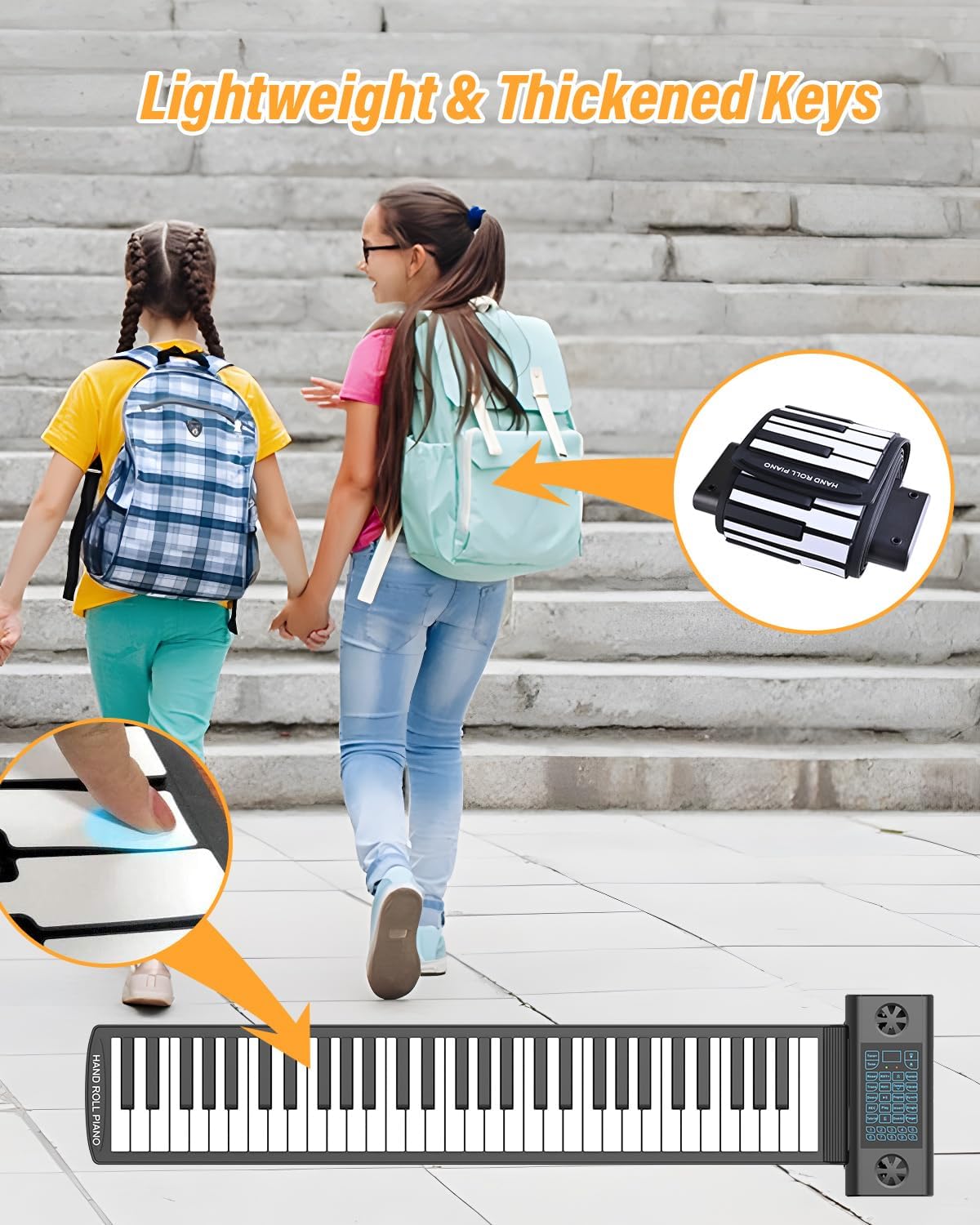
Image 2.3: The roll-up piano's lightweight and thickened keys, demonstrating its portability as it can be easily rolled up and carried in a backpack.
3. Konfigurazioa
3.1 Desontziratzea eta kokatzea
- Kontu handiz kendu osagai guztiak ontzitik.
- Unroll the piano keyboard on a flat, stable surface. Ensure the surface is clean and free of debris to prevent damage to the silicone keys.
- Place the control panel section on a stable part of the surface.
3.2 Charging the Piano
Before first use, fully charge the piano. The built-in Lithium battery provides extended playtime.
- Connect the USB charging cable to the USB/DC 5V port on the control panel.
- Konektatu USB kablearen beste muturra emandako korronte-egokitzailera.
- Entxufatu korronte-egokigailua entxufe elektriko estandar batean.
- The charging indicator light will illuminate. Once fully charged, the light may change color or turn off (refer to the LED display for battery status).
- A full charge typically takes 6-8 hours for optimal playtime.
3.3 Connecting Headphones or External Speakers
For private practice or louder output, connect headphones or external speakers.
- Entzungailuak: Insert a 3.5mm headphone jack into the 'Headphone Jack' port on the control panel. The internal speakers will automatically mute.
- Kanpoko hizlariak: Connect an audio cable (not included) from the 'Audio Output' port to your external speaker system.

Image 3.1: The control panel of the roll-up piano, detailing the various input and output ports including ON/OFF, USB/MIDI, Headphone, Audio Output, Microphone, and Sustain Pedal connections.

Image 3.2: A visual representation of the piano's multifunctional jacks, demonstrating connections to a computer for MIDI, headphones for private listening, a microphone, and a sustain pedal.
4. Funtzionamendu-argibideak
4.1 Piztu/Itzali
Eduki sakatuta ON/OFF button on the control panel to turn the piano on or off.
4.2 Bolumena doitzea
Erabili Bolumena igo (+) eta Bolumena jaitsi (-) buttons on the control panel to adjust the sound level.
4.3 Tonuak eta erritmoak hautatzea
- Tonuak: Sakatu Tonua button, then use the number keys (0-9) or the +/- buttons to select from 128 available tones.
- Erritmoak: Sakatu Erritmoa button, then use the number keys (0-9) or the +/- buttons to select from 128 available rhythms. Press Hasi/Gelditu erritmoa hasteko edo amaitzeko.
4.4 Playing Demo Songs
Sakatu Demo button to cycle through the 14 built-in demo songs. Press Demo again or any key to stop playback.
4.5 Grabaketa eta erreprodukzioa
- Sakatu REC button to enter recording mode. The indicator will light up.
- Play your desired melody on the keyboard.
- Sakatu Jolastu to stop recording and play back your recorded melody.
4.6 Sustain and Vibrato Functions
- Eutsi: Sakatu Eutsi button to enable or disable the sustain effect.
- Bibrazioa: Sakatu Bibratoa button to enable or disable the vibrato effect.
4.7 Teaching Mode and Chord Functions
Refer to the detailed instructions in the included quick start guide for specific steps on utilizing the teaching mode and various chord functions (e.g., single-finger chord, fingered chord).
4.8 Bluetooth/MIDI Connectivity
The PS61B supports Bluetooth and MIDI functions for enhanced connectivity.
- Bluetootha: Activate Bluetooth on your smart device (phone, tablet, computer). Bilatu available devices and select "KONIX PS61B" to pair. This allows for wireless MIDI connection to compatible apps.
- MIDI (USB): Connect the piano to a computer using the USB/MIDI cable. The piano will be recognized as a MIDI input device. This enables use with music software like Cakewalk, Sonar, Cubase, Nuendo, VST/VSTi, Garage Band, and various piano learning games.

Image 4.1: An adult and child engaging with the roll-up piano, demonstrating its use in music education and highlighting its MIDI, Bluetooth, and headphone connectivity options.
5. Mantentzea eta Zainketa
- Garbiketa: Wipe the silicone keyboard and control panel with a soft, dry cloth. For stubborn dirt, a slightly damp cloth can be used, but ensure no liquid enters the control panel or ports. Do not use harsh chemicals or abrasive cleaners.
- Biltegiratzea: When not in use, roll up the piano gently and store it in a cool, dry place away from direct sunlight and extreme temperatures. Avoid sharp objects that could puncture the silicone.
- Manipulazioa: The silicone material is durable but avoid excessive stretching or pulling of the keyboard.
- Uraren erresistentzia: The keyboard section is water-resistant, allowing for easy cleanup of spills. However, the control panel is not waterproof; avoid exposing it to liquids.

Image 5.1: The foldable portable piano's characteristics, including its soft silicone material, waterproof nature, ease of cleaning, and convenient portability for storage.
6. Arazoak
| Arazoa | Kausa posiblea | Irtenbidea |
|---|---|---|
| Soinurik ez | Piano is off; Volume is too low; Headphones are connected; Battery is low. | Ensure piano is on; Increase volume; Disconnect headphones if using speakers; Charge the piano. |
| Giltzak ez dute erantzuten | Piano not fully unrolled on a flat surface; Control panel issue; Low battery. | Ensure the piano is laid flat and smooth; Restart the piano; Charge the piano. |
| Bluetootha ez da konektatzen | Bluetooth not enabled on device; Piano not in pairing mode; Interference. | Enable Bluetooth on your device; Restart both devices; Try pairing in a different location. |
| Bateriaren iraupen laburra | Bateria ez dago guztiz kargatuta; Bateria zaharra. | Ensure full charge before use; If battery life significantly degrades, contact support. |
7. Zehaztapenak
| Ezaugarri | Xehetasuna |
|---|---|
| Ereduaren izena | PS61B |
| Gako kopurua | 61 |
| Tonuak | 128 |
| Erritmoak | 128 |
| Demo Abestiak | 14 |
| Konektibitatea | Bluetooth, MIDI USB |
| Energia iturria | Bateriaz elikatua (litiozko bateria kargagarria) |
| Aurikularretarako Jack | 3.5 mm-ko jaka |
| Produktuaren neurriak | 1.57"D x 1.16"W x 1.07"H (Control Panel) |
| Elementuaren pisua | 2.94 kilo |
| Materiala | Environmental Silicone |
| Onartutako softwarea | Cakewalk, Sonar, Cubase, Nuendo, VST/VSTi, Garage Band, Pop Piano music games (and others) |
| Sistema eragileen bateragarritasuna | Windows XP/Vista/7/8, Mac OSX |
8. Bermea eta Laguntza
KONIX products are manufactured to high-quality standards. For warranty information, please refer to the warranty card included with your purchase or contact KONIX customer support directly. Keep your proof of purchase for warranty claims.
If you encounter any issues not covered in the troubleshooting section, or require further assistance, please contact KONIX customer support through the retailer where you purchased the product or visit the official KONIX webharremanetarako datuak lortzeko gunea.


