1. Bukatu daview
This manual provides instructions for the Canon PowerShot ELPH 360 HS Digital Camera. It covers initial setup, basic operation, maintenance, and troubleshooting to help you get the most out of your camera.
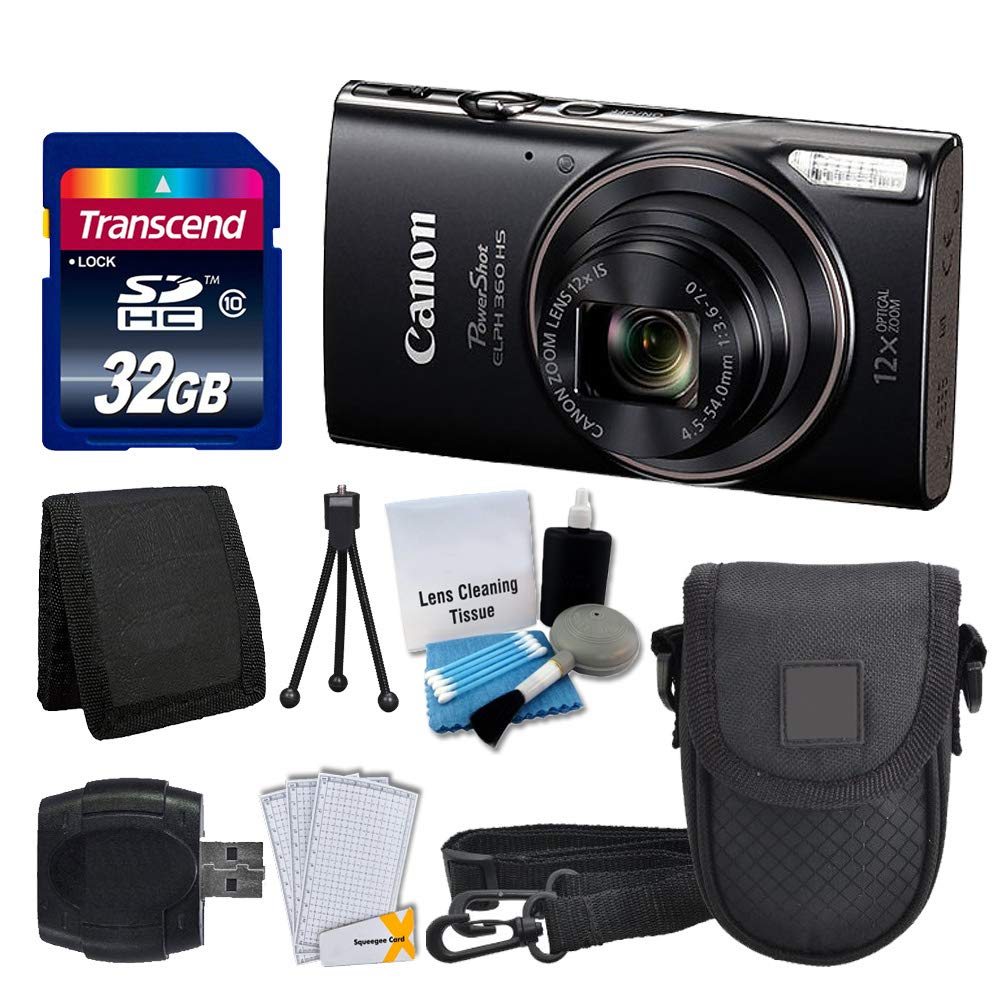
1.1. irudia: Aurrealdea view of the Canon PowerShot ELPH 360 HS Digital Camera.
2. Zer dago kutxan
Mesedez, egiaztatu ondorengo elementu guztiak zure paketean sartuta daudela:
- Canon PowerShot ELPH 360 HS Digital Camera (Black)
- Transcend 32GB Memory Card
- Kameraren kaxa
- USB Txartel irakurgailua
- LCD Screen Protectors
- Memoria Txartelaren Zorroa
- Bateria eta kargagailua
- Eskumuturreko uhala
- Cleaning Kit (Lens Cleaning Tissue, Blower, Brush, Cotton Swabs)

Image 2.1: The Canon PowerShot ELPH 360 HS camera with its battery, charger, and wrist strap.
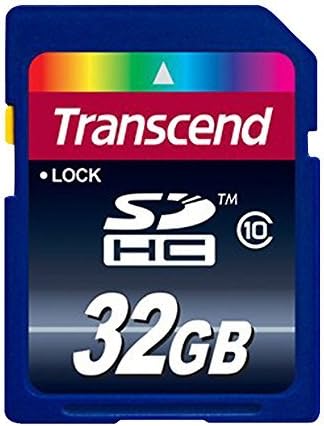
Image 2.2: A Transcend 32GB SDHC Memory Card, included for storage.
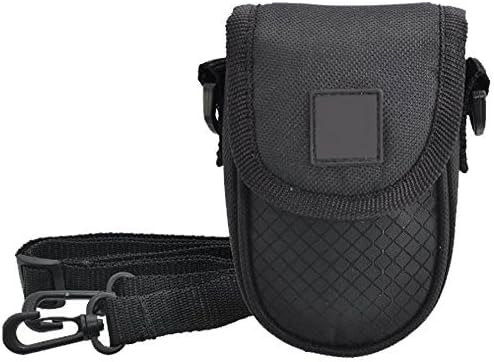
Image 2.3: A black camera case for protection and portability.
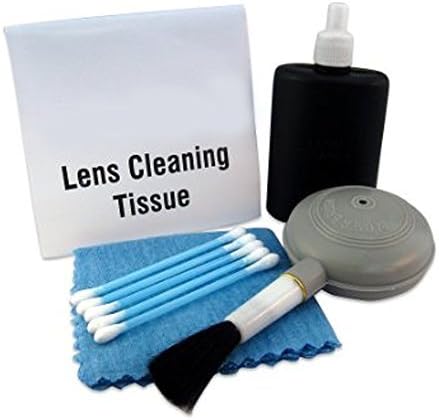
Image 2.4: The included cleaning kit for maintaining the camera's lens and body.
3. Konfigurazioa
3.1. Bateria kargatzea
- Insert the battery pack into the battery charger. Ensure the battery is correctly oriented.
- Kargagailua entxufe batera konektatu. Kargatzeko adierazlearen argia piztuko da.
- Charging is complete when the indicator light changes color or turns off (refer to charger specific indicators).
3.2. Bateria eta memoria txartela sartzea
- Ireki kameraren bateriaren/txartelaren konpartimentuaren estalkia.
- Insert the charged battery pack into the compartment, ensuring the contacts align. Push until it clicks into place.
- Insert the Transcend 32GB SDHC memory card into the card slot with the label facing the correct direction. Push until it clicks.
- Itxi konpartimenduaren estalkia ongi.
3.3. Eskumuturreko uhala lotzea
Thread the wrist strap through the strap mount on the camera body to prevent accidental drops.
4. Kameraren funtzionamendua
4.1. Piztu/Itzali
Sakatu [BOTEREA] kamera pizteko edo itzaltzeko botoia.
4.2. Argazkiak ateratzea
- Piztu kamera.
- Select your desired shooting mode (e.g., Automatic) using the mode dial or menu.
- Enkoadratu zure argazkia LCD pantaila erabiliz.
- Press the shutter button halfway down to focus. The focus frame will appear.
- Sakatu obturadorearen botoia guztiz argazkia ateratzeko.
4.3. Zooma erabiltzea
Use the zoom lever around the shutter button to adjust the optical zoom (12x) for closer or wider shots.
4.4. Bideoak grabatzea
- In a shooting mode, press the dedicated [FILMA] botoia grabatzen hasteko.
- Sakatu [FILMA] botoia berriro grabaketa gelditzeko.
4.5. BerriroviewIrudiak eta bideoak
Sakatu [ERREPRODUKZIOA] button to enter playback mode. Use the directional buttons to navigate through your photos and videos.
4.6. Ordenagailu batera konektatzea (USB)
Connect the camera to a computer using a USB cable to transfer photos and videos. The camera will appear as a removable drive.
4.7. Wi-Fi eta NFC konexioa
The camera supports Wi-Fi and NFC for wireless transfer of images to compatible devices or for remote control. Refer to the camera's on-screen menu for detailed setup instructions for these features.
5. Mantentzea
5.1. Kamera garbitzea
- Lentea: Use a lens brush or a soft, clean microfiber cloth with lens cleaning solution (from the included kit) to gently wipe the lens. Avoid touching the lens with your fingers.
- LCD pantaila: Use a soft, dry cloth to clean the LCD screen. For stubborn smudges, use a screen protector cleaning solution.
- Kameraren gorputza: Wipe the camera body with a soft, dry cloth. Do not use organic solvents or strong cleaning agents.
5.2. Bateria zaintzea
- Gorde bateriak leku fresko eta lehor batean erabiltzen ez dituzunean.
- Saihestu bateria maiz erabat deskargatzea, haren iraupena luzatzeko.
- Ez jarri bateriak tenperatura altuetan.
5.3. Biltegiratzea
When storing the camera for extended periods, remove the battery and memory card. Store the camera in a dry, dust-free environment, preferably in its camera case.
6. Arazoak
| Arazoa | Kausa posiblea | Irtenbidea |
|---|---|---|
| Kamera ez da pizten. | Bateria agortuta dago edo gaizki sartuta dago. | Kargatu bateria guztiz eta ziurtatu behar bezala sartuta dagoela. |
| Ezin dira argazkiak atera. | Memoria txartela beteta, blokeatuta edo sartu gabe dago. | Insert a memory card, unlock it, or delete unnecessary files. |
| Irudiak lausoak dira. | Camera shake, incorrect focus, or dirty lens. | Hold the camera steady, ensure proper focus, and clean the lens. |
| Wi-Fi/NFC connection fails. | Ezarpen okerrak edo gailuaren bateraezintasuna. | Check camera and device settings. Ensure devices are compatible and within range. |
7. Zehaztapenak
- Ereduaren izena: PowerShot ELPH 360 HS
- Marka: Kanona
- Argazki-sentsorearen bereizmena: 20.2 MP
- Zoom optikoa: 12x
- Irudiaren egonkortzea: Optikoa
- Lente mota: Zoom (25-300 mm equivalent)
- Pantailaren tamaina: 3 hazbeteko LCDa
- Konektibitatea: Wi-Fi, NFC, USB
- Onartua File Formatua: JPEG, RAW
- Bideoaren bereizmena: 1080p
- Memoria txartela mota: SD, SDHC (32GB included)
- Bateria mota: Litio ioia
- Kolorea: Beltza
8. Bermea eta Laguntza
8.1. Bermearen informazioa
This Canon PowerShot ELPH 360 HS Digital Camera comes with a 90 eguneko berme mugatuaGorde erosketaren egiaztagiria bermearen erreklamazioetarako.
8.2. Bezeroarentzako arreta
For further assistance, technical support, or service inquiries, please refer to the official Canon support webwebgunean edo jarri harremanetan bezeroarentzako arreta-zerbitzuarekin. Harremanetarako informazioa normalean fabrikatzailearen webgunean aurki daiteke. webgunean edo produktuaren jatorrizko ontzian.


