1. Sarrera
Eskerrik asko erosketagatik.asing the SOAR XL ShockBox BTH6 Wireless Bluetooth Speaker. This speaker is designed to provide high-quality audio with versatile connectivity options, including Bluetooth 5.0, AM/FM radio, USB, and Aux inputs. Its portable and shockproof design, combined with dynamic multicolor LED lights, makes it suitable for various environments. Please read this manual carefully to ensure proper use and maintenance of your device.
2. Produktua amaitu daview
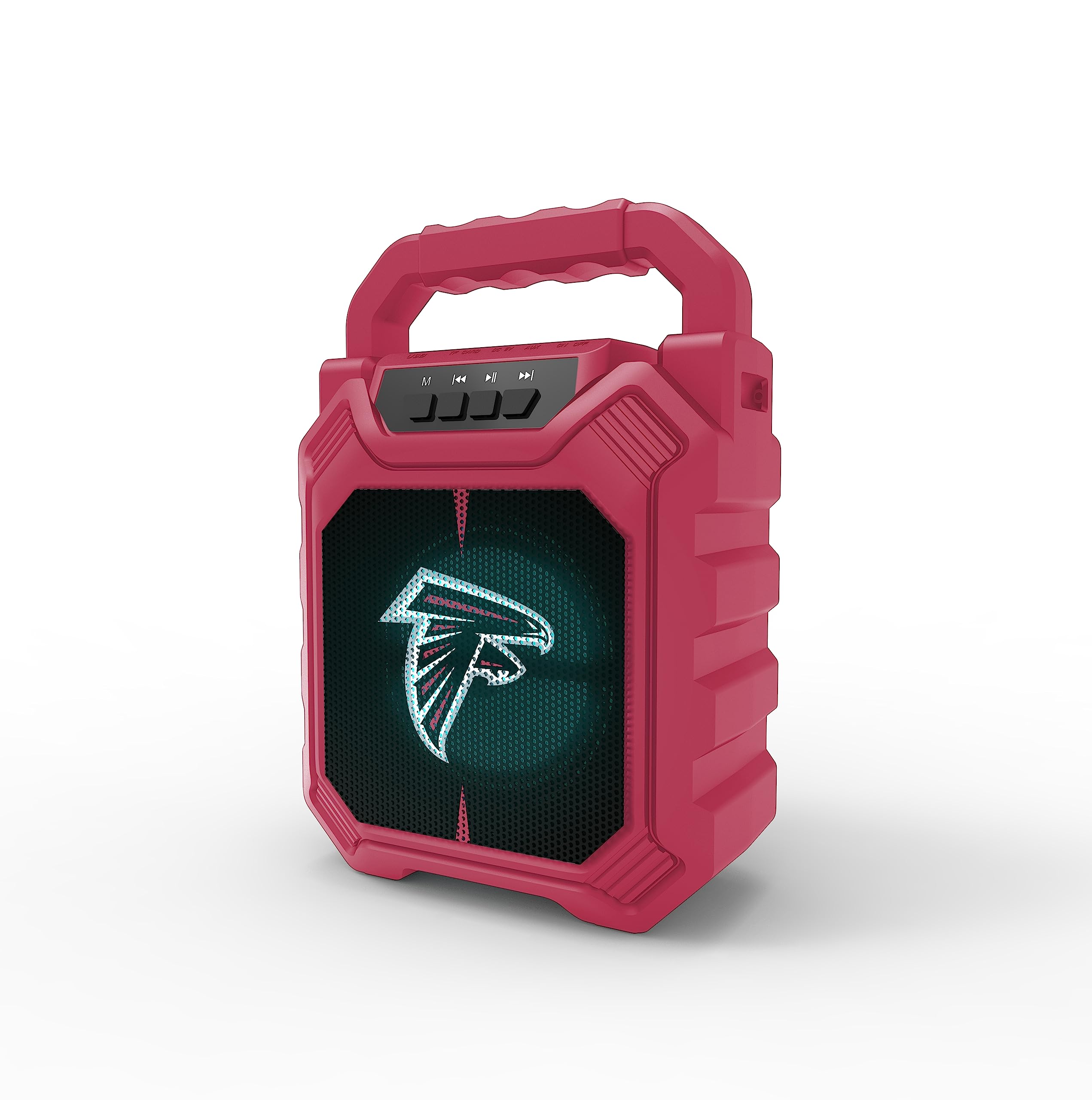
1. irudia: Aurrealdea view of the SOAR XL ShockBox BTH6 Wireless Bluetooth Speaker, featuring the Atlanta Falcons logo.
Ezaugarri nagusiak:
- Bluetooth 5.0 konexioa: For seamless wireless audio streaming.
- Audio-sarrera anitz: Supports AM/FM radio, USB, and Aux connections.
- Diseinu eramangarria: Features a convenient top handle and shockproof construction.
- Bateriaren iraupen luzea: Provides over 5 hours of playback on a single charge.
- LED argi dinamikoak: Multicolor LED lights pulse with the music.
- Wireless Wireless Stereo (TWS): Connect two speakers for enhanced stereo sound.
3. Kontrolak eta atakak

Image 2: Top panel of the speaker, illustrating the control buttons and various input ports.
Botoiaren funtzioak:
- Pizteko botoia: Press and hold to turn the speaker ON/OFF. Short press to switch modes (Bluetooth, FM, USB, Aux).
- 'M' (Modua) botoia: Short press to cycle through input modes (Bluetooth, FM Radio, USB, Aux).
- Aurreko abestia / Bolumena jaitsi: Short press for previous track (in Bluetooth/USB mode). Press and hold to decrease volume.
- Erreproduzitu/Pausatu botoia: Short press to play or pause audio. In FM mode, short press to auto-scan and save stations.
- Hurrengo abestia / Bolumena igo: Short press for next track (in Bluetooth/USB mode). Press and hold to increase volume.
Sarrerako ataka:
- Mikro-USB kargatzeko ataka: Bozgorailua kargatzeko.
- USB ataka: USB flash unitate batetik audioa erreproduzitzeko.
- Aux-in Port (3.5mm): Kanpoko audio gailuak kable laguntzaile baten bidez konektatzeko.
- MicroSD txartelaren zirrikitua: For playing audio from a MicroSD card.
4. Konfigurazioa eta funtzionamendua
4.1 Bozgorailua kargatzea
- Connect the provided micro-USB cable to the charging port on the speaker.
- Konektatu kablearen beste muturra USB elikatze-egokitzaile batera (ez dago barne) edo ordenagailuaren USB atakara.
- Kargatzeko adierazlearen argia piztuko da. Guztiz kargatuta dagoenean, argiaren kolorea alda daiteke edo itzali egin daiteke.
- A full charge provides over 5 hours of playback time.
4.2 Piztu/Itzaltzea
- To turn ON, press and hold the Power button until you hear an audible prompt.
- To turn OFF, press and hold the Power button again until the speaker powers down.
4.3 Bluetooth parekatzea
- Piztu bozgorailua. Automatikoki Bluetooth parekatze moduan sartuko da, LED argi keinukari batek eta soinu-mezu batek adierazita.
- Zure gailuan (smartphone-an, tabletan, etab.), gaitu Bluetooth-a eta bilatu eskuragarri dauden gailuak.
- Select "SOAR BTH6" from the list of devices.
- Behin parekatuta, bozgorailuak baieztapen entzungarri bat igorriko du, eta LED argia keinuka ari da.
- Bozgorailuak automatikoki konektatuko da azken parekatutako gailura piztean, gailua irismen-eremuan badago eta Bluetooth-a gaituta badago.
4.4 FM irratiaren funtzionamendua
- Turn on the speaker and press the 'M' (Mode) button until you enter FM Radio mode.
- To auto-scan and save available FM stations, short press the Play/Pause button. The speaker will scan and store stations automatically.
- Erabili Aurreko pista eta Hurrengo pista botoiak gordetako irratien artean nabigatzeko.
4.5 USB and Aux Input
- USB Sarrera: Insert a USB flash drive into the USB port. The speaker will automatically switch to USB mode and begin playing audio files.
- Sarrera Aux: Connect an external audio device (e.g., MP3 player) to the Aux-in port using a 3.5mm audio cable. Press the 'M' button to switch to Aux mode.
4.6 LED argiztapen modu

Image 3: The speaker displaying its dynamic LED lights in a vibrant setting.
The speaker features dynamic multicolor LED lights that pulse to the rhythm of the music. These lights activate automatically when the speaker is in use. There are no user-adjustable modes for the LED lights; they are designed to enhance the audio experience visually.
4.7 Benetako Haririk gabeko Estereoa (TWS) Parekatzea

Image 4: Two SOAR XL ShockBox BTH6 speakers paired together for True Wireless Stereo (TWS) sound.
To achieve a wider soundstage, you can pair two SOAR XL ShockBox BTH6 speakers together using the TWS function:
- Ensure both speakers are turned OFF.
- Turn ON both speakers. They will enter Bluetooth pairing mode.
- On one of the speakers (this will be your primary speaker), double-press the 'M' (Mode) button. The speakers will attempt to connect to each other.
- Once successfully paired, you will hear an audible confirmation. The LED lights on both speakers will synchronize.
- Orain, konektatu zure gailua bozgorailu nagusira Bluetooth bidez, 4.3 atalean azaltzen den bezala. Audioa bi bozgorailuetatik erreproduzituko da estereoan.
5. Mantentzea
- Garbiketa: Erabili zapi leun eta lehor bat bozgorailuen kanpoaldea garbitzeko. Ez erabili garbitzaile edo disolbatzaile urratzailerik.
- Biltegiratzea: Gorde bozgorailua leku fresko eta lehor batean, eguzki-argitik eta muturreko tenperaturetatik babestuta.
- Bateria zaintzea: Bateriaren iraupena luzatzeko, kargatu bozgorailua aldizka, nahiz eta maiz erabiltzen ez izan. Saihestu bateria denbora luzez guztiz deskargatzea.
- Uraren erresistentzia: While designed to be durable, avoid submerging the speaker in water.
6. Arazoak
| Arazoa | Irtenbide posiblea |
|---|---|
| Bozgorailua ez da pizten. | Ensure the battery is charged. Connect the speaker to a power source using the micro-USB cable. |
| Ezin da Bluetooth bidez parekatu. | Make sure the speaker is in Bluetooth mode and within range (approx. 10 meters). Turn off and on your device's Bluetooth. Forget "SOAR BTH6" from your device's Bluetooth list and try pairing again. |
| Soinurik ez edo bolumen baxua. | Egiaztatu bozgorailuaren eta konektatutako gailuaren bolumen mailak. Ziurtatu sarrera modu zuzena hautatuta dagoela. |
| FM irratiaren harrera eskasa da. | Adjust the speaker's position. Ensure you are in an area with good signal strength. |
| TWS parekatzeak huts egin du. | Ensure both speakers are fully charged and not connected to any other Bluetooth devices. Follow the TWS pairing steps carefully. |
7. Zehaztapenak
| Ezaugarri | Xehetasuna |
|---|---|
| Modelo zenbakia | BTH6 (Variant: NFL-BTH6-DLPH) |
| Bluetooth bertsioa | 5.0 |
| Audio Sarrerak | Bluetooth, AM/FM Radio, USB, Aux-in, MicroSD |
| Jolas ordua | Over 5 hours (per charge) |
| Kargatzeko ataka | Mikro-USB |
| Fabrikatzailea | Prime Brands Group Inc. |
| Eskuragarri dagoen lehen data | 6ko irailaren 2023a |
8. Produktuaren bideo ofiziala
1 bideoa: Produktu ofizial baten bideo-erakustaldiaasing the features and dynamic LED lights of the SOAR BTH6 Wireless Bluetooth Speaker.
9. Bermea eta Laguntza
For warranty information and customer support, please refer to the documentation included with your product or contact the manufacturer, Prime Brands Group Inc., directly. Details regarding specific warranty periods and support procedures are typically provided at the point of purchase or on the manufacturer's official webgunea.


