Sarrera
The FXTUL M3-A Motorcycle Diagnostic Tool is a versatile OBD2 scanner designed for comprehensive diagnostics of motorcycles and universal OBD2-compatible cars. This tool allows users to read and clear fault codes, access live data streams, perform actuation tests, and conduct voltage tests, providing essential information for vehicle maintenance and repair. It supports various motorcycle brands including Yamaha, Honda, and Kawasaki, in addition to standard OBD2 protocols.
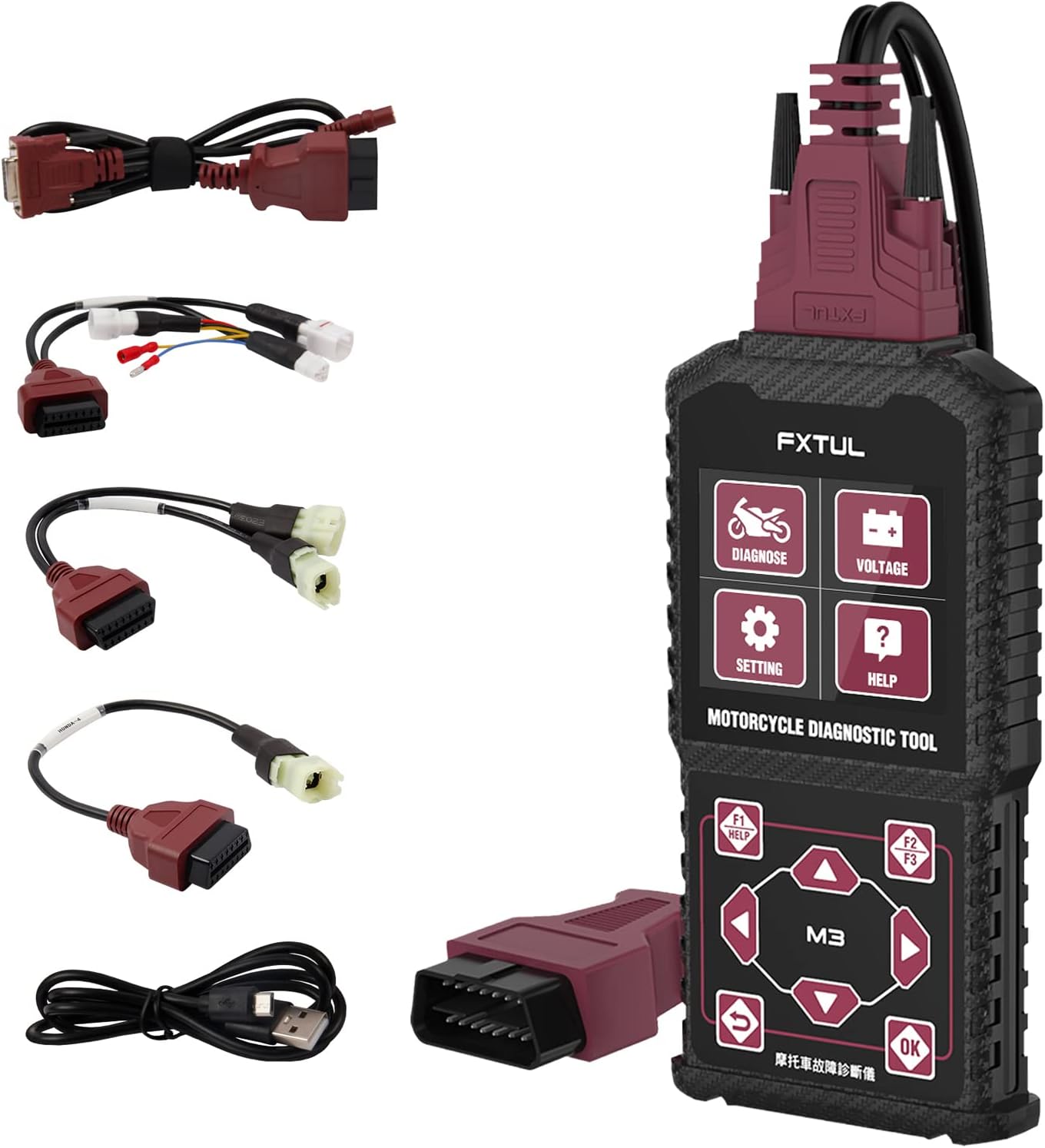
Image: The FXTUL M3-A diagnostic tool shown with its main unit and various diagnostic cables for different motorcycle and OBD2 connections.
Konfigurazioa eta hasierako erabilera
Paketearen edukia
Paketea irekitzean, ziurtatu osagai guztiak daudela:
- FXTUL M3-A Diagnostic Tool Main Unit
- OBD2 diagnostiko kablea
- Motorcycle specific adapter cables (e.g., for Yamaha, Honda, Kawasaki)
- USB Data Cable for software upgrades
- Erabiltzailearen eskuliburua (dokumentu hau)
Gailua konektatzea
To begin diagnostics, connect the appropriate cable to your motorcycle's or car's diagnostic port. For motorcycles, you may need to use one of the provided adapter cables. For OBD2-compatible cars, use the standard OBD2 cable.

Image: The M3-A tool highlighting its key features including Clear Fault Codes, Data Stream, Actuation Test, Voltage Test, Multi-system Diagnosis, and 11 Language support.
The device is powered directly from the vehicle's diagnostic port once connected. The screen will illuminate, indicating power.
Funtzionamendu-argibideak
Interfazea amaitu daview eta Nabigazioa

Irudia: Xehetasun handikoa view of the M3-A tool's dimensions and button layout, including 'Diagnose', 'Voltage Test', 'Settings', 'Help' buttons, and navigation controls.
The M3-A features a clear display and intuitive button layout for easy navigation:
- Diagnostikoa: Enters the main diagnostic menu.
- liburukiatage Proba: Initiates a real-time battery voltage proba.
- Ezarpenak: Accesses device settings, including language selection.
- Laguntza: Provides on-screen assistance.
- Navigation Buttons (Up/Down, Left/Right): Menuetan zehar mugitzeko eta aukerak hautatzeko erabiltzen da.
- Ados botoia: Hautaketak berresten ditu.
- Atzera botoia: Aurreko pantailara itzultzen da.
- F1/F2/F3 Buttons: Function-specific buttons, often for 'Help', 'Quick', or 'Pause' as indicated on screen.
Key Diagnostic Functions
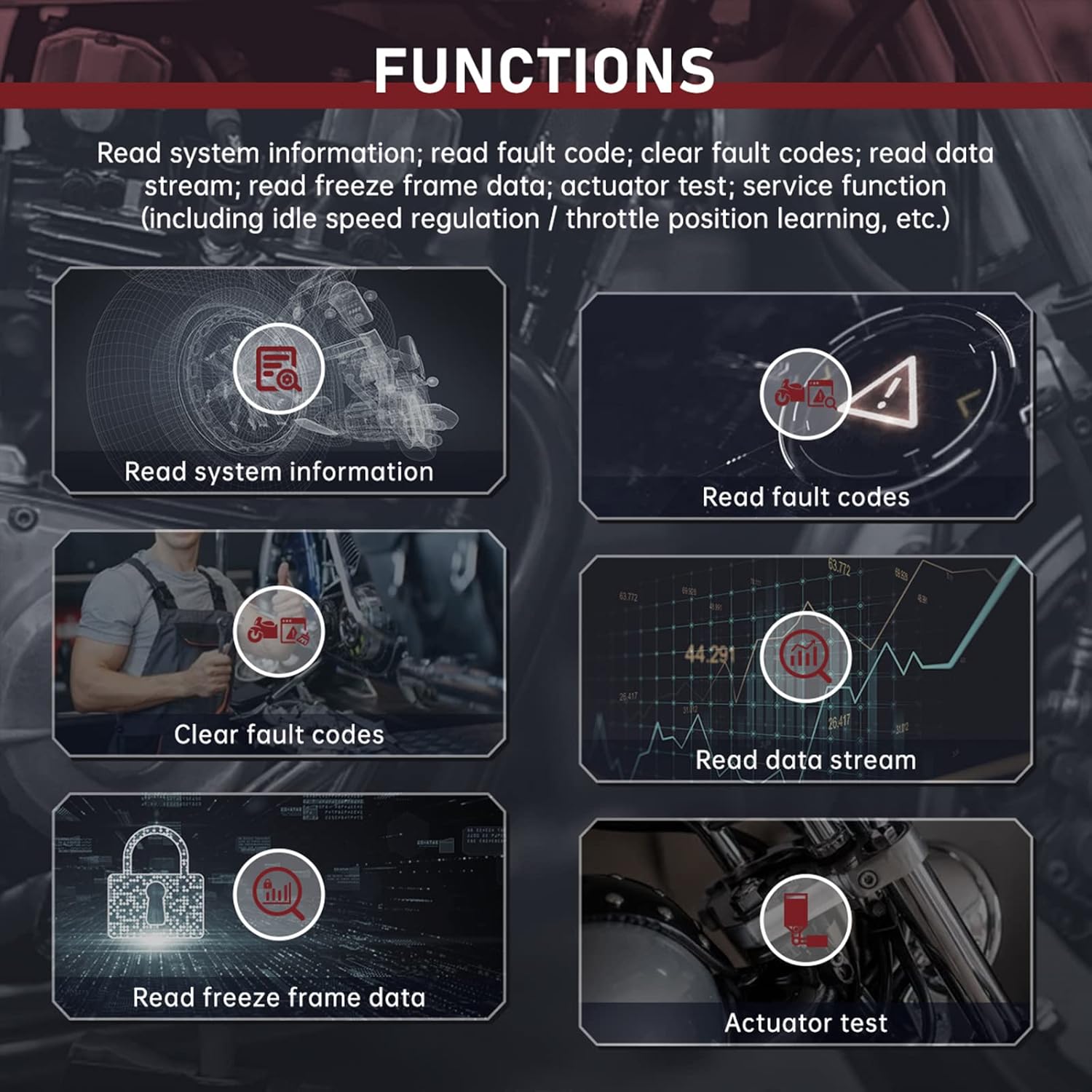
Irudia: Gainetikview of the diagnostic functions: Read System Information, Read Fault Codes, Clear Fault Codes, Read Data Stream, Read Freeze Frame Data, and Actuator Test.
- Irakurri sistemaren informazioa: Displays vehicle information such as VIN, calibration ID, and module information.
- Irakurri akatsen kodeak: Retrieves current, pending, and historic diagnostic trouble codes (DTCs) from the vehicle's ECU.
- Garbitu akatsen kodeak: Erases DTCs from the vehicle's memory. Ensure the underlying issue is resolved before clearing codes.
- Irakurri datu korrontea: Shows real-time data parameters from various sensors and components (e.g., engine speed, temperature, voltageta).
- Read Freeze Frame Data: Captures a snapshot of sensor data at the moment a fault code was set, aiding in diagnosis.
- Actuator Test: Allows for testing specific actuators (e.g., fuel pump, cooling fan) to verify their functionality.
- Service Function: Includes specialized functions like idle speed regulation and throttle position learning, if supported by the vehicle.
Proba azkarra
The Quick Test function automatically scans all accessible systems of the vehicle model and reads their respective fault codes. This provides a rapid overview of the vehicle's diagnostic status.

Irudia: Adibamples of the M3-A's interface displays, including Quick Test results, single system diagnosis, module information, fault code reading, data stream, freeze frame data, and actuation test screens.
liburukiatage Proba
Voltage Test feature allows for real-time detection of the OBD battery voltage, often displayed with a waveform for detailed analysis of voltaggorabeherak.
Multi-Language Selection
The device supports multiple languages, which can be selected via the 'Settings' menu. Supported languages include English, Spanish, Portuguese, French, Chinese, Traditional Chinese, Turkic, Vietnamese, Khmer, Thai, and Bahasa Indonesia.

Image: The multi-language selection screen of the M3-A tool, showing flags for various supported languages.
Mantentzea
Garbiketa
Wipe the device and cables with a soft, damp zapirik. Ez erabili garbitzaile edo disolbatzaile urratzailerik. Ziurtatu gailua deskonektatuta dagoela energia-iturrietatik garbitu aurretik.
Biltegiratzea
Store the diagnostic tool in a dry, cool place, away from direct sunlight and extreme temperatures. Keep cables neatly coiled to prevent damage.
Software-berritzea
The device's software can be upgraded by connecting it to a computer via the provided USB data cable. Visit the official FXTUL website for the latest software updates and instructions.

Image: The M3-A diagnostic tool connected to a laptop via USB cable, illustrating the software upgrade process.
Arazoak konpontzea
If you encounter issues with your FXTUL M3-A diagnostic tool, refer to the following common problems and solutions:
- Gailua ez da pizten:
- Ensure the diagnostic cable is securely connected to both the tool and the vehicle's diagnostic port.
- Egiaztatu ibilgailuaren bateriak nahikoa karga duela.
- Check for any damage to the diagnostic cable or the tool's port.
- Ibilgailuarekin komunikaziorik ez:
- Confirm you are using the correct adapter cable for your specific motorcycle model or the standard OBD2 cable for cars.
- Ensure the vehicle's ignition is in the 'ON' position (engine off or running, as required by the diagnostic procedure).
- Check for blown fuses in the vehicle's diagnostic port circuit.
- Some older or non-standard vehicles may not be fully compatible. Refer to the compatibility list.
- Incorrect or no fault codes displayed:
- Ensure the tool's software is up to date. Outdated software may not recognize newer vehicle protocols or specific fault codes.
- Verify the vehicle's ECU is functioning correctly.
- Screen is unreadable or frozen:
- Disconnect the tool from the vehicle and reconnect it.
- If the issue persists, perform a software upgrade.
- Compatibility Issues (e.g., "Doesn't work for 09 Honda cbr600rr" or "Doesn't work on Kawasaki bikes" as reported by some users):
- While the product is advertised as compatible with Yamaha, Honda, and Kawasaki, specific models or years may have variations. Always verify compatibility with the manufacturer if you encounter issues.
- Ensure you have the correct adapter cable for your specific model.
- Check for software updates, as these often include expanded vehicle coverage.
If these steps do not resolve the issue, please contact FXTUL customer support for further assistance.
Zehaztapenak
| Modelo zenbakia | FXTUL M3-A |
| Fabrikatzailea | FXTUL |
| Produktuaren neurriak | 6.4 x 3.3 x 0.9 hazbete (gutxi gorabehera 163 mm x 85 mm x 23 mm) |
| Elementuaren pisua | 1.43 kilo |
| Operating System (for software updates) | Windows XP (and likely newer Windows versions) |
| Onartutako protokoloak | OBD2, specific motorcycle protocols (Yamaha, Honda, Kawasaki) |
| Bistaratzea | Monochrome LCD (based on images) |
Bermea eta Laguntza
For warranty information, technical support, or any inquiries regarding the FXTUL M3-A Motorcycle Diagnostic Tool, please contact FXTUL customer service directly. Refer to the product packaging or the official FXTUL webwebgunean, kontaktu-datu eta berme-baldintza eguneratuenak ikusteko.
Official FXTUL Store: Visit the FXTUL Store on Amazon


