Sarrera
Thank you for choosing the SOAR NCAA Sport True Wireless Earbuds V.5. This manual provides detailed instructions for the proper setup, operation, and maintenance of your earbuds. Please read this manual thoroughly before use to ensure optimal performance and longevity of your device.
Paketearen edukia
- SOAR NCAA Sport True Wireless Earbuds V.5 (Left and Right)
- Kargatzeko kaxa eramangarria
- USB motako C kargatzeko kablea
- Extra Ear Gels (various sizes)
- Erabiltzailearen eskuliburua (dokumentu hau)
Produktua amaituview
Familiarize yourself with the components of your SOAR True Wireless Earbuds.

Image: The SOAR NCAA Sport True Wireless Earbuds V.5, featuring the TCU Horned Frogs logo, are shown both inside their open charging case and as a single earbud outside the case. The closed charging case lid is also displayed, highlighting the team logo.

Image: A diagram highlighting the functional aspects of the earbuds, including sweat resistance, secure fit ear hooks, the portable charging case, clear call quality, and intuitive one-touch controls.
- Entzungailuak: Left and Right earbuds with integrated controls and ear hooks for a secure fit.
- Kargatzeko kaxa: Stores and recharges the earbuds.
- LED adierazleak: Provide status updates for charging and pairing.
- Multi-function Button/Touch Control: Erreprodukzioa, deiak eta ahots-laguntzailea kudeatzeko.
- Mikrofonoa: Esku libreko deiak egiteko integratua.
Konfigurazioa
1. Entzungailuak eta zorroa kargatzea
- Lehenengo aldiz erabili aurretik, kargatu guztiz entzungailuak eta kargatzeko zorroa.
- Jarri entzungailuak kargatzeko zorroan. Ziurtatu ondo sartuta daudela.
- Konektatu USB C motako kaxako kargatzeko atakara eta beste muturra USB elikatze iturri batera (adibidez, ordenagailua, hormako egokitzailea).
- The LED indicators on the case and/or earbuds will show charging status. Refer to the LED indicator section for details.
- Once fully charged, disconnect the charging cable. A full charge provides over 10 hours of music and talk time.
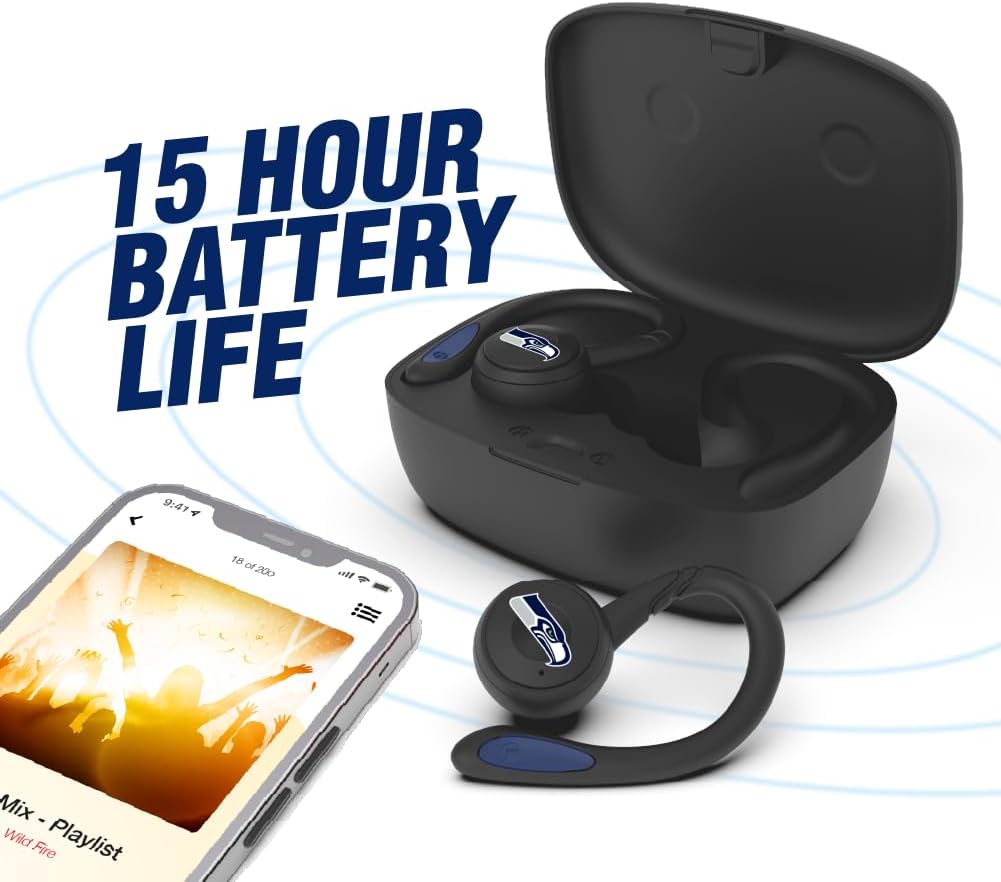
Image: The earbuds are shown within their charging case, positioned beside a smartphone playing music, emphasizing the extended battery life for continuous audio enjoyment.
2. Bluetooth Gailu batekin parekatzea
- Ziurtatu entzungailuak kargatuta daudela.
- Open the charging case. The earbuds will automatically enter pairing mode, and their LED indicators will flash (e.g., blue and red alternately).
- Zure gailuan (smartphone-an, tabletan, etab.), gaitu Bluetooth-a.
- Bilatu available Bluetooth devices. You should see "SOAR Earbuds V.5" or a similar name appear in the list.
- Select the earbuds from the list to connect. Once connected, the LED indicators on the earbuds will stop flashing or show a solid blue light, and you will hear an audible confirmation.
- Parekatzeak huts egiten badu, itzali entzungailuak, desgaitu Bluetooth-a gailuan eta errepikatu urratsak.
Funtzionamendu-argibideak
Piztu/Itzali
- Piztu: Open the charging case, or press and hold the multi-function button on each earbud for approximately 3 seconds.
- Itzali: Place the earbuds back into the charging case and close the lid, or press and hold the multi-function button on each earbud for approximately 5 seconds.
Musika erreproduzitzea
- Erreproduzitu/Pausatu: Single tap the multi-function button on either earbud.
- Hurrengo ibilbidea: Double tap the multi-function button on the right earbud.
- Aurreko pista: Double tap the multi-function button on the left earbud.
- Bolumena igo: Triple tap the multi-function button on the right earbud.
- Bolumena jaitsi: Triple tap the multi-function button on the left earbud.
Deien Kudeaketa
- Deia erantzun/amaitu: Single tap the multi-function button on either earbud.
- Deia baztertu: Sakatu eta eutsi entzungailuetako edozeinetako funtzio anitzeko botoia 2 segundoz.
Ahots Laguntzailea
- Aktibatu Ahots Laguntzailea: Press and hold the multi-function button on either earbud for 2 seconds (when not on a call).
Mantentzea
- Garbiketa: Erabili zapi leun, lehor eta lihorik gabeko bat entzungailuak eta kargatzeko zorroa garbitzeko. Ez erabili produktu kimiko gogorrik edo material urratzailerik.
- Belarrietarako gelak: Regularly remove and clean the ear gels with a damp oihal. Ziurtatu guztiz lehor daudela berriro jarri aurretik.
- Biltegiratzea: Erabiltzen ez dituzunean, gorde entzungailuak kargatzeko zorroan babesteko eta kargatuta mantentzeko. Gorde leku fresko eta lehor batean, eguzki-argitik eta muturreko tenperaturetatik babestuta.
- Uraren erresistentzia: The earbuds are sweat resistant, but not waterproof. Avoid submerging them in water or exposing them to heavy rain.
Arazoak konpontzea
| Arazoa | Irtenbidea |
|---|---|
| Aurikularrak ez dira pizten. | Ziurtatu entzungailuak kargatuta daudela. Jarri kargatzeko zorroan eta konektatu zorroa korrontera. |
| Aurikularrak ez dira gailuarekin parekatzen. |
|
| Entzungailu bakarra dabil. |
|
| Soinuaren kalitate eskasa edo deskonexioak. |
|
Zehaztapenak
| Ezaugarri | Xehetasuna |
|---|---|
| Modelo zenbakia | NCAA-TWS5-TXC |
| Konektibitatea | Bluetooth 5.0 |
| Wireless Range | Gehienez 30 oin (9 metro) |
| Bateriaren iraupena | Over 10 hours (music & talk time per charge) |
| Kargatzeko ataka | USB C motakoa |
| Kontrol mota | Touch Control / Multi-function Button |
| Mikrofonoa | Eraikitakoa |
| Materiala | Plastikoa |
| Pisua | Approximately 140 g (total item weight) |
Bermea eta Laguntza
For warranty information and customer support, please refer to the official SOAR product webwebgunearekin edo jarri harremanetan zure saltzailearekin. Gorde erosketaren frogagiria berme-erreklamazioetarako.
Laguntza gehiago lortzeko, mesedez bisitatu: www.soar.com (Note: This is a placeholder link. Please refer to the actual product packaging or manufacturer's website for accurate support information.)


