Sarrera
Eskerrik asko erosketagatik.asing the Hoco HC5 Cool Enjoy Sports Wireless Speaker. This manual provides important information regarding the setup, operation, and maintenance of your new speaker. Please read this manual thoroughly before using the product to ensure proper function and to extend its lifespan.
Segurtasun Informazioa
- Ez jarri bozgorailua tenperatura altuen, eguzki-argiaren eraginpean edo hezetasun handiaren eraginpean.
- Saihestu bozgorailua kolpe gogorrak erortzea edo jasaten.
- Ez desmuntatu, konpondu edo aldatu bozgorailua zeuk. Jarri harremanetan zerbitzu-langile kualifikatuekin.
- Mantendu bozgorailua uretatik eta beste likidoetatik urrun.
- Use only the specified charging cable and adapter.
- Clean the speaker with a soft, dry cloth. Do not use harsh chemicals or abrasive cleaners.
Paketearen edukia

Image: Hoco HC5 speaker in its retail packaging, showing the speaker and its accessories.
Mesedez, egiaztatu arretaz paketearen edukia. Elementuren bat falta bada edo hondatuta badago, jarri harremanetan zure saltzailearekin.
- Hoco HC5 Haririk gabeko Bozgorailua
- USB kargatzeko kablea
- AUX Kablea
- Sorbalda-uhal
- Erabiltzailearen eskuliburua (dokumentu hau)
Produktua amaituview
Familiarize yourself with the various parts and controls of your Hoco HC5 speaker.

Irudia: Aurrealdea view of the Hoco HC5 speaker, showcasing its cylindrical design, speaker grilles, and attached shoulder strap.

Irudia: Gertuko planoa view of one end of the Hoco HC5 speaker, highlighting the speaker driver and the robust casing.
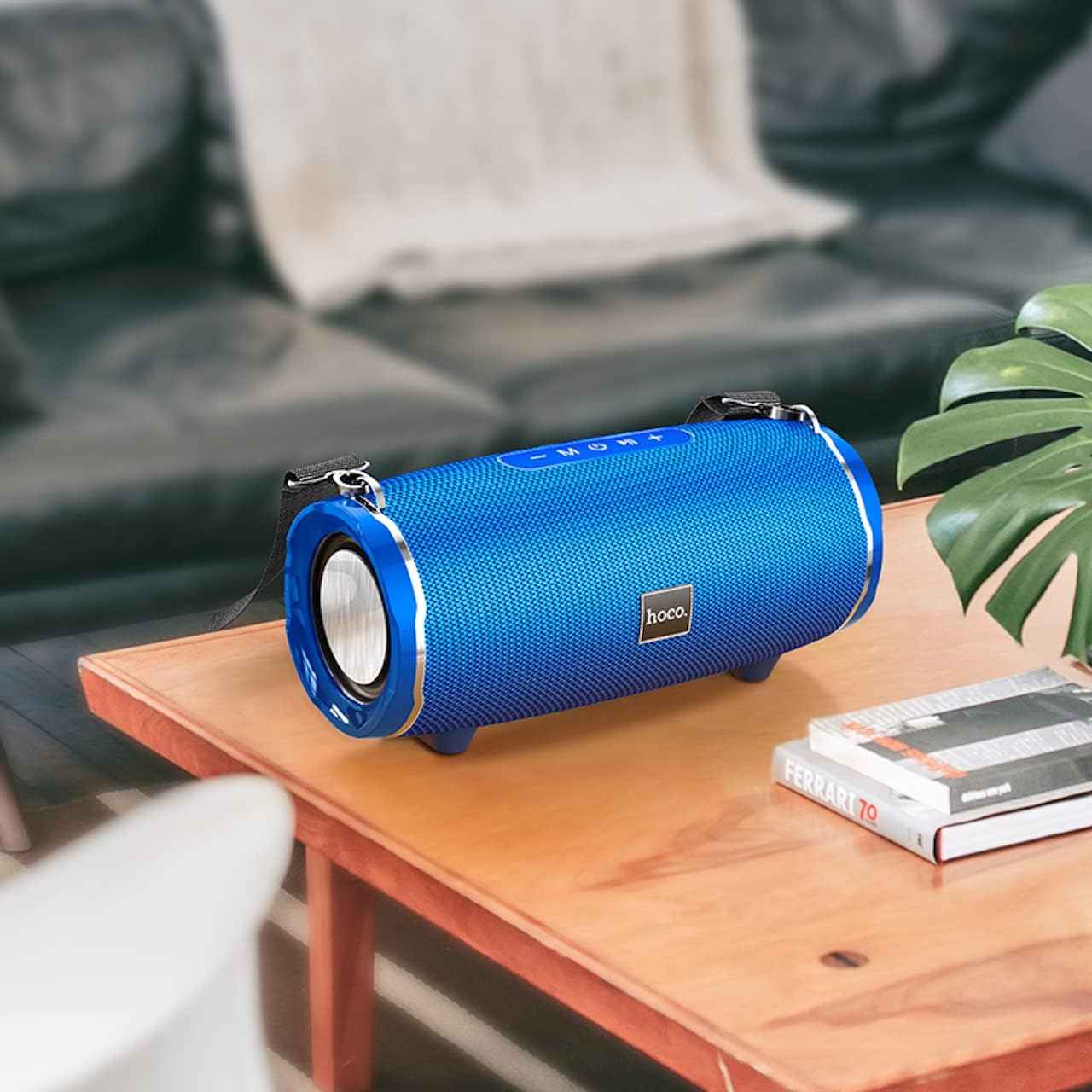
Image: The Hoco HC5 speaker placed on a wooden table, demonstrating its size and how it might appear in a home setting.
Control Panel (Top/Rear)
- Pizteko botoia: Eduki sakatuta pizteko/desaktibatzeko.
- Modu botoia (M): Short press to switch between Bluetooth, TF Card, USB, AUX, and FM modes.
- Play/Pause Button (▶⏸): Short press to play or pause music. In FM mode, short press to auto-scan and save stations.
- Bolumena jaitsi / Aurreko abestia (-): Short press for previous track. Long press to decrease volume.
- Bolumena igo / Hurrengo abestia (+): Short press for next track. Long press to increase volume.
Ports (Rear/Side)
- USB ataka: USB flash unitatean erreproduzitzeko.
- TF txartelaren zirrikitua: TF (MicroSD) txartelaren erreprodukziorako.
- AUX ataka: For connecting external audio devices via 3.5mm audio cable.
- Kargatzeko ataka: Bozgorailuen barneko bateria kargatzeko.
Konfigurazioa
Hizlaria kargatzen
- Konektatu USB kargatzeko kablea bozgorailuaren kargatzeko atakara.
- Connect the other end of the USB cable to a USB power adapter (5V/1A recommended) or a computer's USB port.
- Kargatzeko adierazlearen argia piztuko da kargatzen ari den bitartean eta itzali egingo da guztiz kargatzen denean.
- Karga osoak 3.5 ordu behar ditu gutxi gorabehera.
Piztu/Itzali
- Pizteko: Press and hold the Power button for a few seconds until you hear a power-on prompt.
- Itzaltzeko: Press and hold the Power button again for a few seconds until you hear a power-off prompt.
Funtzionamendu-argibideak
Bluetooth modua
- Piztu bozgorailua. Automatikoki Bluetooth parekatze moduan sartuko da, LED argi keinukari batek adierazita.
- Gaitu Bluetooth-a zure gailuan (telefono adimenduna, tableta, etab.).
- Bilatu "HC5" in the list of available Bluetooth devices and select it to connect.
- Once connected, the LED indicator will stop flashing, and you will hear a connection tone.
- Orain zure gailuko audioa bozgorailuaren bidez erreproduzitu dezakezu.
- Use the Play/Pause, Volume Up/Down, and Previous/Next Track buttons on the speaker or your device to control playback.
TF Card / USB Mode
- Insert a TF (MicroSD) card or USB flash drive into the corresponding slot on the speaker.
- The speaker will automatically switch to TF Card or USB mode and begin playing audio files. If not, short press the "M" (Mode) button to switch.
- Ziurtatu zure audioa files formatu bateragarri batean daude (adibidez, MP3).
- Use the Play/Pause, Volume Up/Down, and Previous/Next Track buttons to control playback.
AUX modua
- Connect one end of the 3.5mm AUX cable to the speaker's AUX port.
- Konektatu beste muturra kanpoko gailuaren audio irteerara (adibidez, MP3 erreproduzitzailea, ordenagailua).
- The speaker will automatically switch to AUX mode. If not, short press the "M" (Mode) button to switch.
- Audio will now play through the speaker. Control playback from your external device.
FM irrati modua
- Short press the "M" (Mode) button until you enter FM radio mode.
- To auto-scan and save available FM stations, short press the Play/Pause button. The speaker will scan and store stations automatically.
- Erabili Aurrekoa/Hurrengo pista botoiak gordetako irratien artean nabigatzeko.
TWS (True Wireless Stereo) Function (If Supported)
The Hoco HC5 speaker supports TWS function, allowing you to pair two HC5 speakers together for a true stereo sound experience.
- Ziurtatu bi HC5 bozgorailuak piztuta daudela eta ez daudela Bluetooth gailu batera konektatuta.
- Bozgorailuetako batean (hau izango da bozgorailu nagusia), sakatu luze Erreproduzitu/Pausatu botoia TWS parekatze modua adierazten duen mezu bat entzun arte.
- The two speakers will automatically search for and connect to each other. Once connected, you will hear a confirmation tone.
- Now, connect your device to the primary speaker via Bluetooth as described in the "Bluetooth Mode" section.
- Audioa estereoan erreproduzituko da orain bi bozgorailuetatik.
Mantentzea
- Garbiketa: Use a soft, dry, lint-free cloth to wipe the surface of the speaker. Do not use liquid cleaners, aerosols, or solvents.
- Biltegiratzea: Denbora luzez erabiltzen ez baduzu, gorde bozgorailua leku fresko eta lehor batean, eguzki-argitik eta muturreko tenperaturetatik babestuta.
- Bateria zaintzea: Bateriaren iraupena luzatzeko, saihestu bateria maiz erabat deskargatzea. Kargatu bozgorailua aldizka, erabiltzen ez bada ere.
Arazoak konpontzea
| Arazoa | Kausa posiblea | Irtenbidea |
|---|---|---|
| Bozgorailua ez da pizten. | Bateria baxua edo agortuta dago. | Kargatu bozgorailua guztiz. |
| Ezin da Bluetooth gailuarekin parekatu. | Bozgorailua ez dago parekatze moduan; gailuaren Bluetooth-a itzalita dago; bozgorailua beste gailu batera konektatuta dago dagoeneko. | Ensure speaker is in pairing mode (flashing LED). Turn off and on Bluetooth on your device. Disconnect from other devices. |
| Ez dago soinurik bozgorailutik. | Volume is too low; incorrect mode selected; audio source issue. | Increase speaker and device volume. Press "M" button to select correct mode. Check audio source. |
| FM irratiaren harrera eskasa da. | Seinale ahula; ingurumen-interferentziak. | Relocate the speaker. Re-scan for stations. |
Zehaztapenak
| Ezaugarri | Xehetasuna |
|---|---|
| Eredua | HC5 |
| Bluetooth bertsioa | 5.0 (JL chip) |
| Bozgorailuaren tamaina | 76 mm * 2 |
| Bozgorailuaren potentzia irteera | 15W * 2 (Guztira 30W) |
| Bateria Edukiera | 3600mAh |
| Kargatzeko Denbora | 3.5 ordu gutxi gorabehera |
| Musika / Eztabaida Ordua | Gehienez 4 ordu |
| Konektibitate-aukerak | Bluetooth, TF card, USB, AUX, FM, TWS |
| Produktuaren neurriak | 292 x 139 x 132 mm |
| Produktuaren pisua | 1.5 kg |
| Audio irteera modua | Inguratu |
| Muntatze Mota | Mahaigaina |
Bermea eta Laguntza
The Hoco HC5 speaker comes with a standard manufacturer's warranty. Please refer to the warranty card included in your package for specific terms and conditions. For technical support, troubleshooting assistance, or warranty claims, please contact the retailer where you purchased the product or visit the official HOCO webharremanetarako informazioa lortzeko gunea.
Fabrikatzailea: Hoco
Jatorrizko herrialdea: Txina


