Sarrera
This manual provides essential instructions for the safe and efficient use of your Haier 43K7700UGA 43 Inch 4K Google Smart Android Television. Please read this manual thoroughly before operating the television and retain it for future reference. This television features a 4K UHD display, Google Android 11 operating system, and built-in Chromecast for an enhanced viewesperientzia.
Segurtasun informazio garrantzitsua
Jarraitu beti oinarrizko segurtasun neurriak telebista hau erabiltzean sute, deskarga elektriko eta lesio arriskua murrizteko.
- Ez jarri telebista euri edo hezetasunpean.
- Do not block ventilation openings. Ensure adequate space around the television for proper airflow.
- Babestu korronte-kablea ibiltzeko edo atximur ez dadin.
- Erabili soilik fabrikatzaileak zehaztutako eranskinak/osagarriak.
- Deskonektatu telebista tximista-ekaitzetan edo denbora luzez erabili gabe dagoenean.
- Jarri zerbitzu-zerbitzu guztiak zerbitzu-pertsonal kualifikatuari.
Paketearen edukia
Egiaztatu elementu guztiak paketean daudela:
- 1 x Haier 43 Inch LED TV
- 1 x Urruneko kontrola
- 1 x Mahai gaineko euskarria (multzoa)
- 1 x Elikatze-kablea
- 2 x AAA bateria (urrutiko agintearentzat)
- 1 x Erabiltzailearen eskuliburua (dokumentu hau)
- 1 x Berme Txartela
Konfigurazio Gida
1. Desontziratzea eta kokatzea
Carefully remove the television from its packaging. Place the TV on a stable, flat surface or prepare for wall mounting (wall mount kit sold separately). Ensure proper ventilation around the TV.
2. Mahai gaineko euskarria muntatzea
If using the included table top stand, align the stand components with the designated slots at the bottom of the television. Secure them firmly with the provided screws. Refer to the diagram below for guidance.
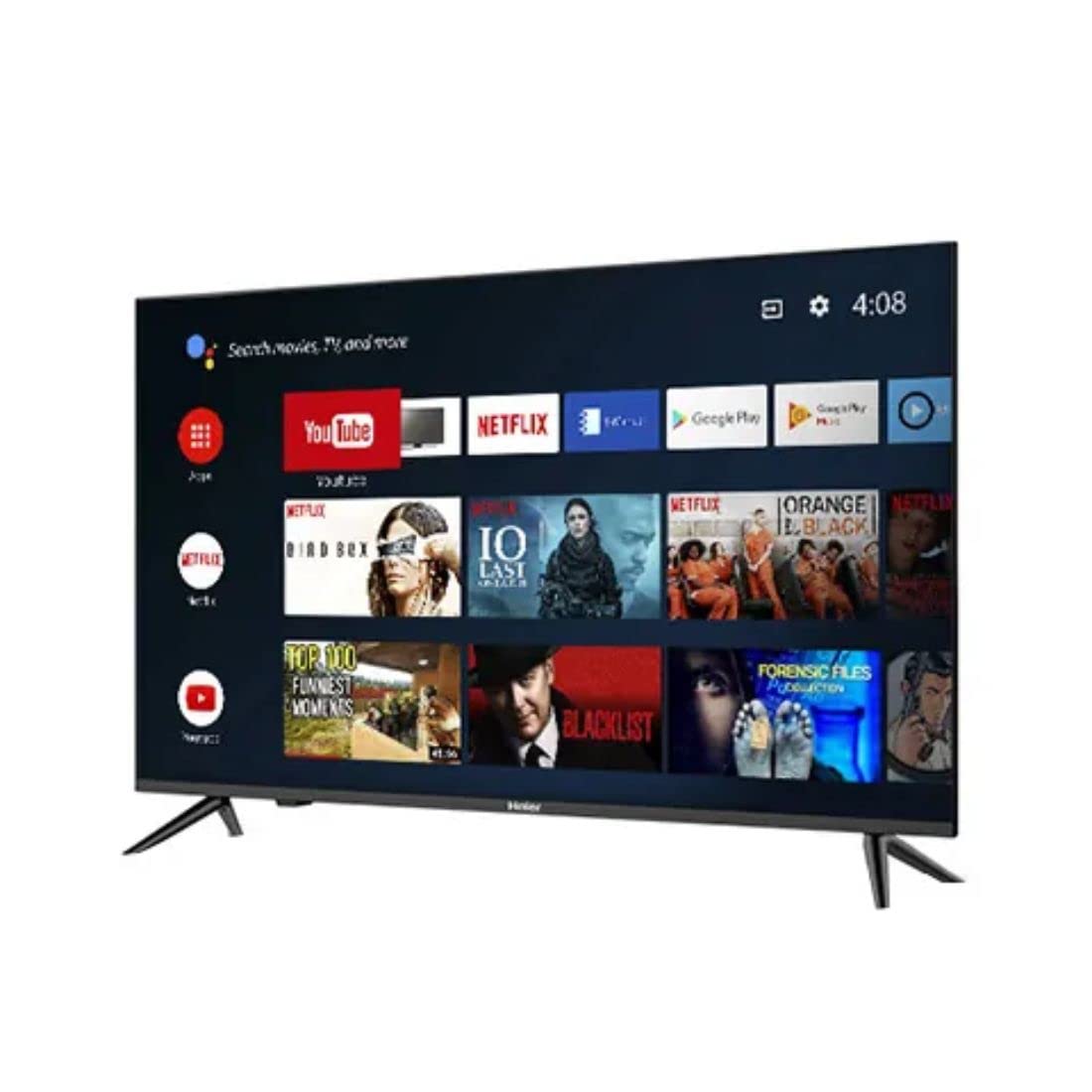
Irudia: Albokoa view of the television demonstrating stand attachment.
3. Potentzia konektatzea
Connect the power cable to the AC input port on the back of the television, then plug the other end into a suitable power outlet. Ensure the power supply matches the voltage requirements of the TV (230 Volts).
4. Kanpoko gailuak konektatzea
Your Haier TV supports various connections. Use the HDMI ports for high-definition devices like set-top boxes, gaming consoles, or Blu-ray players. USB ports are available for media playback from storage devices.
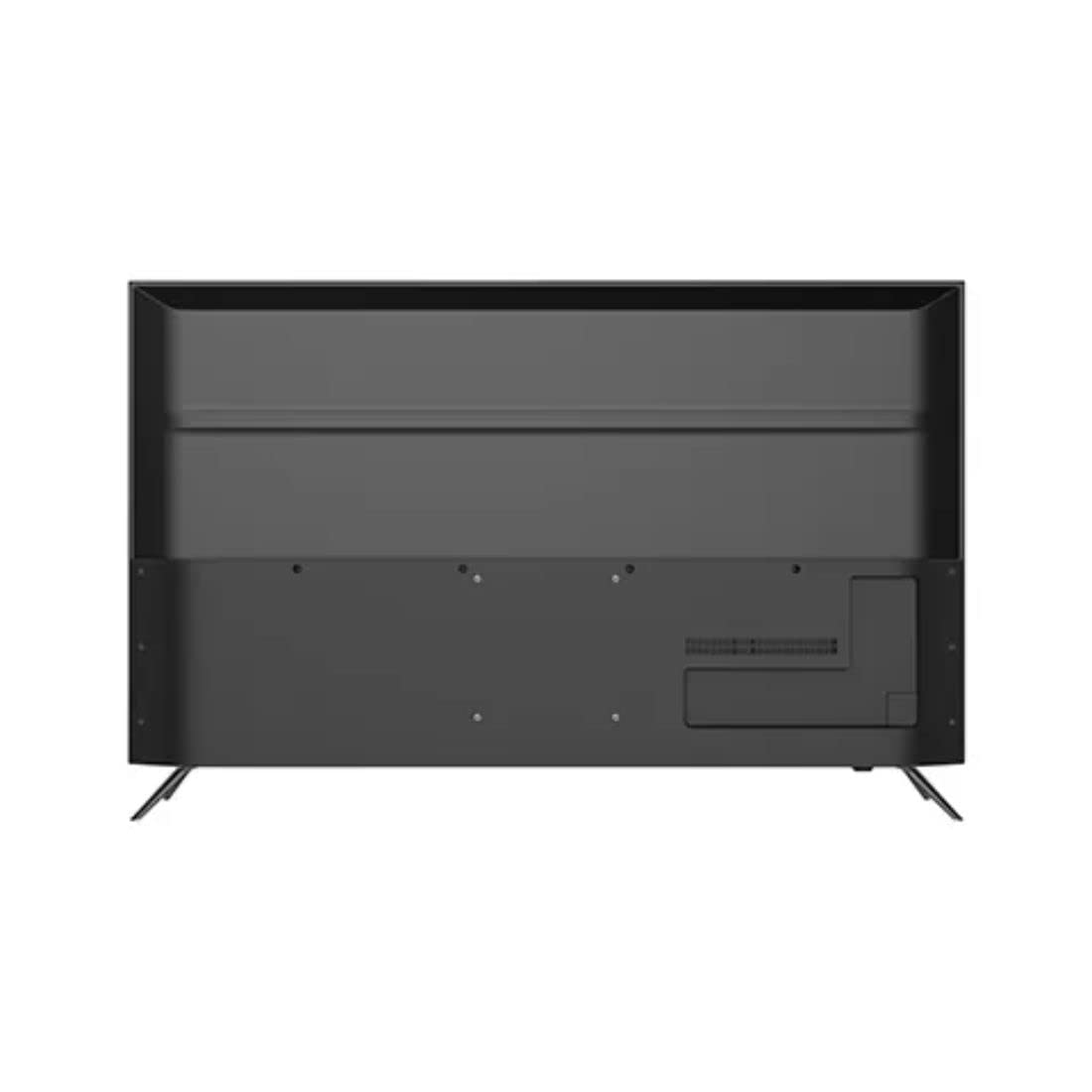
Irudia: Atzealdea view of the television highlighting various input ports such as HDMI and USB.
- HDMI: Connect HDMI cables from your devices to the HDMI ports on the TV.
- USBa: Insert USB storage devices into the USB ports for accessing media files.
- Bluetootha: Use Bluetooth for wireless audio devices or other compatible accessories.
5. Initial Setup (First Power On)
Upon first power-on, the TV will guide you through the initial setup process. This includes selecting your language, connecting to a Wi-Fi network, signing in with your Google account, and configuring basic settings for your Android TV experience.
Operating Your Television
1. Urruneko kontrola
Insert the two AAA batteries into the remote control, ensuring correct polarity. The remote allows you to navigate the TV's interface, adjust volume, change channels, and access smart features.
2. Piztu/Itzali
Sakatu Boterea button on the remote control or on the TV to turn the television on or off.
3. Android TV interfazea
Your Haier TV runs on Google Android 11, providing access to a wide range of apps and services. Use the directional buttons on your remote to navigate the home screen, select apps, and browse content.

Irudia: Aurrealdea view of the television showing the Android TV home screen with applications like YouTube and Netflix.
4. Google Assistant erabiliz
Press the Google Assistant button on your remote to activate voice commands. You can ask questions, search for content, control smart home devices, and more.
5. Chromecast integratua
With Chromecast built-in, you can cast movies, shows, photos, and more from your smartphone, tablet, or computer directly to your TV. Ensure your device and TV are on the same Wi-Fi network.
6. Irudi eta soinu ezarpenak
Access the settings menu to customize picture modes (e.g., Standard, Vivid, Movie), adjust brightness, contrast, color, and sound settings (e.g., sound mode, equalizer).
Mantentzea
1. Pantaila garbitzea
Garbitu pantaila astiro-astiro zapi leun, lehor eta pelusik gabeko batekin. Orba egoskorrak izanez gero, garbitu astiro-astiro.ampGarbitu zapi bat urarekin edo pantaila-garbitzaile espezializatu batekin. Ez bota inoiz likidorik zuzenean pantailan.
2. Zaintza orokorra
Keep the television free from dust by regularly wiping the cabinet with a soft, dry cloth. Avoid placing heavy objects on the TV or exposing it to direct sunlight or extreme temperatures.
Arazoak konpontzea
If you encounter issues with your television, refer to the following common solutions before contacting customer support.
- Potentziarik gabe: Ensure the power cable is securely connected to both the TV and the power outlet. Check if the outlet is functioning by plugging in another device.
- Irudi/soinurik ez: Verify that the correct input source is selected. Check all cable connections (HDMI, etc.) are secure. For no sound, check volume levels and mute settings.
- Urruneko kontrola ez dabil: Replace the AAA batteries in the remote control. Ensure there are no obstructions between the remote and the TV's IR sensor.
- Sareko konexio arazoak: Restart your Wi-Fi router. Go to the TV's network settings to reconnect to your Wi-Fi network. Ensure the Wi-Fi password is entered correctly.
- Irudiaren kalitate arazoak: Doitu irudiaren ezarpenak (distira, kontrastea, zorroztasuna) telebistaren menuan. Ziurtatu sarrerako iturriak seinalea kalitate handikoa ematen duela.
Zehaztapen Teknikoak
Below are the key technical specifications for the Haier 43K7700UGA television:
| Ezaugarri | Zehaztapena |
|---|---|
| Marka | Haier |
| Ereduaren izena | 43K7700UGA |
| Pantailaren tamaina | 43 Inches (109 Centimetres) |
| Bistaratzeko Teknologia | LED |
| Ebazpena | 4K Ultra HD (3840 x 2160 pixel) |
| Freskatze tasa | 60 Hz |
| Sistema eragilea | Google-k ziurtatutako Android 11 |
| Memoria Biltegiratzeko Ahalmena | 1 GB |
| Hardware interfazea | HDMI, USB |
| USB portuak guztira | 2 |
| Konektore mota | Bluetootha |
| Onartutako Interneteko zerbitzuak | Google Laguntzailea |
| Viewangelua | 178 gradu |
| Produktuaren neurriak (LxWxH) | 95.9 x 23 x 61.7 cm |
| Elementuaren pisua | 7.3 kg |
| liburukiatage | 230 Volt |
| Wattage | 180 Watt |

Irudia: Aurrealdea view of the television with key dimensions indicated.
Bermea eta Laguntza
Your Haier 43K7700UGA television comes with a 1 Urteko Bermea erosketa-datatik aurrera. Mesedez, kontsultatu barneko Berme Txartela baldintza eta zehaztapen zehatzak ikusteko.
For technical assistance, troubleshooting not covered in this manual, or warranty claims, please contact Haier customer support. Contact information can typically be found on the warranty card or the official Haier webgunea.


