Sarrera
The bopmen Star10 Wireless Bluetooth Karaoke Microphone is a versatile 4-in-1 device designed for singing, acting as a portable handheld microphone, speaker, and featuring an integrated disco light. It offers high-resolution audio quality and extensive compatibility, making it suitable for various entertainment settings including car travel, home parties, and general use for adults and children.

Image: The Star10 Wireless Bluetooth Karaoke Microphone in Rose Gold, showcasing its sleek design and integrated disco ball.
Segurtasun Informazioa
- Ez jarri gailua muturreko tenperatura edo hezetasunetara.
- Saihestu gailua kolpe gogorrak erortzea edo jasaten.
- Mantendu haur txikien eskura ez dagoen leku batean, pieza txikiek eragindako itotzea saihesteko.
- Use only the provided USB C-A cable for charging.
- Ez saiatu gailua desmuntatzen edo aldatzen.
- Garbitu gailua zapi leun eta lehor batekin. Saihestu produktu kimiko gogorrak edo garbitzaile urratzaileak erabiltzea.
Paketearen edukia
Mesedez, markatu laukitxoa elementu hauetarako:
- 1 x Karaoke microphone (Star10)
- 1 x USB C-A charging cable
- 1 x Erabiltzailearen eskuliburua
Produktua amaituview
Familiarize yourself with the main controls and ports of your Star10 microphone.

Image: Detailed diagram illustrating the main control panel and bottom ports of the Star10 microphone, including Microphone Volume, On/Off/Play/Pause, Reverb On/Off, Volume Up/Down, Next/Previous Song, Tone Mode, Disco Light Control, USB Port, 3.5mm Earphone Jack, and TF Card slot.
Kontrol nagusiak:
- Microphone Volume / Accompaniment Mode On/Off: Adjusts microphone volume or toggles accompaniment.
- On/Off, Play/Pause: Powers the device on/off and controls music playback.
- Reverb On/Off / Bluetooth & TF Card Mode: Toggles reverb effect and switches between input modes.
- Bolumena igo/behera: Adjusts overall speaker volume.
- Aurreko/Hurrengo abestia: Pistatik nabigatzen du.
- Tonu modua: Cycles through different voice effects.
- Disco Light Control / Twins Pairing: Controls the disco light and initiates Twins Mode pairing.
Beheko atakak:
- Argi adierazlea: Shows device status (e.g., charging, connected).
- 3.5 mm Earphone Jack / Re-Set button inside: For private listening or resetting the device.
- USB ataka: Mikrofonoa kargatzeko.
- TF txartelaren zirrikitua: For playing music directly from a micro TF card (up to 32GB, not included).
Konfigurazioa
Mikrofonoa kargatzen:
- Connect the provided USB C-A cable to the USB port on the bottom of the microphone.
- Konektatu kablearen beste muturra USB elikatze-egokitzaile bateragarri batera (ez dago barne) edo ordenagailuko USB ataka batera.
- The indicator light will show charging status. A full charge provides up to 10 hours of use (minimum 5 hours).
Piztu/Itzali:
- Eduki sakatuta Aktibatu/Desaktibatu/Erreproduzitu/Pausatu button for a few seconds to power on the microphone. You will hear an audible prompt.
- To power off, press and hold the same button until you hear the power-off prompt.
Funtzionamendu-argibideak
Bluetooth konexioa:
The Star10 microphone uses Bluetooth 5.2 for seamless connection to your devices.
- Power on the microphone. It will automatically enter Bluetooth pairing mode.
- Zure telefonoan, tabletan edo beste Bluetooth gaitutako gailu batean, ireki Bluetooth ezarpenak.
- Bilatu "STAR 10" in the list of available devices and select it to pair.
- Once connected, you will hear a confirmation prompt. You can now play music from your device through the microphone's speaker and sing along.

Image: The Star10 microphone demonstrating its wide compatibility, connecting wirelessly to smartphones, tablets, and laptops via Bluetooth.
TF txartela modua:
Play music directly from a micro TF card.
- Insert a micro TF card (up to 32GB, not included) with your music files into the TF Card slot on the bottom of the microphone.
- The microphone will automatically switch to TF Card mode. If not, press the Reverb On/Off / Bluetooth & TF Card Mode button to cycle modes.
- Erabili Aurreko / Hurrengo Abestia botoiak pistak nabigatzeko eta Erreproduzitu/Pausatu erreprodukzioa kontrolatzeko.
Disco Light Control:
Enhance your karaoke experience with the built-in disco light.
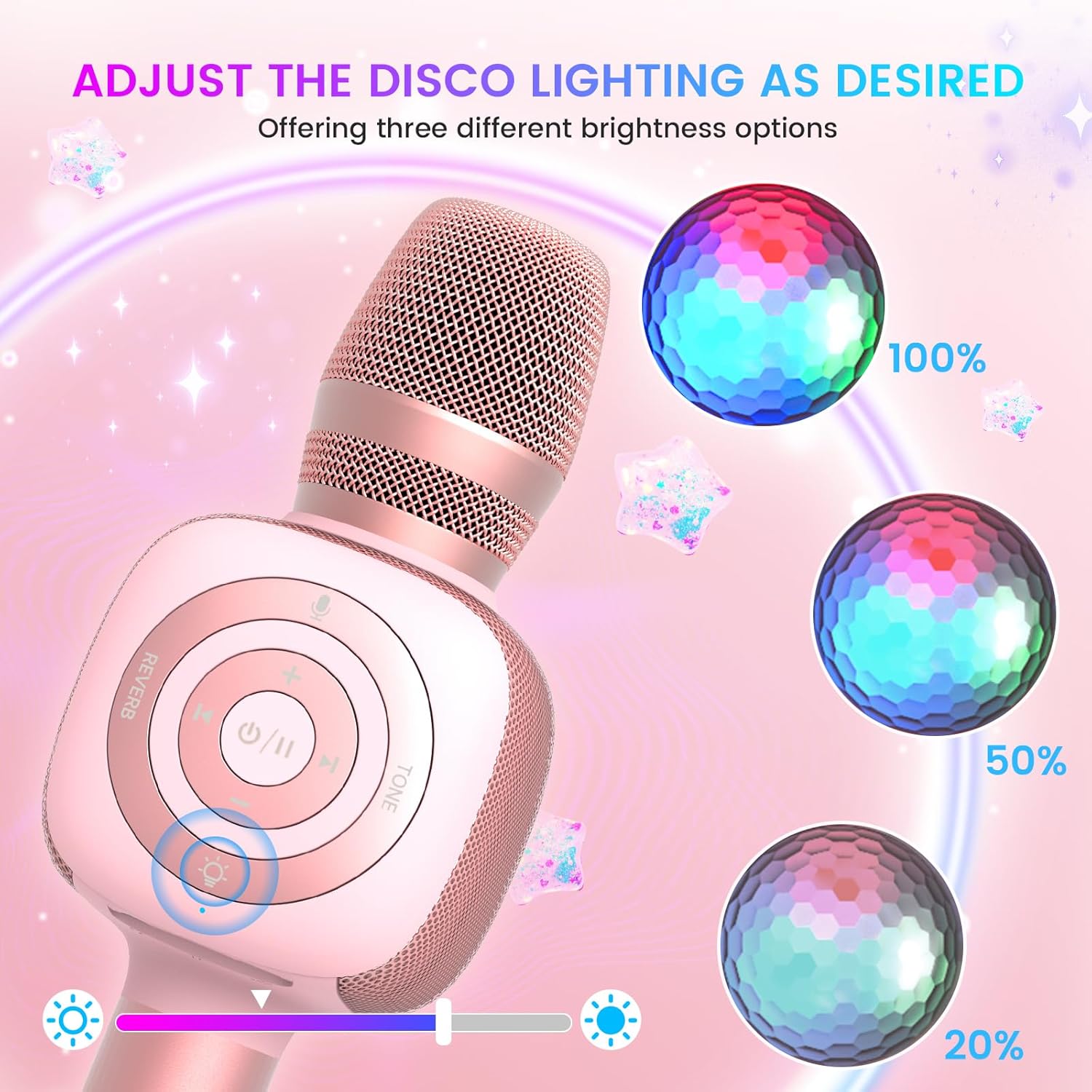
Image: The Star10 microphone's disco light feature, illustrating three adjustable brightness levels (100%, 50%, 20%) to suit different ambiance needs.
- Sakatu Disco Light Control button (light bulb icon) to cycle through three RGB color modes and brightness levels.
- Press again to turn the disco light off.
Tone Modes (Magic Mode):
Experiment with different voice effects for added fun.

Image: The Star10 microphone's "Magic Mode" feature, depicting icons for Male Voice, Female Voice, Cartoon Voice, and Monster Sound effects.
- Sakatu Tonu modua button to cycle through various voice effects such as Male Voice, Female Voice, Cartoon Voice, and Monster Sound.
- Continue pressing to return to the original tone.
Twins Mode (Duet Mode):
Pair two Star10 microphones for a duet experience.

Image: Two individuals enjoying a duet, each holding a Star10 microphone, illustrating the "Twins Mode" functionality for shared singing experiences.
- Ensure both Star10 microphones are powered on.
- On one microphone, press and hold the Disco Light Control button for 2 seconds until a prompt tone "LINK CONNECTED" is heard. This microphone is now in Twins Mode pairing.
- On your cellphone/device, perform Bluetooth pairing selection and choose either of the two microphones. Both microphones will now be connected and output audio.
- To exit Twins Mode, press and hold the Disco Light Control button on the paired microphone for 2 seconds.
Mantentzea
- Garbiketa: Wipe the microphone with a soft, dry cloth. Do not use liquid cleaners or aerosols.
- Biltegiratzea: Gorde mikrofonoa leku fresko eta lehor batean, eguzki-argitik eta muturreko tenperaturetatik babestuta.
- Bateria zaintzea: For optimal battery life, charge the microphone regularly, even if not in frequent use. Avoid fully discharging the battery for extended periods.
Arazoak konpontzea
| Arazoa | Kausa posiblea | Irtenbidea |
|---|---|---|
| Mikrofonoa ez da pizten. | Bateria baxua; Pizteko botoia ez da behar bezain denbora luzez sakatu. | Charge the microphone fully; Press and hold the power button for 3-5 seconds. |
| Ezin da Bluetooth bidez konektatu. | Microphone not in pairing mode; Device Bluetooth off; Interference. | Ensure microphone is on and in pairing mode; Enable Bluetooth on your device; Move closer to the microphone; Restart both devices. |
| Ez dago soinurik bozgorailutik. | Volume too low; Device volume too low; Incorrect mode. | Increase microphone volume; Increase device volume; Ensure correct mode (Bluetooth/TF Card). |
| Voice effects not working. | Botoi-sakatze okerra. | Press the 'Tone Mode' button repeatedly to cycle through effects. |
| Disco light not working. | Light turned off. | Press the 'Disco Light Control' button to turn on/cycle modes. |
Zehaztapenak
- Eredua: IZARRA 10
- Marka: bopmen
- Mikrofonoaren forma-faktorea: Eskukoa
- Konektibitate Teknologia: Bluetooth 5.2
- Energia iturria: Bateriaz elikatzen da (2 litio-ioizko bateria barne)
- Bateriaren iraupena: Up to 10 hours (minimum 5 hours)
- Produktuaren neurriak: 18.7 x 16.54 x 12.2 hazbete
- Elementuaren pisua: 1.19 libra (540 gramo)
- Seinaleztapen-zarata ratioa: 52 dB
- Maiztasun-erantzuna: 10 KHz
- Gailu bateragarriak: Personal Computer, Smartphone, Karaoke Machine
- Ezaugarri berezia: Mute Function, Disco Light, Voice Changer, Twins Mode
- Kolorea: Urre Arrosa
- Gomendatutako erabilerak: Barruan/Kanpoan
Bermea eta Laguntza
Your bopmen Star10 Karaoke Microphone comes with a standard manufacturer's warranty. For detailed warranty information, please refer to the warranty card included in your package or visit the official bopmen webgunea.
If you encounter any issues or have questions regarding your product, please do not hesitate to contact our professional customer service team. We are committed to providing support and assistance within 24 hours to ensure your satisfaction.
Harremanetarako informazioa: Please refer to the contact details provided in your product packaging or on the official bopmen support page for the most up-to-date information.


