1. Produktua amaitu daview
The Xiaomi Redmi Buds 4 Lite are True Wireless Stereo (TWS) earbuds designed for a comfortable audio experience. They feature Bluetooth 5.3 connectivity, AI Call Noise Cancelling, and an IP54 water resistance rating, making them suitable for various activities including gaming, calls, music, and exercise.

Image: Xiaomi Redmi Buds 4 Lite TWS Wireless Earbuds in their charging case.
2. Paketearen edukia
Ziurtatu elementu guztiak paketean daudela:
- Xiaomi Redmi Buds 4 Lite Earbuds (Left and Right)
- Kargatzeko kaxa
- Erabiltzailearen eskuliburua (dokumentu hau)
3. Konfigurazioa
3.1. Hasierako kargatzea
Before first use, fully charge the earbuds and the charging case. Connect the charging case to a power source using a compatible USB cable. The indicator light on the case will show charging status.

Image: The charging case connected to a power source for charging.
3.2. Gailu batekin parekatzea
- Ziurtatu entzungailuak kargatzeko zorroan daudela eta zorroaren estalkia irekita dagoela.
- Zure gailuan (smartphone-an, tabletan, etab.), gaitu Bluetooth-a.
- Bilatu available Bluetooth devices and select "Redmi Buds 4 Lite" from the list.
- The earbuds will automatically connect. A voice prompt or indicator light will confirm successful pairing.
The Redmi Buds 4 Lite support Google Bikote azkarra for quick and seamless connection with compatible Android devices.

Image: Earbuds and case illustrating Google Fast Pair feature.
3.3. Entzungailuak janztea
Gently insert the earbuds into your ears. Adjust them for a snug and comfortable fit. The lightweight design and rounded tips ensure they stay securely in place during various activities.
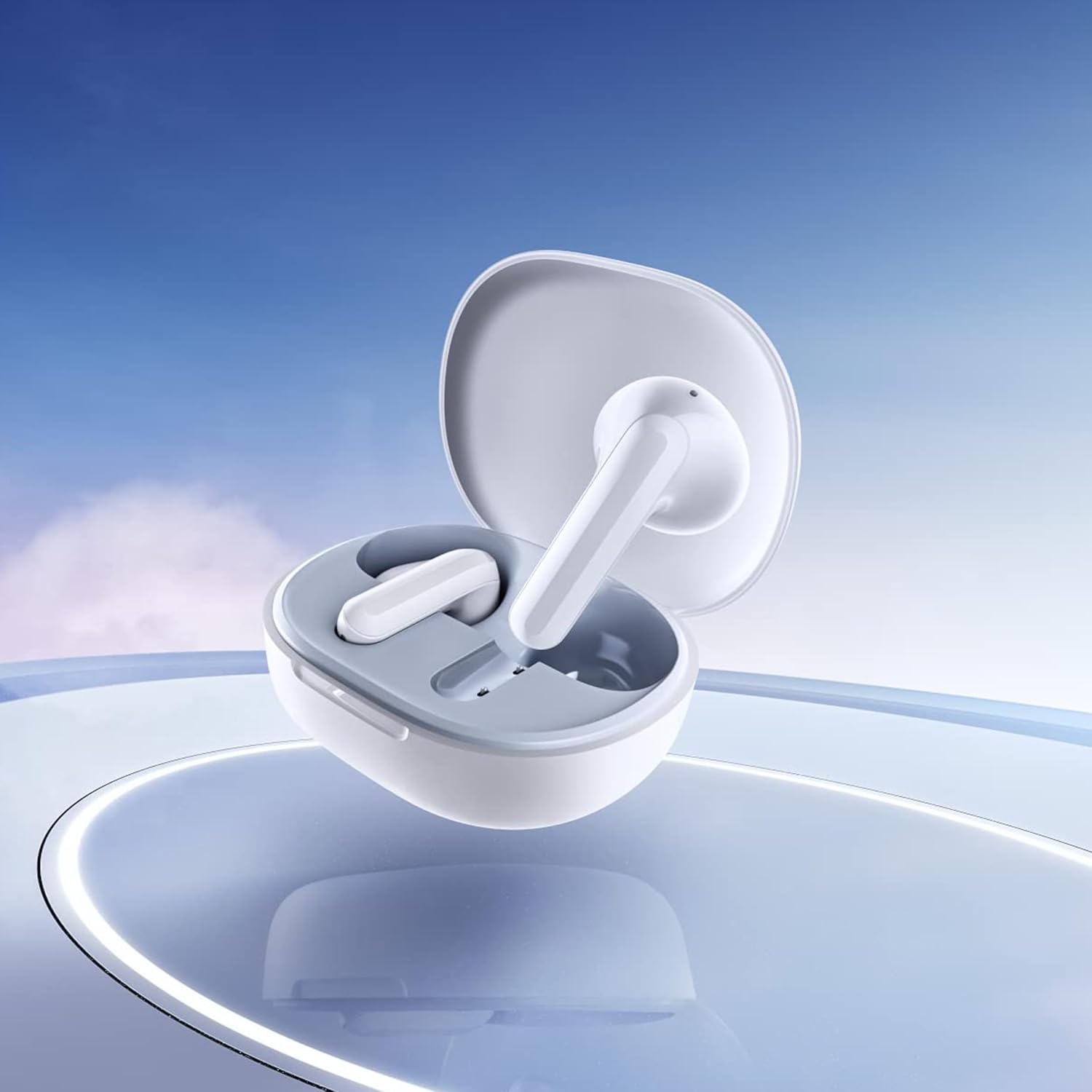
Image: Close-up of the individual earbuds, highlighting their design.
4. Funtzionamendu-argibideak
4.1. Ukitu Kontrolak
The Redmi Buds 4 Lite feature intuitive touch controls for media playback and call management. Specific touch gestures may vary slightly, but common functions include:
- Erreproduzitu/Pausatu: Sakatu bakar batean entzungailu batean.
- Hurrengo ibilbidea: Sakatu birritan eskuineko entzungailuan.
- Aurreko pista: Sakatu bi aldiz ezkerreko entzungailuan.
- Deia erantzun/amaitu: Sakatu bakar batean entzungailu batean.
- Deia baztertu: Sakatu eta eutsi entzungailuetako edozeinetan.
- Aktibatu Ahots Laguntzailea: Sakatu hiru aldiz entzungailuetako edozeinetan.
4.2. AI Call Noise Cancelling
The earbuds are equipped with AI Call Noise Cancelling technology to enhance call clarity by reducing background noise during phone conversations.
4.3. Low-Latency Gaming Mode
For an optimized gaming experience, the earbuds offer a low-latency mode. Refer to your device's Bluetooth settings or the official Xiaomi app (if available) for activation instructions.
5. Mantentzea
5.1. Garbiketa
Regularly clean your earbuds and charging case to maintain optimal performance and hygiene. Use a soft, dry, lint-free cloth. Do not use abrasive cleaners or immerse the earbuds or case in water.
5.2. Urarekiko erresistentzia (IP54)
The Redmi Buds 4 Lite have an IP54 rating, meaning they are protected against dust ingress and splashing water from any direction. This makes them suitable for workouts and light rain. However, they are not designed for swimming or showering. Avoid exposing them to high-pressure water or submerging them.

Image: Earbuds shown with an IP54 water resistance indicator.
5.3. Biltegiratzea
Erabiltzen ez dituzunean, gorde entzungailuak kargatzeko zorroan babesteko eta kargatuta jarraitzen dutela ziurtatzeko. Gorde leku fresko eta lehor batean, eguzki-argitik eta muturreko tenperaturetatik urrun.
6. Arazoak
6.1. Entzungailuak ez dira parekatzen
- Ziurtatu bi entzungailuak kargatuta daudela.
- Place earbuds back in the case, close the lid, then open it again to reset.
- Itzali eta piztu zure gailuaren Bluetooth-a.
- Forget "Redmi Buds 4 Lite" from your device's Bluetooth list and try pairing again.
6.2. Soinurik ez edo bolumen baxua
- Egiaztatu zure gailuaren eta entzungailuen bolumen-maila.
- Ziurtatu entzungailuak behar bezala sartuta daudela belarrietan.
- Garbitu entzungailuen bozgorailuetako hondakin guztiak.
- Konektatu berriro entzungailuak zure gailura.
6.3. Call Quality Issues
- Ziurtatu entzungailuak guztiz kargatuta daudela.
- Hurbildu konektatutako gailura seinalearen interferentziak saihesteko.
- The AI Call Noise Cancelling feature helps, but extreme noisy environments may still affect clarity.
6.4. Entzungailuak ez dira kargatzen
- Egiaztatu kargatzeko kablea ondo konektatuta dagoela bai kaxara bai elikatze-iturrira.
- Ziurtatu entzungailuetako eta zorro barruko kargatzeko kontaktuak garbi eta hondakinik gabe daudela.
- Saiatu beste kargatzeko kable edo korronte egokitzaile batekin.
7. Zehaztapenak
| Ezaugarri | Xehetasuna |
|---|---|
| Ereduaren izena | Redmi Buds 4 Lite |
| Konektibitate Teknologia | Haririk gabekoa (Bluetooth 5.3) |
| Bluetooth bertsioa | 5.3 |
| Bluetooth barrutia | 10 metro |
| Audio kontrolatzaile mota | Gidari dinamikoa (12 mm) |
| Bateriaren iraupena | Gehienez 20 ordu (kargatzeko zorroarekin) |
| Kontrol-metodoa | Ukitu, Multimedia Kontrola |
| Zarata Kontrol Ezaugarriak | AI Call Noise Cancelling |
| Uraren Erresistentzia Maila | IP54 (Urarekiko erresistentea) |
| Elementuaren pisua | 39 Grams (total), 1.38 ounces (product) |
| Produktuaren neurriak | 2.56 x 1.89 x 1.02 hazbete |
| Materiala | Plastic (earbuds and case) |
| Kolorea | Zuria |
| Belarrien Kokatzea | Belarrian |
| Gailu bateragarriak | Devices with Bluetooth 5.3 and supporting A2DP, AVRCP, HFP profiles |

Irudia: Aurrealdea view of the Redmi Buds 4 Lite in their charging case.

Irudia: Albokoa view of the Redmi Buds 4 Lite in their charging case.
8. Bermea eta Laguntza
8.1. Bermearen informazioa
Warranty details for the Xiaomi Redmi Buds 4 Lite are typically provided with your purchase documentation. Please refer to the warranty card or contact your retailer for specific terms and conditions regarding your product's warranty coverage.
8.2. Bezeroarentzako arreta
For further assistance, technical support, or inquiries, please visit the official XIAOMI website or contact their customer service department. You can often find support contact information on the product packaging or the brand's official online channels.
XIAOMI denda ofiziala: XIAOMI denda Amazonen


