1. Sarrera eta Overview
This manual provides detailed instructions for the installation, operation, and maintenance of your Ebitcam RBX-S60 4G LTE Cellular Security Camera. This camera is designed for locations without traditional WiFi or electrical power, utilizing 4G LTE cellular networks and solar power for continuous operation.
Ezaugarri nagusiak hauek dira:
- 24/7 etengabeko grabaketa: Powered by a 20W solar panel and a 15000mAh battery.
- 4G LTE konexioa: Operates in areas with cellular signal, supporting AT&T, T-Mobile, and Verizon networks via an included ELOTCLUB SIM card.
- 2K-ko bereizmen handiko bideoa: Janari garbia harrapatzen dutage with 2K resolution.
- 360° View: Offers 355° horizontal pan and 100° vertical tilt for comprehensive coverage.
- Kolore Gaueko Ikusmena: Provides accurate color representation in low-light conditions when the spotlight is activated via the app.
- PIR mugimendu sentsorea: Detects motion based on heat signatures, reducing false alarms and sending instant alerts to your phone.
- Bi norabideko hitzaldia: Enables real-time communication through the camera.

Image 1.1: The Ebitcam RBX-S60 cellular security camera with its integrated solar panel and SIM card slot.
2. Paketearen edukia
Mesedez, egiaztatu elementu guztiak zure paketean daudela:
- Ebitcam RBX-S60 Cellular Security Camera
- 20W Solar Panel (pre-attached or separate)
- Muntatzeko euskarria eta torlojuak
- ELOTCLUB SIM Card (with 300MB data)
- SD Card (if included in your specific model variant)
- Erabiltzailearen eskuliburua (dokumentu hau)
3. Konfigurazio gida
3.1 SIM txartelaren eta SD txartelaren instalazioa
- Locate the SIM card slot on the camera body. This is typically protected by a rubber cover.
- Kontu handiz ireki estalkia.
- Insert the provided ELOTCLUB Nano SIM card into the SIM card slot with the gold contacts facing down and the notched corner aligned correctly. Ensure it clicks into place.
- If using an SD card for local storage, insert it into the designated SD card slot.
- Close the rubber cover firmly to ensure water resistance.

3.1 irudia: Gertuko planoa view of the SIM card being inserted into the camera's slot.

Image 3.2: Details of the included ELOTCLUB SIM card and its compatibility with major carriers.
3.2 Kamera eta eguzki-panela muntatzea
Aukeratu jasotzen duen kokapen bat ample direct sunlight for the solar panel and provides the desired camera view. The camera is rated IP65 for outdoor use.
- Attach the mounting bracket to the camera and solar panel assembly.
- Mark the drilling points on the wall or mounting surface using the bracket as a template.
- Beharrezkoa bada, zulatu zuloak eta sartu hormako aingurak.
- Lotu muntatzeko euskarria gainazalera emandako torlojuak erabiliz.
- Adjust the angle of the solar panel to maximize sun exposure.
- Adjust the camera angle for optimal surveillance coverage.

Image 3.3: The camera and solar panel mounted on a wall, illustrating its pan and tilt range.
3.3 Hasierako piztea eta aplikazioaren konexioa
- Ensure the camera has sufficient charge from the solar panel or an initial USB charge if needed.
- Deskargatu UBox application from your smartphone's app store (available for Android and iOS).
- Open the UBox app and follow the on-screen instructions to create an account and add your camera. This typically involves scanning a QR code on the camera or manually entering its ID.
- Konektatu ondoren, egin dezakezu view live video, adjust settings, and receive alerts.
4. Funtzionamendu-argibideak
4.1 Continuous Recording and Power Management
The Ebitcam RBX-S60 is designed for 24/7 continuous recording, powered by its 20W solar panel and 15000mAh battery. However, to conserve power, if the battery level drops below 30%, the camera will automatically switch from continuous recording to event-based recording (triggered by motion).

Image 4.1: The camera's 24/7 continuous recording capability.
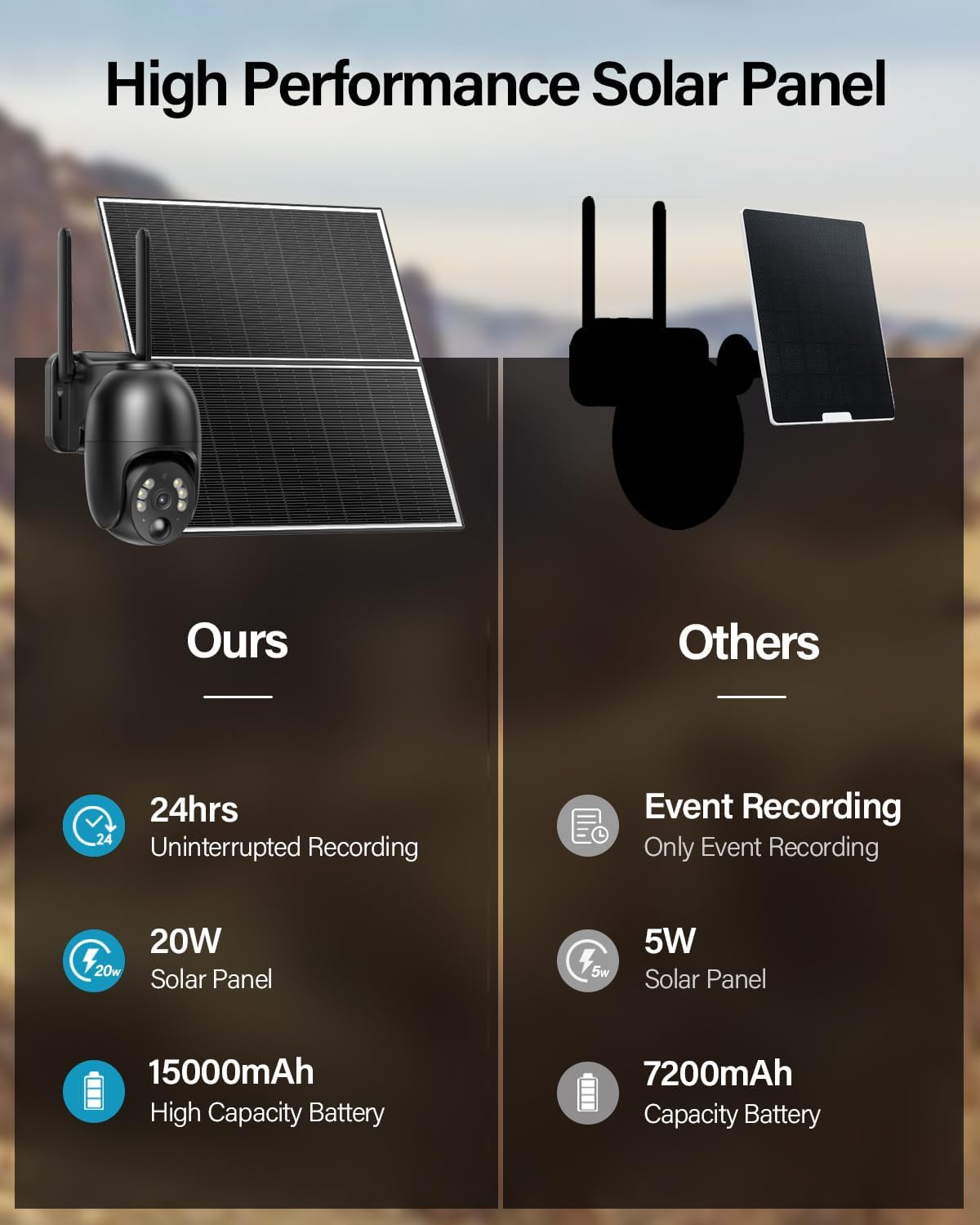
Image 4.2: Comparison highlighting the 20W solar panel and 15000mAh battery for uninterrupted recording.
4.2 Panoramika eta inklinazio kontrola
Utilize the UBox app to remotely control the camera's viewing angle. The camera supports 355° horizontal rotation (pan) and 100° vertical rotation (tilt), allowing you to monitor a wide area.

Image 4.3: Visual representation of the camera's 360-degree viewing sorta.
4.3 Gaueko Ikusmena Koloretan
The camera provides 2K resolution color night vision. To enable color night vision, you must manually activate the spotlight feature within the UBox application. Without the spotlight, the camera will operate in standard infrared black and white night vision.
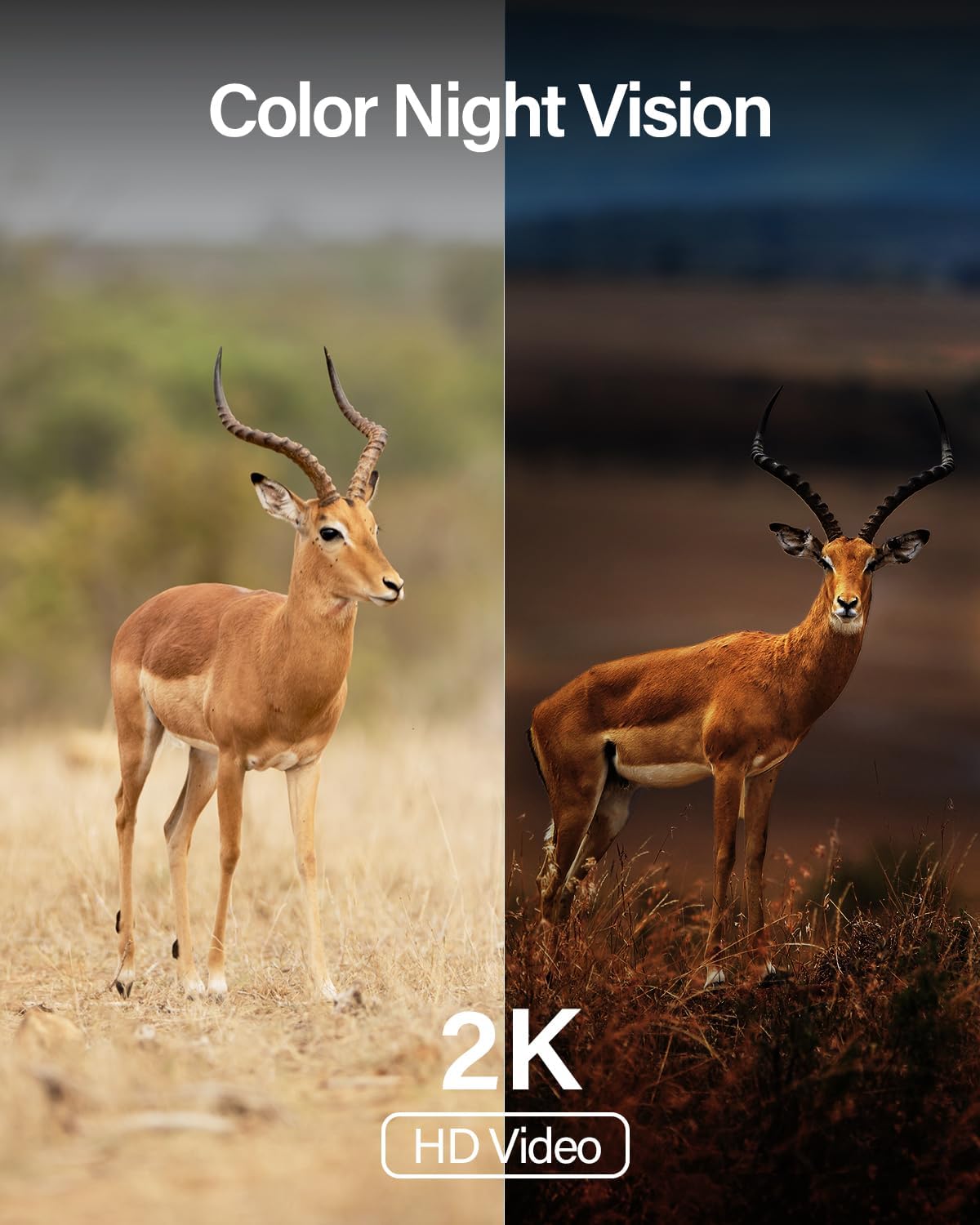
4.4 irudia: Adibideaample of the camera's color night vision capability in low light.
4.4 PIR Motion Sensor and Alerts
The integrated Passive Infrared (PIR) motion sensor detects movement by sensing changes in heat signatures, minimizing false alerts from non-human objects. When motion is detected, the camera can:
- Send instant notifications to your smartphone via the UBox app.
- Activate a siren (if enabled).
- Turn on a spotlight (if enabled, for color night vision or deterrence).
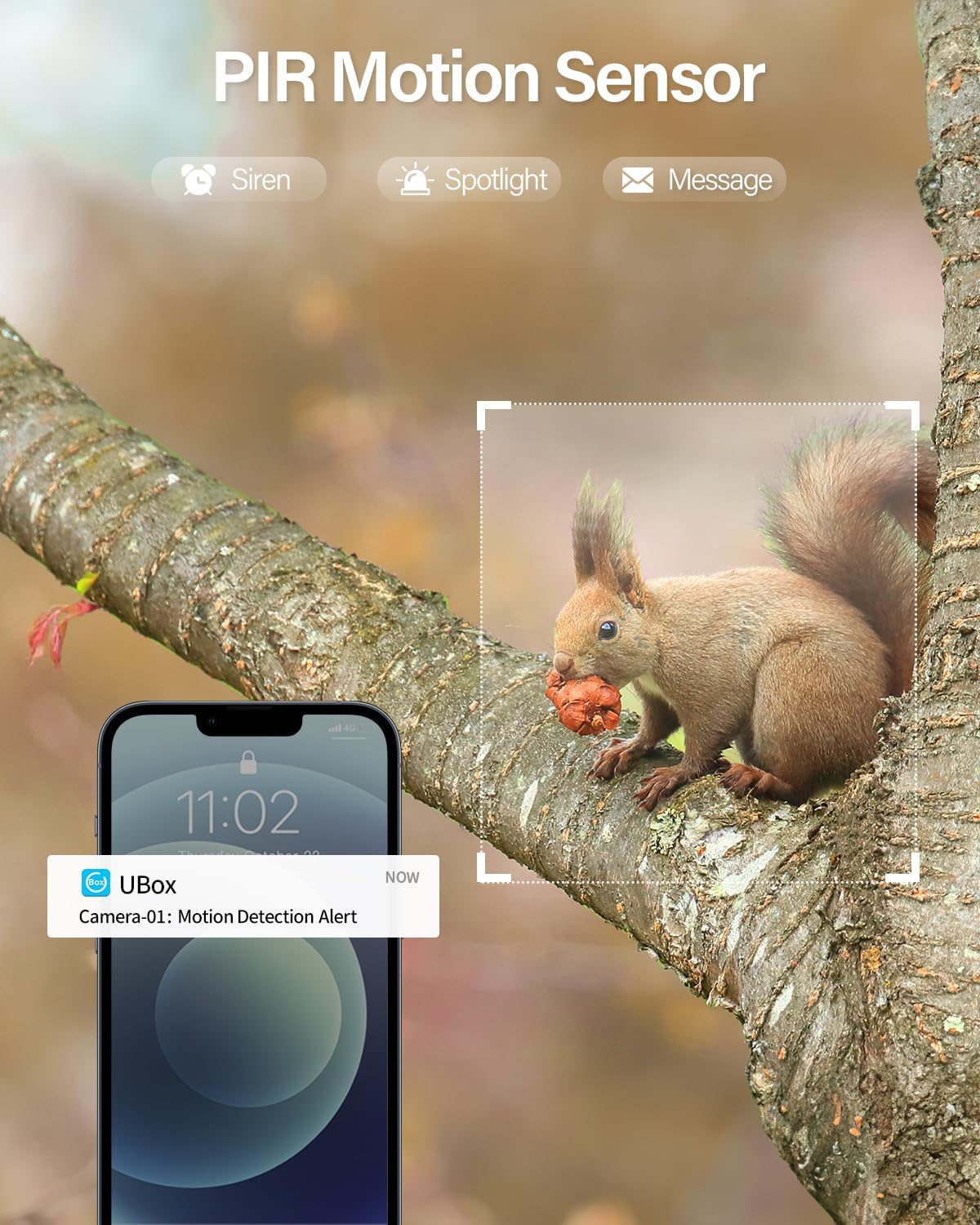
Image 4.5: A squirrel triggering a PIR motion detection alert on a smartphone.
4.5 Bi norabideko elkarrizketa
Use the two-way talk feature in the UBox app to communicate through the camera. This allows you to speak to visitors, delivery personnel, or deter unwanted individuals.
4.6 Erabilera-eszenatokiak
The camera's 4G LTE and solar power capabilities make it ideal for various locations without traditional infrastructure:
- Farms and Ranches
- Barns and Outbuildings
- Eraikuntza Guneak
- Vacation Homes and RVs
- Biltegiak
- Camping Sites

4.6 irudia: Adibideaamples of suitable environments for the 4G LTE cellular camera.
5. Mantentzea
Regular maintenance ensures optimal performance and longevity of your Ebitcam RBX-S60 camera.
- Eguzki panelen garbiketa: Aldian-aldian garbitu eguzki-panelen gainazala zapi leun eta lehor batekinamp zapi bat erabili eguzki-argia oztopatu eta kargatzeko eraginkortasuna murriztu dezaketen hautsa, zikinkeria edo hondakinak kentzeko.
- Kameraren lenteen garbiketa: Gently clean the camera lens with a microfiber cloth to ensure clear image quality. Avoid abrasive materials.
- Bateriaren jarraipena: Monitor the battery level via the UBox app. Ensure the solar panel receives adequate sunlight to keep the battery charged, especially for continuous recording.
- Firmware eguneraketak: Check the UBox app regularly for any available firmware updates. Keeping the firmware updated can improve performance and add new features.
- Ikuskapen fisikoa: Periodically check the mounting hardware for tightness and inspect cables for any signs of wear or damage.
6. Arazoak
If you encounter issues with your Ebitcam RBX-S60 camera, refer to the following common problems and solutions:
6.1 Camera Not Connecting to App / Offline
- Check 4G LTE Signal: Ensure the camera is in an area with sufficient 4G LTE cellular coverage. Signal strength can vary.
- SIM Card Status: Verify the ELOTCLUB SIM card is correctly inserted and has active data. Check data balance via the ELOTCLUB service if possible.
- Bateria maila: A low battery can affect connectivity. Ensure the solar panel is clean and receiving direct sunlight.
- Restart Camera: Power cycle the camera by turning it off and on, or by pressing the reset button if accessible.
- Aplikazioaren arazoak: Ensure your UBox app is updated to the latest version. Try restarting the app or your smartphone.
6.2 Recording Issues (No Recording or Event-Only Recording)
- Bateria maila: If the battery is below 30%, the camera automatically switches to event-based recording. Ensure adequate solar charging.
- SD txartela: If using an SD card, ensure it is correctly inserted, not full, and not corrupted. Format the SD card via the app if necessary (this will erase all data).
- Hodeiko biltegiratzea: If relying on cloud storage, verify your subscription status and internet connectivity.
6.3 False Motion Alerts or Missed Detections
- PIR sentsibilitatea: Adjust the PIR motion sensor sensitivity settings within the UBox app. High sensitivity can lead to false alerts from environmental factors.
- Kameraren kokapena: Ensure the camera is not pointed directly at moving foliage, reflective surfaces, or areas with frequent temperature changes that could trigger the PIR sensor.
- Oztopoak: Clear any physical obstructions in the camera's field of view.
6.4 Irudiaren kalitate eskasa
- Lente garbia: Garbitu kameraren lentea Mantentze-lanak atalean azaltzen den bezala.
- Ebazpen ezarpenak: Ensure the video resolution is set to 2K in the UBox app.
- Gaueko ikuspegia: For color night vision, ensure the spotlight is activated in the app.
7. Zehaztapenak
| Ereduaren izena | RBX-S60 |
| Marka | Ebitcam |
| Energia iturria | Eguzki-energia |
| Konektibitate Teknologia | Zelularra (4G LTE) |
| Bideo Harrapaketa Ebazpena | 2K |
| Panorama/Tilt barrutia | 355° horizontala, 100° bertikala |
| Bateria Edukiera | 15000 mAh (10400 Milliamp Hours listed in specs) |
| Eguzki-panela Wattage | 20W (5 watts listed in specs, but feature bullet says 20W. Using 20W as it's a key selling point) |
| Nazioarteko Babesteko Balorazioa | IP65 |
| Mugimendu-detekzioa | PIR Mugimendu Sentsorea |
| Gailu bateragarriak | Smartphone-a (Android, iOS) |
| Elementuaren pisua | 6.34 kilo |
8. Bermea eta Laguntza
For warranty information, technical support, or further assistance, please contact Ebitcam customer service. You can typically find contact details on the official Ebitcam website or through the UBox application.
Bisitatu Ebitcam Store produktuaren informazio gehiago lortzeko.


