1. Sarrera
Eskerrik asko erosketagatik.asing the NEDIS SmartLife Wi-Fi Smart Plug with Power Meter. This device allows you to control connected appliances remotely via the SmartLife app on your smartphone or through voice commands with compatible smart home assistants like Google Home and Amazon Alexa. It also features a power meter to monitor energy consumption.
Please read this manual carefully before use to ensure proper operation and to prevent damage.
2. Segurtasun informazioa
- Ensure the smart plug is used within its specified voltage and current ratings (240V, 16A, 3680W).
- Ez desmuntatu edo aldatu gailua.
- Saihestu gailua uretara, hezetasunetara edo muturreko tenperaturetara.
- Mantendu haurren eskura.
- Do not connect appliances that exceed the maximum load capacity.
- Barruko erabilerarako soilik.
3. Paketearen edukia
- NEDIS SmartLife Wi-Fi Smart Plug (WIFIP121FWT3)
- Argibide eskuliburua
Note: The product is typically sold in packs of 3. This manual covers the operation of a single unit.
4. Konfigurazioa
4.1. Download the SmartLife App
- Bilatu "SmartLife" in the Apple App Store (for iOS devices) or Google Play Store (for Android devices).
- Deskargatu eta instalatu aplikazioa.
- Erregistratu kontu berri bat edo hasi saioa dagoeneko baduzu.
4.2. Connect the Smart Plug
- Plug the NEDIS SmartLife Wi-Fi Smart Plug into a standard wall outlet.
- Ensure your smartphone is connected to a 2.4 GHz Wi-Fi network. The smart plug does not support 5 GHz Wi-Fi.
- Open the SmartLife app.
- Sakatu goiko eskuineko izkinan dagoen "+" ikonoa gailu bat gehitzeko.
- Hautatu "Entxufe elektrikoa" edo "Entxufe adimenduna" gailuen zerrendatik.
- Follow the on-screen instructions to put the smart plug into pairing mode. This usually involves pressing and holding the power button on the plug until the indicator light flashes rapidly.
- Confirm the indicator light is flashing rapidly in the app.
- Idatzi zure Wi-Fi sarearen pasahitza.
- Wait for the app to connect to the smart plug. Once connected, you can rename the device for easier identification.
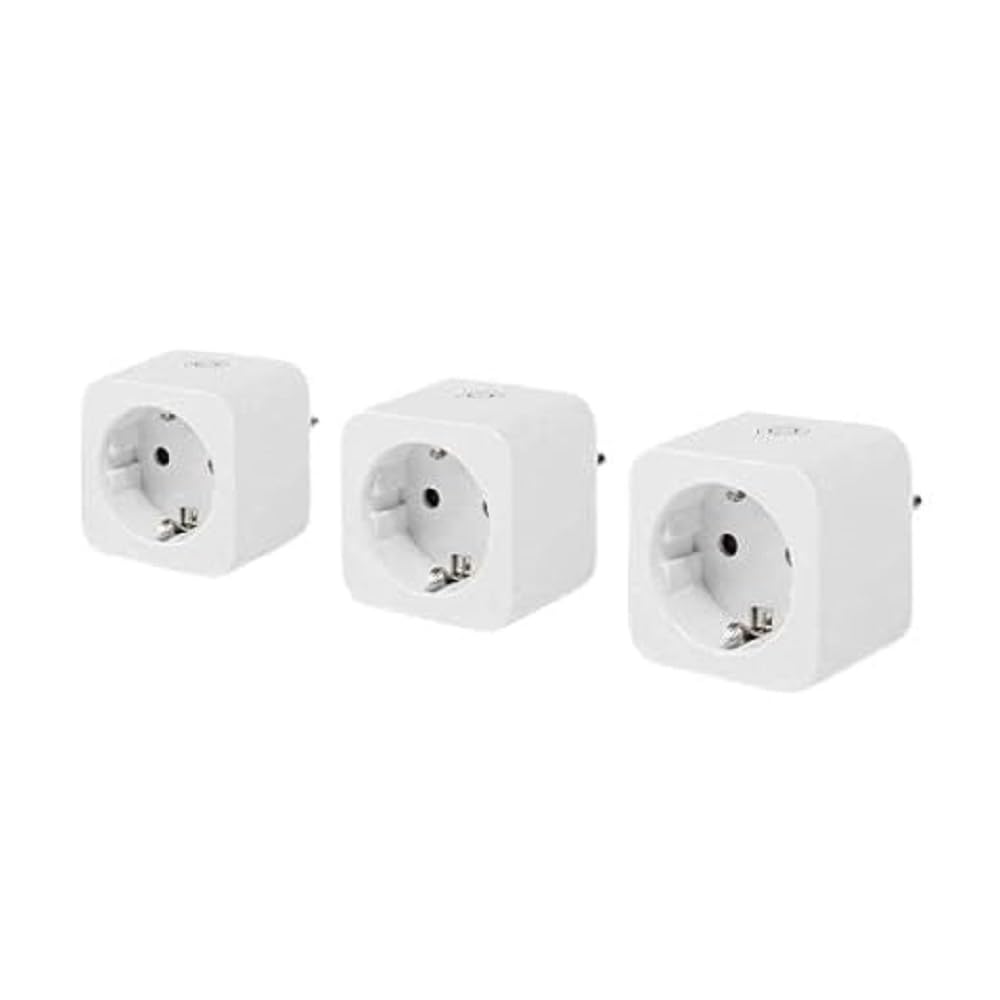
Image: The NEDIS SmartLife Wi-Fi Smart Plug. This image shows the compact design of the smart plug, which connects directly to a wall outlet.
5. Funtzionamendu-argibideak
5.1. Oinarrizko pizte/itzaltze kontrola
- Eskuzko kontrola: Press the physical button on the smart plug to turn the connected appliance on or off.
- Aplikazioen kontrola: Open the SmartLife app, select your smart plug, and tap the power icon to toggle its state.
5.2. Ordutegia eta tenporizadoreak
The SmartLife app allows you to set schedules and timers for your smart plug:
- Ordutegia: Set specific times for the plug to turn on or off daily or on selected days of the week.
- Tenporizadorea: Set a countdown timer for the plug to turn off after a certain duration.
- Zirkulatu: Configure the plug to cycle on and off at regular intervals.
5.3. Energiaren monitorizazioa
The integrated power meter allows you to monitor the energy consumption of the connected appliance. In the SmartLife app, navigate to the smart plug's details page to view real-time power usage, current, voltage, and historical consumption data.
5.4. Ahots-kontrolaren integrazioa
Ahots-kontrola Google Home edo Amazon Alexarekin gaitzeko:
- Ensure your smart plug is successfully added to the SmartLife app.
- Ireki Google Home edo Amazon Alexa aplikazioa.
- Go to the "Skills & Games" (Alexa) or "Works with Google" (Google Home) section.
- Bilatu and enable the "SmartLife" skill/service.
- Link your SmartLife account when prompted.
- Discover devices. Your smart plug should now appear and be controllable via voice commands (e.g., "Alexa, turn on Living Room Plug" or "Hey Google, turn off Fan").
6. Mantentzea
- Clean the smart plug with a dry, soft cloth. Do not use liquid cleaners or aerosols.
- Ziurtatu gailua deskonektatuta dagoela garbitu aurretik.
- Regularly check for firmware updates in the SmartLife app to ensure optimal performance and security.
7. Arazoak
| Arazoa | Kausa posiblea | Irtenbidea |
|---|---|---|
| Entxufe adimenduna ez da Wi-Fira konektatzen. | Incorrect Wi-Fi password, 5 GHz Wi-Fi network, plug too far from router, incorrect pairing mode. |
|
| Gailuak ez die aplikazioaren komandoei erantzuten. | No internet connection, smart plug offline, app glitch. |
|
| Ahots-kontrola ez dabil. | SmartLife skill not enabled, account not linked, device not discovered. |
|
8. Zehaztapenak
| Ezaugarri | Xehetasuna |
|---|---|
| Marka | NEDIS |
| Modelo zenbakia | WIFIP121FWT3 |
| Produktuaren neurriak (L x W x H) | 8 x 6 x 5.5 cm |
| Pisua | 320 gramo |
| Materiala | Plastikoa |
| Gehienezko potentzia-karga | 3680 Watt |
| Egungo balorazioa | 16 A |
| Bolumen eragileatage | 240 Volt |
| Electrical Outlet Type | Type F (CEE 7/7), Wall Mount |
| Haririk gabeko konexioa | Wi-Fi 2.4 GHz |
| Funtzionamendu-tenperatura | 0-55 °C |
| Bateragarritasuna | Android™, iOS, Google Home, Amazon Alexa |
| Ziurtagiriak | CE |
| Jatorrizko Herrialdea | Txina |
9. Bermea eta Laguntza
Specific warranty information for the NEDIS SmartLife Wi-Fi Smart Plug (WIFIP121FWT3) is not available in the provided product data. Please refer to the warranty card included with your purchase or contact NEDIS customer support directly for detailed warranty terms and conditions.
For technical support or further assistance, please visit the official NEDIS website or contact their customer service department. Contact details are typically found on the product packaging or on the manufacturer's webgunea.


