1. Sarrera
The WYZE Wired Doorbell Camera v2 is a 2K security video doorbell designed to monitor your home's entrance. It features 2K head-to-toe video, color night vision, two-way audio, smart notifications, and package monitoring. This device requires existing doorbell wiring for continuous power and operation.

Figure 1: WYZE Wired Doorbell Camera v2
2. Zer dago kutxan
- Doorbell Camera x1
- Hasierako gida azkarra (QSG)
- Muntatzeko kit x1
- Chime Controller x1 (for existing chime bypass)
3. Zehaztapenak
| Ezaugarri | Xehetasuna |
|---|---|
| Bideo Ebazpena | 2K (2560x1920) |
| Gaueko Ikusmena | Gaueko koloretako ikusmena (izar-argiaren sentsorea) |
| Audioa | Bi norabideko audioa |
| Konektibitatea | 2.4GHz Wi-Fi, Wired |
| Energia iturria | Corded Electric (16-24V AC >=10VA) |
| Eguraldi Erresistentearen Balorazioa | IP65 |
| Tokiko biltegiratzea | MicroSD txartela (bereiz saltzen da) |
| Smart Home Integrazioa | Alexa eta Google Assistant-ekin funtzionatzen du |
| Neurriak | 2.9 x 1.4 x 4.7 hazbete |
| Elementuaren pisua | 7 ontza |
4. Konfigurazioa
4.1. Bateragarritasun-egiaztapena
The Wyze Video Doorbell v2 requires existing doorbell wiring and may not be compatible with all in-house chimes. If you cannot locate the Trans terminal (or 0,1,2 terminal) in your chime box, or if your in-house chime produces a series of metal striking sounds instead of a single ring, it may not be compatible. For detailed compatibility information, visit the Wyze Help Center.
4.2. Wired Installation
The doorbell requires hardwiring to your existing doorbell wiring and chime inside for continuous power. Power requirement: 16-24V AC >=10VA.

Figure 2: Wired Installation Overview
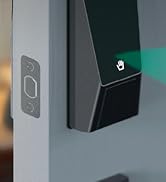
Figure 3: Step-by-step Wired Installation
4.3. Aplikazioaren konfigurazioa
Download the official WYZE app from your device's app store. Follow the in-app instructions to connect your doorbell camera to your home Wi-Fi network (2.4GHz only). The app provides real-time event monitoring and control from anywhere.
Figure 4: Easy App Access
4.4. Konfigurazio bideo gida
Video 1: A detailed guide on setting up and demonstrating the Wyze Video Doorbell V2.
5. Funtzionamendu-argibideak
5.1. 2K Head-to-Toe Video & Color Night Vision
Capture all porch arrivals and departures in greater detail with 2K video resolution. The award-winning starlight sensor amplifies low light for vivid color images, providing clear visibility even at night.

5. irudia: Ezaugarri nagusiakview

Figure 6: Color Night Vision in action
5.2. Bi norabideko audioa
Easily communicate with visitors by pressing the "talk" button within the Wyze app. This feature allows for real-time conversations with anyone at your door.
5.3. Smart Notifications & Voice Deterrence
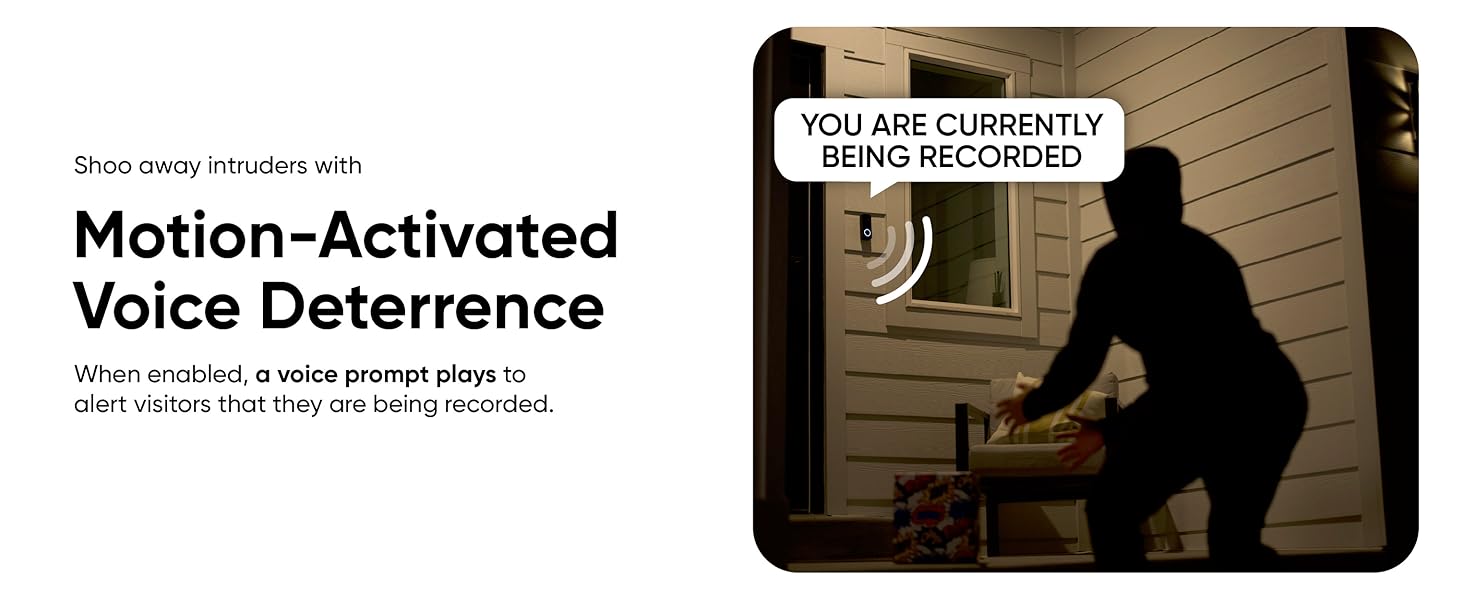
Receive instant notifications on your phone for any visitor or package delivery. The doorbell can also be configured to play a voice prompt, alerting visitors that they are being recorded.

Figure 7: AI Motion Notifications
5.4. 24/7 Local Recording with MicroSD Card
The doorbell supports continuous local recording to a MicroSD card (sold separately), allowing you to review footage from start to finish without a subscription.

Figure 8: MicroSD Card Recording
5.5. Pre-Roll Recording
The wired power setup enables 3-6 seconds of pre-roll recording for motion events, ensuring you capture the entire event without missing any part of the action.
Figure 9: Pre-Roll Recording
5.6. Smart Home Integrazioa
The doorbell works with Amazon Alexa and Google Assistant, allowing for convenient voice control and integration into your smart home ecosystem.

Figure 10: Alexa & Google Assistant Integration
5.7. Eguraldiarekiko erresistentea den diseinua
With an IP65 weatherproof rating, the doorbell is designed to withstand various weather conditions, including wind, snow, and rain.
11 irudia: IP65 eguraldiarekiko erresistentea
6. Mantentzea
- Garbiketa: Regularly wipe the camera lens and surrounding area with a soft, damp cloth to ensure clear video quality. Avoid abrasive cleaners.
- Firmware eguneraketak: Keep your doorbell's firmware updated through the Wyze app to ensure optimal performance and access to the latest features and security enhancements.
- MicroSD txartelaren kudeaketa: If using local storage, periodically check the MicroSD card for capacity and ensure recordings are being saved correctly. Replace the card if it shows signs of degradation.
7. Arazoak
7.1. Konexio arazoak
The doorbell operates on 2.4GHz Wi-Fi. Ensure your router is broadcasting a 2.4GHz signal and that the doorbell is within range. It is not compatible with 5GHz networks.
7.2. Chime Compatibility
If your existing in-house chime is not functioning correctly after installation, verify its compatibility. Some chimes, particularly those producing a series of metal striking sounds, may not work with the Wyze Video Doorbell v2. Consult the Wyze Help Center for a compatibility checker.
Video 2: Information regarding doorbell compatibility with modern wiring systems.
7.3. Elikatze-iturria
Ensure your existing doorbell wiring provides the required 16-24V AC >=10VA for continuous operation. Incorrect voltage can lead to performance issues or prevent the doorbell from powering on.
8. Bermea eta Laguntza
For technical assistance, setup guidance, optimization, or security concerns, please contact Wyze customer support.

Figure 12: Free Expert Help
Telefonoa: 866-853-4942


