1. Sarrera
Eskerrik asko erosketagatik.asing the ZEBRONICS Juke BAR 9102 PRO 240W Dolby Soundbar. This manual provides essential information for the proper setup, operation, and maintenance of your soundbar system. Please read this manual thoroughly before use to ensure optimal performance and safety.
2. Segurtasun-argibideak
- Energia iturria: Erabili zehaztutako energia-egokitzailea soilik. Ziurtatu bolumenatage zure tokiko energia-hornidurarekin bateragarria da.
- Aireztapena: Ez blokeatu aireztapen-irekidurak. Mantendu nahikoa leku unitatearen inguruan aire-fluxu egokia lortzeko.
- Ura eta hezetasuna: Do not expose the soundbar or subwoofer to water, rain, or moisture. Avoid placing objects filled with liquids, such as vases, on or near the unit.
- Bero iturriak: Mantendu unitatea bero-iturrietatik urrun, hala nola erradiadoreetatik, bero-erregistroetatik, sukaldeetatik edo beste beroa sortzen duten gailuetatik.
- Garbiketa: Deskonektatu korrontea garbitu aurretik. Erabili zapi leun eta lehor bat. Ez erabili garbitzaile likidorik edo aerosolik.
- Zerbitzua: Ez saiatu produktu hau zuk zeuk ematen. Bidali zerbitzu guztiak zerbitzu kualifikatuko langileengana.
- Lekua: Place the soundbar on a stable, flat surface or mount it securely on a wall as instructed.
3. Paketearen edukia
Egiaztatu behean zerrendatutako elementu guztiak zure paketean sartuta daudela:
- Soundbar - 1 Unit
- Subwoofer - 1 Unit
- Remote Control - 1 Unit
- QR Code User Manual - 1 Unit (Digital access)
- Wall Mount Bracket and Fasteners
4. Produktua amaitu daview
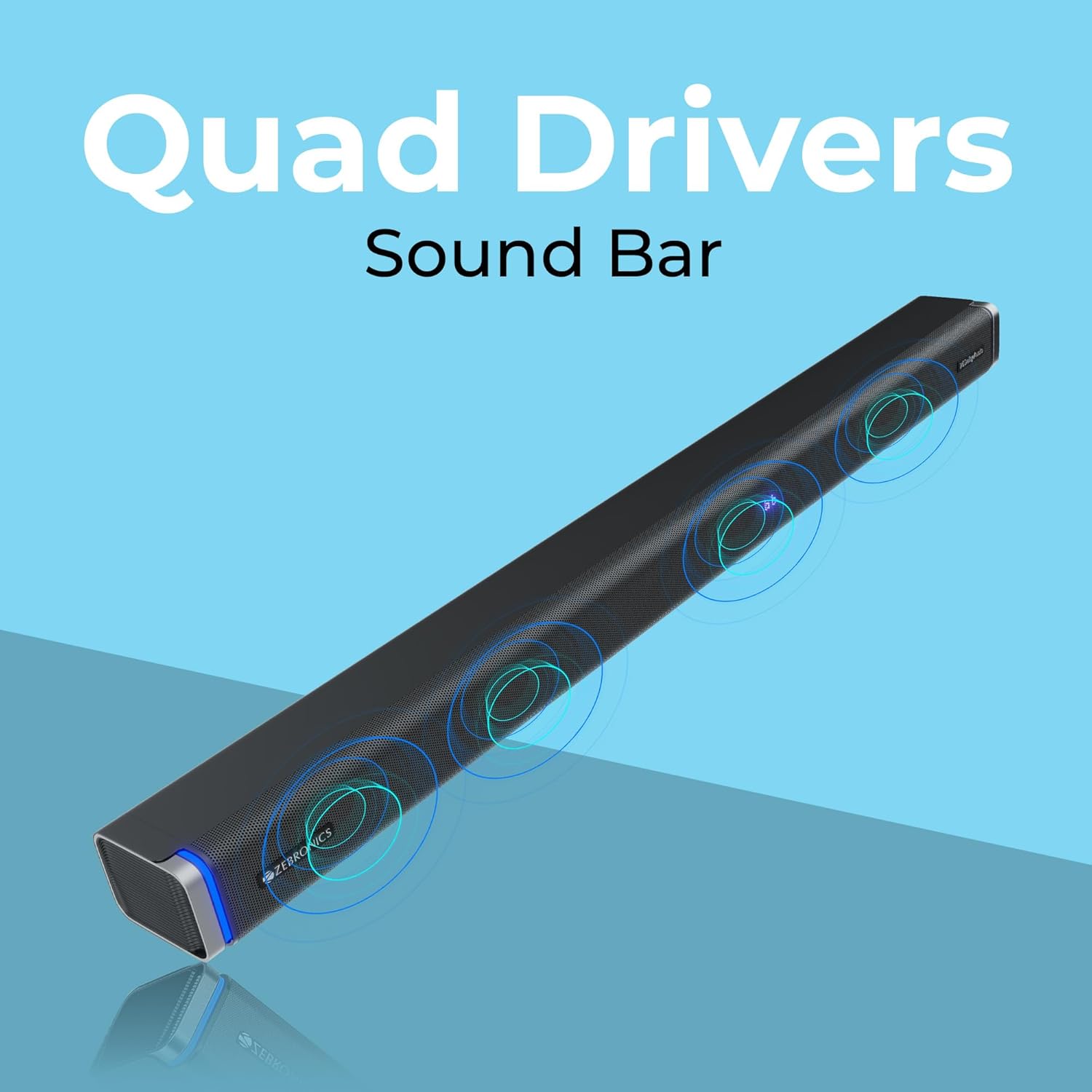
The ZEBRONICS Juke BAR 9102 PRO is a 240W output Dolby soundbar system designed to enhance your audio experience. It features a soundbar with quad drivers and a powerful 6.5-inch wired subwoofer.



5. Konfigurazioa
5.1 Hasierako kokapena
- Jarri soinu-barra telebistaren azpian, erdigunean.
- Position the subwoofer on the floor near the soundbar for optimal bass response.
5.2 Energia-konexioa
- Konektatu elikatze-kablea soinu-barraren elikatze-sarrerara.
- Connect the power cable to the subwoofer's power input.
- Plug both power cables into a suitable wall outlet.
5.3 Subwoofer konexioa
The subwoofer connects to the soundbar via a wired connection. Ensure the subwoofer cable is securely connected to both units.
6. Funtzionamendu-argibideak
6.1 Piztu/Itzali
Press the power button on the soundbar or the remote control to turn the unit on or off. The LED display will indicate the power status.
6.2 Bolumen kontrola
Use the volume up (+) and volume down (-) buttons on the soundbar or remote control to adjust the audio level.
6.3 Modu hautaketa
Press the 'Mode' button on the soundbar or remote control to cycle through available input modes (Bluetooth, HDMI ARC, Optical, AUX, USB). The LED display will show the current mode (e.g., 'BT' for Bluetooth, 'ARC' for HDMI ARC).
6.4 Equalizer (EQ) Modes
The soundbar features 3D EQ alternatives. Use the EQ button on the remote to switch between modes. The LED display will show 'E1', 'E2', 'E3' for different sound profiles, and '3D' for the virtual 5.1 effect. Common EQ modes include:
- E1: Musika modua
- E2: Film modua
- E3: News/Voice mode
- 3D: Virtual Surround Sound mode
6.5 RGB LED argiak
The soundbar includes RGB LED lights. These can be controlled and changed using the remote control to suit your preference.
7. Konektibitate-aukerak
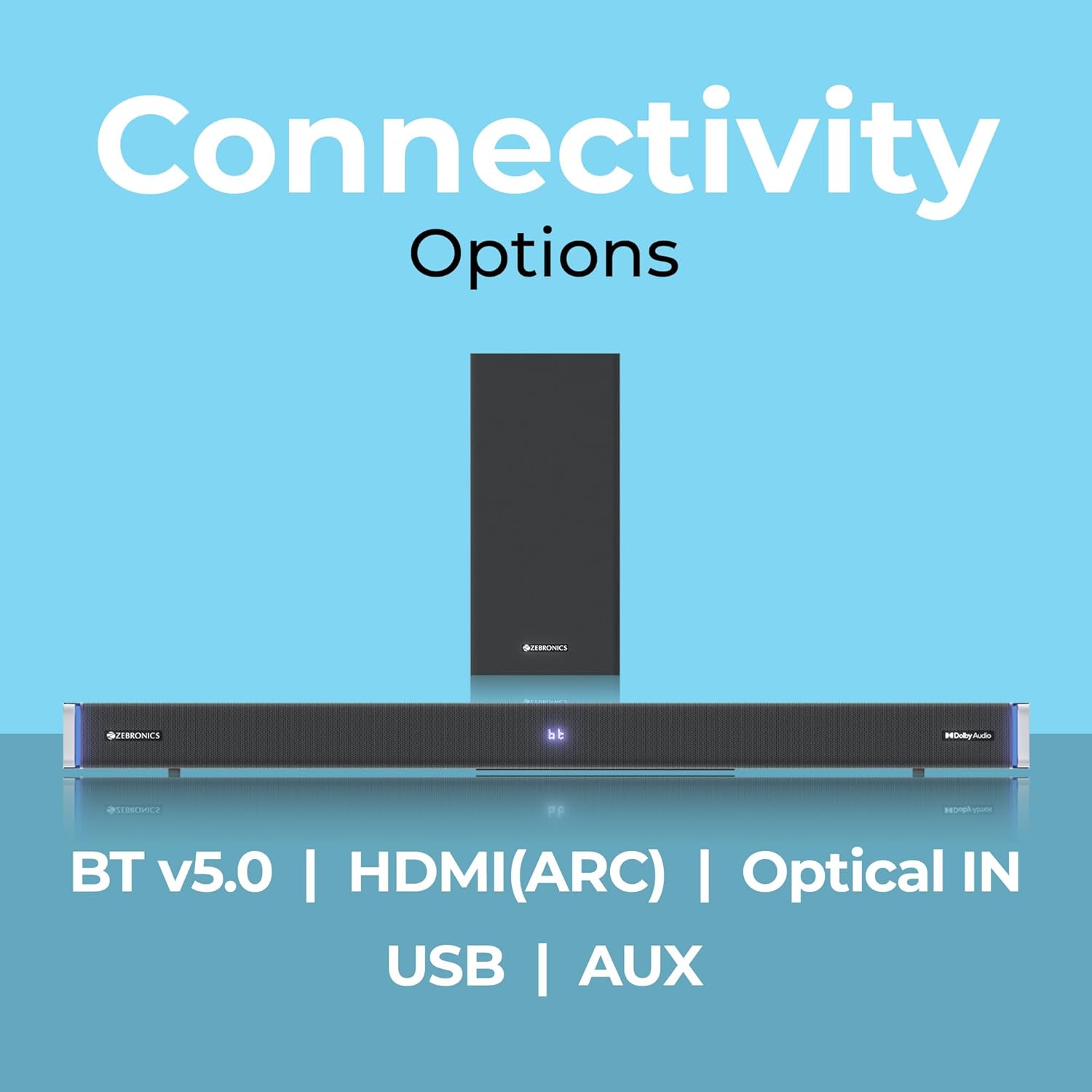
The ZEBRONICS Juke BAR 9102 PRO offers multiple connectivity options for versatile use.
7.1 Bluetooth v5.0
- Press the 'Mode' button until 'BT' appears on the LED display.
- On your mobile device or computer, search for Bluetooth devices and select 'ZEB-JUKE BAR 9102 PRO'.
- Once paired, audio will stream wirelessly to the soundbar.
7.2 HDMI (ARC)
- Connect an HDMI cable (ARC compatible) from the HDMI ARC port on your television to the HDMI ARC port on the soundbar.
- Select 'ARC' mode on the soundbar.
- Ensure your TV's audio output is set to HDMI ARC.
7.3 Optical IN
- Connect an optical cable from your audio source (e.g., TV, DVD player) to the 'Optical IN' port on the soundbar.
- Select 'OPT' mode on the soundbar.
7.4 3.5 mm-ko AUX Kablea
- Connect a 3.5mm AUX cable from your audio source to the 'AUX' port on the soundbar.
- Select 'AUX' mode on the soundbar.
7.5 USB erreprodukzioa
- Insert a USB pen drive (up to 32GB, supporting MP3 audio format) into the USB port on the soundbar.
- Select 'USB' mode on the soundbar. The soundbar will automatically begin playing compatible audio files.
8. Pareta Muntatzea
The soundbar can be wall-mounted to save space. A wall mount bracket and fasteners are included in the package.
- Determine the desired mounting location on the wall, ensuring it is structurally sound and can support the weight of the soundbar.
- Mark the positions for drilling holes using the wall mount bracket as a template.
- Beharrezkoa bada, egin pilotu-zuloak eta sartu hormako aingura egokiak.
- Secure the wall mount bracket to the wall using the provided fasteners.
- Carefully attach the soundbar to the mounted bracket. Ensure it is securely fastened before releasing.
Oharra: Professional installation is recommended for wall mounting to prevent damage or injury.
9. Mantentzea
9.1 Garbiketa
Wipe the surfaces of the soundbar and subwoofer with a soft, dry, lint-free cloth. Do not use abrasive cleaners, waxes, or solvents as they may damage the finish.
9.2 Biltegiratzea
Unitatea denbora luzez gordetzen baduzu, deskonektatu korronte-iturritik eta gorde leku fresko eta lehor batean, eguzki-argitik eta muturreko tenperaturetatik urrun.
10. Arazoak
| Arazoa | Kausa posiblea | Irtenbidea |
|---|---|---|
| Botererik ez | Kable elektrikoa ez dago konektatuta; Entxufea ez dago aktibo | Ensure power cables are securely connected and the outlet is functional. |
| Soinurik ez | Incorrect input mode; Volume too low; Cables not connected properly | Select the correct input mode. Increase volume. Check all audio cables for secure connection. |
| Bluetooth-a parekatzeko arazoak | Soinu-barra ez dago parekatze moduan; Gailua urrunegi dago; Interferentzia | Ensure soundbar is in 'BT' mode. Move device closer. Restart both devices. |
| Urruneko kontrola ez dabil | Bateriak agortuta; Oztopoa urrutiko agintearen eta soinu-barraren artean | Ordeztu urrutiko agintearen pilak. Kendu oztopo guztiak. |
| Soinu distortsionatua | Volume too high; Poor audio source quality; Incorrect EQ setting | Reduce volume. Try a different audio source. Adjust EQ settings. |
11. Zehaztapenak
| Ezaugarri | Xehetasuna |
|---|---|
| Ereduaren izena | ZEB-JUKE BAR 9102 PRO |
| Irteera Potentzia | 240 watt (RMS) |
| Subwoofer-aren diametroa | 6.5 hazbete |
| Audio kontrolatzailearen tamaina | 5.5 cm (Quad Drivers) |
| Konektibitatea | Bluetooth v5.0, HDMI (ARC), Optical IN, 3.5mm AUX, USB |
| Inguruko soinuaren konfigurazioa | Birtuala 5.1 |
| Maiztasun Erantzuna | 20 Hz - 20 KHz |
| Seinaleen eta zarataren arteko erlazioa | 65 dB |
| Inpedantzia | 15 ohmio |
| Kontrol-metodoa | Urruneko Kontrola |
| Produktuaren neurriak (soinu-barra) | Approx. 98.5W x 17.3D x 40.2H Centimeters |
| Elementuaren pisua | 5.8 kg |
| Energia iturria | Kable elektrikoa |
| Ezaugarri bereziak | Dolby Audio, LED Display, RGB LED Lights, Wall Mountable |
12. Bermea eta Laguntza
12.1 Bermearen informazioa
This ZEBRONICS product comes with a 1 urteko bermea from the date of purchase. The warranty covers manufacturing defects under normal use. Please retain your purchase receipt for warranty claims.
12.2 Bezeroarentzako laguntza
For technical assistance, troubleshooting, or warranty inquiries, please contact ZEBRONICS customer support. Refer to the official ZEBRONICS website or the QR Code User Manual for contact details.


