1. Sarrera eta Overview
The Buffbee Sound Machine & Alarm Clock is a versatile 2-in-1 device designed to enhance your sleep and wake-up experience. It combines a high-quality sound machine with a precise digital alarm clock, offering a range of features to create a peaceful environment and ensure timely waking.

Image 1.1: The Buffbee device highlighting its dual functionality as a sound machine and an alarm clock.
Ezaugarri nagusiak:
- 2-en-1 funtzionaltasuna: Combines a sound machine and a digital alarm clock in one compact unit.
- 18 soinu lasaigarriak: Includes 5 white noises, 3 fan sounds, and 10 nature sounds (ocean, lullaby, waves, rain, thunderstorm, stream, croaks, bird chirps, summer night, campfire) to aid sleep and relaxation.
- Pantailaren distira erregulagarria: Clock face brightness can be dimmed from 0% to 100% to suit your preference.
- Bolumen-kontrol zehatza: Offers 30 levels of volume adjustment for optimal sound output.
- Lo egiteko tenporizadorea: Set the sound machine to automatically turn off after 15, 30, 60, 90, or 120 minutes, or allow continuous play.
- 7 koloreko gaueko argia: Features a soothing colored light at the base with 7 color options and ON/OFF functionality.
- Kalitate handiko hizlaria: Equipped with a 5W speaker for rich, detailed sound.

1.2. irudia: Aurrealdea view of the Buffbee Sound Machine & Alarm Clock, displaying the time and the top control panel.
2. Konfigurazioa
2.1 Kutxa irekitzea eta edukia
Carefully remove the Buffbee Sound Machine & Alarm Clock from its packaging. Verify that all components are present:
- Buffbee Sound Machine & Alarm Clock unit
- Power Adapter (USB cable and wall adapter)
- Erabiltzailearen eskuliburua (dokumentu hau)
2.2 Energia-konexioa
The device is powered by an electrical cable.
- Insert the small end of the USB power cable into the DC IN port on the back of the Buffbee unit.
- Plug the larger end of the USB cable into the provided wall adapter.
- Entxufatu hormako egokitzailea entxufe elektriko estandar batera.
The device will power on automatically, and the digital display will illuminate.
2.3 Ordua ezartzea
Upon initial power-on or after a power outage, you may need to set the correct time.
- Eduki sakatuta Denbora Ezarria button (usually indicated by a clock icon) on the top panel until the hour digits begin to flash.
- Erabili +/- buttons (or arrow buttons) to adjust the hour.
- Sakatu Denbora Ezarria botoia berriro sakatu minutuen doikuntzara aldatzeko.
- Erabili +/- minutuak doitzeko botoiak.
- Sakatu Denbora Ezarria botoia berriro sakatu berresteko eta ordua ezartzeko modutik irteteko.
3. Funtzionamendu-argibideak
3.1 Sound Machine Function
The Buffbee Sound Machine offers 18 soothing sounds to help you relax and sleep.

3.1 irudia: Barnekoa view illustrating the upward-firing speaker for enhanced sound quality.
Soinuak erreproduzitzea:
- Sakatu Soinu modua button (often a music note icon) to cycle through the available sound categories (White Noise, Fan Sounds, Nature Sounds).
- Erabili Next/Previous Sound buttons (arrow icons) to select a specific sound within the chosen category.
- The sound will begin playing automatically.
Bolumena doitzea:
The device features 30 levels of precise volume control.
- Sakatu Bolumena igo (+) or Bolumena jaitsi (-) buttons to increase or decrease the sound volume.

Image 3.2: Illustration of the auto-off timer and 30-level precise volume control features.
Lo egiteko tenporizadorea ezartzea:
The sleep timer allows the sound machine to turn off automatically after a set duration.
- Sakatu Tenporizadorea button (often an hourglass icon) repeatedly to cycle through the available timer options: 15 minutes, 30 minutes, 60 minutes, 90 minutes, 120 minutes, or continuous play (indicated by 'ON' or no timer display).
- The selected timer duration will be displayed briefly on the screen.
3.2 Alarma-erlojuaren funtzioa
The Buffbee device functions as a digital alarm clock with customizable wake-up sounds.
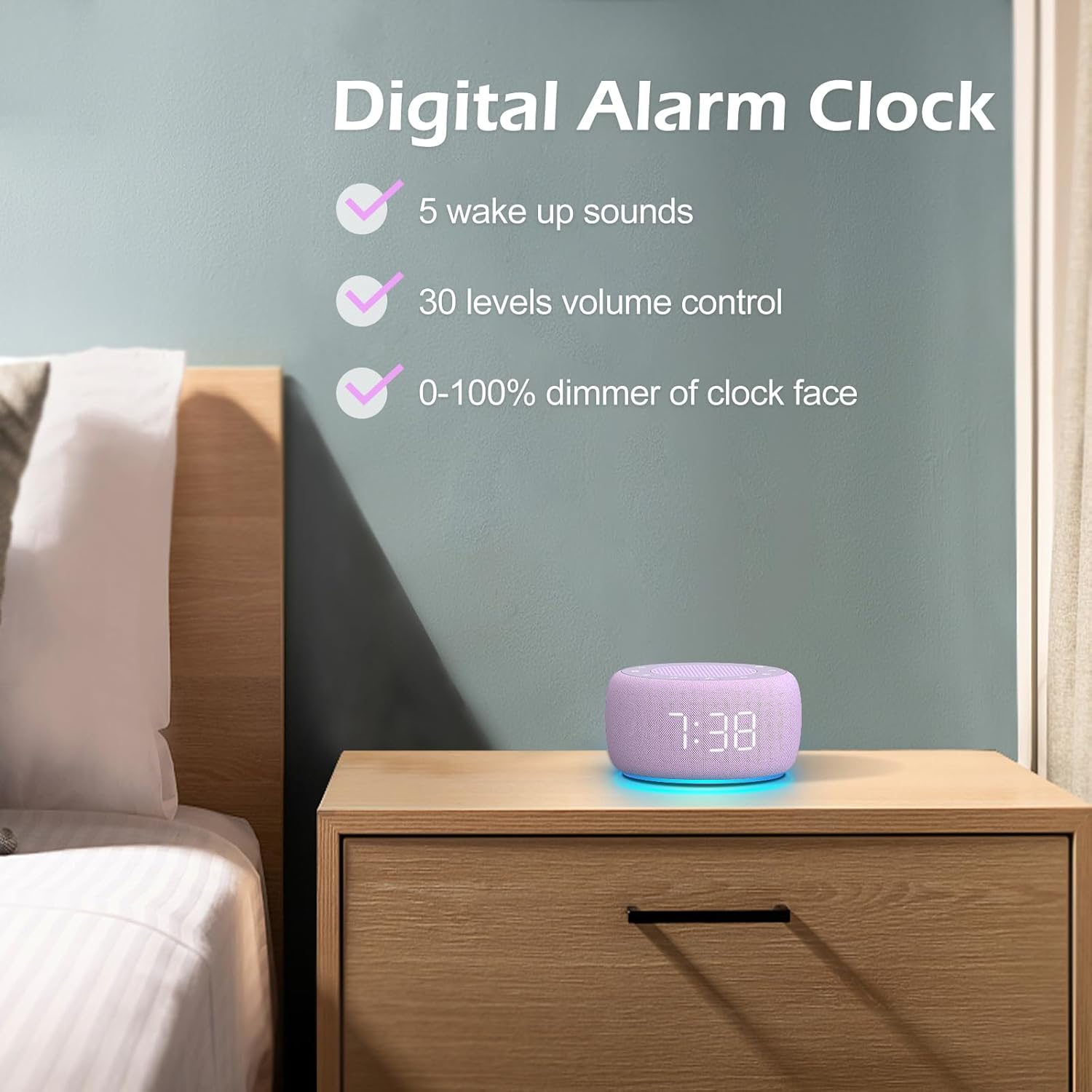
3.3. irudia: Amaituview of the digital alarm clock features, including wake-up sounds, volume control, and display dimmer.
Alarma bat ezartzea:
- Eduki sakatuta Alarma-multzoa button (often an alarm clock icon) until the alarm hour digits begin to flash.
- Erabili +/- alarma-ordua doitzeko botoiak.
- Sakatu Alarma-multzoa botoia berriro sakatu minutuen doikuntzara aldatzeko.
- Erabili +/- botoiak alarmaren minutuak doitzeko.
- Sakatu Alarma-multzoa button one more time to confirm the alarm time.
- After setting the time, you can select the wake-up sound by pressing the Soinua aukeratzea button (if available, or use +/- buttons while alarm sound is flashing). There are 5 wake-up sounds available.
- Sakatu Alarma-multzoa button again to activate the alarm. An alarm icon will appear on the display.
Atzeratzea Funtzioa:
Alarmak jotzen duenean, sakatu Atzeratu button (usually a large button on top or a dedicated snooze icon) to temporarily silence the alarm for a few minutes (typically 9 minutes). The alarm will sound again after the snooze period.
Alarma itzaltzea:
Alarma guztiz itzaltzeko, sakatu tekla Alarma aktibatuta / desaktibatuta button (often the same as the Alarm Set button, or a dedicated toggle). The alarm icon will disappear from the display.
3.3 Display & Light Functions
Pantailaren distira doitzea:
The digital display brightness can be adjusted from 0% (completely dark) to 100% (brightest).

Image 3.4: Demonstration of the 0-100% display dimmer feature, showing various brightness levels.
- Sakatu Dimmer button (often a sun icon) repeatedly to cycle through different brightness levels.
- Eutsi Dimmer button to smoothly adjust the brightness from 0% to 100% and vice versa. Release the button at your desired brightness.
Gaueko argia erabiliz:
The device features a colored night light at its base with 7 color options.

Image 3.5: The Buffbee device showcasing its 7-color night light feature in a bedroom setting.
- Sakatu Argia button (often a light bulb icon) to turn the night light ON.
- Sakatu Argia button repeatedly to cycle through the 7 available colors.
- Sakatu Argia button one more time after cycling through all colors to turn the night light OFF.
4. Mantentzea
4.1 Garbiketa
To maintain the appearance and functionality of your Buffbee device:
- Deskonektatu beti gailua entxufetik garbitu aurretik.
- Use a soft, dry, lint-free cloth to wipe down the exterior surfaces.
- Ez erabili garbitzaile, argizari edo disolbatzaile urratzailerik, hauek akabera kaltetu baitezakete.
- Saihestu hezetasuna irekiduretan sartzea.
4.2 Biltegiratzea
Denbora luzez erabiltzen ez baduzu, gorde gailua leku fresko eta lehor batean, eguzki-argitik eta muturreko tenperaturetatik babestuta.
4.3 Segurtasun-abisuak
Mesedez, kontuan hartu segurtasun neurri hauek:
- Produktu hau ez da jostailu bat. Mantendu haurren eskura.
- Handle with care to avoid electric shock. Do not expose the device to water or excessive moisture.
- Use within recommended noise exposure limits to prevent hearing damage.
- Ez saiatu gailua zeuk desmuntatzen edo konpontzen. Mantendu mantentze-lan guztiak langile kualifikatuen esku.
5. Arazoak
If you encounter issues with your Buffbee Sound Machine & Alarm Clock, please refer to the following common problems and solutions:
| Arazoa | Kausa posiblea | Irtenbidea |
|---|---|---|
| Gailua ez da pizten. | Ez dago korronte konexiorik edo egokitzaile akastuna. | Ensure the power cable is securely plugged into the device and the wall outlet. Try a different outlet. |
| Bozgorailuaren soinurik ez. | Volume is too low or muted. Incorrect sound selected. | Igotu bolumena erabiliz Bolumena igo (+) button. Ensure a sound is selected and not paused. |
| Alarmak ez du jotzen. | Alarm is not set or not activated. Alarm volume is too low. | Verify that the alarm time is set correctly and the alarm icon is displayed. Increase the alarm volume (if separate from main volume). |
| Pantaila ilun edo distiratsuegi dago. | Display dimmer setting is incorrect. | Sakatu edo eduki sakatuta Dimmer button to adjust the brightness to your preference. |
| Gaueko argia ez dabil. | Night light is turned off. | Sakatu Argia button to turn on and cycle through colors. |
6. Zehaztapenak
Detailed technical specifications for the Buffbee Sound Machine & Alarm Clock (Model BK11):
| Ezaugarri | Zehaztapena |
|---|---|
| Marka | BUFFBEE |
| Modelo zenbakia | BK11 |
| Kolorea | Violeta |
| Materiala | Plastikoa |
| Energia iturria | Kable elektrikoa |
| Produktuaren neurriak | 14.3 x 11.2 x 7.7 cm (5.6 x 4.4 x 3.0 hazbete) |
| Elementuaren pisua | 322 gramo (0.71 kilo) |
| Bozgorailuaren irteera | 5W |
| Soinu aukerak | 18 Soothing Sounds (5 White Noise, 3 Fan, 10 Nature) |
| Bolumen-mailak | 30 Precise Levels |
| Erakutsi iluntasuna | 0-100% Adjustable Brightness |
| Gaueko argi koloreak | 7 Kolore |
| Lo egiteko tenporizadorearen aukerak | 15, 30, 60, 90, 120 minutes, or Continuous Play |
| Wake-up Sounds | 5 Alarm Sounds |
7. Bermea eta Laguntza
7.1 Bermearen informazioa
Produktu honek fabrikatzailearen berme estandarra du. Mesedez, kontsultatu produktuaren ontzia edo saltzailearena. website for specific warranty terms and conditions, including duration and coverage details.
7.2 Bezeroarentzako laguntza
For any questions, technical assistance, or warranty claims, please contact Buffbee customer support through the retailer's platform or the official Buffbee website. Have your product model number (BK11) and purchase details ready when contacting support.


