1. Sarrera
Thank you for choosing the THOMSON WS602DUO Bluetooth Bookshelf Speakers. This system combines elegant design with acoustic performance and versatile connectivity options. Whether used wirelessly via Bluetooth or connected to a turntable, micro-chain system, or PC, these speakers are designed to integrate seamlessly into any interior while delivering high-quality stereo sound.
This manual provides essential information for the proper setup, operation, and maintenance of your speakers. Please read it thoroughly before use and retain it for future reference.

Image 1.1: The THOMSON WS602DUO speakers, remote control, and a smartphone demonstrating wireless connectivity.
Paketearen edukia:
- 2 x THOMSON WS602DUO Bookshelf Speakers
- 1 x Urruneko kontrola
- 1 x kable optikoa
- 1 x Elikatze-kablea
- Erabiltzailearen eskuliburua
2. Konfigurazioa
2.1 Hizlarien kokapena
For optimal sound quality, place the two speakers on a stable, flat surface, such as a bookshelf or table, ensuring they are equidistant from your listening position. Avoid placing them in enclosed spaces that might obstruct sound projection.

2.1 irudia: Adibideaample placement of a single speaker next to a television.
2.2 Energia-konexioa
- Connect the provided power cable to the main speaker's power input.
- Entxufatu korronte kablea hormako entxufe estandar batean.
- Ensure the power switch on the main speaker is in the 'ON' position.
2.3 Audio iturrien konexioak
The WS602DUO speakers offer multiple connectivity options:
- Bluetooth 5.0: For wireless audio streaming from compatible devices like smartphones, tablets, or laptops.
- RCA Inputs (x2): For connecting devices such as turntables, CD players, or micro-chain systems.
- Sarrera optikoa: For connecting digital audio sources like televisions or game consoles using the supplied optical cable.
Connecting via RCA:
- Identify the RCA input ports on the rear of the main speaker.
- Connect your audio source (e.g., turntable, micro-chain) to the RCA inputs using appropriate RCA cables (not always included).
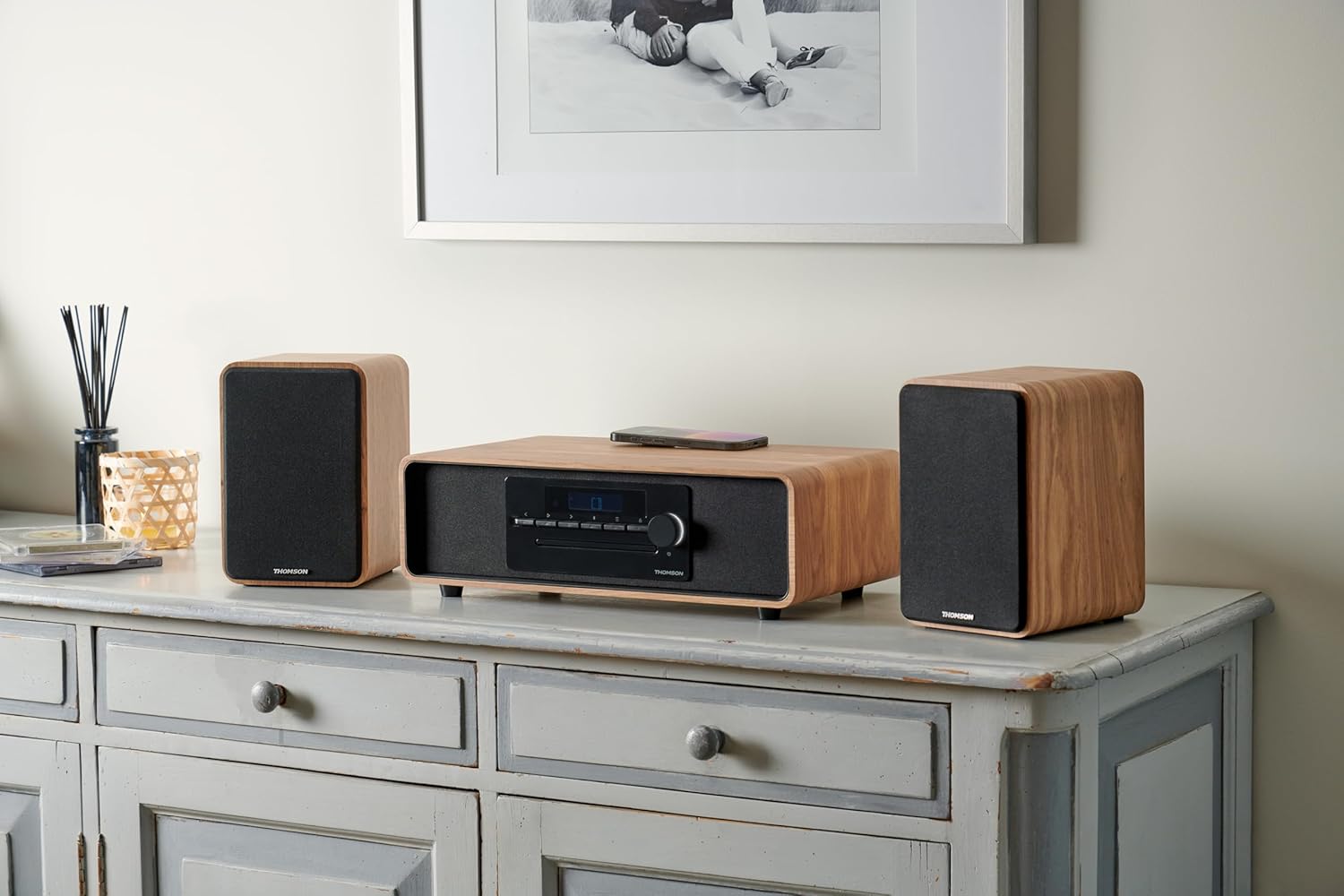
Image 2.2: Speakers connected to a micro-chain system via RCA.
Optiko bidez konektatzea:
- Connect one end of the supplied optical cable to the optical output of your device (e.g., TV).
- Connect the other end to the optical input port on the rear of the main speaker.
Bluetooth bidez parekatzea:
- Ziurtatu bozgorailuak piztuta daudela.
- Select Bluetooth as the input source on the speakers (refer to Section 3.2). The Bluetooth indicator will flash, indicating pairing mode.
- On your Bluetooth-enabled device, go to Bluetooth settings and search for available devices.
- Select "THOMSON WS602DUO" from the list.
- Once connected, the Bluetooth indicator on the speakers will glow steadily.

Image 2.3: Speakers ready for Bluetooth audio streaming with a smartphone.
3. Funtzionamendu-argibideak
3.1 Piztu/Itzali
Use the power switch located on the rear of the main speaker to turn the system on or off. Alternatively, the remote control can be used to put the speakers into standby mode.
3.2 Sarrera iturria hautatzea
Press the 'Source' button on the remote control or the control panel on the main speaker to cycle through the available input modes: Bluetooth, RCA 1, RCA 2, and Optical.
3.3 Bolumen kontrola
Adjust the volume using the '+' and '-' buttons on the remote control or the rotary knob on the main speaker. Ensure the volume on your connected audio source is also set to an appropriate level.
3.4 Urruneko kontrolaren funtzioak
The included remote control allows for convenient operation of your speakers:
- Potentzia: Turns the speakers on/off (standby).
- Iturria: Cycles through input modes (Bluetooth, RCA, Optical).
- +/- bolumena: Master bolumena doitzen du.
- Ezkutatu: Audio irteera desaktibatu edo aktibatu egiten du.
- Play/Pause, Next/Previous Track: (Bluetooth mode only) Controls media playback on the connected Bluetooth device.
4. Mantentzea
4.1 Garbiketa
To clean the speaker cabinets, use a soft, dry cloth. Do not use liquid cleaners, aerosols, or abrasive materials, as these may damage the finish. For the speaker grilles, a soft brush or vacuum cleaner with a brush attachment can be used to gently remove dust.
4.2 Biltegiratzea
When not in use for extended periods, store the speakers in a cool, dry place, away from direct sunlight and extreme temperatures. It is recommended to disconnect them from the power supply.
5. Arazoak
If you encounter any issues with your THOMSON WS602DUO speakers, please refer to the following common problems and solutions:
- Soinurik ez:
- Ensure the speakers are powered on and the volume is not muted or set too low.
- Verify that the correct input source (Bluetooth, RCA, Optical) is selected.
- Check all cable connections (power, RCA, optical) are secure.
- Ensure the volume on your audio source device is also turned up.
- Bluetooth parekatzearen arazoak:
- Make sure the speakers are in Bluetooth pairing mode (indicator flashing).
- Ensure your device's Bluetooth is enabled and within range (typically up to 10 meters).
- Saiatu bozgorailuak desparekatzen eta berriro parekatzen gailuaren Bluetooth ezarpenetatik.
- Restart both the speakers and your Bluetooth device.
- Soinu-kalitate desitxuratua edo eskasa:
- Check if the audio source volume is too high, causing distortion. Reduce the source volume.
- Ziurtatu kable guztiak behar bezala konektatuta daudela eta ez direla hondatuta.
- If using Bluetooth, move closer to the speakers to avoid interference.
- Test with a different audio source or cable to isolate the problem.
6. Zehaztapenak
| Ezaugarri | Zehaztapena |
|---|---|
| Ereduaren izena | WS602DUO |
| Marka | Thomson |
| Hizlari mota | Liburu-apalategia |
| Konektibitate Teknologia | Bluetootha |
| Haririk gabeko Komunikazio Teknologia | Bluetootha |
| Bozgorailuen irteerako potentzia maximoa | 100 Watt |
| Maiztasun Erantzuna | 80 Hz |
| Audio irteera modua | Estereoa |
| Inguruko soinu-kanalaren konfigurazioa | 2.1 |
| Gailu bateragarriak | Home Cinema, Game Console, MP3 Player, Laptop, Smartphone, Tablet, Television |
| Ezaugarri bereziak | Bluetooth, Remote Control |
| Dakarten osagaiak | Urruneko Kontrola |
| Produktuaren neurriak | 47D x 24.5W x 28H zentimetro |
| Elementuaren pisua | 4 kilogramo |
| Kolorea | Nature (Light Wood) |
| Materiala | Egurra |
| Kontrol-metodoa | Ukimena (tactile) |
| Energia iturria | Kable elektrikoa |
| Sarrera boltage | 230 Volt |
| Muntatze Mota | Mahai-muntaia |
| Iragazgaitza da | Gezurra |
| Elementu kopurua | 2 |
7. Bermea eta Laguntza
7.1 Bermearen informazioa
The THOMSON WS602DUO speakers come with a limited warranty. Please refer to the warranty card included in your package or contact your retailer for specific terms and conditions regarding the warranty period and coverage.
7.2 Bezeroarentzako laguntza
For technical assistance, troubleshooting beyond the scope of this manual, or warranty claims, please contact THOMSON customer support or your authorized dealer. Contact information can typically be found on the manufacturer's official webgunean edo erosketa-agirian.


