1. Sarrera
Thank you for choosing the iFFALCON 43-inch 4K Ultra HD Smart QLED Google TV, model iFF43Q73. This manual provides essential information for the safe and efficient use of your television. Please read it thoroughly before operating the device and retain it for future reference.
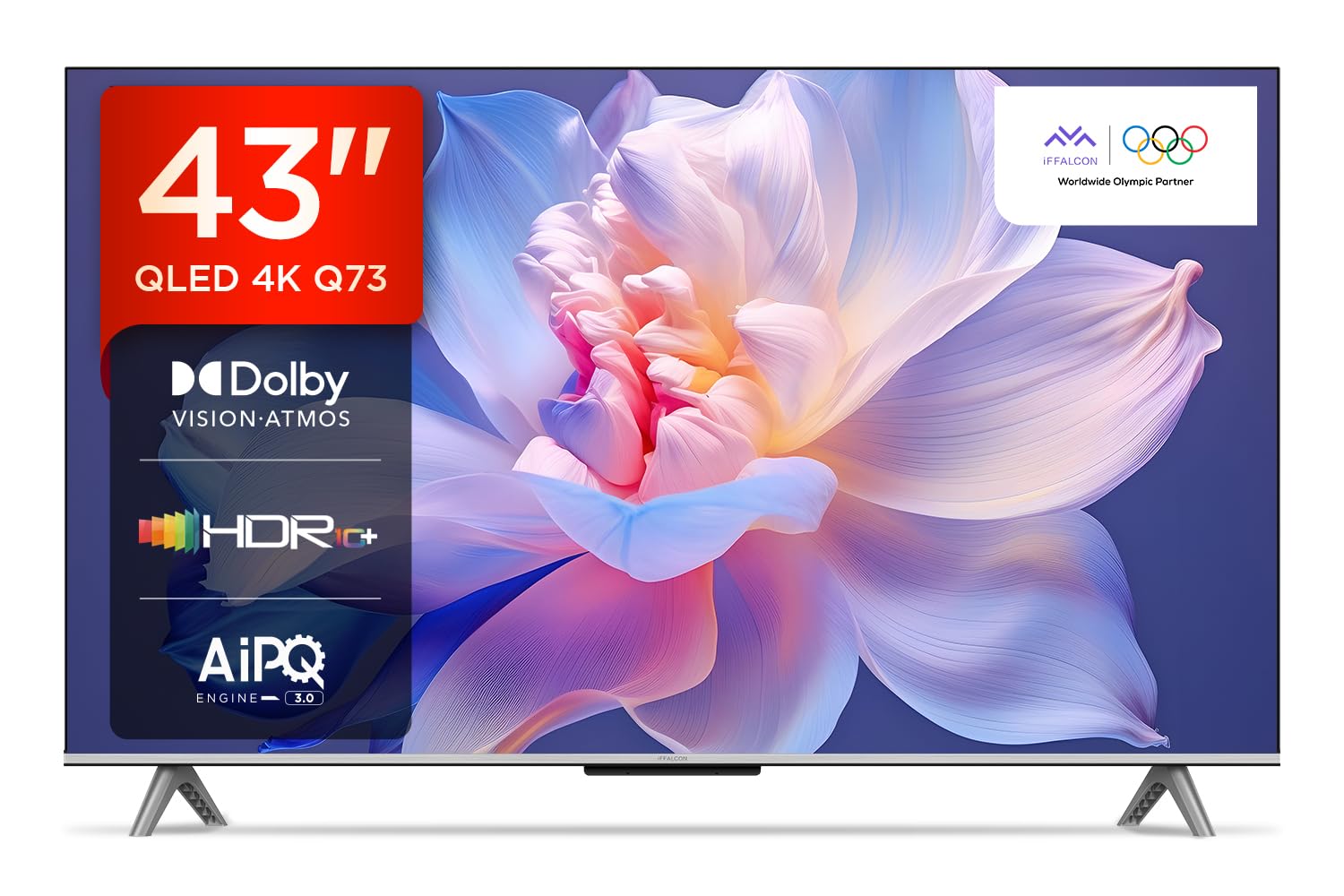
Irudia: Aurrealdea view of the iFFALCON 43-inch 4K Ultra HD Smart QLED Google TV.
2. Segurtasun informazioa
Beti jarraitu segurtasun-jarraibide hauek deskarga elektrikoak, suteak edo telebistari kalteak saihesteko:
- Ez jarri telebista euri edo hezetasunera.
- Ziurtatu aireztapen egokia; ez blokeatu aireztapen-irekidurak.
- Erabili fabrikatzaileak zehaztutako eranskinak/osagarriak soilik.
- Deskonektatu telebista tximista-ekaitzetan edo denbora luzez erabili gabe dagoenean.
- Jarri zerbitzu-zerbitzu guztiak zerbitzu-pertsonal kualifikatuari.
3. Zer dago kutxan
Paketatzean, egiaztatu elementu guztiak bertan daudela:
- 1N LED telebista
- 1N Audio-Kablea
- 1N euskarria (mahaian muntatzeko)
- 1N Erabiltzailearen eskuliburua
- 1N Urruneko Kontrola
- 1N Berme Txartela
- 2N AAA bateria (urrutiko aginterako)
4. Konfigurazioa
4.1 Instalazio fisikoa
Your iFFALCON TV can be installed on a table stand or wall-mounted. Ensure the installation surface is stable and can support the TV's weight.

Image: The iFFALCON TV placed on a media console, illustrating a typical table-top setup.
Mahaiaren muntaketa:
- Carefully place the TV face down on a soft, flat surface.
- Attach the provided stand legs to the designated slots on the bottom of the TV using the screws included.
- Ensure the stand is securely fastened before carefully lifting the TV to its upright position.
Horman muntatzea:
For wall mounting, a compatible VESA wall mount kit (not included) is required. Follow the instructions provided with your wall mount kit. Professional installation is recommended.

Image: The iFFALCON TV displayed as wall-mounted in a modern living room setting.
4.2 Hasierako piztea eta konfigurazioa
- Konektatu elikatze-kablea telebistara eta gero entxufe batera.
- Sartu emandako AAA bateriak urrutiko agintean.
- Sakatu urrutiko aginteko edo telebistako pizteko botoia pizteko.
- Jarraitu pantailan agertzen diren argibideei hasierako konfigurazioa osatzeko, hizkuntza hautatzea, sareko konexioa (Wi-Fi edo Ethernet) eta Google kontuan saioa hastea barne.
5. Zure telebista funtzionatzea
5.1 Urruneko kontrola
The smart remote control provides quick access to various functions and streaming services.

Image: The iFFALCON smart remote control, highlighting dedicated buttons for Netflix, Prime Video, YouTube, and TCL Channel, along with Google Assistant functionality.
5.2 Google TV interfazea
Your TV runs on Google TV, offering a personalized experience with content recommendations and easy access to apps.

Irudia: Google TV-ren hasierako pantaila, hainbat streaming aplikazio eta eduki gomendio erakusten dituena.

Image: A visual representation of the Google TV platform, emphasizing its user-friendly interface.
Ezaugarri nagusiak:
- Esku libreko ahots kontrola: Use "Ok Google" to search for content, control smart home devices, and get information.
- Google Watchlist: Add movies and TV shows to a unified watchlist from various services.
- Google Kids: Access curated content suitable for children.
- Google Meet: Conduct video calls directly from your TV (requires compatible camera, not included).

Image: A user interacting with the TV using the "Ok Google" voice command to check the weather.

Image: The Google Watchlist feature shown across both a mobile device and the TV screen.

Image: The Google Kids interface, displaying child-friendly content and shows.

Image: A video call in progress using Google Meet on the iFFALCON TV.
6. Konektibitatea
The iFFALCON iFF43Q73 offers multiple connectivity options for external devices and networks.

Irudia: Xehetasun zehatza view of the TV's side panel, illustrating the various input and output ports.
- HDMI atakak (3): Connect set-top boxes, Blu-ray players, and gaming consoles. HDMI 3 supports eARC/ARC for enhanced audio return.
- USB ataka (1): USB biltegiratze gailuak konektatzeko eta multimedia erreproduzitzeko.
- LAN (Ethernet): Interneteko kable bidezko konexio baterako.
- Aurikularretarako irteera: Entzungailuak edo kanpoko bozgorailuak konektatzeko.
- Audio Irteera Digitala (Optikoa): Soinu-barretara edo etxeko zinema-sistemetara konektatzeko.
- Antena/kable sarrera: Antena edo kable bidezko telebista seinalea konektatzeko.
- AV sarrera egokitzailea: Bideo konposatua eta audio estereoa erabiltzen dituzten gailu zaharragoak konektatzeko.
- Wi-Fi: Built-in for wireless internet access.
- Bluetootha: Haririk gabeko osagarriak konektatzeko, hala nola entzungailuak edo joko-kontrolagailuak.

Image: An illustration of an HDMI 2.1 cable connecting to the TV, highlighting its advanced capabilities.

Image: A laptop screen being cast to the iFFALCON TV, demonstrating low latency casting functionality.
7. Pantailaren ezaugarriak
Experience stunning visuals with advanced display technologies.

Irudia: Gehiagoview of the iFFALCON TV's key display and audio features, including QLED, Dolby Vision Atmos, HDR10+, MEMC, High Brightness, DTS:X, Gaming in Dolby Vision, Game Master, and Edgeless Design.
- QLED pantaila: Quantum Dot technology delivers vibrant colors and improved brightness.
- 4K Ultra HD (3840 x 2160): Provides four times the resolution of Full HD for incredible detail.
- Dolby Vision eta HDR10+: Advanced HDR formats for enhanced contrast, brightness, and color accuracy.
- 4K HDR Profesionala: Optimizes HDR content for a superior viewesperientzia.
- AIPQ 3.0 Engine: AI-powered picture quality engine for intelligent optimization of color, contrast, and clarity.
- MEMC (Mugimenduaren Estimazioa, Mugimenduaren Konpentsazioa): Reduces motion blur and makes fast-moving scenes smoother.
- High Brightness (300 nits): Ensures clear visibility even in well-lit rooms.
- 178 gradu zabal ViewAngelua: Consistent picture quality from various viewposizioak egitea.

Image: An illustration demonstrating the layers and technology behind a QLED display.

Image: The Dolby Vision logo displayed over a vibrant, colorful abstract image, representing enhanced visual quality.

Image: The HDR10+ logo positioned next to an image of a colorful, explosive visual effect, symbolizing dynamic range.

Image: A split image demonstrating the difference between standard and high brightness, showing a more vivid landscape on the right.

Image: A comparison showing a skier with motion blur (Without MEMC) versus a clear image (With MEMC), illustrating the motion compensation technology.
8. Audio Ezaugarriak
Immersive sound experience with integrated speaker boxes.
- 30 watt-eko irteera: Powerful audio for clear sound.
- MS12Z with Dolby Atmos: Zure inguruan mugitzen den soinu multidimentsionala eskaintzen du.
- DTS Virtual:X: Creates an immersive audio experience without the need for additional speakers.
- Bozgorailu-kutxa integratuak (beheko aldea): Optimized speaker placement for enhanced sound delivery.

Image: An illustration of the Dolby Atmos sound experience, showing sound waves emanating from the TV and surrounding the viewer.

Image: A visual representation of Dolby Atmos audio filling a living room, with sound waves surrounding the TV.

Image: The DTS:X logo with an illustration of dolphins jumping out of water, depicting immersive sound.

Image: A visual representation of DTS:X audio, showing sound waves emanating from the TV and surrounding a viewer on a couch.
9. Jokoen Ezaugarriak
Hobetu zure joko-esperientzia funtzio dedikatuekin.
- Jokoaren Maisua: A suite of features designed for gamers.
- Gaming in Dolby Vision: Experience games with enhanced visuals and dynamic range.
- ALLM (Automatikoki latentzia baxuko modua): Telebista automatikoki aldatzen du latentzia baxuko modura joko-kontsola bat detektatzen denean, sarrera-atzerapena murriztuz.
- Joko Barra: Quick access to game-related settings and information during gameplay.

Image: The Game Master feature displayed on the TV screen, showing icons for Game Bar, ALLM, and Aiming Aid.

Image: A gaming scene displayed on the TV with the 'Gaming in Dolby Vision' logo, indicating enhanced visual quality for games.

Image: The Game Master logo with icons for Game Bar, ALLM, and Aiming Aid, illustrating the gaming optimization features.

Image: The Game Bar interface displayed at the bottom of the TV screen during gameplay, showing options like HGIG, StatsBar, Boost, and Toolbox.

Image: A split screen comparison of a racing game with ALLM Mode OFF (left) and ALLM Mode ON (right), demonstrating reduced input lag.
10. Mantentzea
Zaintza egokiak zure telebistaren iraupena eta errendimendua bermatzen ditu.
- Pantaila garbitzea: Use a soft, lint-free cloth specifically designed for electronics. Do not use abrasive cleaners or solvents.
- Markoa garbitzea: Wipe with a soft, dry cloth. For stubborn marks, a slightly damp oihal bat erabil daiteke, eta ondoren oihal lehor bat.
- Aireztapena: Ensure the TV's ventilation openings are clear of dust and obstructions.
- Elikatze kablea: Aldian-aldian egiaztatu elikatze-kablea kalterik duen.
11. Arazoak
Atal honetan ohiko arazoei eta haien irtenbideei buruzko informazioa aurkituko duzu.
| Arazoa | Kausa posiblea | Irtenbidea |
|---|---|---|
| Botererik ez | Power cord disconnected, no power from outlet. | Egiaztatu kablearen konexioa. Probatu entxufea beste gailu batekin. |
| Ez dago irudirik, baina soinua badago | Incorrect input source, faulty cable. | Verify correct input source. Check HDMI/AV cable connections. |
| Soinurik ez, baina irudia badago | Volume muted, external audio device issue. | Unmute volume. Check audio settings. Ensure external audio devices are connected correctly. |
| Urruneko kontrola ez dabil | Pilak agortuta, oztopoa, urrutiko agintea parekatu gabe. | Replace batteries. Remove obstructions. Re-pair Bluetooth remote if applicable. |
| Wi-Fi konexio arazoak | Incorrect password, router issue, signal interference. | Re-enter Wi-Fi password. Restart router. Move TV closer to router or reduce interference. |
12. Zehaztapenak
Detailed technical specifications for the iFFALCON 43-inch 4K Ultra HD Smart QLED Google TV.

Image: A diagram illustrating the dimensions and weight of the iFFALCON 43-inch TV, both with and without the stand.
| Ezaugarri | Xehetasuna |
|---|---|
| Eredua | iFF43Q73 |
| Pantailaren tamaina | 43 hazbete (108 cm) |
| Bistaratzeko Teknologia | QLED |
| Ebazpena | 4K Ultra HD (3840 x 2160) |
| Freskatze tasa | 60 Hz |
| Sistema eragilea | Google TV |
| Prozesadorea | 64 biteko lau nukleoko prozesadorea |
| RAM | 2 GB |
| Biltegiratzea | 16 GB |
| Audio Irteera | 30 Watt |
| Soinuaren teknologia | Dolby Atmos, DTS Virtual:X |
| Konektibitatea | 3 HDMI Ports, 1 USB Port, Wi-Fi, Bluetooth, Ethernet |
| Energia-kontsumoa (piztuta) | 130 Watt |
| Produktuaren neurriak (euskarriarekin) | 8 x 95.7 x 60.3 cm |
| Elementuaren pisua (euskarriarekin) | 6.7 kg |
13. Bermea eta Laguntza
Your iFFALCON TV comes with a 2 urteko bermea provided by the manufacturer from the date of purchase. For warranty claims, please use your Amazon e-invoice as proof of purchase.
For technical support or service inquiries, please refer to the contact information provided on the warranty card or visit the official iFFALCON support webgunea.


