1. Sarrera
The OREI UHDS-104A is a 1x4 HDMI 2.0 Splitter designed to distribute a single HDMI input signal to four identical HDMI output signals. This device supports resolutions up to 4K x 2K at 60Hz and includes a built-in scaler to match resolutions across different displays. It also features an audio extractor, providing both analog and optical audio outputs. The UHDS-104A is compliant with HDMI 2.0b and HDCP 2.2 standards, ensuring compatibility with a wide range of modern media devices.

Figure 1: OREI UHDS-104A 1x4 HDMI Splitter with Scaler and Audio Extractor.
2. Paketearen edukia
Egiaztatu elementu guztiak paketean daudela:
- 1 x OREI UHDS-104A 1x4 HDMI 2.0 Splitter
- 1 x DC 5V Power Adapter (100-240V, US Plug)
- 1 x Erabiltzailearen eskuliburua
Note: HDMI cables are not included and must be purchased separately.

Figure 2: Visual representation of the OREI UHDS-104A package contents, including the splitter, power adapter, and user manual.
3. Produktua amaitu daview
Aurrealdeko panela
- ENERGIA LED: Gailua piztuta dagoenean pizten da.
- LED-AN: Illuminates when an active HDMI input signal is detected.
- OUT 1-4 LEDs: Illuminate when an active HDMI output connection is established for each respective port.
- ZERBITZU Portua: Micro USB port for firmware updates.
- EDID etengailua: Allows selection of EDID modes (AUTO, COPY, 5.1CH, 7.1CH) to optimize compatibility between source and displays.
- 4K->1080P Switches (1-4): Individual switches for each output to enable or disable 4K to 1080P downscaling.
Atzeko panela
- HDMI OUT 1-4: HDMI 2.0 output ports for connecting to displays.
- IRTEERA OPTIKOA: Optical audio output (SPDIF) for connecting to audio receivers or soundbars.
- L/R OUT: 3.5mm analog stereo audio output for connecting to external ampargitzaileak edo bozgorailuak.
- HDMI SARRERA: HDMI 2.0 input port for connecting to the source device.
- 5 V DC: Power input port for the included 5V DC power adapter.

3. irudia: Aurrealdeko panela view of the OREI UHDS-104A, highlighting LED indicators and control switches.
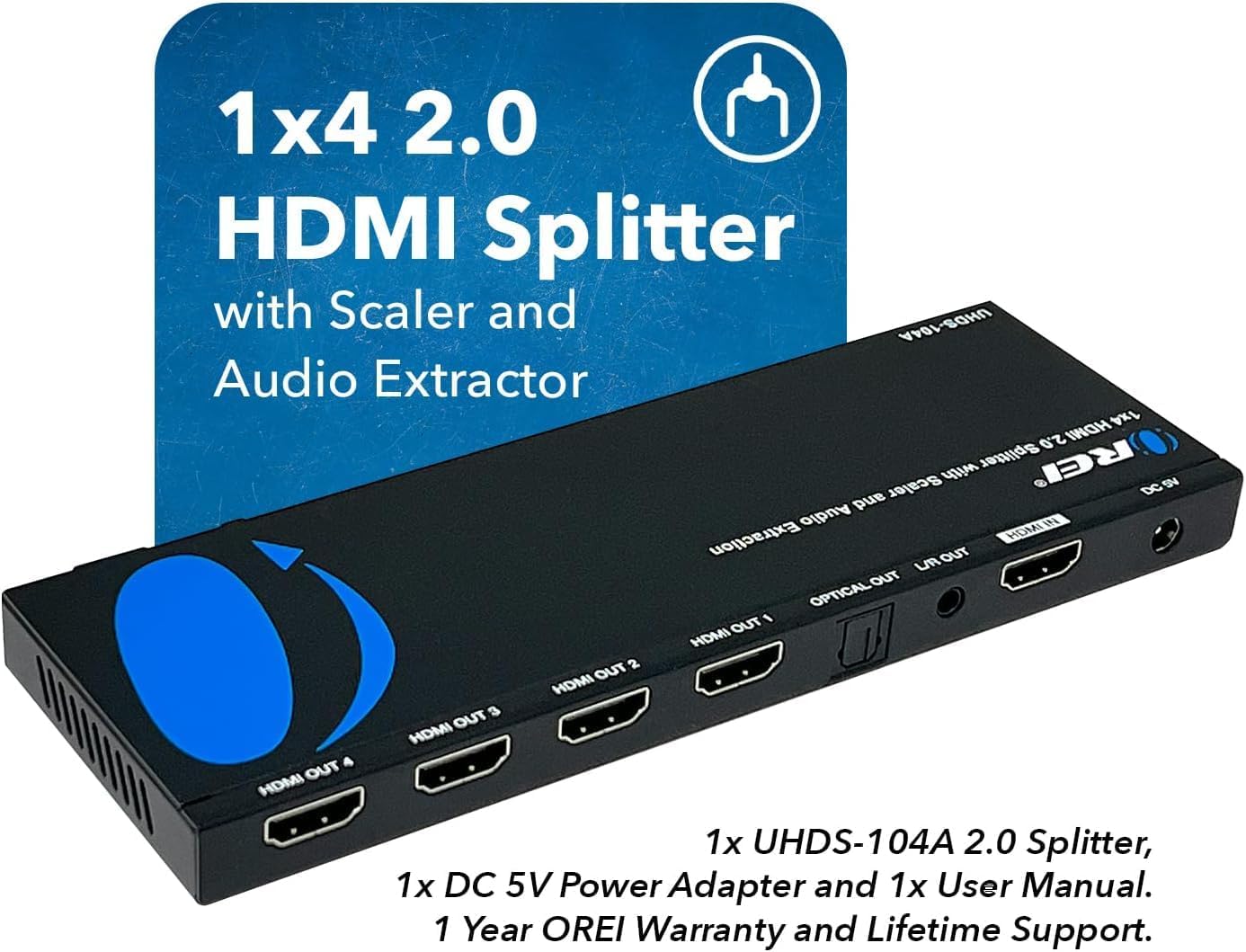
4 Irudia: Atzeko panela view of the OREI UHDS-104A, showing HDMI input/output, audio outputs, and power input.
4. Konfiguratzeko argibideak
Follow these steps to set up your OREI UHDS-104A HDMI Splitter:
- Konektatu HDMI iturria: Connect your HDMI source device (e.g., Blu-ray player, game console, PC) to the HDMI SARRERA port on the splitter using a high-quality HDMI cable (recommended 30 feet or shorter).
- Konektatu HDMI pantailak: Connect up to four HDMI displays (e.g., TVs, monitors, projectors) to the HDMI OUT 1-4 ports on the splitter using high-quality HDMI cables.
- Konektatu audio irteera (aukerakoa): If you wish to extract audio, connect your audio receiver or soundbar to either the IRTEERA OPTIKOA port (for digital audio) or the L/R IRTEERA port (for analog stereo audio).
- Konektatu energia: Plug the included 5V DC power adapter into the DC 5V port on the splitter, then plug the adapter into a power outlet. The POWER LED on the front panel will illuminate.
- Piztu gailuak: Power on your HDMI source device and all connected displays.

Figure 5: Diagram illustrating the typical connection setup for the OREI UHDS-104A, showing source, splitter, displays, and audio output.
Video 1: An official OREI video demonstrating the mirroring functionality of the 4K HDMI Splitter, showing one input duplicated across multiple displays.
5. Funtzionamendu-argibideak
EDID kontrola
The EDID (Extended Display Identification Data) switch on the front panel allows you to manage the communication between the source and displays for optimal compatibility. Adjust the switch based on your setup requirements:
- AUTOA: The splitter automatically detects the best EDID settings from the connected displays.
- KOPIA: The splitter copies the EDID from Output 1 to all other outputs. This is useful when all displays are identical or when you want to force a specific resolution/audio format.
- 5.1CH / 7.1CH: Forces the audio output to 5.1 channel or 7.1 channel, respectively, for compatible audio systems.
4K to 1080P Downscaling
The UHDS-104A features individual switches for each output (1-4) to enable or disable 4K to 1080P downscaling. This is particularly useful when connecting a 4K source to a mix of 4K and 1080P displays. By enabling downscaling for 1080P displays, you can ensure they receive a compatible signal while 4K displays receive the full 4K resolution.
- ON: Enables 4K to 1080P downscaling for the respective output.
- DESaktibatuta: Disables 4K to 1080P downscaling for the respective output (passes through original resolution).

Figure 6: Close-up of the front panel showing the EDID control switch and individual 4K to 1080P downscaling switches for each output.
Video 2: An official OREI video providing an overview of the UHDS-104A, highlighting its features including audio extraction and scaling capabilities.
6. Mantentzea
To ensure optimal performance and longevity of your OREI UHDS-104A, follow these maintenance guidelines:
- Gorde gailua leku fresko, lehor eta ondo aireztatu batean.
- Avoid exposing the device to direct sunlight, high temperatures, or humidity.
- Garbitu gailua zapi leun eta lehor batekin. Ez erabili garbitzaile likido edo aerosolik.
- Ziurtatu kable guztiak ondo konektatuta daudela seinalea galtzea edo etengabeko arazoak saihesteko.
7. Arazoak
If you encounter issues with your OREI UHDS-104A, refer to the following common troubleshooting steps:
- Irudi/seinalerik ez:
- Ensure all HDMI cables are securely connected and are of good quality (recommended 30 feet or shorter).
- Verify that the power adapter is correctly connected and the POWER LED is illuminated.
- Check the EDID switch settings. Try setting it to 'AUTO' or 'COPY' from a working display.
- If using a 4K source with 1080P displays, ensure the 4K->1080P downscaling switch is set to 'ON' for the respective outputs.
- Try connecting the HDMI source directly to a display to confirm the source and display are working correctly.
- Audiorik ez:
- Ensure your audio system is correctly connected to either the OPTICAL OUT or L/R OUT ports.
- Check the audio settings on your source device to ensure it's outputting a compatible audio format.
- Adjust the EDID switch to a setting that supports the desired audio channels (e.g., 5.1CH, 7.1CH).
- Picture Quality Issues (Flickering, Distortion):
- Use high-quality, certified HDMI 2.0 cables.
- Reduce the cable length if possible.
- Ensure the 4K->1080P downscaling is correctly configured for your displays.
8. Zehaztapenak
| Ezaugarri | Zehaztapena |
|---|---|
| Modelo zenbakia | UHDS-104A |
| Produktuaren neurriak | 7.87 x 2.5 x 0.5 hazbete |
| Elementuaren pisua | 12.2 ontza |
| Kolorea | Beltza |
| Konektore mota | HDMI |
| Kable mota | DVI, HDMI |
| Gailu bateragarriak | Projector, Roku 4, 4K TV, Amazon Fire TV, Ultra Projector, PS4, Xbox, Apple TV, HDMI LCD, Cable box, Blu-ray player, DVD player, PC, STB |
| HDMI bertsioa | HDMI 2.0 (also supports 1.4, 1.3, 1.2) |
| HDCP betetzea | HDCP 2.2 |
| Max Ebazpena | 4K x 2K @60Hz |
| Audio euskarria | LPCM, Dolby-AC3, DTS7.1, DSD/Dolby TrueHD/DTS-HD master audio |
| Audio irteerak | Optical (SPDIF), L/R Analog (3.5mm) |
9. Bermea eta Laguntza
The OREI UHDS-104A comes with a 1-Year OREI Warranty eta Bizitza osorako laguntza. For technical assistance, troubleshooting, or warranty claims, please contact OREI customer support through their official channels.


