Sarrera
This manual provides detailed instructions for the setup, operation, and maintenance of your HOMVILLA Digital Mirror Alarm Clock, Model 8821. Please read this manual thoroughly before using the product to ensure proper function and longevity.
Paketearen edukia
Egiaztatu behean zerrendatutako elementu guztiak zure paketean sartuta daudela:
- HOMVILLA Digital Alarm Clock
- USB energia kablea
- Elikatze-moldagailua
- CR2032 Battery (for memory backup)
- Erabiltzailearen eskuliburua

Image: Package contents including the alarm clock, USB cable, adapter, CR2032 battery, and user manual.
Produktua amaituview
The HOMVILLA Digital Mirror Alarm Clock features a large LED display with a mirror surface, dual alarms, multiple alarm schedules, adjustable brightness, and dual USB charging ports.
Ezaugarri nagusiak:
- Large LED Mirror Display: 6.6 x 3 inch screen for clear time and day display.
- Dual Alarms with 3 Schedules: Set two independent alarms with options for daily, weekday, or weekend activation.
- Distira erregulagarria: 6 levels of manual dimming for optimal viewerosotasuna.
- USB bikoitza kargatzeko ataka: Conveniently charge other electronic devices.
- Atzeratzea Funtzioa: Provides an additional 5 minutes of sleep.
- 12H/24H Time Format: Switch between preferred time display.
- Energia iturria: AC powered with battery backup for settings.
Osagaien identifikazioa:

Irudia: Goian view of the alarm clock with labels for ALARM 1, ALARM 2, TIME SET, SNOOZE, BRIGHTNESS, UP, and DOWN buttons. Dimensions are also indicated.
- Ordua Ezartzeko Botoia: Sakatu ordua ezartzeko moduan sartzeko.
- Alarma 1 botoia: Press to set Alarm 1.
- Alarma 2 botoia: Press to set Alarm 2.
- Errepikatzeko botoia: Activates snooze function when alarm sounds.
- Distira botoia: Pantailaren distira doitzen du.
- GORA botoia: Balioak handitzen ditu ezarpenan zehar.
- BEHERA botoia: Balioak gutxitzen ditu ezarpenan zehar.
- USB kargatzeko atakak: Located on the right side for device charging.
Konfigurazioa
1. Potentzia-konexioa:
The alarm clock requires continuous AC power to operate. Connect the provided USB power cable to the clock and then to the power adapter. Plug the adapter into a standard wall outlet.
Note: The included CR2032 battery is for memory backup only. It preserves time and alarm settings during a power outage but does not power the display or alarm functions.

Image: The alarm clock is shown powered by a USB cable connected to a wall adapter, emphasizing that it requires continuous power.
2. Battery Installation (Memory Backup):
Open the battery compartment on the back of the clock and insert the CR2032 battery, ensuring correct polarity. This battery maintains your settings in case of a power interruption.
3. Base Installation (Optional):
The clock can be placed on a flat surface using the detachable base or mounted on a wall using the hanging hole on the back. To install the base, align it with the slot at the bottom of the clock and slide it into place.

Image: Step-by-step visual guide for installing the base, inserting the CR2032 battery, and connecting the power cable to the alarm clock.
Funtzionamendu-argibideak
1. Ordua ezartzea:
- Eduki sakatuta ORDUA button (usually marked with a clock icon) until the hour digits flash.
- Erabili UP eta BEHERA ordua doitzeko botoiak.
- Sakatu ORDUA berriro ordua berresteko eta minutuen ezarpenera joateko.
- Erabili UP eta BEHERA minutuak doitzeko botoiak.
- Sakatu ORDUA behin gehiago berresteko eta ordua ezartzeko modutik irteteko.
- To switch between 12-hour and 24-hour format, briefly press the ORDUA button when not in setting mode.

Image: The alarm clock display showing both 12-hour (8:20 AM) and 24-hour (20:30) time formats, illustrating the switch function.
2. Setting Alarms (Alarm 1 & Alarm 2):
The clock supports two independent alarms (Alarm 1 and Alarm 2) with three scheduling options.
- Eduki sakatuta 1. ALARMA or 2. ALARMA botoia orduko digituak keinuka hasi arte.
- Erabili UP eta BEHERA alarma-ordua doitzeko botoiak.
- Sakatu dagokion botoia. ALARMA botoia berriro sakatu ordua berresteko eta minutuen ezarpenera joateko.
- Erabili UP eta BEHERA botoiak alarmaren minutuak doitzeko.
- Sakatu ALARMA button again to confirm minutes and select the alarm schedule:
- 1-5: Astelehenetik ostiralera
- 6-7: Larunbatetik igandera
- 1-7: Monday to Sunday (Daily)
- Sakatu ALARMA button one more time to confirm the schedule and exit alarm setting mode.
- To activate/deactivate an alarm, briefly press the 1. ALARMA or 2. ALARMA button when not in setting mode. An alarm icon will appear/disappear on the display.

Image: The alarm clock showing different alarm schedules (1-5, 6-7, 1-7) for weekdays, weekends, and daily alarms.
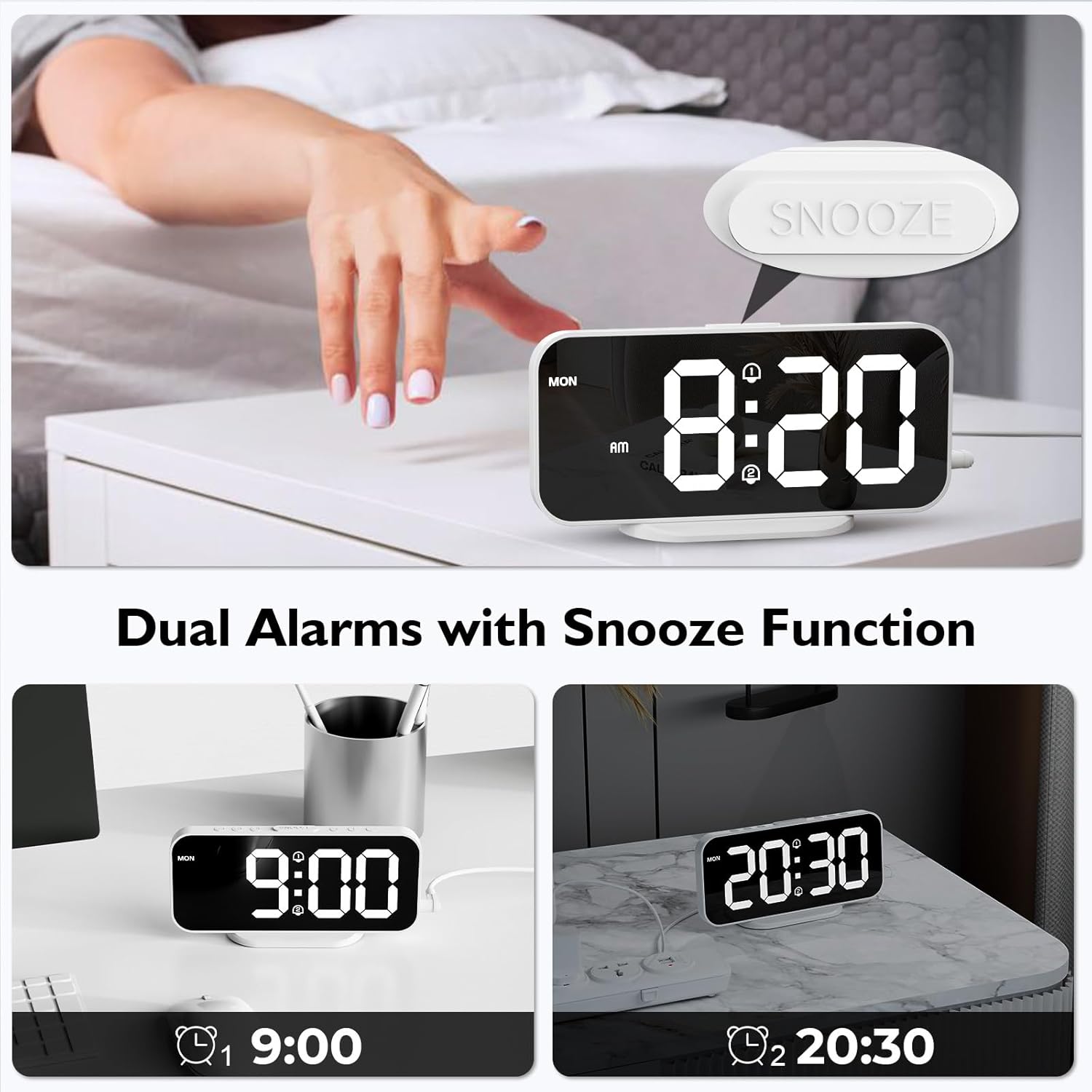
Image: The alarm clock displaying two separate alarm times (9:00 and 20:30), indicating the dual alarm functionality.
3. Errepikapen funtzioa:
Alarma jotzen duenean, sakatu botoi handia SNOOZE button located on the top of the clock. The alarm will pause for 5 minutes and then sound again. To turn off the alarm completely, press any other button.

Image: A hand pressing the SNOOZE button on the alarm clock, illustrating the 5-minute snooze feature.
4. Distira doitzea:
The display has 6 levels of brightness. Briefly press the DISSIRA button (usually marked with a sun icon) to cycle through the brightness levels, from brightest to dimmest, and then off.

Image: A visual representation of the alarm clock's display at six different brightness levels, from off to maximum brightness.
5. USB Charging Ports:
The two USB ports on the right side of the clock can be used to charge other electronic devices (e.g., smartphones, earbuds). Connect your device's USB charging cable to one of these ports. The output is 5V/1A.

Image: The alarm clock with a smartphone and wireless earbuds connected to its dual USB charging ports, demonstrating their use.
Mantentzea
- Garbiketa: Garbitu erlojua zapi leun eta lehor batekin. Ez erabili garbitzaile edo disolbatzaile urratzailerik.
- Ispiluaren gainazala: Handle the mirror surface carefully to avoid scratches.
- Potentzia: Always disconnect the power adapter before cleaning or if the clock will not be used for an extended period.
- Bateria: Replace the CR2032 backup battery annually or if settings are not retained during power outages.
Arazoak konpontzea
| Arazoa | Kausa posiblea | Irtenbidea |
|---|---|---|
| Display is off or blank. | Ez dago energia konexiorik. | Ensure the USB power cable and adapter are securely connected to the clock and a working power outlet. The clock requires continuous AC power. |
| Ezarpenak galtzen dira itzaltzeantage. | CR2032 backup battery is dead or missing. | Replace the CR2032 battery in the battery compartment. Ensure correct polarity. |
| Alarmak ez du jotzen. | Alarm is not activated or incorrect alarm schedule. | Ensure the alarm icon is displayed, indicating activation. Check the alarm schedule (daily, weekday, weekend). |
| USB kargatzeko atakak ez dute funtzionatzen. | Clock not powered. Device cable faulty. Device incompatible. | Ensure the alarm clock is powered. Try a different USB cable or device. |
| Display too dim or too bright. | Brightness level needs adjustment. | Sakatu DISSIRA button to cycle through the 6 brightness levels. |
Zehaztapenak
| Marka | HOMVILLA |
| Modelo zenbakia | 8821 |
| Kolorea | Zuria |
| Neurriak (L x W x H) | 16.8 cm x 7.6 cm x 3.81 cm (6.61 x 2.99 x 1.5 in) |
| Pisua | 105 gramo (0.23 lb) |
| Bistaratzeko mota | Digital LED with Mirror Surface |
| Energia iturria | AC Powered (USB Cable & Adapter included) |
| Backup Bateria | 1 x CR2032 (included, for memory backup only) |
| USB irteera | 2 ports, 5V/1A each |
| Ezaugarri bereziak | Dual Alarms, Snooze Function, 6 Brightness Levels, 12/24H Format, Wall Mountable |
Bermea eta Laguntza
For warranty information or technical support, please refer to the contact details provided in the original product packaging or visit the official HOMVILLA webgunea. Gorde erosketaren egiaztagiria bermearen erreklamazioetarako.
If you encounter any issues not covered in this manual, please contact HOMVILLA customer service for assistance.


