1. Sarrera
Thank you for choosing the Mesqool CR1024 Projection Alarm Clock. This device combines a digital alarm clock with a time projector, displaying time on your wall or ceiling. It also features temperature and humidity monitoring, dual alarms, a night light, and USB charging ports. This manual will guide you through the setup, operation, and maintenance of your new alarm clock.
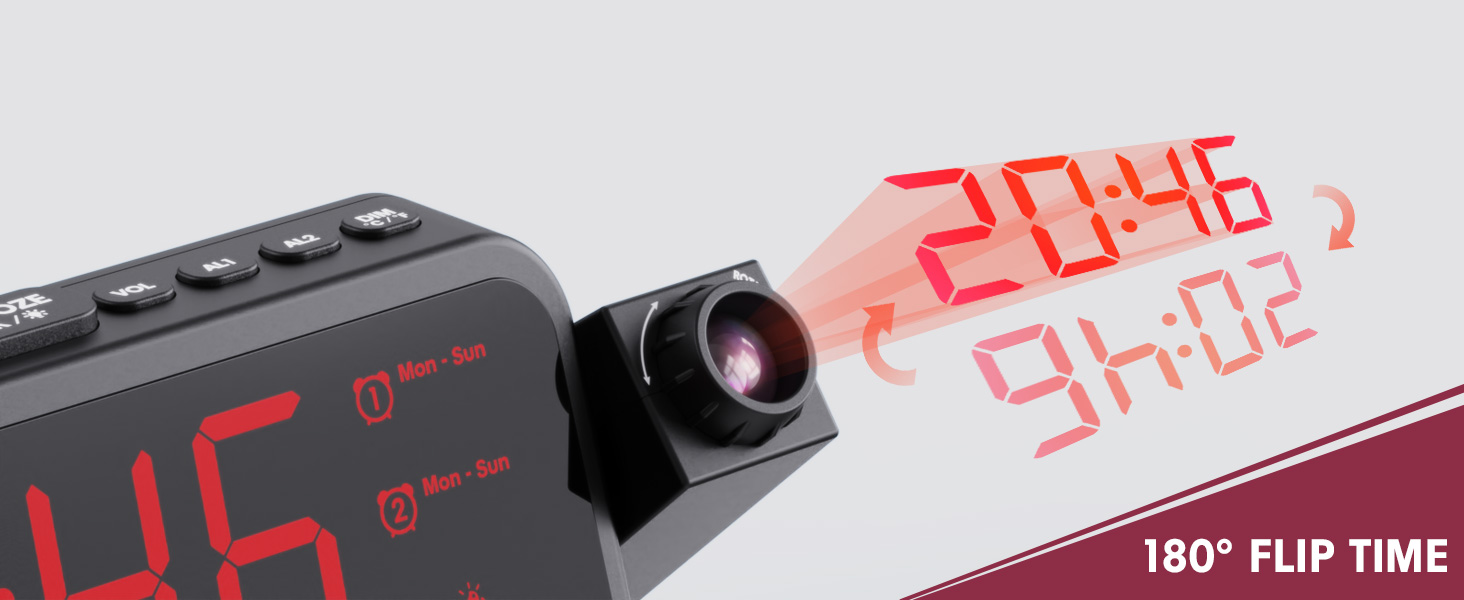
Image 1.1: Mesqool CR1024 Projection Alarm Clock with a smartphone connected for charging.
Ezaugarri nagusiak:
- 180° Swivel Projection with Adjustable Focus
- Large LED Display with Time, Date, Day, Temperature, and Humidity
- Dual Alarms with Weekday/Weekend/7-Day/One-time Modes
- 9-Minute Snooze Function
- Integrated Soft LED Night Light with Adjustable Brightness
- 7-Level Adjustable Alarm Volume
- 5-mailako pantailaren dimmer
- Memory Function (requires 2x AAA batteries, not included)
- Dual USB Charging Ports (Type-C and USB-A)
2. Konfigurazioa
2.1 Energia-konexioa
- Konektatu emandako korronte-egokitzailea iratzargailuaren atzealdeko DC IN atakara.
- Entxufatu korronte-egokitzailea entxufe elektriko estandar batera. Erlojuaren pantaila piztuko da.
- Erreserba-energia lortzeko kanpoan zehartages, insert two AAA batteries (not included) into the battery compartment. This will preserve time and alarm settings.
2.2 Hasierako ordua eta data ezartzea
- Eduki sakatuta ORDUA botoia ordua ezartzeko moduan sartzeko.
- Erabili + or - botoiak ordua doitzeko. Sakatu ORDUA baieztatzeko.
- Repeat the process to set the minute, year, month, and day.
- Sakatu ORDUA berriro ezarpen modutik irteteko.
2.3 12/24 Hour Format and DST
- 12 orduko eta 24 orduko ordu formatuen artean aldatzeko, sakatu 12/24H botoia.
- To activate or deactivate Daylight Saving Time (DST), press the DST button. An indicator will appear on the display when DST is active.

Image 2.1: The clock displaying time in both 12-hour and 24-hour formats.
3. Funtzionamendu-argibideak
3.1 Alarmak ezartzea
The clock supports two independent alarms (AL1 and AL2).
- Eduki sakatuta AL1 or AL2 botoia alarma ezarpen moduan sartzeko.
- Erabili + or - botoiak alarmaren ordua doitzeko. Sakatu dagokion alarma botoia (AL1 or AL2), Berresteko.
- Repeat to set the alarm minute.
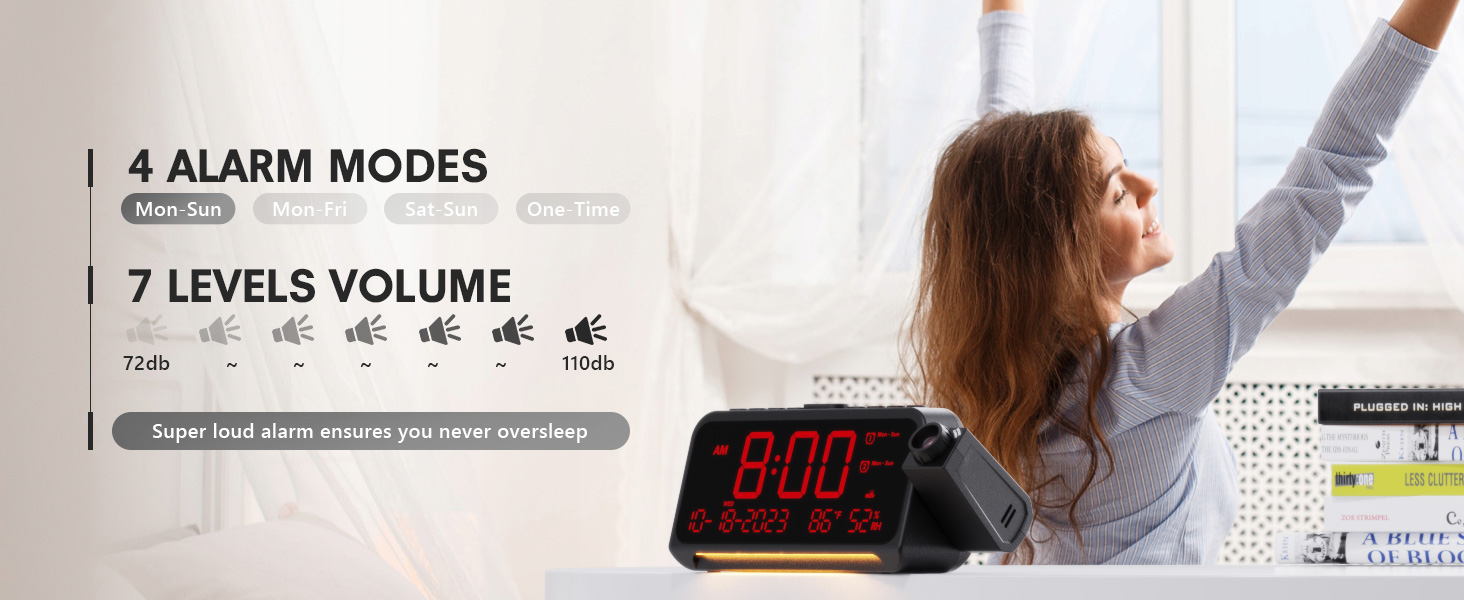
- After setting the minute, use + or - to select the alarm mode: Mon-Sun, Mon-Fri, Sat-Sun, or One-time.
- Press the alarm button again to confirm and exit.
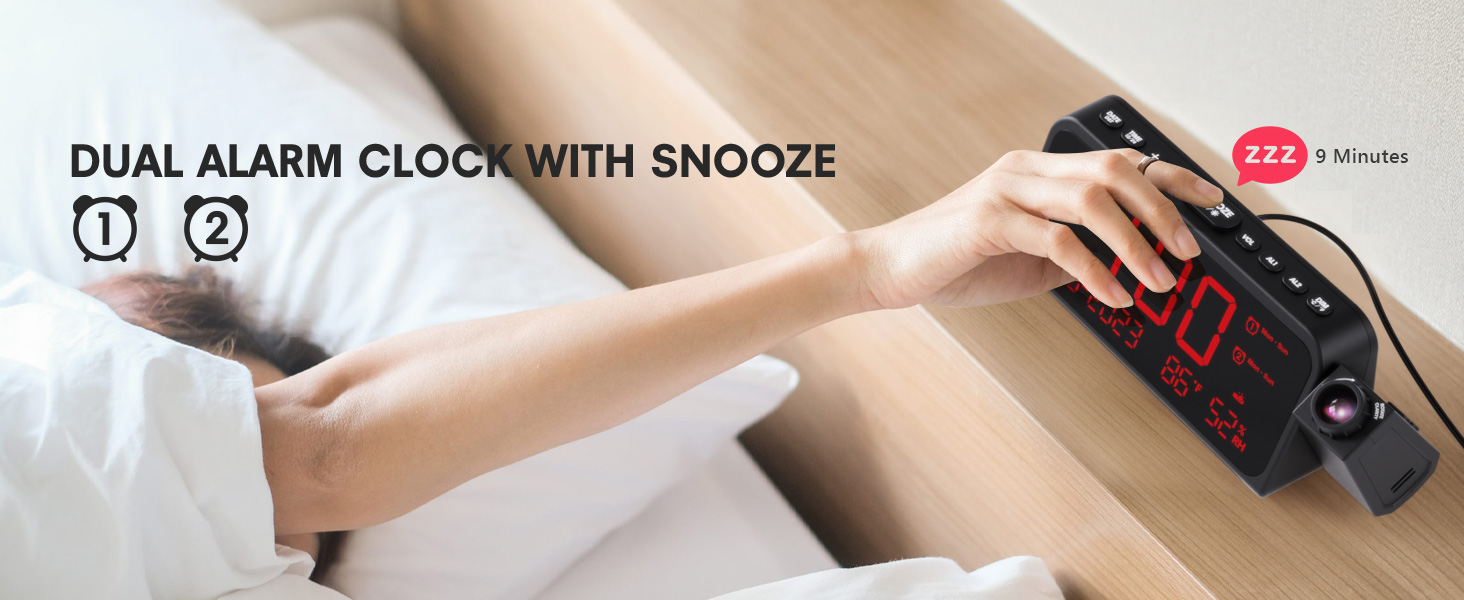
Image 3.1: The clock displaying dual alarm settings and snooze functionality.
3.2 Snooze funtzioa
Alarma jotzen duenean, sakatu botoi handia ATZERATU/ADOS/* button to activate the snooze function. The alarm will pause for 9 minutes and then sound again.
3.3 Alarmaren bolumenaren doikuntza
Sakatu VOL button to cycle through 7 levels of alarm volume. Adjust to your preferred loudness.

Image 3.2: Visual representation of the 4 alarm modes and 7 adjustable volume levels.
3.4 Proiekzio ezarpenak
- Proiekzioa ON/OFF: Sakatu PROIEKZIOA botoia proiekzioa piztu edo itzaltzeko.
- Proiekzioaren distira: Sakatu behin eta berriz PROIEKZIOA button to cycle through 5 brightness levels (Dim, Low, Medium, High, Full).
- Projection Orientation: The projector arm can swivel 180 degrees. Rotate the arm to direct the time display to your desired surface (wall or ceiling).
- Fokuaren doikuntza: Use the focus ring on the projector lens to sharpen the projected image.
3.3 irudia: Xehetasun zehatza view of the projection features, including distance, time flip, rotation, focus, and brightness levels.
3.5 Pantailaren argitasun-iluntzailea
Sakatu DIMMER button to adjust the brightness of the main LED display. There are 5 levels of brightness to choose from, allowing you to customize it for comfort, especially at night.
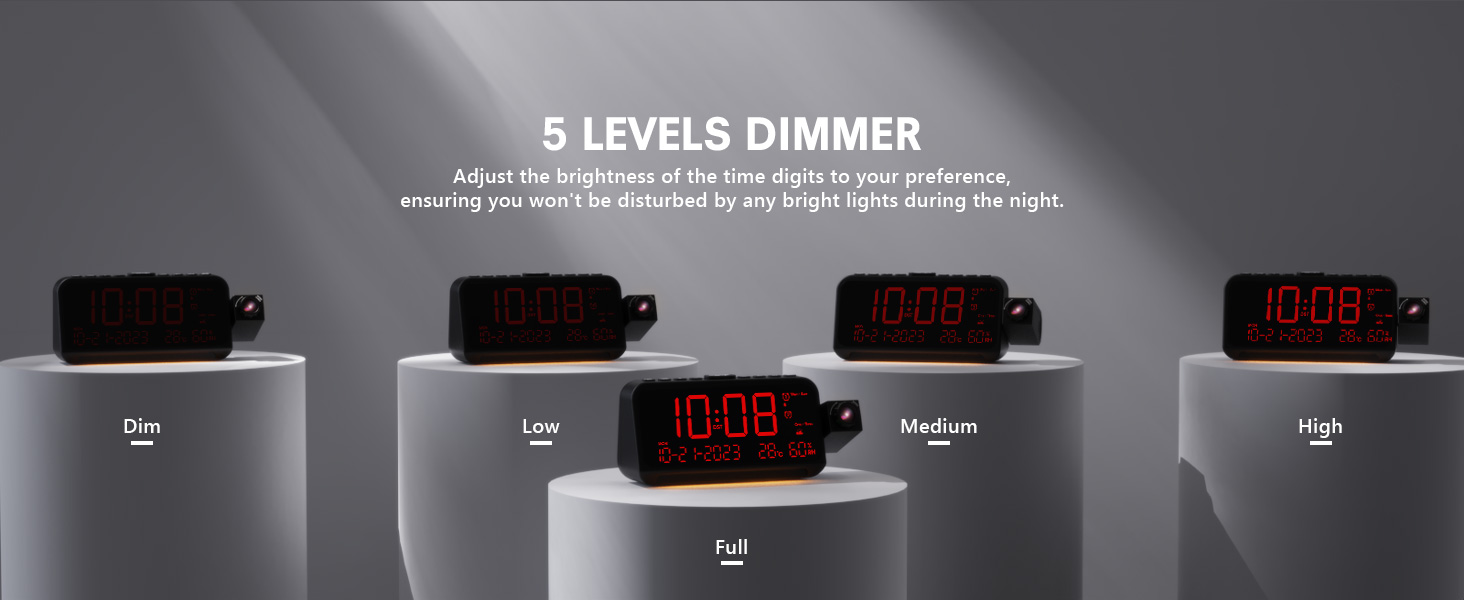
Image 3.4: The clock demonstrating its 5-level adjustable display dimmer.
3.6 Gau Argia
The clock features a soft LED night light located at the bottom. Press the ARGIA button to cycle through Off, Medium, and Full brightness settings for the night light.
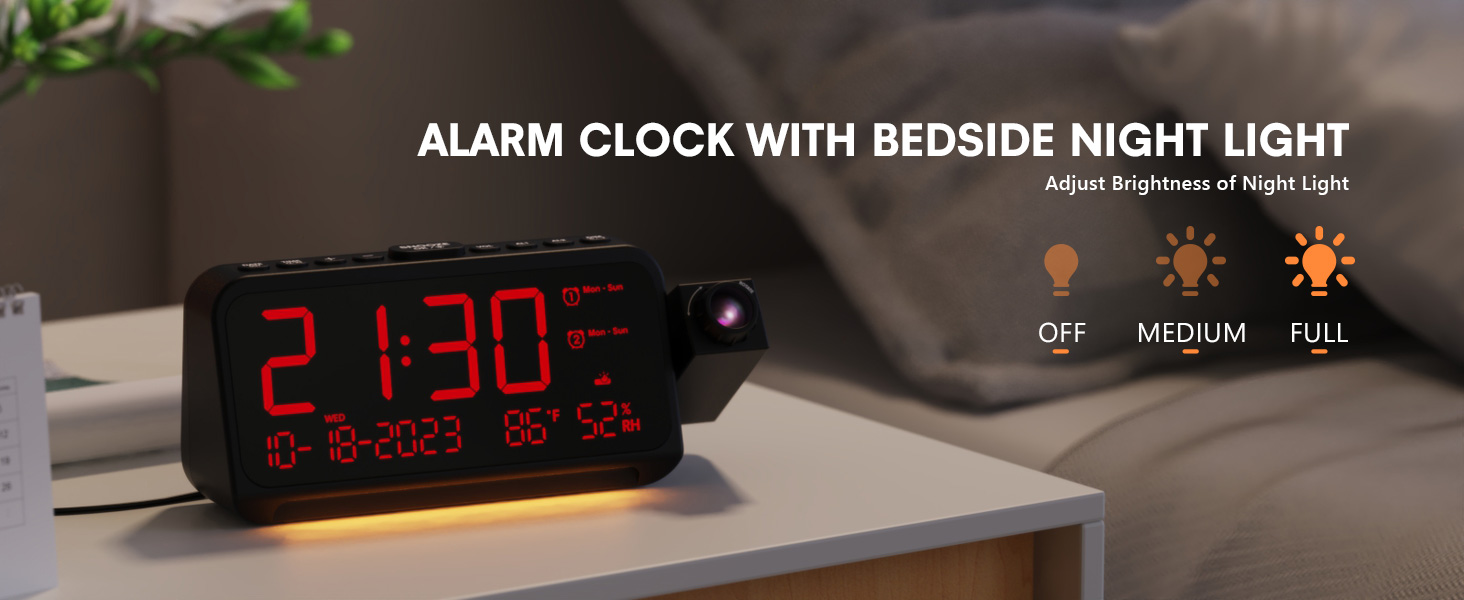
Image 3.5: The clock with its integrated night light, showing different brightness options.
3.7 USB kargatzeko ataka
The clock is equipped with a Type-C and a standard USB-A charging port on the back. You can use these ports to charge your mobile devices while the clock is powered.

Image 3.6: The back of the clock showing the Type-C and USB-A charging ports in use.
4. Mantentzea
To ensure the longevity and optimal performance of your Mesqool CR1024 Projection Alarm Clock, follow these maintenance guidelines:
- Garbiketa: Wipe the clock's surface with a soft, dry cloth. Avoid using abrasive cleaners, solvents, or chemical sprays, as these can damage the finish or electronic components.
- Ingurumena: Place the clock in a dry environment, away from direct sunlight, extreme temperatures, and high humidity.
- Aireztapena: Ziurtatu aireztapen-zuloak ez daudela blokeatuta, gehiegi berotzea saihesteko.
- Bateria ordezkatzea: If using AAA batteries for backup, replace them annually or when the low battery indicator appears to ensure settings are retained during power outages.
5. Arazoak
If you encounter issues with your Mesqool CR1024 Projection Alarm Clock, please refer to the following common problems and solutions:
| Arazoa | Kausa posiblea | Irtenbidea |
|---|---|---|
| Projection is blurry or unclear. | Incorrect focus or projection distance. | Adjust the focus ring on the projector lens. Ensure the clock is within the optimal projection distance (4.92-9.84 ft). |
| Alarmak ez du jotzen edo oso isila da. | Alarm not activated or volume set too low. | Ensure the alarm is enabled (AL1/AL2 indicator on display). Press the VOL button to increase the alarm volume. |
| Pantaila oso distiratsua edo oso iluna da. | Display dimmer setting is not optimal. | Sakatu DIMMER button to cycle through the 5 brightness levels. |
| Ordua/ezarpenak berrezartzen dira energia itzaltzeantage. | No backup batteries or batteries are depleted. | Install two fresh AAA batteries (not included) in the battery compartment for memory backup. |
| Cannot change time format from 24-hour to 12-hour. | Incorrect button press or temporary glitch. | Sakatu 12/24H button. If the issue persists, try unplugging the clock for a few minutes and then reconnecting power. |
6. Zehaztapenak
| Ezaugarri | Xehetasuna |
|---|---|
| Marka | Mesqool |
| Modelo zenbakia | CR1024 |
| Bistaratzeko mota | LED digitala |
| Energia iturria | Kable elektrikoa |
| Bateria babeskopia | 2x AAA bateria (ez dago barne) |
| Produktuaren neurriak | 7.87"W x 3.4"H (7.87x2.36x3.43 inch) |
| Elementuaren pisua | 12 ontza (0.34 kilogramo) |
| Materiala | Akrilonitrilo Butadieno Estirenoa (ABS) |
| Ezaugarri bereziak | Projection, Dual Alarms, Snooze, Night Light, Temperature, Humidity, Calendar, DST, USB Charging |

Image 6.1: Dimensions of the Mesqool CR1024 Projection Alarm Clock.
7. Bermea eta Laguntza
7.1 Bermearen informazioa
This Mesqool CR1024 Projection Alarm Clock comes with a 24 hilabeteko bermea from the date of purchase. Mesqool also provides lifetime support for this product. Please retain your proof of purchase for warranty claims.
7.2 Bezeroarentzako laguntza
For any questions, technical assistance, or warranty inquiries, please contact Mesqool customer support through the retailer where you purchased the product or refer to the official Mesqool webharremanetarako informazioa lortzeko gunea.


