Segurtasun informazio garrantzitsua
Read all instructions before operating the TV. Keep this manual for future reference. Follow all warnings and instructions marked on the product.
- Ez blokeatu aireztapen baoak.
- Ez instalatu bero iturrietatik gertu.
- Babestu korronte-kablea ibiltzeko edo atximur ez dadin.
- Erabili soilik fabrikatzaileak zehaztutako eranskinak/osagarriak.
- Deskonektatu tximista-ekaitzetan edo denbora luzez erabiltzen ez zarenean.
- Jarri zerbitzu-zerbitzu guztiak zerbitzu-pertsonal kualifikatuari.
Produktua amaituview
The THOMSON 24HA2S13C is a 24-inch HD Smart Android TV designed for versatile use, including camping with its 12V power supply. It features Google Assistant, Wi-Fi, Bluetooth, Dolby Digital audio, and a triple-tuner for various signal reception.

Irudia: Aurrealdea view of the THOMSON 24HA2S13C 24-inch Smart Android TV, showing the screen displaying streaming service logos and a family enjoying the TV in a campezarpena.
Paketearen edukia
Egiaztatu elementu guztiak paketean sartuta daudela:
- THOMSON 24HA2S13C Smart Android TV
- Urruneko Kontrola
- Power Adapter (12V compatible)
- Telebistarako euskarriak (2)
- Telebistako euskarrietarako torlojuak
- Erabiltzailearen eskuliburua (dokumentu hau)
- Hasierako gida azkarra
Konfigurazioa
1. Telebista-euskarriak lotzea
- Kontu handiz jarri telebista aurpegia behera gainazal bigun eta lau batean, pantaila kaltetu ez dadin.
- Align the TV stands with the mounting holes on the bottom of the TV.
- Lotu euskarriak emandako torlojuak erabiliz. Ziurtatu ondo estututa daudela.

Image: The THOMSON 24HA2S13C TV showing two possible stand positions for different furniture widths. The image highlights the flexibility in stand placement.
2. Potentzia konektatzea
Connect the 12V power adapter to the TV's power input and then to a suitable power source. For camping or mobile use, connect to a 12V DC power outlet.

Image: The THOMSON 24HA2S13C TV mounted in a caravan, with a 12V power adapter shown, illustrating its suitability for mobile use.
3. Kanpoko gailuak konektatzea
Telebistak kanpoko gailuak konektatzeko hainbat ataka eskaintzen ditu:
- HDMI: For high-definition audio and video devices (e.g., game consoles, Blu-ray players).
- USBa: USB biltegiratze gailuak konektatzeko eta multimedia erreproduzitzeko.
- LAN: Kable bidezko internet konexiorako.
- Antena/Satelitea: Emisio-seinaleak jasotzeko.
- AV IN: Gailu analogiko zaharragoetarako.
- Audio irteera (optikoa): Kanpoko soinu-sistemetara konektatzeko.
- CI+: Baldintzapeko sarbide-moduluetarako.

Irudia: Atzealdea view of the THOMSON 24HA2S13C TV, detailing the various input and output ports available for connectivity.
Telebista funtzionatzea
1. Hasierako konfigurazio morroia
Lehen aldiz piztean, telebistak hasierako konfigurazio prozesu batean gidatuko zaitu. Honek honako hauek barne hartzen ditu:
- Hizkuntza hautatzea.
- Sare konexioa (Wi-Fi edo Ethernet).
- Google account sign-in (optional, but recommended for full Smart TV features).
- Channel scanning (for DVB-T2/C/S2).
2. Urruneko kontrol funtzioak
The included remote control provides access to all TV functions. It features backlit buttons for use in low light and a dedicated "Favorite" button for quick access to your preferred app.

Image: The remote control for the THOMSON 24HA2S13C TV, highlighting its ergonomic design, backlit buttons, and voice control capabilities.
3. Smart TV-ren ezaugarriak (Android TV)
This TV runs on Android TV, providing access to a wide range of applications and services:
- Streaming zerbitzuak: Access Netflix, Prime Video, YouTube, Disney+, and more.
- Google Laguntzailea: Use voice commands to search for content, control playback, and get information. Activate by pressing the Google Assistant button on the remote.
- Chromecast integratua: Cast content from compatible smartphones, tablets, or computers directly to your TV.
- Google Play Store: Download additional apps and games.

Image: The THOMSON 24HA2S13C TV screen showing the Android TV home interface with popular streaming applications and content recommendations.
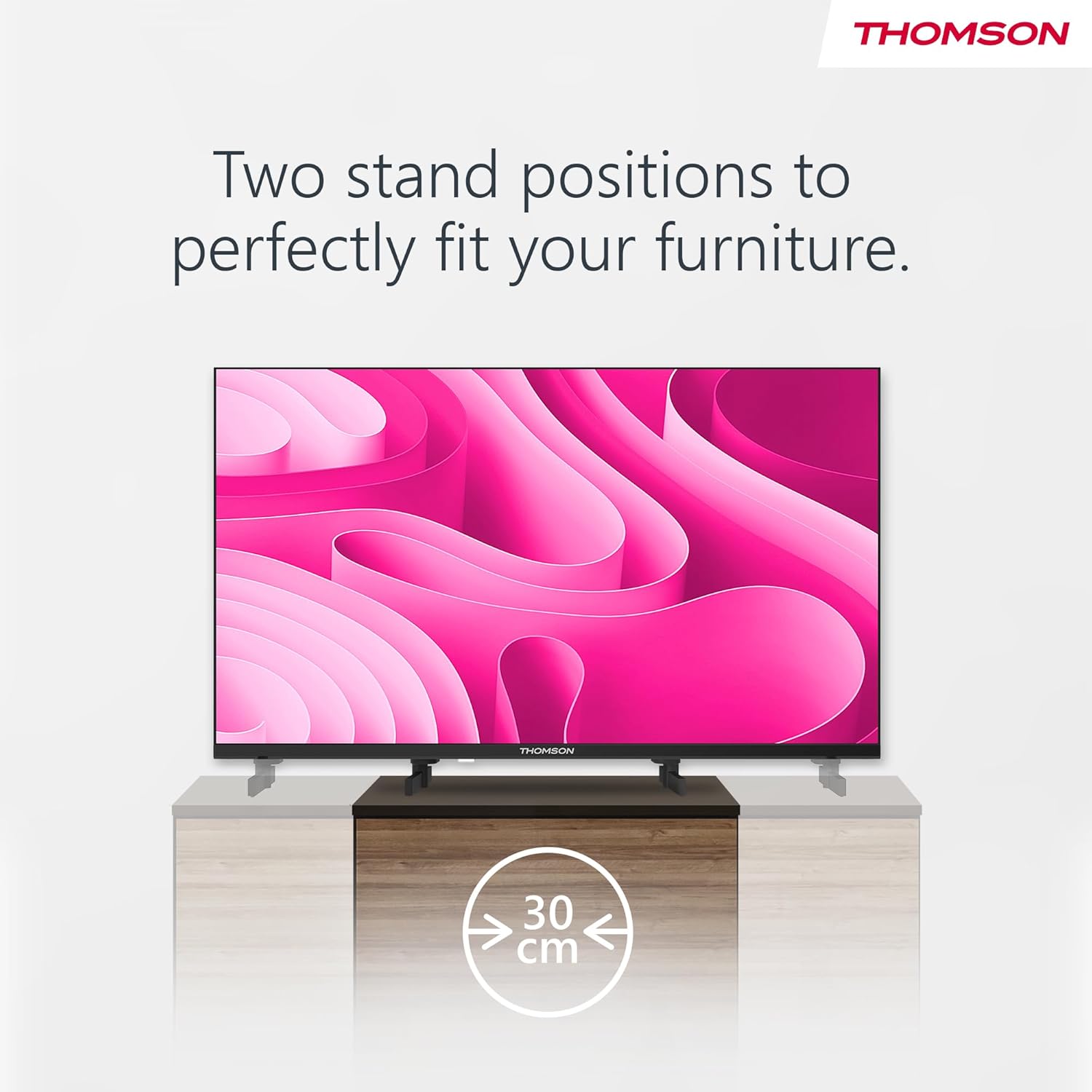
Image: A person using the voice control feature of the THOMSON TV remote, demonstrating interaction with Google Assistant.
Mantentzea
Telebista garbitzea
- Deskonektatu beti telebista garbitu aurretik.
- Use a soft, dry cloth to wipe the screen and cabinet. Do not use liquid cleaners or aerosol sprays.
- Marka egoskorretarako, arinki garbituampen a microfiber cloth with water and gently wipe. Avoid excessive moisture.
Software eguneraketak
Telebistak software eguneraketak jaso ditzake errendimendua hobetzeko eta funtzio berriak gehitzeko. Ziurtatu telebista Internetera konektatuta dagoela eguneratze hauek jasotzeko. Normalean telebistaren ezarpenen menuan egiaztatu ditzakezu eguneratzeak.
Arazoak konpontzea
| Arazoa | Kausa posiblea | Irtenbidea |
|---|---|---|
| Botererik ez | Kable elektrikoa ez dago konektatuta; entxufea ez dago aktibo. | Egiaztatu kablearen konexioa. Probatu entxufea beste gailu batekin. |
| Ez dago irudirik, baina soinua badago | Hautatutako sarrera-iturri okerra; atzeko argiaren arazoa. | Press the "Input" button on the remote to select the correct source. Contact support if issue persists. |
| Soinurik ez, baina irudia badago | Volume too low or muted; audio cables loose. | Increase volume. Check mute status. Ensure audio cables are securely connected. |
| Urruneko kontrola ez dabil | Bateriak agortuta; urrutiko agintearen eta telebistaren arteko oztopoa. | Aldatu bateriak. Kendu oztopo guztiak. Ziurtatu urrutiko agintea telebistaren IR sentsorera zuzenduta dagoela. |
| Ezin da wifira konektatu | Pasahitz okerra; bideratzailearen arazoak; Telebista bideratzailetik urrunegi. | Egiaztatu Wi-Fi pasahitza. Berrabiarazi bideratzailea. Gerturatu telebista bideratzailera edo erabili kable bidezko konexioa. |
Zehaztapenak
| Ezaugarri | Xehetasuna |
|---|---|
| Marka | Thomson |
| Eredua | 24HA2S13C |
| Pantailaren tamaina | 24 hazbete (60 cm) |
| Bistaratzeko Teknologia | LED |
| Ebazpena | 1366 x 768 (HD) |
| Sistema eragilea | Android TV |
| Ezaugarri bereziak | Google Assistant, Chromecast Built-in, 12V Power Supply, Dolby Audio, Triple Tuner (DVB-T2/C/S2) |
| Konektibitatea | Wi-Fi, Bluetooth, HDMI (x3), USB (x2), LAN, Optical Audio Out, AV In, CI+ |
| liburukiatage | 12 voltio (DC) |
| Produktuaren neurriak (W x P x H) | 53.5 x 15.1 x 35.3 cm (euskarriarekin) |
| Pisua | 3.5 kg |
Energia-eraginkortasunari buruzko informazio zehatza lortzeko, jo ezazu EBko EPREL datu-basera: https://eprel.ec.europa.eu/qr/1456673

Image: The EU Energy Label for the THOMSON 24HA2S13C TV, showing an energy efficiency rating of E and power consumption of 18 kWh/1000h.
Bermea eta Laguntza
This Thomson TV comes with a 3-year guarantee. For technical support, warranty claims, or service inquiries, please contact your local Thomson service provider or refer to the manufacturer's webgunea.
Manufacturer: STREAMVIEW GMBH
Webgunea: www.korronteaview.com
Posta elektronikoa: kontaktua@jarioaview.com
Produktuaren bideo ofiziala
Ikusi bideo hau ikuspegi orokorra lortzekoview of the Thomson 24-inch Easy TV.
Bideoa: Laburbilduzview of the Thomson 24-inch Easy TV, showcasing its design and features. This video is provided by the vendor Streamview GmbH.


