1. Produktua amaitu daview
The TCNEWCL 8K 60Hz HDMI KVM Switch allows you to control two computers using a single set of peripherals (keyboard, mouse, etc.) and one high-definition display. This device is designed for efficiency, enabling seamless switching between systems without the need to constantly re-plug cables. It supports high-resolution video and high-speed data transfer, making it suitable for various computing environments.
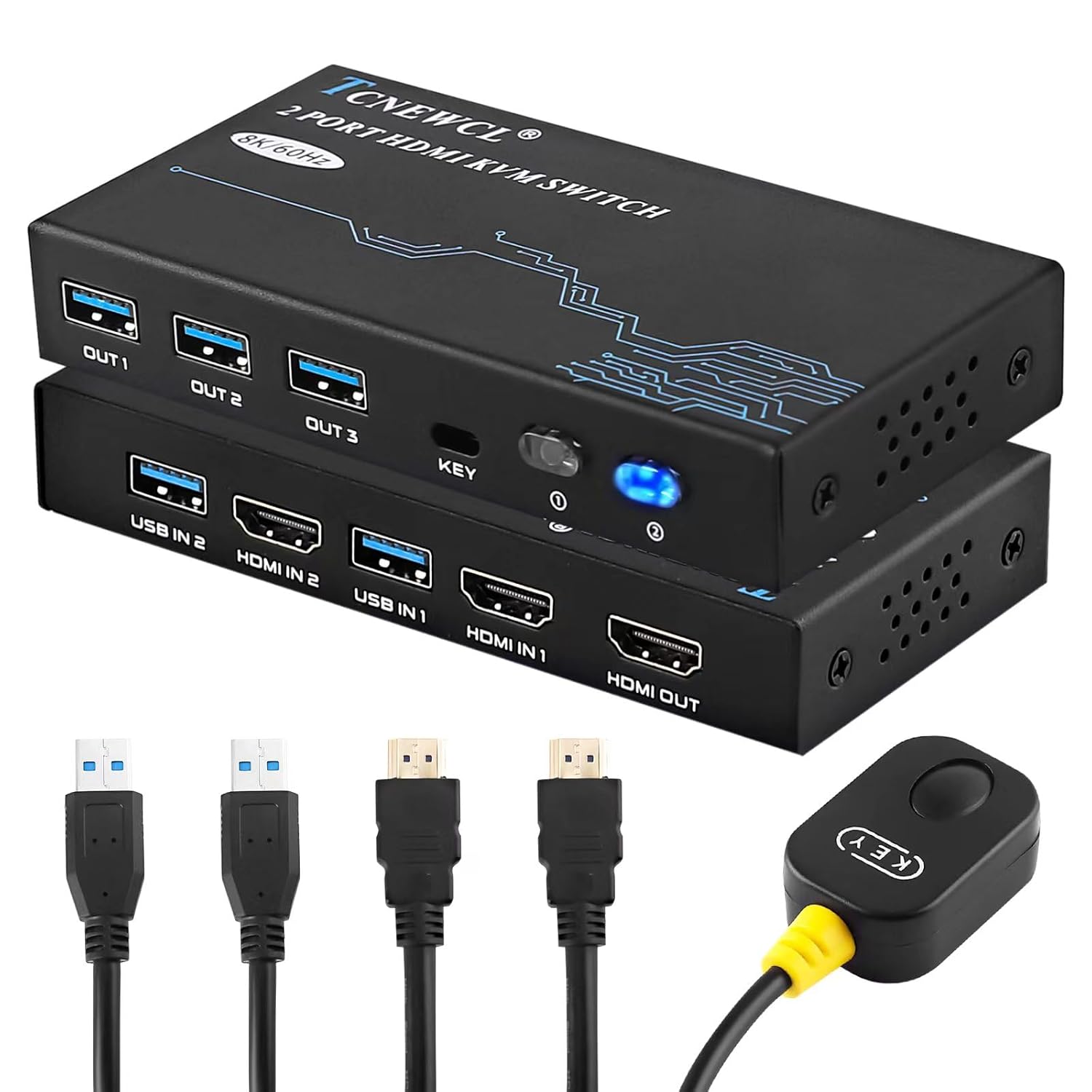
1.1. irudia: The TCNEWCL 8K 60Hz HDMI KVM Switch, showcasing the main unit, included HDMI 2.1 and USB 3.0 cables, and the wired desktop controller.
2. Paketearen edukia
Mesedez, egiaztatu elementu guztiak zure paketean daudela:
- 1x TCNEWCL 8K 60Hz HDMI KVM Switch (Model KS608T)
- 2x HDMI 2.1 Cables
- 2x USB 3.0 Cables
- 1x Wired Desktop Controller
- 1x Erabiltzailearen eskuliburua (dokumentu hau)
3. Ezaugarriak eta zehaztapenak
3.1 Ezaugarri nagusiak
- 2 atakako KVM funtzionalitatea: Control two computers with one monitor, keyboard, and mouse.
- HDMI 2.1 Support: Delivers ultra-high-definition video.
- Bereizmen handia: Supports up to 8K (7680x4320) at 60Hz and 4K (3840x2160) at 120Hz.
- Bideo Ezaugarri Aurreratuak: Compatible with HDR, 3D effects, and HDCP2.2.
- Superior Audio Support: Includes Dolby Atmos, DTS X, Dolby TrueHD, DTS-HD Master Audio.
- USB 3.0 konexioa: Provides high-speed data transfer up to 5Gbps for peripherals, backward compatible with USB 2.0/1.1/1.0.
- Aldaketa erraza: Switch between connected PCs using the front panel button or the included wired desktop controller.
- Bateragarritasun zabala: Works with Windows, Linux, Mac OS, Chrome OS, and gaming consoles like Xbox One X, PS4, and Blu-ray players.
- Plug & Play: No drivers or external power supply required for basic operation.
3.2 Fitxa teknikoak
| Modelo zenbakia | KS608T |
| HDMI bertsioa | HDMI 2.1 |
| Max Ebazpena | 8K@60Hz, 4K@120Hz |
| USB bertsioa | USB 3.0 |
| USB Transfer Speed | 5 Gbps |
| Bolumen eragileatage | 5 Volt |
| Funtzionamendu Korrontea | 1 A |
| Materiala | Metala |
| Neurriak (L x W x H) | 13 x 6.5 x 2 cm |
| Pisua | 690 gramo |

3.1. irudia: Visual representation of supported resolutions (8K, 4K, 1080P) and HDMI 2.1 bandwidth capabilities.
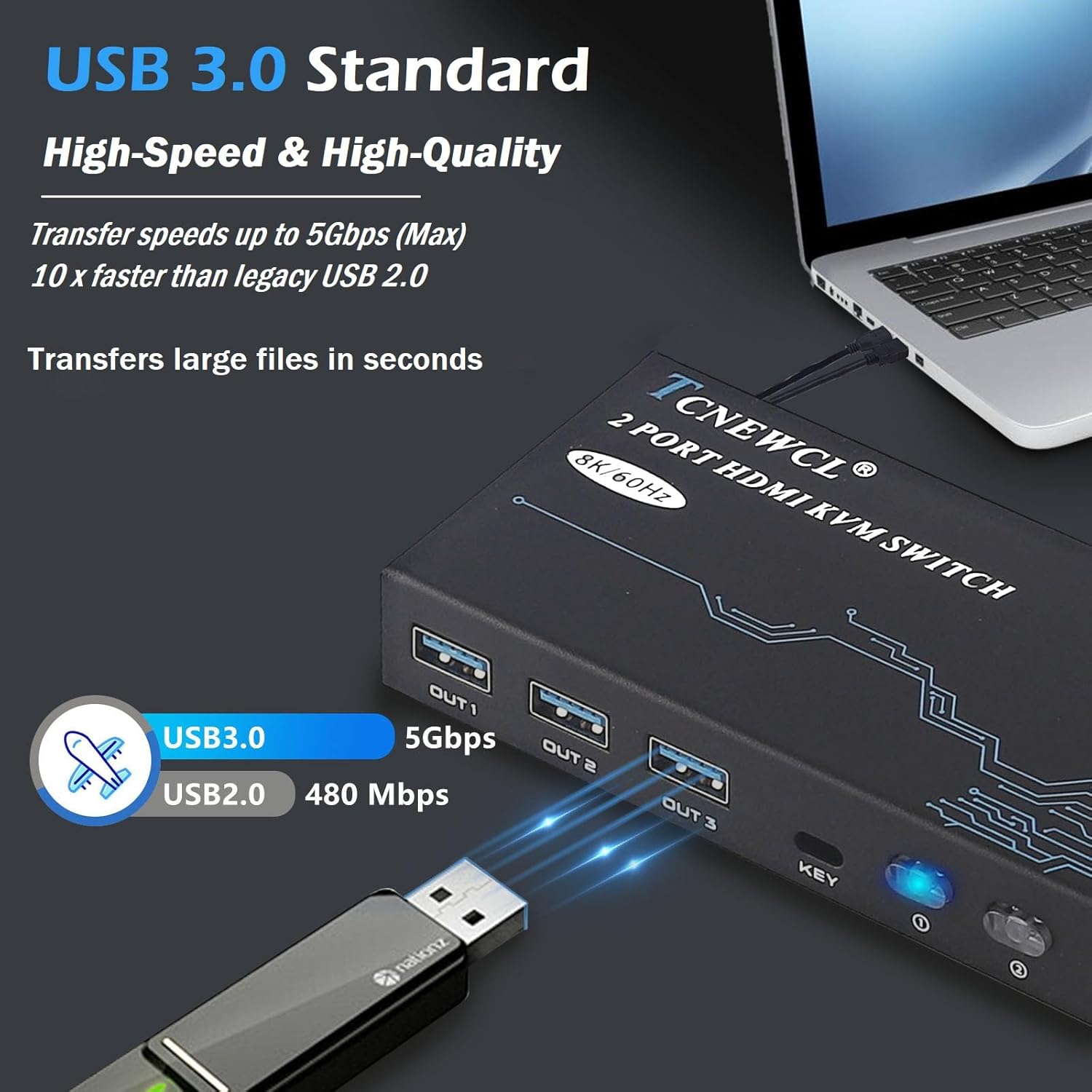
3.2. irudia: Illustration of USB 3.0 high-speed data transfer at 5Gbps, significantly faster than USB 2.0.
4. Konfiguratzeko argibideak
Follow these steps to connect your KVM switch:
- Konektatu monitorearekin: Connect your monitor to the 'HDMI OUT' port on the KVM switch using an HDMI 2.1 cable.
- Ordenagailuak konektatu:
- For PC 1: Connect its HDMI output to 'HDMI IN 1' on the KVM switch and its USB output to 'USB IN 1'.
- For PC 2: Connect its HDMI output to 'HDMI IN 2' on the KVM switch and its USB output to 'USB IN 2'.
Oharra: For optimal performance, ensure HDMI 2.1 cables used for input are less than 3 meters in length.
- Konektatu periferikoak: Connect your keyboard, mouse, and other USB 3.0 peripherals (e.g., USB drive, printer) to the 'OUT 1', 'OUT 2', 'OUT 3' USB ports on the KVM switch.
- Konektatu kable bidezko urrutiko agintea (aukerakoa): Plug the wired desktop controller into the 'KEY' port on the KVM switch.
- Piztu: Ensure all connected devices (computers, monitor) are powered on. The KVM switch is Plug & Play and typically does not require an external power adapter.
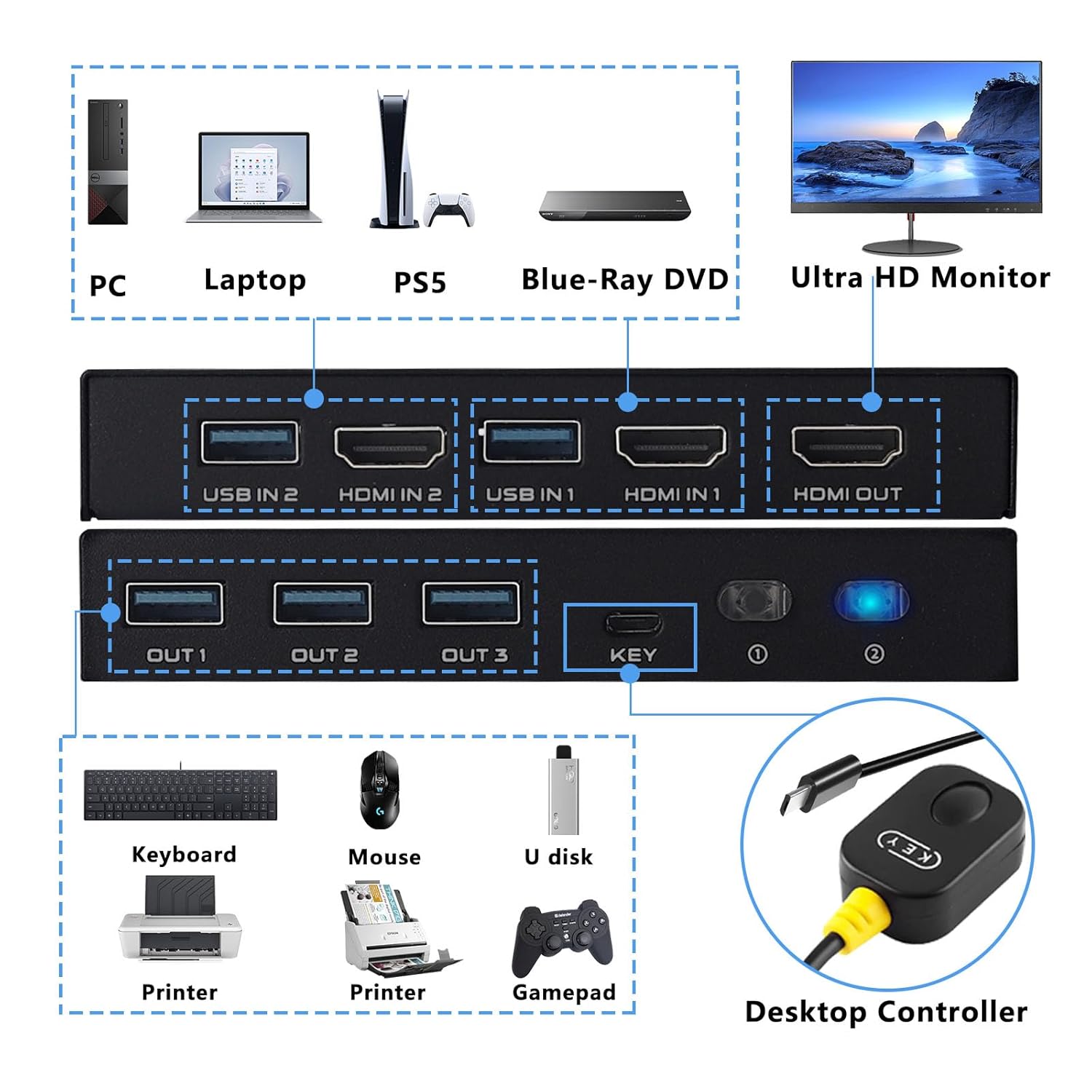
4.1. irudia: Detailed connection diagram illustrating how to connect PCs, monitor, and various USB peripherals to the KVM switch.
5. Funtzionamendu-argibideak
Once connected, operating the KVM switch is straightforward:
- Ordenagailuen artean aldatzea: You have two methods to switch between the connected computers:
- Aurrealdeko paneleko botoia: Press the 'KEY' button on the front panel of the KVM switch to cycle between PC 1 and PC 2.
- Wired Desktop Controller: Press the button on the wired remote control to switch between PC 1 and PC 2.
- LED adierazlea: The LED indicator on the KVM switch will illuminate to show which PC is currently selected and active.

5.1. irudia: Illustration of the two available switching methods: the physical button on the KVM unit and the external wired controller.
6. Arazoak
Arazoak badituzu, jo ezazu arazoak konpontzeko ohiko urrats hauetara:
- Ez dago pantailan pantailan:
- Ensure all HDMI cables are securely connected to both the KVM switch and your devices.
- Verify that the monitor is powered on and set to the correct HDMI input.
- Try using different HDMI cables, especially if experiencing issues with 8K or 4K@120Hz resolutions. Ensure HDMI 2.1 cables are used and are within the recommended length (less than 3 meters).
- Restart the connected computers and the KVM switch.
- Teklatuak/Saguak ez du erantzuten:
- Check that the USB 3.0 cables from your computers are securely connected to the 'USB IN' ports on the KVM switch.
- Ensure your keyboard and mouse are connected to the 'OUT' USB ports on the KVM switch.
- Try connecting the keyboard/mouse directly to the computer to confirm they are functional.
- Some specialized gaming keyboards/mice with high power requirements or custom drivers may not function optimally through a KVM. Try a standard keyboard/mouse to isolate the issue.
- Intermittent Connection/Flickering Screen:
- This can often be caused by poor quality or excessively long HDMI cables. Replace with certified HDMI 2.1 cables of appropriate length.
- Ziurtatu ez dagoela interferentzia elektromagnetikoen iturri indartsurik inguruan.
- Aldaketak ez du funtzionatzen:
- Verify the wired desktop controller is properly plugged into the 'KEY' port.
- Ensure the KVM switch has power (indicated by the LED).
7. Segurtasun informazioa
Mesedez, irakurri eta jarraitu segurtasun-jarraibide hauek funtzionamendu segurua bermatzeko eta gailuaren bizitza luzatzeko:
- Ez jarri gailua uraren, hezetasunaren edo muturreko tenperaturen eraginpean.
- Saihestu gailua bero-iturrietatik gertu edo eguzki-argia zuzenean jartzen.
- Ez saiatu gailua irekitzen edo aldatzen. Honek bermea baliogabetu eta segurtasun arriskua sor dezake.
- Use only the provided or recommended cables.
- Mantendu gailua haurrengandik urrun.
- Ziurtatu gailuaren inguruan aireztapen egokia gehiegi berotzea saihesteko.
8. Bermea eta Laguntza
TCNEWCL products are designed for reliability and performance. For specific warranty details, please refer to the warranty card included with your purchase or contact TCNEWCL customer support.
For technical assistance or support, please visit the official TCNEWCL website or contact their customer service department. Please have your model number (KS608T) and purchase information ready when seeking support.
