1. Sarrera
The Tera HW0013 is a versatile 2-in-1 barcode scanner designed for enhanced work efficiency. It features a detachable design, allowing it to be used as a wearable glove scanner or as a standalone handheld device. This scanner supports 1D, 2D, and QR codes, and offers multiple connectivity options including Bluetooth, 2.4G wireless, and USB wired connections. Its advanced global CMOS imaging technology ensures fast and accurate scanning across various surfaces and barcode types.
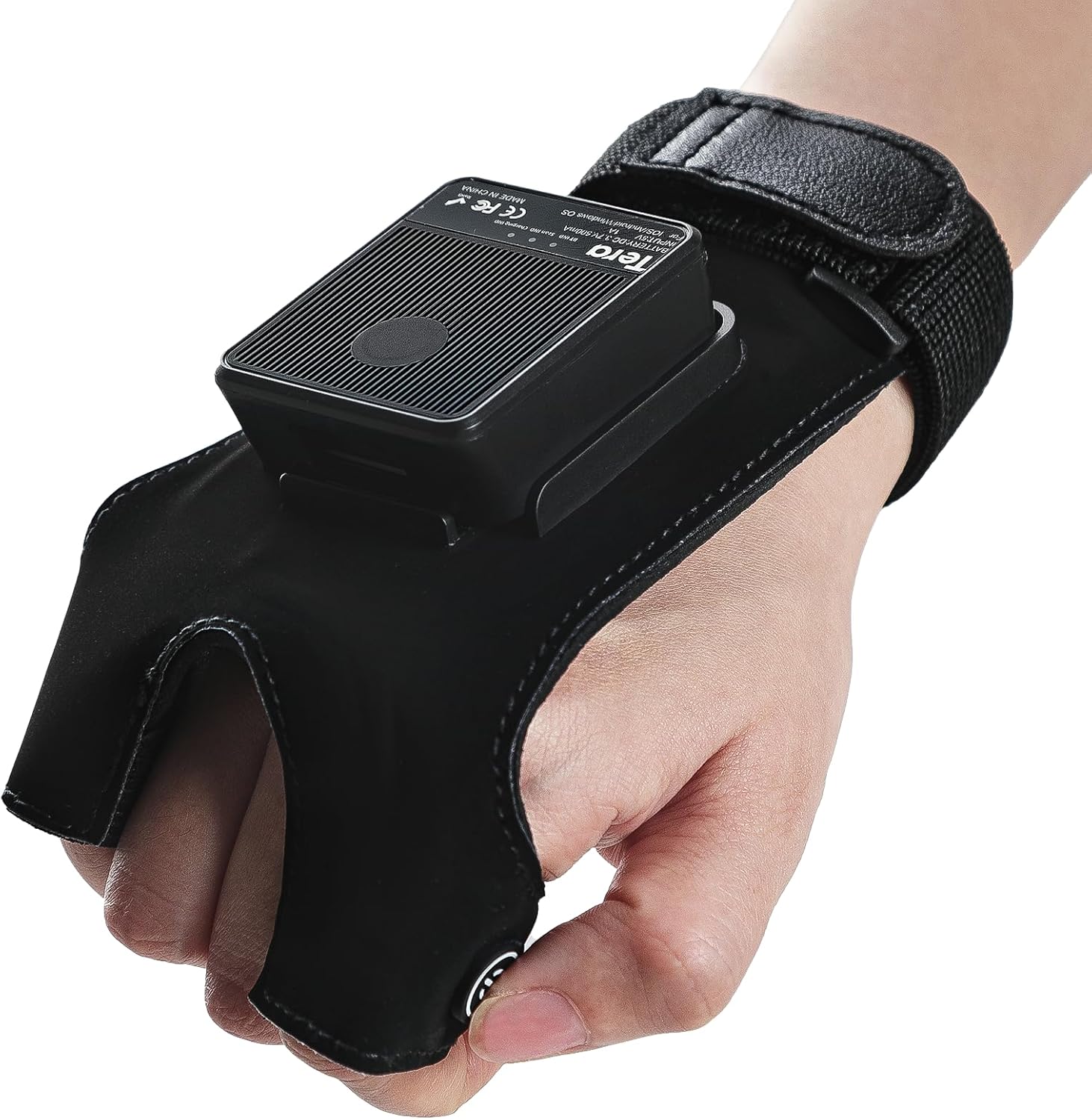
The Tera HW0013 barcode scanner in its wearable glove configuration, demonstrating its ergonomic design.

The scanner offers dual utilization methods: standalone handheld use or integrated into the wearable glove.
2. Konfigurazioa
2.1 Eskanerra kargatzea
Before initial use, fully charge the Tera HW0013 barcode scanner. The device is equipped with a 500mAh battery, providing up to 12 hours of continuous 1D scanning or 10 hours in 2D mode. A full charge typically takes less than 2 hours.
- Connect the provided USB-C charging cable to the scanner's charging port.
- Konektatu kablearen beste muturra USB elikatze-egokitzaile bateragarri batera (ez dago barne) edo ordenagailuaren USB atakara.
- The charging indicator light will show the charging status. Refer to the device's LED indicators for specific charging feedback.

The scanner features a 500mAh battery for extended use and quick recharging.
2.2 Konexio aukerak
The Tera HW0013 offers three primary connection methods to ensure broad compatibility with various devices and operating systems.
- Bluetooth konexioa (haririk gabeko modua): Ideal for connecting to smartphones, tablets, and computers wirelessly. The transmission distance can reach up to 328 feet in barrier-free environments.
- 2.4G Haririk gabeko Konexioa (Haririk gabeko Modua): Utilizes a dedicated USB dongle for wireless connection to computers and POS systems. Effective range is up to 114 feet in environments with obstacles.
- USB kable bidezko konexioa: Provides a stable, direct connection to computers via a USB cable, ensuring reliable data transfer and simultaneous charging.
The scanner is compatible with Windows 11/10/8/7/XP, Mac OS, iOS, Android, and Linux operating systems.
The scanner supports Bluetooth, 2.4G wireless, and USB wired connections for maximum flexibility.
3. Eskanerra erabiltzea
3.1 Barra-kodeak eskaneatzea
The Tera HW0013 barcode scanner is equipped with superior global CMOS imaging technology, enabling it to read a wide range of barcode types quickly and accurately.
- Onartutako 1D barra-kodeak: UPC/EAN, Code 128/EAN128, GS1-128, ISBT-128, Standard 2 of 5, Matrix 2 of 5, Code 39, Code 32, Code 93, Code 11, Codabar, PLESSEY, MSI, GSI Databar, ITF-14, GS1.
- Onartutako 2D barra-kodeak: QR code, Data Matrix, PDF417 (including PDF417 on driver’s license), Aztec, Maxicode, Micro QR, Micro PDF417.
- To scan, point the scanner's light at the barcode. A successful scan is typically indicated by an audible beep and/or a visual confirmation.
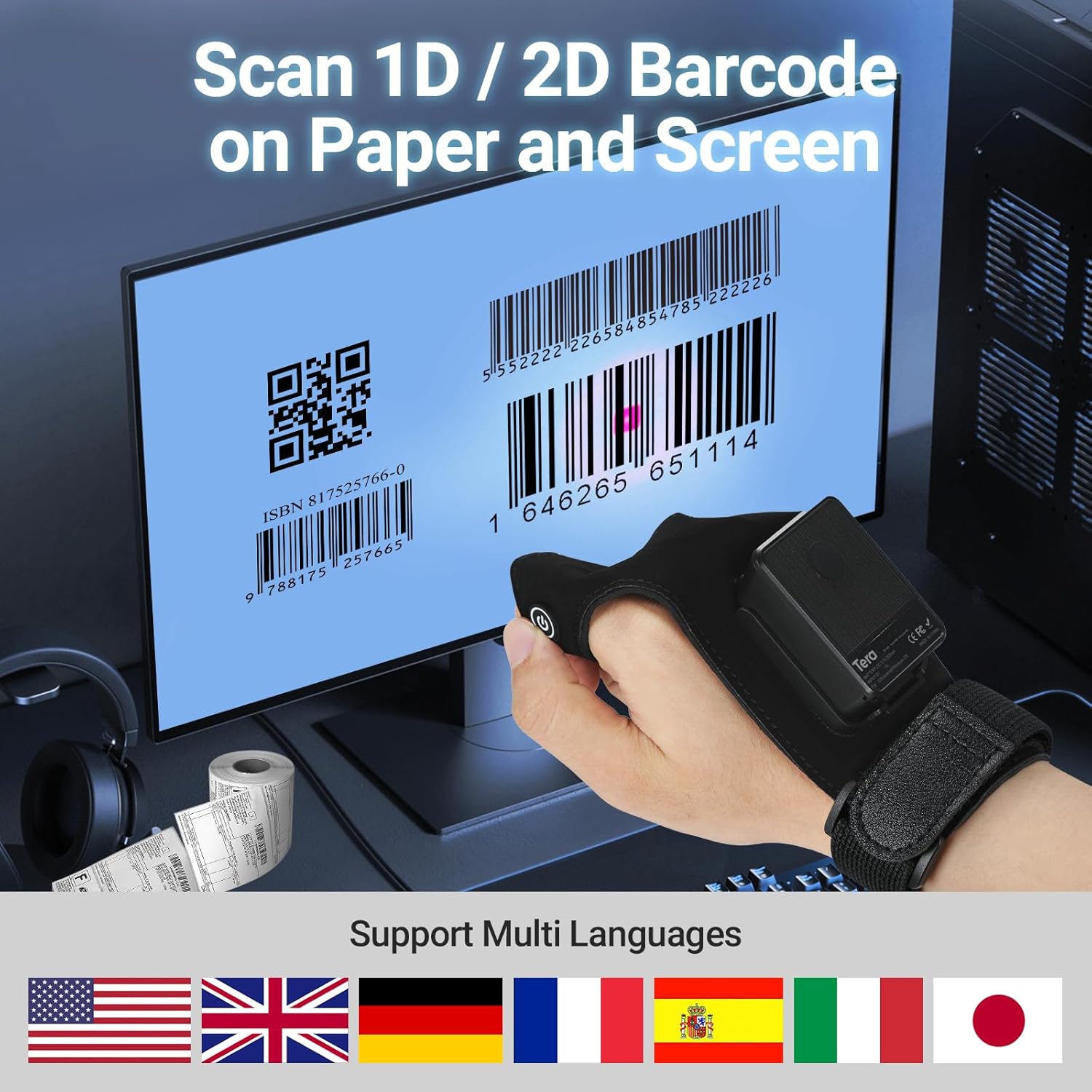
- The scanner can read barcodes from various surfaces, including paper, screens, silver paper, and reflective materials.

The scanner efficiently reads both 1D and 2D barcodes from digital displays and printed materials.

Advanced global scanning capabilities allow for accurate reading of diverse barcode formats.
3.2 Datuak kargatzeko moduak
The Tera HW0013 supports two main data upload modes:
- Berehalako kargatzeko modua: Scanned data is immediately transmitted to the connected device. This mode is suitable for real-time inventory updates or point-of-sale transactions.
- Biltegiratze modua: Scanned data is stored internally in the scanner's memory. This mode is useful when working out of range of a connected device. Data can be uploaded later when a connection is established.

Choose between instant data upload or storing scans for later transmission.
3.3 Programmable Features
The scanner can be configured using special programming barcodes found in the full user manual (not included in this summary). These features include:
- Adding prefixes or suffixes to scanned data.
- Adjusting beep volume.
- Changing interface modes.
- Enabling or disabling specific symbologies.

Customize scanned data by adding prefixes or suffixes as needed.
4. Mantentzea
4.1 Bateria zaintzea
- Bateriaren iraupena maximizatzeko, saihestu bateria maiz erabat deskargatzea.
- Recharge the scanner when the battery indicator shows low power.
- If storing the scanner for an extended period, ensure it is charged to approximately 50% before storage.
4.2 Garbiketa
- Erabili zapi leun eta lehor bat eskanerraren kanpoaldea garbitzeko.
- Eskaneatze-leihorako, erabili lenteak garbitzeko zapi bat edo zapi leun bat, arinki bustita.ampened with a non-abrasive cleaner.
- Do not use harsh chemicals or abrasive materials, as they may damage the device.
5. Arazoak
Atal honek Tera HW0013 barra-kode eskanerrarekin aurki ditzakezun arazo ohikoenak jorratzen ditu.
- Eskanerrak ez ditu barra-kodeak irakurtzen:
Ensure the barcode is clean and undamaged. Check the distance and angle of the scanner to the barcode. Some barcodes, especially fuzzy or poor-quality ones, may be difficult to read. Ensure the correct symbology is enabled in the scanner's settings. - Difficulty Scanning Inverse Barcodes:
The Tera HW0013 may not support scanning inverse barcodes (light bars on a dark background) by default. Check the full user manual for specific settings or limitations regarding inverse barcode scanning. - Kargatzeko arazoak:
Verify that the USB-C cable is securely connected to both the scanner and the power source. Ensure the power source is functional. If using a computer, try a different USB port. If the scanner does not charge with a standard USB-C charger, it may require a specific power delivery profile; try using the provided cable with a standard USB-A port if available. - Scanner Ignores Targeted Barcode:
If multiple barcodes are in the scanner's field of view, it might prioritize an easier-to-read barcode. Try to isolate the target barcode or adjust the scanning distance to focus on the desired code. - Connectivity Problems (Bluetooth/2.4G Wireless):
Ensure the scanner is in the correct pairing mode. Check that Bluetooth is enabled on your host device. For 2.4G wireless, ensure the USB dongle is properly inserted and recognized by the computer. Try re-pairing the device or restarting both the scanner and the host device.
6. Zehaztapenak
| Ezaugarri | Xehetasuna |
|---|---|
| Produktuaren neurriak | 7.5 x 3.5 x 2.4 hazbete (7.5"S x 3.5"Z x 2.4"A) |
| Elementuaren pisua | 5.1 ontza |
| ASIN | B0CFQXG5TW |
| Elementuaren eredu-zenbakia | HW0013_US |
| Fabrikatzailea | Tera |
| Gailu bateragarriak | Smartphone, Computer, POS, Tablet |
| Energia iturria | Bateriaz elikatua (500 mAh) |
| Konektibitate Teknologia | Bluetootha, 2.4G Haririk gabekoa, USB kablea |
| Battery Life (Continuous Scan) | Up to 12 hours (1D), 10 hours (2D) |
| Kargatzeko Denbora | 2 ordu baino gutxiago |
| Egonean Denbora | Gehienez 720 ordu |
| Eskaneatzeko gaitasuna | 1D, 2D, QR codes (CMOS Imaging) |
7. Bermea eta Laguntza
Bermeari buruzko informazioa eta laguntza teknikoa lortzeko, jo ezazu zure produktuarekin batera datorren dokumentaziora edo bisitatu Tera ofizialaren webgunea. website. It is recommended to register your product to receive updates and support.
Manufacturer: Tera


