1. Sarrera
Eskerrik asko erosketagatik.asing the TOPTRO X2 Mini Portable Projector. This manual provides essential information for setting up, operating, and maintaining your projector. Please read it thoroughly before use to ensure optimal performance and safety.

Image 1.1: TOPTRO X2 Projector, carrying bag, and screen projection.

Image 1.2: Key features of the TOPTRO X2 Projector.
2. Segurtasun-argibideak
- Ez begiratu zuzenean proiektorearen lenteari l dagoenean.amp piztuta dago.
- Ziurtatu proiektorearen inguruan aireztapen egokia gehiegi berotzeko.
- Mantendu proiektorea uretatik, hezetasunetik eta material sukoietatik urrun.
- Erabili proiektorearekin batera datorren korronte-egokitzailea soilik.
- Do not attempt to disassemble or repair the projector yourself. Contact professional support if needed.
- Mantendu haurren eskura.
3. Paketearen edukia
Mesedez, egiaztatu paketea elementu hauek dituen:
- TOPTRO X2 Mini Portable Projector
- Elikatze-moldagailua
- Urruneko Kontrola
- HDMI kablea
- AV Kable
- Erabiltzailearen eskuliburua
- Garraio Poltsa
4. Produktua amaitu daview
Familiarize yourself with the projector's components and controls.

Image 4.1: Projector controls and ports.
4.1 Aurrealdea View
- Proiekzio lentea: Irudia igortzen du.
- Fokatzeko eraztuna: Irudiaren argitasuna doitzen du.
4.2 Goia View
- Kontrol-panela: Power button, navigation buttons, OK button.
4.3 Rear/Side View
- Potentzia sarrera: Korronte-egokigailura konektatzen da.
- HDMI atakak: Connect to HDMI-enabled devices (laptops, game consoles).
- USB atakak: Konektatu USB unitateak multimedia erreproduzitzeko.
- AV ataka: Connect to older devices using the AV cable.
- Audio irteera (3.5 mm): Konektatu kanpoko bozgorailuak edo entzungailuak.
- IR hargailua: Urrutiko agintearen seinaleetarako.
5. Konfigurazioa
5.1 Jartzea
Position the projector on a stable, flat surface or mount it. Ensure the projection path is clear.

Image 5.1: Multiple installation options.
5.2 Energia-konexioa
- Connect the power adapter to the projector's power input.
- Entxufatu korronte-egokigailua korronte-hartune batera.
5.3 Fokuaren doikuntza
Biratu proiektorearen lentearen fokatze-eraztuna proiektorearen irudia garbi eta zorrotz egon arte.
5.4 Funtsezko zuzenketa
If the projected image appears trapezoidal, use the manual keystone correction feature to adjust the vertical angle. This projector supports ±15° vertical keystone correction.

Image 5.2: Manual keystone correction.
6. Funtzionamendua
6.1 Piztu/Itzali
Press the power button on the projector or remote control to turn the unit on or off.
6.2 Sarrera iturriaren hautaketa
Use the 'Source' button on the remote or projector to select your desired input (HDMI1, HDMI2, USB, AV, Screen Mirroring).

Image 6.1: Projector ports and compatible devices.
6.3 Wireless Connection (WiFi Screen Mirroring)
The TOPTRO X2 supports wireless screen mirroring for iOS, Android, Windows 10, and Mac devices. No additional adapters or cables are needed.
- Hautatu 'Pantaila islatzea' sarrera-iturri gisa.
- Follow the on-screen instructions to connect your device via WiFi.

Image 6.2: Wireless WiFi connection in use.
6.4 Bluetooth konexioa
Konektatu kanpoko Bluetooth bozgorailuak edo entzungailuak audio esperientzia hobea lortzeko.
- Nabigatu proiektorearen menuko Bluetooth ezarpenetara.
- Gaitu Bluetootha eta bilatu eskuragarri dauden gailuak.
- Select your Bluetooth speaker or headphones to pair.

Image 6.3: Bluetooth 5.0 connectivity.
6.5 Adjusting Projection Size (Zoom)
The projector features a zoom function to adjust the screen size from 75% to 100% without moving the projector.

Image 6.4: Zoom function (75%-100%).
6.6 Kanpoko gailuak konektatzea
Connect various devices such as TV sticks, laptops, game consoles, or USB drives to the projector's HDMI or USB ports.
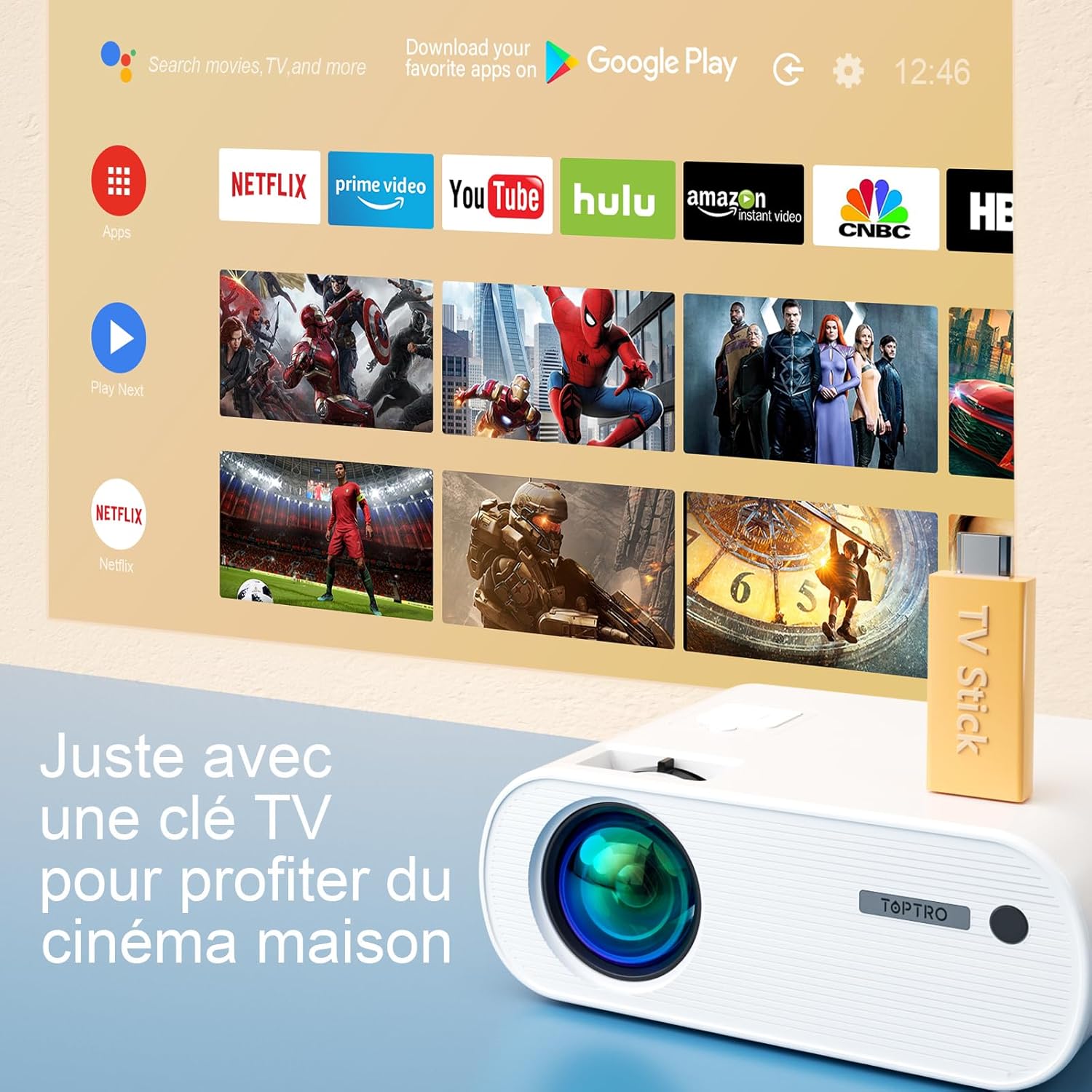
Image 6.5: Enjoying home cinema with a TV stick.
7. Mantentzea
7.1 Garbiketa
- Erabili zapi leun eta lehor bat proiektorearen kanpoaldea garbitzeko.
- For the lens, use a professional lens cleaning cloth and solution. Avoid harsh chemicals.
- Regularly clean the ventilation vents to prevent dust buildup.
7.2 Biltegiratzea
When not in use, store the projector in its carrying bag in a cool, dry place, away from direct sunlight and extreme temperatures.
7.3 lamp Zaindu
The projector features an LED lamp with an extended lifespan of up to 90,000 hours, ensuring long-term use without frequent lamp ordezkoa.

Image 7.1: Projector features including 90,000 hours LED lamp bizitza.
8. Arazoak
- Potentziarik gabe: Ensure the power adapter is securely connected to both the projector and the power outlet.
- Irudirik ez: Check the input source selection. Ensure the connected device is powered on and sending a signal. Adjust focus.
- Irudi lausoa: Adjust the focus ring. Ensure the projection surface is flat.
- Soinurik ez: Check the volume settings on both the projector and the connected device. Ensure external speakers are properly connected or paired via Bluetooth.
- Urruneko kontrola ez dabil: Ordeztu bateriak. Ziurtatu ez dagoela oztoporik urrutiko agintearen eta proiektorearen IR hargailuaren artean.
- WiFi konexioaren arazoak: Ensure your device and projector are within range of the WiFi network. Restart both devices.
9. Zehaztapenak
Detailed technical specifications for the TOPTRO X2 Projector:

Image 9.1: Brightness and contrast comparison.
| Ezaugarri | Zehaztapena |
|---|---|
| Marka | TOPTRO |
| Eredu seriea | X2 |
| Bistaratzeko mota | LCDa |
| Berezko Ebazpena | 1280 x 720 pixel |
| Onartutako Ebazpena | Full HD 1080p |
| Distira | 12000 lumen |
| Kontraste-erlazioa | 20000:1 |
| Konektibitate Teknologia | Wi-Fi, Bluetootha |
| Hardware interfazea | HDMI, USB, AV |
| Keystone zuzenketa | Manual ±15° (Vertical) |
| Zoom funtzioa | %75 - %100 |
| Lamp Bizitza | Gehienez 90,000 ordu |
| Produktuaren neurriak (L x W x H) | 21.2 x 17.2 x 8 cm |
| Forma-faktorea | Eramangarria |
| Muntatze Mota | Mahaigaina |
10. Bermea eta Laguntza
TOPTRO is committed to providing high-quality products and professional technical support. While specific warranty details may vary by region or retailer, TOPTRO ensures quality control before delivery.
If you encounter any issues or have questions regarding your TOPTRO X2 projector, please do not hesitate to contact TOPTRO customer support. Our team is available to assist you.
For support, please refer to the contact information provided with your purchase or visit the official TOPTRO webgunea.