Sarrera
This manual provides instructions for the proper setup, operation, and maintenance of your Volkano VK-20194-BK Focus Series Wireless Mouse. Please read this guide thoroughly before using the device to ensure optimal performance and longevity.
The Volkano Focus Series Wireless Mouse offers reliable 2.4GHz wireless connectivity, a precision optical sensor for smooth cursor control, and an ergonomic design for comfortable use.
Paketearen edukia
- Volkano VK-20194-BK Focus Series Wireless Mouse
- USB hargailua
- Erabiltzailearen eskuliburua
Konfigurazioa
1. Bateriaren instalazioa
The Volkano VK-20194-BK mouse requires one AA battery (not included) for operation. Locate the battery compartment on the underside of the mouse. Open the cover, insert the AA battery according to the polarity indicators (+/-), and close the cover securely.
Irudia: Azpialdea view of the mouse, indicating the battery compartment location.
2. USB hargailua konektatzea
Locate the USB receiver, typically stored within the battery compartment or a dedicated slot on the mouse. Remove the receiver and plug it into an available USB port on your computer (PC, Laptop, Mac, Chromebook, etc.).

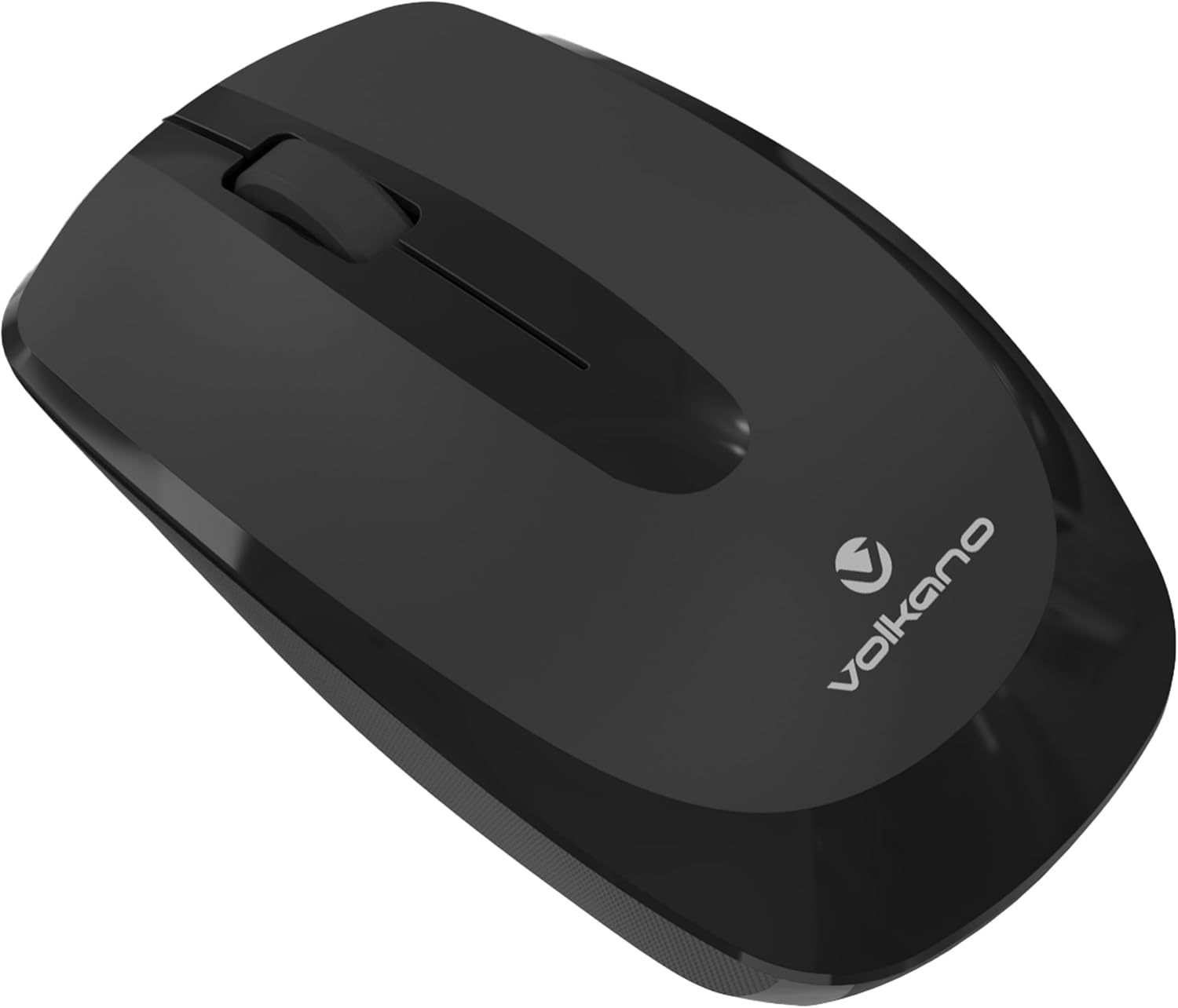
Irudia: Aurrealdea view of the mouse, illustrating its design and the small size of a typical USB receiver.
3. Piztea
Once the battery is installed and the USB receiver is connected, turn on the mouse using the power switch, usually located on the underside of the device. The mouse is plug-and-play, meaning it should connect automatically without requiring driver installation.
Funtzionamendu-argibideak
Oinarrizko Funtzioak
- Ezkerreko klik: Elementuak hautatzeko, irekitzeko botoia nagusia files, eta softwarearekin elkarreraginean.
- Egin klik eskuineko botoiarekin: Bigarren mailako botoia testuinguru-menuetara eta aukera gehigarrietara sartzeko.
- Korritzeko gurpila: Dokumentuetan zehar nabigatzeko erabiltzen da eta web orrialdeak. Erdiko klik egiteko botoia ere erabil daiteke.

Irudia: Albokoa view of the mouse, highlighting its ergonomic shape for comfortable grip.
Ergonomia
The Volkano Focus Series mouse is designed with an ergonomic shape to reduce strain during extended use, providing a comfortable grip for both left and right-handed users.
Mantentzea
Garbiketa
To clean your mouse, gently wipe the surface with a soft, damp cloth. Avoid using harsh chemicals or abrasive cleaners, as these can damage the finish. Ensure no liquid enters the internal components.
Bateria ordezkatzea
When the mouse performance degrades or it stops responding, it is likely time to replace the battery. Follow the battery installation steps outlined in the Setup section.
Biltegiratzea
When not in use for extended periods, turn off the mouse to conserve battery life. Store the USB receiver in its designated slot on the mouse to prevent loss.
Arazoak konpontzea
- Saguak ez du erantzuten:
- Egiaztatu sagua piztuta dagoen.
- Ziurtatu bateria behar bezala instalatuta dagoela eta nahikoa karga duela. Ordeztu behar izanez gero.
- Egiaztatu USB hargailua ondo konektatuta dagoela ordenagailuko USB ataka funtzional batean. Saiatu beste USB ataka batekin.
- Berrabiarazi ordenagailua.
- Kurtsorearen mugimendu irregularra:
- Garbitu saguaren azpialdeko sentsore optikoa zapi leun eta lehor batekin.
- Ziurtatu sagua gainazal egoki batean erabiltzen ari zarela. Saihestu gainazal oso islatzaileak edo gardenak.
- Egiaztatu beste hari gabeko gailu batzuen interferentziarik.
- Konexio-arazoak:
- Hurbildu sagua USB hargailura.
- Deskonektatu eta berriro konektatu USB hargailua.
- Ahal bada, saiatu sagua beste ordenagailu batekin arazoa saguarekin edo ordenagailuarekin den zehazteko.
Zehaztapenak
| Ezaugarri | Xehetasuna |
|---|---|
| Marka | Volkanoa |
| Ereduaren izena | Focus Series |
| Modelo zenbakia | VK-20194-BK |
| Kolorea | Beltza |
| Konektibitate Teknologia | 2.4 GHz haririk gabekoa (USB hargailua) |
| Ezaugarri Berezia | Haririk gabekoa |
| Mugimenduen detekzioa | Sentsore optikoa |
| Botoi kopurua | 3 |
| Erabilera gomendatua | Bulegoa |
| Gailu bateragarriak | Personal Computer, PC, Laptop, Tablet, Mac, iPad, Chromebook, Notebook |
| Sistema eragilea | Windows, Linux |
Bermea eta Laguntza
Volkano products are designed and manufactured to the highest quality standards. For information regarding warranty, returns, or technical support, please refer to the warranty card included with your product or visit the official Volkano webgunea. Zure saltzailearekin ere harremanetan jar zaitezke laguntza eskatzeko.
Laguntza gehiago lortzeko, bisitatu dezakezu Volkano denda Amazonen.