1. Sarrera
Thank you for choosing the THOKWOK TK-X2 Motorcycle Bluetooth Headset. This manual provides detailed instructions for the proper installation, operation, and maintenance of your device. Please read this manual thoroughly before use to ensure optimal performance and safety.
Segurtasun neurriak:
- Lehentasuna eman beti errepideko segurtasunari. Ez erabili gailua gidatzeaz arduratzea eragozten dizun moduan.
- Ziurtatu gailua kaskoan ondo lotuta dagoela bizikletan ibili aurretik.
- Adjust volume to a safe level that allows you to hear ambient traffic sounds.
- Ez saiatu gailua desmuntatzen edo aldatzen. Honek bermea baliogabetu eta kalteak eragin ditzake.
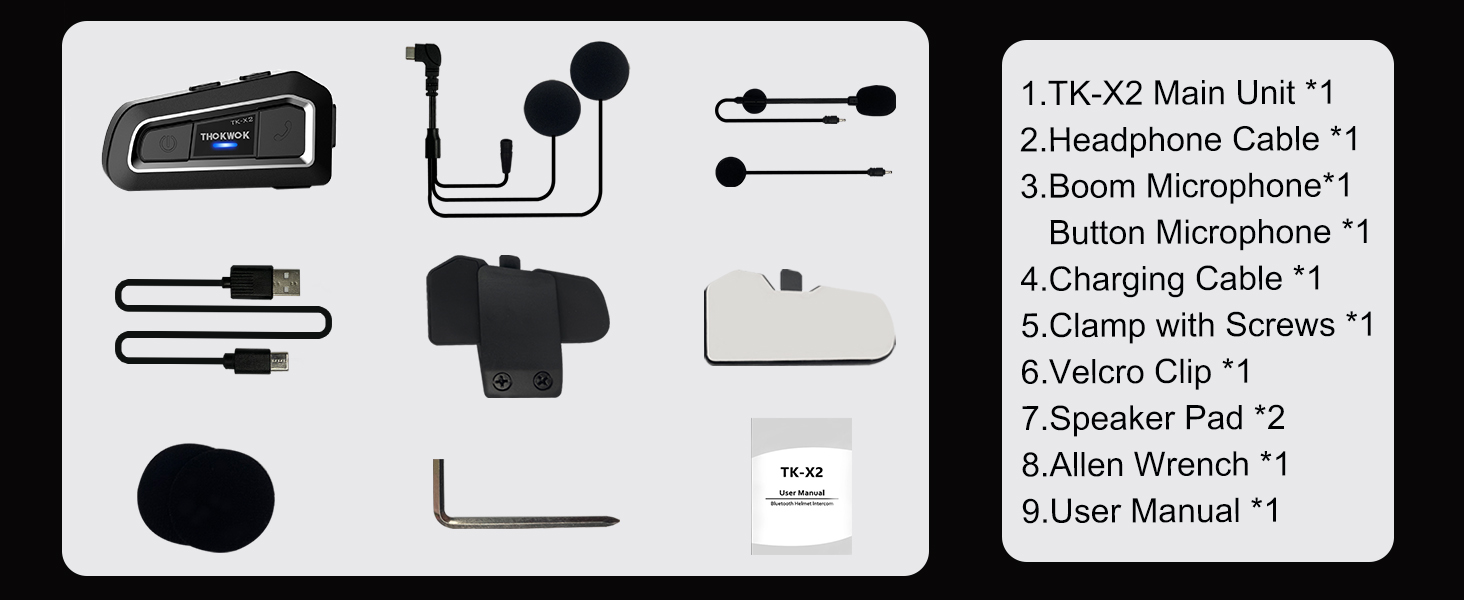
2. Zer dago kutxan
Instalazioarekin jarraitu aurretik, egiaztatu osagai guztiak daudela.

TK-X2 Main Unit

Boom Mikrofonoa

Botoizko mikrofonoa

Headphone Cable & Charging Cable
Clamp Torlojuekin
Velcro Clip
Bozgorailuak
Allen giltza
Erabiltzailearen eskuliburua
3. Produktua amaitu daview
The THOKWOK TK-X2 features an intuitive button layout for easy operation even with gloves. Below is a diagram highlighting the main unit and its components.
Main Unit: Power Button (left), Function Button (middle), Phone Button (right).
Key Features: Bluetooth 5.0, 3 Riders' Group, FM Radio, Hi-Fi Stereo, DSP&CVC Noise Reduction, Voice Assistant, IP67 Waterproof, 650mAh Battery.
4. Instalazioa
The TK-X2 offers flexible installation options to suit various helmet types.
4.1. Unitate Nagusiaren Muntaketa
Erabili clamp with screws or the velcro clip to attach the main unit to the side of your helmet. Ensure it is securely fastened and does not obstruct your vision or helmet functionality.
4.2. Microphone Options
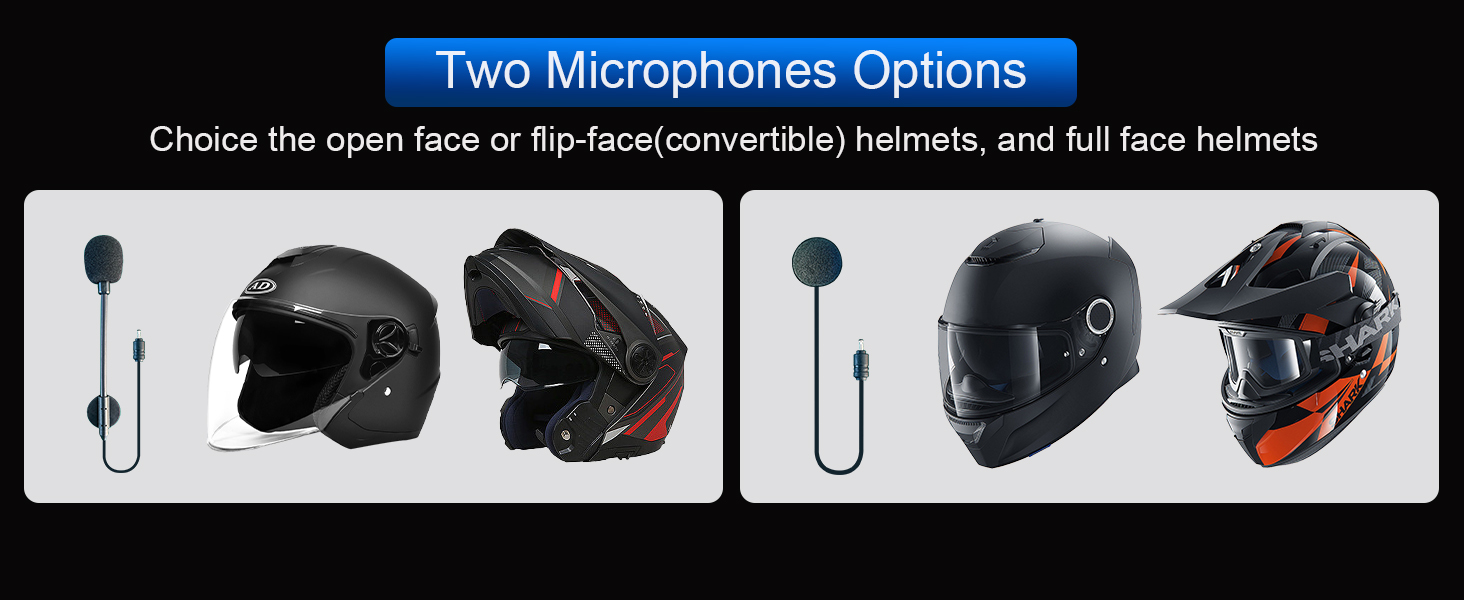
The TK-X2 includes two interchangeable microphones for different helmet styles:
- Mikrofono boom-a: Ideal for open-face or flip-face (modular) helmets.
- Botoizko mikrofonoa: Suitable for full-face helmets.

Choose the appropriate microphone for your helmet type.
5. Konfigurazioa eta parekatzea
5.1. Bluetooth bidezko parekatzea telefonoarekin
To connect your TK-X2 headset to your smartphone:
- Ensure the TK-X2 is powered off.
- Long press the Power button for 4 seconds until the red and blue lights flash alternately. This indicates pairing mode.
- On your phone, turn on Bluetooth and search for "TK-X2".
- Select "TK-X2" to connect. Once connected, the blue light on the headset will flash slowly.
Video: Demonstrates pairing the TK-X2 with a smartphone for music and call functions.
5.2. Intercom Pairing (Multiple Units)
The TK-X2 supports intercom communication for up to 3 riders, with 2 riders talking simultaneously. Before pairing, ensure all units have their previous Bluetooth pairing records cleared by long pressing the Power and Phone buttons simultaneously for 8 seconds until pink lights flash twice.
5.2.1. Two-Way Intercom Pairing
- Turn on both TK-X2 units.
- On both units, long press the Power button for 4 seconds until red and blue lights flash alternately (pairing mode).
- Click the Power button on one of the units to initiate pairing.
- Once paired, the blue lights on both units will flash slowly, and you will hear "Intercom connected".
5.2.2. Three-Way Intercom Pairing
- Clear all previous pairing records on all three units (A, B, C) as described above.
- Turn on all three units.
- Pairing A and B: On units A and B, long press the Power button for 4 seconds until red and blue lights flash alternately. Click the Power button on unit A to pair. Once paired, blue lights flash slowly.
- Pairing B and C: On unit B, click the Power button to hang up the intercom. On units B and C, long press the Power button for 4 seconds until red and blue lights flash alternately. Click the Power button on unit B to pair. Once paired, blue lights flash slowly.
- Pairing C and A: On unit C, click the Power button to hang up the intercom. On units C and A, long press the Power button for 4 seconds until red and blue lights flash alternately. Click the Power button on unit C to pair. Once paired, blue lights flash slowly.
- Initiating 3-Way Intercom: Double-click the Power button on unit A to talk with C. Click the Power button on unit C to talk with B.
Video: Illustrates the process of pairing two and three TK-X2 units for intercom communication.
6. Funtzionamendua
6.1. Oinarrizko Kontrolak
- Piztu/Itzali: Sakatu luze pizteko botoia 2 segundoz.
- Musika erreproduzitu / pausatu: Click the Function button.
- Hurrengo abestia: Click the Phone button.
- Aurreko abestia: Click the Power button.
- Bolumena igo: Long press the Phone button. You will hear a "Di" sound when maximum volume is reached.
- Bolumena jaitsi: Sakatu luze pizteko botoia.
- Deia erantzun/amaitu: Click the Phone button.
- Deia baztertu: Long press the Phone button for 2 seconds.
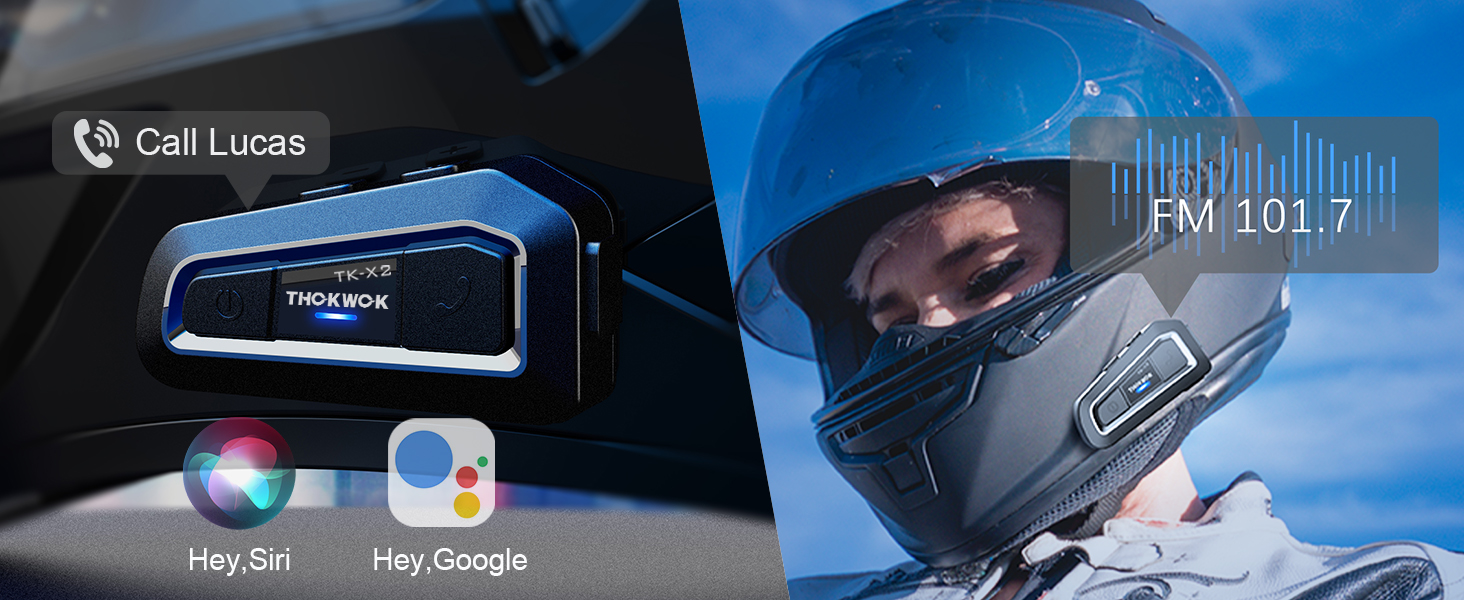
- Voice Assistant (Siri/S-Voice): Long press the Function button for 2 seconds. You will hear "Voice Dial".
- FM irratia piztu/itzali: Double-click the Function button. You will hear "Turn on radio" or "Turn off radio".
Access voice assistant and FM radio with simple button presses.
6.2. Interfonoaren erabilera
- Interfonoa abiarazi: Click the Power button (after successful pairing).
- Amaitu interfonoa: Click the Power button.
- When an intercom call is active, music playback will automatically pause. Music will resume when the intercom call ends.
7. Mantentzea
7.1. Kargatzea
The TK-X2 features a built-in 650mAh Lithium Polymer battery. Connect the charging cable to the Type-C port on the unit and a suitable USB power source. A full charge takes approximately 2.5 hours. The device will broadcast battery status upon power-on: "Battery full", "Battery medium", or "Battery low".

Enjoy up to 24 hours of music or intercom time and 280 hours of standby time.
7.2. Garbiketa eta Biltegiratzea
The TK-X2 has a waterproof design (IP67 rated), allowing use in various weather conditions. To clean, wipe the unit with a soft, damp cloth. Avoid using harsh chemicals or abrasive materials. Store the device in a cool, dry place when not in use.
The waterproof design ensures durability in various riding environments.
8. Arazoak
| Arazoa | Kausa posiblea | Irtenbidea |
|---|---|---|
| Ezin da piztu | Bateria baxua | Kargatu gailua gutxienez 2.5 orduz. |
| Ezin da telefonoarekin parekatu | Device not in pairing mode / Phone Bluetooth off / Previous pairing conflict | Ensure TK-X2 is in pairing mode (red & blue flashing). Turn on phone Bluetooth. Clear previous pairing records on TK-X2 and try again. |
| Interfonoa ez da konektatzen | Units not in pairing mode / Previous pairing conflict | Ensure all units are in pairing mode. Clear all previous pairing records on all units and re-pair. |
| Soinu kalitate eskasa / Zarata | Microphone/speaker placement / Environmental noise | Adjust microphone and speaker position inside the helmet. Ensure microphone is close to your mouth. The device features DSP & CVC noise cancellation for high-speed clarity. |
| FM irratia ez dabil | Weak signal / Feature not activated | Move to an area with better signal. Double-click the Function button to activate FM radio. |
9. Zehaztapenak
| Ezaugarri | Xehetasuna |
|---|---|
| Ereduaren izena | TK-X2 Single |
| Bluetooth bertsioa | 5.1 |
| Interfono Distantzia | Up to 1000m (no obstacles) |
| Max Riders (Interfonoa) | 3 (2 simultaneous talk) |
| Zarata Kontrola | Zarata aktiboa ezeztatzeko sistema (DSP eta CVC) |
| Bateria mota | Litio polimeroa (650 mAh) |
| Music/Intercom Time | Gehienez 24 ordu |
| Egonean Denbora | Gehienez 280 ordu |
| Kargatzeko Denbora | Gutxi gorabehera. 2.5 ordu |
| Uraren Erresistentzia Maila | Iragazgaitza (IP67) |
| Aurikularretarako Jack | C motakoa |
| Neurriak | 3 x 1.6 x 0.83 hazbete |
| Elementuaren pisua | 8.4 ontza |
| Materiala | Akrilonitrilo Butadieno Estirenoa (ABS) |
10. Bermea eta Laguntza
THOKWOK products are designed and manufactured to the highest quality standards. For warranty information, technical support, or customer service inquiries, please refer to the contact information provided on your product packaging or visit the official THOKWOK webgunea.
Mesedez, gorde zure erosketa-froga berme-erreklamazioetarako.


