1. Sarrera
Thank you for choosing the Trust Halyx 5-in-1 USB-C Hub. This manual provides essential information for the proper setup, operation, and maintenance of your device. This hub is designed to expand the connectivity of your PC, laptop, or MacBook Pro by adding four USB-C data ports and one USB-C Power Delivery (PD) port.
2. Produktua amaitu daview
The Trust Halyx 5-in-1 USB-C Hub (Model 25136) features a durable aluminum housing and a compact design. It connects to your host device via an integrated 10cm USB-C cable.
2.1 Ezaugarri nagusiak
- 5-Port Connectivity: Adds 4 USB-C data ports and 1 USB-C Power Delivery port.
- 100W USB-C PD Power Port: Allows pass-through charging for your laptop (additional charger required).
- Abiadura handiko datuen transferentzia: Supports data transfer speeds up to 5 Gbps.
- Diseinu iraunkorra: Constructed with an aluminum housing for enhanced durability.
- Plug and Play: Ez da gidaririk behar sistema eragile gehienentzat.
2.2 Paketearen edukia
- Trust Halyx 5-in-1 USB-C Hub
- Erabiltzailearen eskuliburua (dokumentu hau)

Image: The Trust Halyx 5-in-1 USB-C Hub showing its five convenient ports and integrated USB-C cable.

Irudia: Xehetasun zehatza view of the five USB-C ports on the Trust Halyx hub, including the Power Delivery port.
3. Konfiguratzeko argibideak
Follow these steps to set up your Trust Halyx 5-in-1 USB-C Hub:
- Konektatu ostalari gailura: Plug the integrated USB-C cable of the hub into an available USB-C port on your PC, laptop, or MacBook Pro.
- Energia konexioa (aukerakoa): If you wish to charge your laptop through the hub, connect your laptop's USB-C power adapter to the dedicated 100W USB-C PD port on the hub. Note: An additional charger is required for pass-through charging.
- Konektatu periferikoak: Plug your USB-C devices (e.g., external drives, keyboards, mice, other USB-C accessories) into the four USB-C data ports on the hub.
- Egiaztatu konexioa: Your operating system should automatically detect the hub and connected devices. No additional drivers are typically needed.

Image: The Trust Halyx hub connected to a laptop, demonstrating how to plug in additional USB-C devices.

Image: The 100W USB-C Power Delivery port on the Trust Halyx hub, with a power cable connected for laptop charging.
4. Funtzionamendu-argibideak
Once connected, the Trust Halyx hub operates as a direct extension of your computer's USB-C capabilities.
4.1 Gailuak konektatzea
- Simply plug your USB-C peripherals into any of the four available USB-C data ports.
- The hub supports data transfer speeds of up to 5 Gbps, suitable for most external storage devices, keyboards, mice, and other accessories.
4.2 Energia-banaketaren funtzionalitatea
- The dedicated USB-C PD port allows you to charge your laptop while using the hub. Connect your laptop's original USB-C power adapter to this port.
- The hub supports up to 100W pass-through power delivery. Ensure your power adapter is compatible with your laptop's charging requirements.

Image: A complete workstation setup utilizing the Trust Halyx hub to connect various peripherals to a laptop and external monitor.
5. Mantentzea eta Zainketa
To ensure the longevity and optimal performance of your Trust Halyx USB-C Hub, follow these guidelines:
- Garbiketa: Use a soft, dry cloth to clean the hub. Avoid liquid cleaners or abrasive materials.
- Biltegiratzea: Store the hub in a cool, dry place when not in use. Its compact size makes it suitable for travel.
- Manipulazioa: Avoid dropping the hub or subjecting it to strong impacts. Do not bend the integrated cable excessively.
- Tenperatura: Operate the hub within normal room temperatures. Avoid extreme heat or cold.
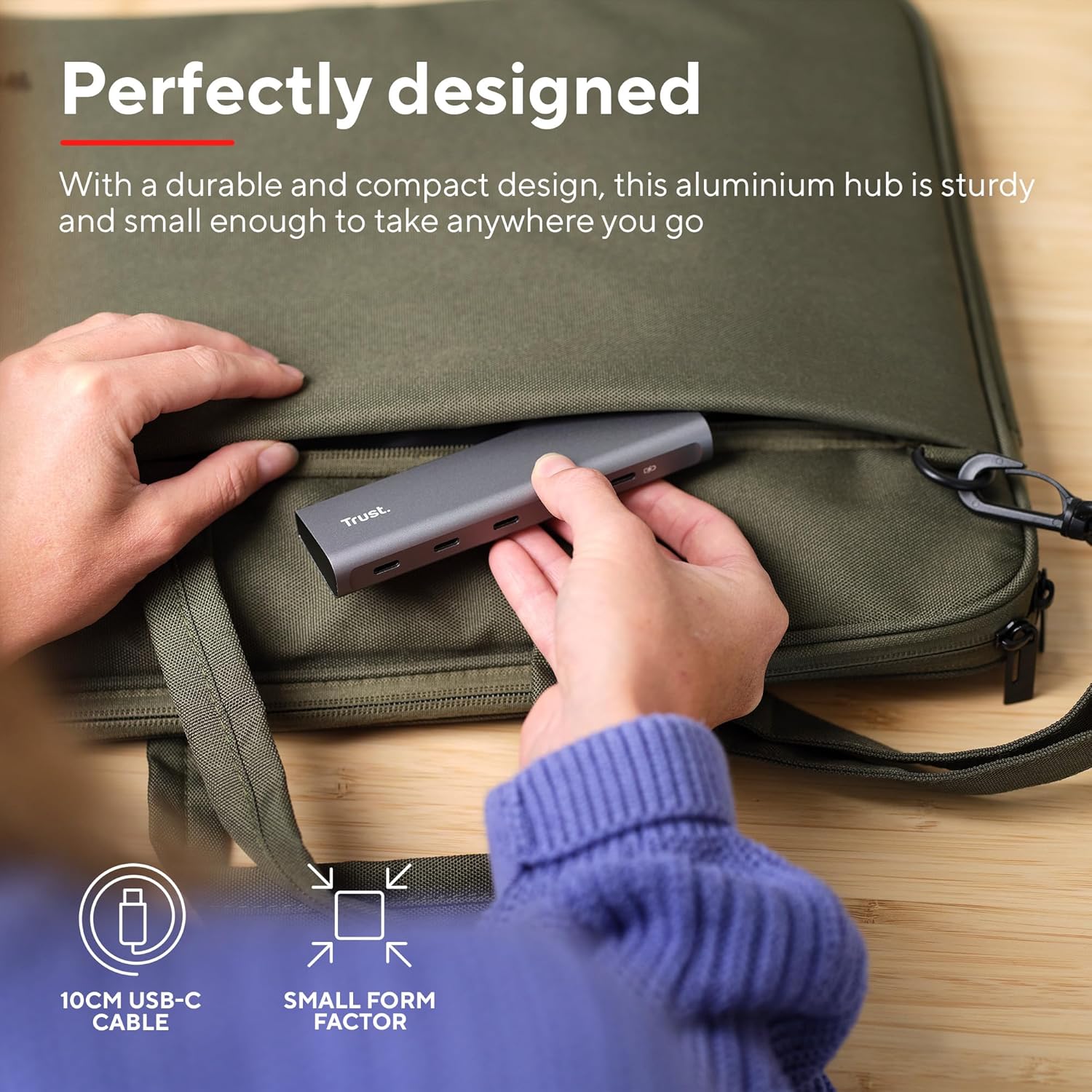
Image: The compact and durable design of the Trust Halyx hub, shown being placed into a laptop bag for portability.
6. Arazoak
If you encounter issues with your Trust Halyx USB-C Hub, refer to the following common solutions:
6.1 Devices Not Detected
- Egiaztatu konexioak: Ensure the hub's USB-C cable is securely plugged into your host device and that peripherals are firmly connected to the hub.
- Restart Host Device: Sometimes, a simple restart of your computer can resolve detection issues.
- Test Peripherals Directly: Connect the peripheral directly to your computer's USB-C port (if available) to confirm it is functioning correctly.
- Saiatu portu desberdina: If your computer has multiple USB-C ports, try connecting the hub to a different one.
6.2 Charging Not Working
- Egiaztatu energia-egokitzailea: Ensure your USB-C power adapter is correctly connected to the hub's PD port and is capable of providing sufficient power for your laptop.
- Check Laptop Compatibility: Confirm your laptop supports USB-C Power Delivery for charging.
- Kableen osotasuna: Ensure the USB-C cable from your power adapter to the hub is not damaged.
6.3 Datuen transferentzia motela
- Gailuaren bateragarritasuna: Ensure the connected peripheral supports USB 3.0 (5 Gbps) speeds. Older USB 2.0 devices will operate at their native slower speeds.
- Host Port Speed: Verify that the USB-C port on your computer supports USB 3.0 or higher data transfer rates.
- Saihestu gainkargatzea: While the hub provides multiple ports, extremely demanding devices might perform better when connected directly to the host device if possible.
7. Zehaztapenak
| Ezaugarri | Xehetasuna |
|---|---|
| Modelo zenbakia | 25136 |
| Marka | Konfiantza |
| Konektibitatea | 1x USB-C Host Connector (integrated cable), 4x USB-C Data Ports, 1x USB-C Power Delivery Port |
| Datuak transferitzeko abiadura | Gehienez 5 Gbps (USB 3.0) |
| Potentzia Entrega | Gehienez 100W-ko kargatze pasiboa |
| Etxebizitza Materiala | Aluminioa |
| Kablearen luzera | 10 cm |
| Neurriak (LxWxH) | 1.26 x 5 x 0.63 hazbete (32 x 127 x 16 mm) |
| Pisua | 2.86 ontza (81 gramo) |
| Sistema eragile bateragarriak | Chrome OS, Windows 10 or 11, macOS 11, 12 or 13 |
8. Bermea eta Laguntza
Bermeari eta laguntza teknikoari buruzko informazioa lortzeko, jo ezazu Trust ofizialera. webwebgunera edo jarri harremanetan zuzenean bezeroarentzako arreta-zerbitzura. Gorde erosketaren frogagiria berme-erreklamazioetarako.
Lineako laguntza: www.trust.com/support


