Sarrera
This manual provides essential information for the setup, operation, and maintenance of your Sharp Roku TV 55" Class (54.5" Diag.) OLED 4K Ultra HD with HDR10. Please read this manual thoroughly before using your television to ensure proper and safe operation.
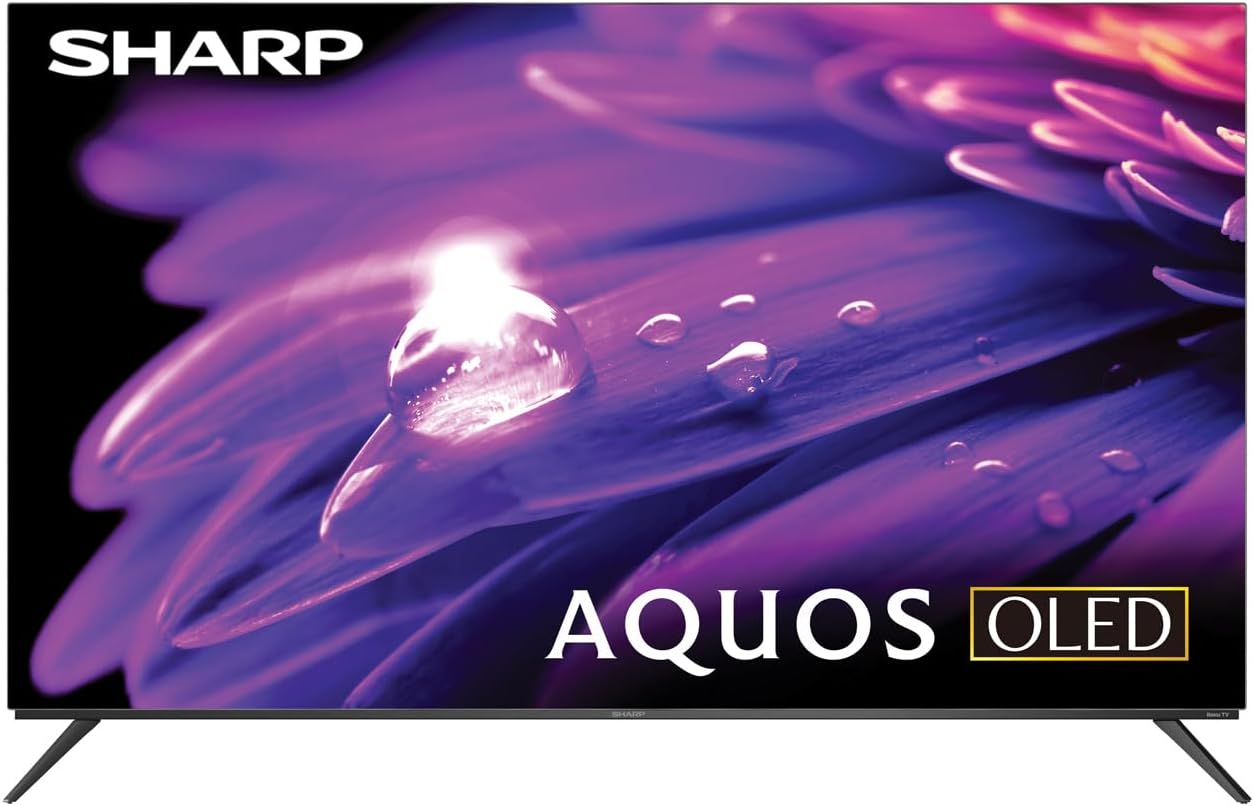
1. irudia: Aurrealdea view of the Sharp AQUOS OLED TV, showcasinbere diseinu dotorea eta pantaila bizia ditu.
Konfigurazioa
1. Unboxing eta Ikuskapena
Carefully remove the television and all accessories from the packaging. Inspect for any signs of damage. Retain the packaging for future transport or service needs.
2. Euskarri instalazioa edo horman muntatzea
Standaren instalazioa: Place the TV screen-down on a soft, flat surface. Attach the included stands to the designated slots on the bottom of the TV using the provided screws. Ensure they are securely fastened.
Horman muntatzea: This television supports VESA 200x300 mounting. Use a compatible wall mount kit (sold separately) and follow the instructions provided with the wall mount. Ensure the wall can support the weight of the television (approximately 38.5 pounds / 17.5 kg) and the mount.

2 irudia: Alboko aldeafile of the television, demonstrating its slim design suitable for wall mounting.
3. Gailuak konektatzea
Connect your external devices to the appropriate ports on the back of the television. The Sharp Roku TV features multiple connectivity options:
- HDMI atakak (4): For connecting Blu-ray players, game consoles, cable/satellite boxes, etc. One HDMI port supports eARC for enhanced audio return channel functionality.
- USB atakak (2): USB biltegiratze gailuak konektatzeko.
- Antena/kable sarrera: Aireko emisioetarako edo kable bidezko telebistarako antena bat konektatzeko.
- AV sarrera: Bideo konposatu eta audio estereo kableak erabiliz gailu zaharragoak konektatzeko.
- Ethernet (LAN): Interneteko kable bidezko konexio baterako.
- Audio-irteera digitala: Kanpoko audio sistemetara konektatzeko.

Figure 3: Rear panel of the television, illustrating the arrangement of HDMI, USB, Antenna, AV, and Ethernet ports.
4. Initial Power On and Roku Setup
Plug the power cord into an electrical outlet. The TV will power on and guide you through the initial Roku setup process. This includes connecting to your Wi-Fi network (or using Ethernet), signing in to or creating a Roku account, and scanning for channels if an antenna is connected. Follow the on-screen prompts for a quick guided setup.
Funtzionamendu-argibideak
1. Roku TV Interface Navigation
The Sharp Roku TV features a simple home screen that centralizes your streaming favorites, inputs, and free live TV. Use the Roku remote to navigate through menus and select options. The directional pad and 'OK' button are used for selection, while the 'Home' button returns you to the main screen.

Figure 4: The Roku TV home screen, showing easy access to streaming channels and input selections.
2. Streaming and Content Access
Access a wide selection of streaming services and free live TV channels through The Roku Channel. You can add or remove channels from the Roku Channel Store. Organize and sort your home screen for a personalized experience.
3. Picture and Audio Enhancements
- Dolby Vision IQ & HDR10/HLG: The TV supports Dolby Vision IQ, HDR10, and HLG for enhanced picture performance with compatible content. Dolby Vision IQ intelligently adjusts picture settings based on ambient light conditions.
- Dolby Atmos: The integrated 30W (15W+15W) speaker system with Dolby Atmos delivers immersive sound with clarity and depth.
- Freskatze-tasa aldakorra (VRR): For optimized gaming, the TV features Variable Refresh Rate (VRR) with low latency, providing smoother gameplay.
4. Ahots-laguntzailearen bateragarritasuna
The Sharp Roku TV works with popular voice assistants, allowing you to control your TV using voice commands through compatible devices (sold separately).
Mantentzea
1. Telebista garbitzea
Pantaila garbitzeko, astiro-astiro zapi leun eta pelusik gabeko batekin garbitu. Orba egoskorrak izanez gero, apur bat garbitu.ampen the cloth with water or a screen-specific cleaning solution. Do not spray liquid directly onto the screen. For the TV casing, erabili zapi leun eta lehor bat. Saihestu garbitzaile edo disolbatzaile urratzaileak.
2. Software eguneraketak
The Roku TV automatically receives software updates, ensuring you always have the newest channels and latest features. Ensure your TV is connected to the internet for these updates to download and install.
Arazoak konpontzea
If you encounter issues with your Sharp Roku TV, refer to the following common troubleshooting steps:
- Potentziarik gabe: Ziurtatu kablea ondo konektatuta dagoela telebistara eta funtzionatzen duen entxufe batera. Saiatu beste entxufe batekin.
- Irudi/soinurik ez: Verify that the correct input source is selected. Check all cable connections to external devices. For no sound, check TV volume and external audio system volume.
- Sareko konexio arazoak: Berrabiarazi zure bideratzailea eta modema. Telebistan, joan honera: Ezarpenak > Sarea > Konexioa egiaztatu to diagnose. Try connecting via Ethernet if using Wi-Fi.
- Urrunekoek ez dute erantzuten: Ordeztu urrutiko agintearen pilak. Ziurtatu ez dagoela oztoporik urrutiko agintearen eta telebistaren IR sentsorearen artean.
- Irudiaren kalitate arazoak: Doitu irudiaren ezarpenak (distira, kontrastea, kolorea) telebistaren menuan. Ziurtatu ondo zaudela view4K edukia bereizmen optimoa lortzeko.
For more detailed troubleshooting or persistent issues, visit the official Sharp support website or the Roku support page.
Zehaztapenak
| Ezaugarri | Deskribapena |
|---|---|
| Modelo zenbakia | 4TC55FS1UR |
| Pantailaren tamaina (diagonala) | 55" Class (54.5" Diag.) |
| Bistaratzeko Teknologia | OLEDa |
| Ebazpena | 4K Ultra HD (3840 x 2160p) |
| Freskatze tasa | 120Hz (Native), 60Hz (Roku TV interface) |
| HDR euskarria | Dolby Vision IQ, HDR10, HLG |
| Audio Irteera | 30W (15W+15W) Speaker System, Dolby Atmos, Dolby Digital Audio |
| Konektibitatea | 4 HDMI (1 eARC), 2 USB, Wi-Fi, Ethernet, AV In, Antenna In |
| Ezaugarri bereziak | Roku Streaming Built-In, Variable Refresh Rate (VRR), Low Latency, Voice Assistant Compatible |
| Produktuaren neurriak (W x P x H) | 48.27" x 11.57" x 30.43" (euskarriarekin) |
| Elementuaren pisua | 38.5 libra (17.5 kg) |
| VESA muntaketa estandarra | 200x300 |

Figure 5: Dimensional diagram of the television, including width and height measurements.
Bermea eta Laguntza
For warranty information and detailed support, please refer to the documentation included with your purchase or visit the official Sharp website. You can also find additional resources and FAQs on the Roku support webgunea.


