Sarrera
Thank you for choosing the Twisted Minds 32 FHD 240Hz VA Gaming Monitor. This manual provides essential information for setting up, operating, maintaining, and troubleshooting your new monitor. Please read this manual thoroughly before use to ensure proper operation and to maximize your viewesperientzia.
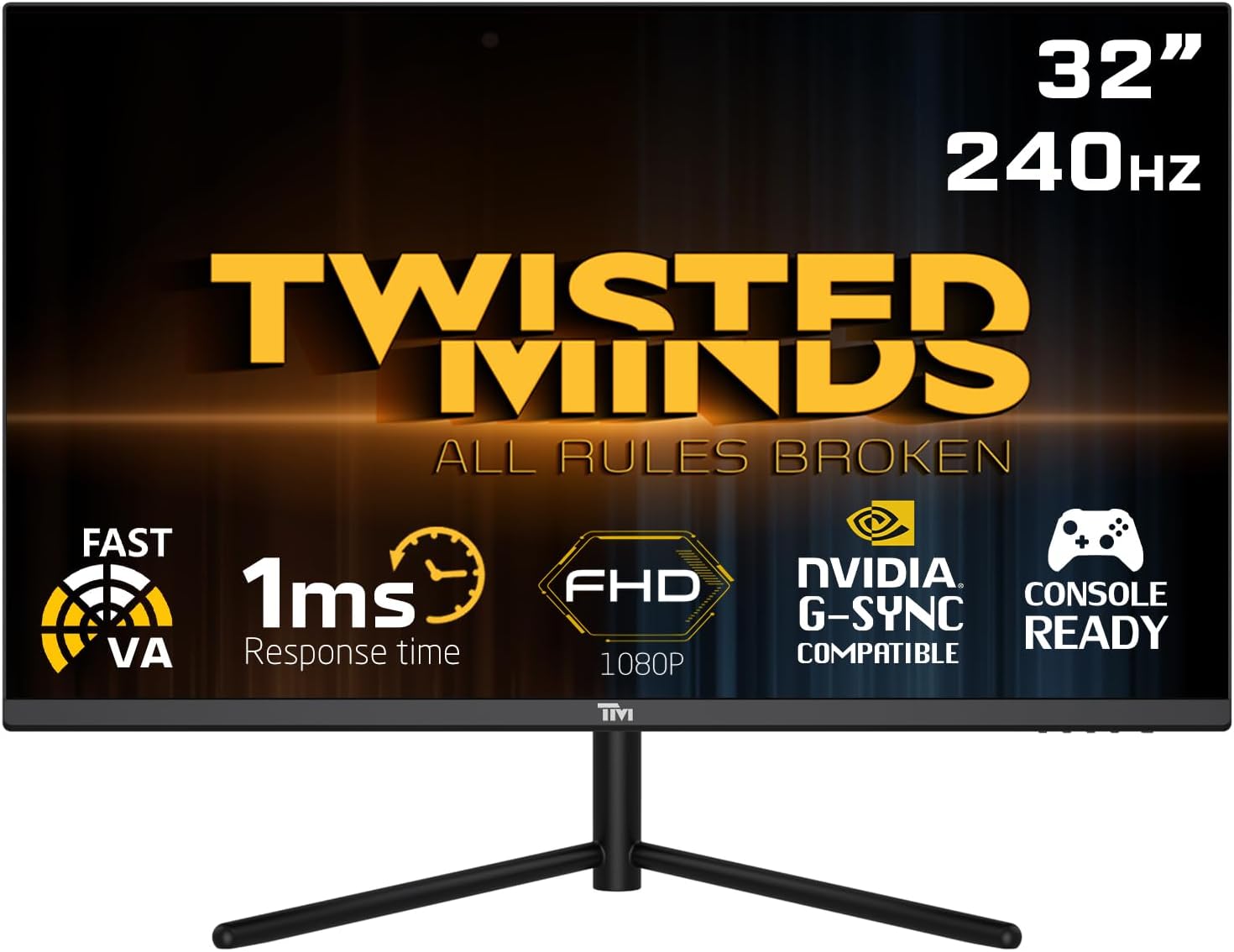
Aurrealdea view of the Twisted Minds 32-inch Gaming Monitor, highlighting its 32-inch display, 240Hz refresh rate, 1ms MPRT response time, FHD 1080p resolution, NVIDIA G-SYNC compatibility, and console readiness.
Konfigurazio Gida
1. Kutxa irekitzea eta paketearen edukia
Kontu handiz atera osagai guztiak paketetik. Ziurtatu behean zerrendatutako elementu guztiak daudela:
- Twisted Minds 32-inch Gaming Monitor
- Monitorearen euskarria (oinarria eta lepoa)
- Korronte egokitzailea eta kablea
- HDMI kablea
- DisplayPort kablea
- Erabiltzailearen eskuliburua (dokumentu hau)
2. Standa muntatzea
- Jarri monitorearen aurpegia behera gainazal leun eta garbi batean, marradurak saihesteko.
- Lotu euskarriaren lepoa monitorearen atzealdean, muntatzeko zuloak lerrokatuz. Torlojuekin finkatu, baldin badaude.
- Connect the stand base to the stand neck and tighten the thumb screw or screws from the bottom of the base.
3. Monitorea konektatzea
The monitor supports multiple input options. Choose the appropriate cable for your device.

Atzekoa view of the monitor displaying its various input/output ports, including DC power, HDMI 2.1 (x2), DisplayPort 1.4 (x2), and Audio Out, along with menu buttons and a quick release base.
- Potentzia-konexioa: Connect the power adapter to the monitor's DC input port, then plug the power cable into a wall outlet.
- Bideo-konexioa:
- For PC: Connect one end of the DisplayPort cable to your computer's graphics card and the other end to a DisplayPort 1.4 input on the monitor.
- For PC/Console: Connect one end of the HDMI cable to your computer's graphics card or game console and the other end to an HDMI 2.1 input on the monitor.
- Audio irteera: If desired, connect external speakers or headphones to the Audio Out port on the monitor.
4. Hasierako piztea
After all connections are made, press the power button on the monitor. The power indicator light will illuminate, and the display will turn on. If no signal is detected, ensure your source device is powered on and correctly configured.
Funtzionamendu-argibideak
1. Oinarrizko Funtzionamendua
- Piztu/Itzali: Sakatu monitorearen gainean dagoen pizteko botoia pizteko edo itzaltzeko.
- Sarrera hautatzea: Use the OSD (On-Screen Display) menu buttons to navigate and select the desired input source (HDMI 1, HDMI 2, DP 1, DP 2).
2. Pantailako pantaila (OSD) menua
The OSD menu allows you to adjust various display settings. Use the menu buttons (typically located on the back or bottom of the monitor) to navigate.
- Distira/Kontrastea: Doitu pantailaren luminantzia eta kontrastea orokorra.
- Kolore ezarpenak: Aldatu kolore-tenperatura, gamma eta banakako RGB mailak.
- Irudi modua: Select from preset modes (e.g., Standard, Game, Movie, Text) optimized for different content.
- Response Time/Overdrive: Adjust the pixel response time for reduced ghosting in fast-paced content. This monitor features a 1ms MPRT response time for smooth visuals.
- Freskatze-tasa: The monitor supports up to 240Hz refresh rate. Ensure your graphics card settings are configured to utilize this high refresh rate for optimal gaming performance.
- HDR (Barruti Dinamiko Handia): Enable or disable HDR for enhanced contrast and color depth with compatible content.
- FreeSync/G-SYNC Compatibility: This monitor is compatible with adaptive sync technologies. Enable this feature in the OSD and your graphics card control panel for tear-free gaming.

Illustration demonstrating the 1ms quick response time of the monitor, showing a fast-paced gaming scene with reduced motion blur and low input lag.

Irudiaren erakustaldiaasing the monitor's frameless design, ideal for multi-monitor setups, with a wide 178-degree viewangelua.

A user engaged in gaming on the Twisted Minds monitor, emphasizing the immersive experience provided by the 1920x1080 resolution, 300 nits brightness, 4000:1 contrast ratio, and 240Hz refresh rate.
3. Doikuntza ergonomikoak
Monitorearen euskarriak inklinazioa doitzeko aukera ematen du zure optimizazioa lortzeko. viewangelua handitu eta tentsioa murriztu.

Diagram illustrating the ergonomic tilt adjustment range of the monitor stand (-5 to 15 degrees) for optimal viewing comfort, and highlighting VESA wall-mount compatibility (100x100mm).
- okertu: Gently tilt the monitor screen forward or backward to find your preferred viewing angle. The tilt range is typically -5° to 15°.
- VESA muntaia: For alternative mounting solutions, the monitor is VESA compatible (100x100mm). Remove the stand and attach a compatible VESA mount (sold separately).
Mantentzea
Zaintza eta mantentze egokiak zure monitorearen bizitza luzatuko du.
- Pantaila garbitzea: Garbitu pantaila astiro-astiro zapi leun eta pelusik gabeko batekin. Orba egoskorrak kentzeko, garbituampGarbitu zapi apur bat urarekin edo amoniakorik eta alkoholik gabeko pantaila-garbitzaile batekin. Ez ihinztatu inoiz likidoa zuzenean pantailan.
- C garbiketaasing: Erabili zapi leun eta lehor bat monitorearen c garbitzeko.asing. Saihestu garbitzaile edo disolbatzaile urratzaileak erabiltzea.
- Aireztapena: Ziurtatu monitorearen aireztapen-irekidurak ez daudela blokeatuta. Ez jarri monitorea aire-fluxu egokirik gabeko espazio itxi batean.
- Itzali erabiltzen ez denean: Itzali monitorearen iraupena denbora luzez erabiltzen ez duzunean energia aurrezteko eta luzatzeko.
Arazoak konpontzea
Monitorearekin arazoak badituzu, jo ezazu honako arazo eta irtenbide ohikoenei.
| Arazoa | Kausa posiblea | Irtenbidea |
|---|---|---|
| Ez dago irudirik pantailan | Monitorea ez dago piztuta; Sarrera okerra hautatu da; Bideo-kablea soltea. | Ensure power cable is connected and monitor is on. Select correct input source. Check video cable connections. |
| Irudia lausoa edo distortsionatua dago | Bereizmen okerra; Grafikoen kontrolatzailearen arazoa. | Set display resolution to 1920x1080. Update graphics card drivers. |
| Ez dago soinurik bozgorailuetatik/aurikularretatik | Audio cable not connected; Volume too low; Incorrect audio output selected on PC. | Ensure audio cable is connected to the monitor's audio out port. Adjust volume. Select monitor as audio output device in PC settings. |
| Pantaila keinuka | Freskatze-tasaren desadostasuna; Kable akastuna. | Ensure refresh rate is set correctly (e.g., 240Hz). Try a different video cable. |
| Botoiek ez dute erantzuten | OSD lock enabled. | Refer to OSD menu section for unlocking button functions (if applicable). Power cycle the monitor. |
Irtenbide hauek probatu ondoren arazoa konpontzen ez bada, jarri harremanetan bezeroarentzako arreta-zerbitzuarekin.
Zehaztapenak
Detailed technical specifications for the Twisted Minds 32 FHD 240Hz VA Gaming Monitor.
| Ezaugarri | Zehaztapena |
|---|---|
| Marka | Twisted Minds |
| Modelo zenbakia | TM32 FHD 240Hz VA |
| Bistaratzeko tamaina | 32 hazbete |
| Pantailaren bereizmena | 1920 x 1080 (FHD 1080p) |
| Freskatze tasa | 240Hz |
| Erantzun Denbora | 1 ms MPRT |
| Panel mota | VA |
| Aspektu-erlazioa | 16:9 |
| Distira | 300 nit |
| Kontraste-erlazioa | 4000:1 |
| Kolore gama | %77.29 NTSC |
| Konektibitatea | 2 x HDMI 2.1, 2 x DisplayPort 1.4, Audio Out |
| VESA bateragarritasuna | 100 x 100 mm |
| Produktuaren neurriak | 10 x 63 x 44 cm |
| Elementuaren pisua | 8.8 kilogramo |
| Kolorea | Beltza |
Bermea eta Laguntza
Bermearen informazioa
Twisted Minds products are manufactured to the highest quality standards. This monitor comes with a standard manufacturer's warranty. Please refer to the warranty card included in your package or visit the official Twisted Minds webzure eskualdeko berme-baldintza zehatzak ikusteko, bisitatu webgunea.
Bezeroarentzako Arreta
If you require technical assistance or have questions regarding your monitor, please contact Twisted Minds customer support. Have your model number (TM32 FHD 240Hz VA) and purchase information ready when contacting support.
For the most up-to-date contact information, please visit the official Twisted Minds website or the retailer's support page where you purchased the product.


