Sarrera
Thank you for choosing the KAIDI KD-771 True Wireless Bluetooth 5.1 Earbuds. These earbuds are designed to provide a seamless and high-quality audio experience with the convenience of wireless connectivity. This manual will guide you through the setup, operation, and maintenance of your new earbuds.
The KD-771 earbuds utilize Bluetooth technology for connection to various sound-playing devices, including smartphones, tablets, and notebooks. Their completely wireless design ensures practical and simplified handling and usage.
Segurtasun Informazioa
- Ez jarri entzungailuak edo kargatzeko zorroa muturreko tenperaturen, hezetasunaren edo likidoen eraginpean.
- Saihestu gailua erortzea, kolpeak ematea edo desmuntatzea.
- Mantendu haurren eta maskoten eskura.
- Erabili onartutako kargatzeko kableak eta egokitzaileak soilik.
- Bolumen maila altuan denbora luzez entzuteak entzumen kalteak eragin ditzake. Egokitu bolumena maila seguru batera.
Konfigurazioa
1. Kutxatik ateratzea eta hasierako kargatzea
Upon opening the package, ensure all components are present: the KAIDI KD-771 earbuds, the charging case, and this user manual. Before first use, fully charge the earbuds and the charging case.
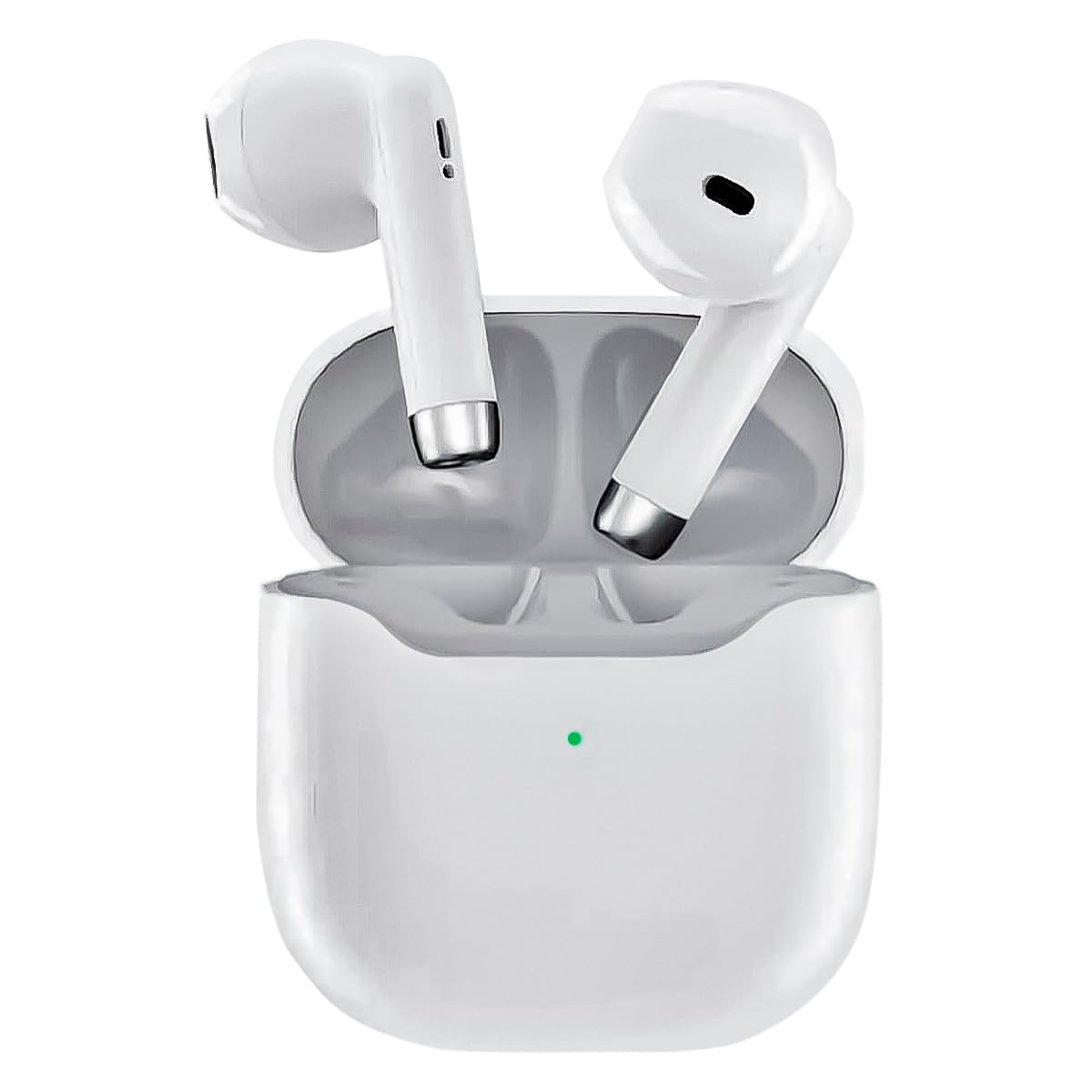
Image: The KAIDI KD-771 True Wireless Bluetooth 5.1 Earbuds and their charging case.
Place the earbuds into the charging case. Connect the charging case to a power source using a compatible USB cable (not included). The indicator light on the case will show charging status. Once fully charged, the indicator light will change or turn off.
2. Gailu batekin parekatzea
The KD-771 earbuds are compatible with multiple platforms, including smartphones, tablets, and laptops.

Image: The KAIDI KD-771 earbuds shown alongside various compatible devices, including smartphones, tablets, and laptops, illustrating multi-platform compatibility.
- Piztu: Ireki kargatzeko zorroa. Aurikularrak automatikoki piztuko dira eta parekatze moduan sartuko dira. Baliteke adierazle-argiak keinuka ikustea entzungailuetan.
- Aktibatu Bluetootha: Zure gailuan (smartphone-a, tableta, etab.), joan Bluetooth ezarpenetara eta ziurtatu Bluetooth gaituta dagoela.
- Select Earbuds: In the list of available Bluetooth devices, look for "KD-771" (or a similar name) and select it to connect.
- Berrespena: Once connected, your device will confirm the pairing, and the earbud indicator lights may stop flashing or change color.

Image: The KAIDI KD-771 earbuds in their charging case, with a smartphone displaying a successful Bluetooth 5.0 connection and battery levels.
The earbuds feature Bluetooth 5.1 for high-speed transmission and stable connections.
Funtzionamendu-argibideak
The KD-771 earbuds are controlled via touch sensors located on each earbud.
1. Piztu/Itzali
- Piztu: Open the charging case, and the earbuds will automatically power on. Alternatively, if powered off outside the case, touch and hold the touch area on both earbuds for a few seconds until you hear a power-on prompt.
- Itzali: Place the earbuds back into the charging case and close the lid. They will automatically power off and begin charging. Alternatively, if outside the case, touch and hold the touch area on both earbuds for several seconds until you hear a power-off prompt.
2. Musika Kontrola
- Erreproduzitu/Pausatu: Sakatu behin entzungailuetako edozein.
- Hurrengo ibilbidea: Sakatu birritan eskuineko aurikularra.
- Aurreko pista: Sakatu birritan ezkerreko aurikularra.
3. Deien Kontrola
- Deia erantzun/amaitu: Sakatu behin entzungailuetako edozein.
- Deia baztertu: Eduki ukituta aurikularrek 2 segundoz.
4. Ahots Laguntzailea
- Aktibatu Ahots Laguntzailea: Triple tap either earbud to activate your device's voice assistant (e.g., Siri, Google Assistant).
Mantentzea
1. Garbiketa
Garbiketa erregularrak errendimendu eta higiene optimoak mantentzen laguntzen du.
- Erabili zapi leun, lehor eta lihorik gabeko bat entzungailuak eta kargatzeko zorroa garbitzeko.
- Ez erabili garbitzaile urratzailerik, disolbatzailerik edo aerosol-sprayrik.
- Beharrezkoa bada, garbitu astiro-astiro entzungailuen eta zorroaren kargatzeko kontaktuak kotoi-zapi lehor batekin.
2. Biltegiratzea
Erabiltzen ez dituzunean, gorde entzungailuak kargatzeko zorroan babesteko eta kargatuta mantentzeko. Gorde gailua leku fresko eta lehor batean, eguzki-argitik eta muturreko tenperaturetatik urrun.
Arazoak konpontzea
| Arazoa | Irtenbide posiblea |
|---|---|
| Entzungailuak ez dira parekatzen |
|
| Aurikular bakarra funtzionatzen du |
|
| Bolumen baxua edo soinu-kalitate eskasa |
|
| Kargatzeko arazoak |
|
Zehaztapenak

Irudia: Leherketa bat view of a KAIDI KD-771 earbud, highlighting its internal components designed for high-resolution sound.
- Eredua: KD-771
- Marka: KAIDI
- Konektibitate Teknologia: Haririk gabeko Bluetooth 5.1
- Belarrien kokapena: Belarri barnean
- Entzungailuen forma-faktorea: Belarri barnean
- Kontrol-metodoa: Ukitu
- Zarata kontrola: Zarata Egokitzea
- Inpedantzia: 50 ohmio
- Materiala: Plastikoa
- Kolorea: Zuria
- Produktuaren pisua: 100 g (entzungailuak + zorroa)
- Dakarten osagaiak: Babes-zorroa
- Gailu bateragarriak: Bluetooth-a gaitutako gailuak
- Ezaugarri bereziak: Lightweight, Bluetooth
- Energia iturri mota: Electric power (rechargeable internal battery)
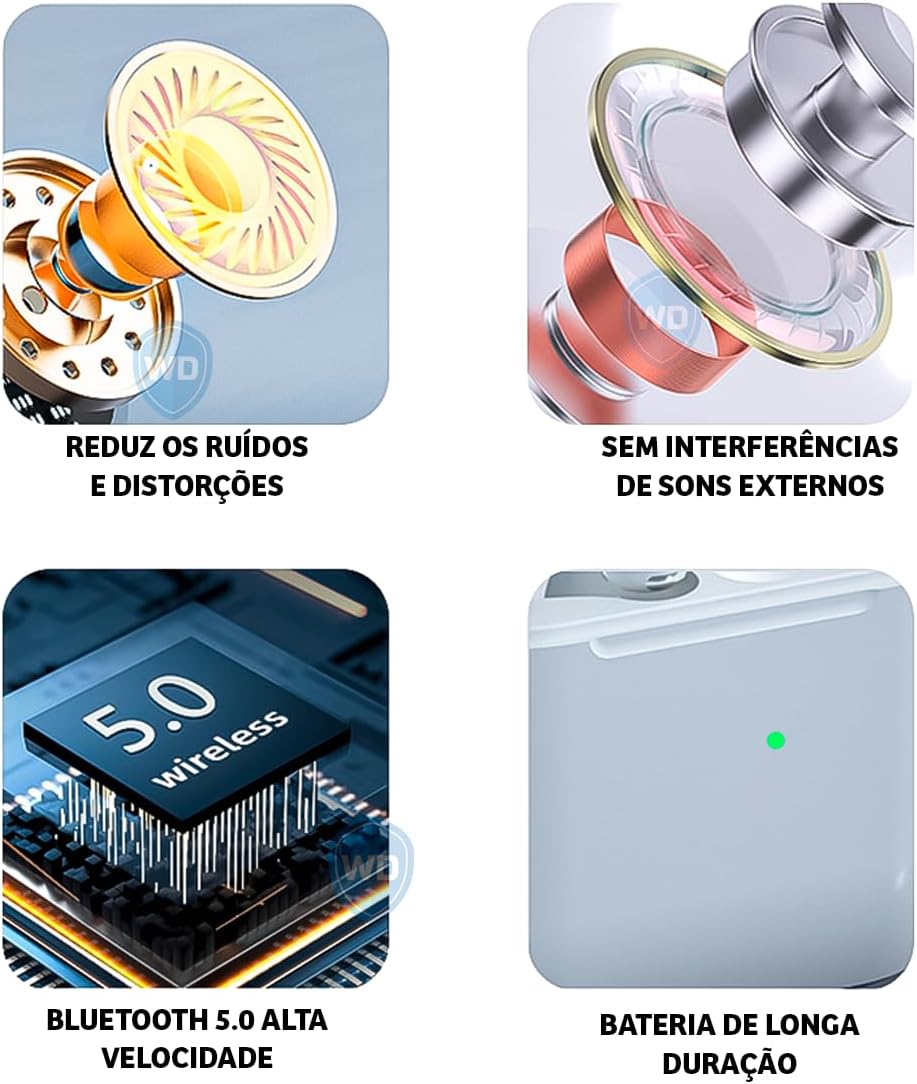
Image: A visual representation of key features: noise reduction and distortion reduction, absence of external sound interference, high-speed Bluetooth 5.0, and long-lasting battery life.
Bermearen informazioa
The KAIDI KD-771 earbuds come with a manufacturer's warranty of 30 days from the date of purchase. This warranty covers manufacturing defects under normal use. It does not cover damage caused by misuse, accidents, unauthorized modifications, or normal wear and tear.
Mesedez, gorde zure erosketa-froga berme-erreklamazioetarako.
Bezeroarentzako Arreta
For further assistance, technical support, or warranty inquiries, please contact your retailer or the KAIDI customer service department. Refer to the packaging or the official KAIDI webharremanetarako datuak lortzeko gunea.


