1. Sarrera
Thank you for choosing the Verbatim 500GB USB 3.2 Gen 1 Portable External Hard Drive. This device provides a high-speed, high-capacity storage solution, ideal for expanding your computer's storage or backing up important files. Its compact 2.5-inch form factor makes it highly portable, allowing you to carry your data wherever you go. This manual will guide you through the setup, operation, and maintenance of your new hard drive.
2. Segurtasun informazioa
- Ez jarri gailua hezetasunean, tenperatura altuetan edo eguzki-argiaren eraginpean.
- Saihestu gailua kolpe gogorrak erortzea edo jasaten.
- Ez saiatu gailua zeuk desmuntatzen edo konpontzen. Jarri harremanetan zerbitzu-langile kualifikatuekin.
- Ziurtatu gailua behar bezala aireztatuta dagoela inguruan funtzionamenduan zehar.
- Always safely eject the hard drive from your computer before disconnecting the USB cable to prevent data loss or corruption.
3. Paketearen edukia
Egiaztatu zure paketeak elementu hauek dituela:
- Verbatim 500GB Portable External Hard Drive
- USB kablea

3.1. irudia: Aurrealdea view of the Verbatim Portable Hard Drive packaging. The packaging displays the product name, capacity (500GB), USB 3.2 Gen 1 interface, and an image of the black hard drive with a green accent band. It also highlights 'Eco Friendly Packaging' and 'Nero Backup Software'.
4. Produktua amaitu daview
The Verbatim Portable Hard Drive is a sleek, compact device designed for easy data storage and transfer. It features a durable casing and a standard USB port for connectivity.

4.1. irudia: Goian view of the Verbatim Portable Hard Drive. The drive is black with a textured surface and features a distinctive green band across its width.
5. Sistemaren eskakizunak
To use your Verbatim Portable Hard Drive, your computer must meet the following minimum requirements:
- Sistema eragilea: Windows (Windows 10, 8, 7) or Mac OS (Mac OS X 10.6 or higher)
- USB ataka: USB 3.2 Gen 1 (also compatible with USB 2.0 ports, but at reduced speeds)
6. Konfigurazioa eta instalazioa
The Verbatim Portable Hard Drive is designed for plug-and-play operation, requiring no additional drivers for most modern operating systems.
- Locate an available USB port on your computer. For optimal performance, use a USB 3.2 Gen 1 (or USB 3.0) port.
- Connect the small end of the provided USB cable to the USB port on the Verbatim Portable Hard Drive.
- Konektatu USB kablearen mutur handiena zure ordenagailuko USB atakara.
- Your operating system should automatically detect and install the necessary drivers. The drive will appear as a new storage device in 'My Computer' (Windows) or 'Finder' (Mac OS).
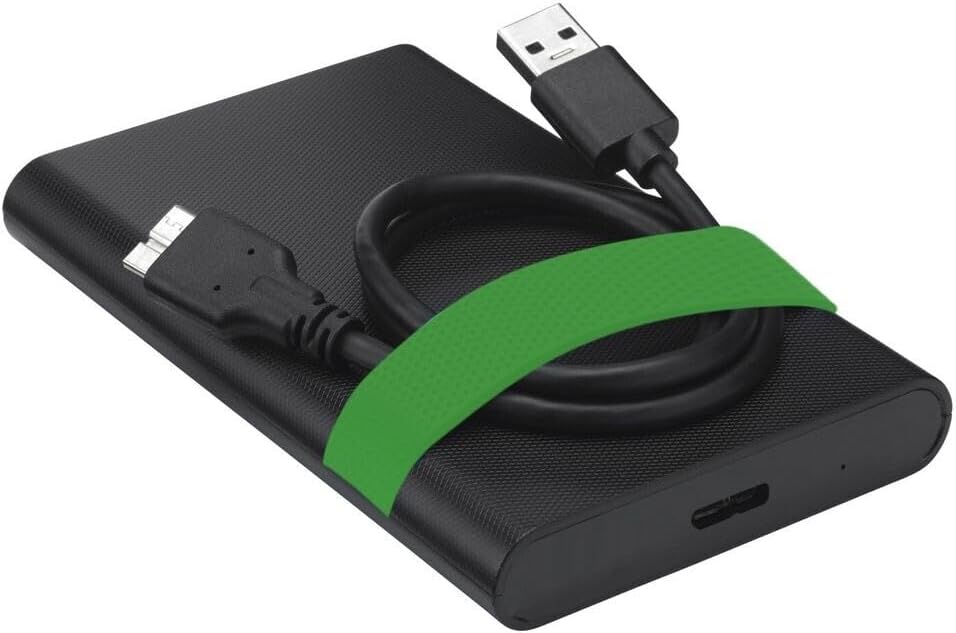
Image 6.1: The Verbatim Portable Hard Drive with its USB cable connected, illustrating the connection point on the drive.
7. Funtzionamendu-argibideak
7.1 Datuen transferentzia
Konektatu ondoren, transferitu dezakezu files to and from the hard drive just like any other storage device:
- Arrastatu eta jaregin: Egin klik eta arrastatu files or folders from your computer to the hard drive's icon, or vice versa.
- Kopiatu eta itsatsi: Egin klik eskuineko botoiarekin files/folders, select 'Copy', then navigate to the desired location on the hard drive, right-click, and select 'Paste'.
7.2 Ejecting the Drive Safely
To prevent data corruption, always safely eject the hard drive before disconnecting it.
- Windows: Click the 'Safely Remove Hardware and Eject Media' icon in the system tray, then select your Verbatim drive. Wait for the 'Safe to Remove Hardware' message.
- MacOS: Drag the hard drive icon from your desktop to the Trash, or right-click the icon and select 'Eject'.
8. Mantentzea eta Zainketa
- Keep the hard drive clean by wiping it with a soft, dry cloth. Avoid liquid cleaners.
- Store the drive in a cool, dry place away from magnetic fields.
- Regularly back up important data from the portable drive to another storage medium.
- Periodically check the drive's health using your operating system's disk utility tools.
9. Arazoak
| Arazoa | Irtenbide posiblea |
|---|---|
| Ordenagailuak ez du unitatea detektatu. |
|
| Datuen transferentzia abiadura motela. |
|
| Error message during file transferentzia. |
|
10. Zehaztapenak
| Ezaugarri | Xehetasuna |
|---|---|
| Marka | Hitzez hitz |
| Modelo zenbakia | 53111 |
| Biltegiratze Digitalaren Ahalmena | 500 GB |
| Disko gogorraren forma-faktorea | 2.5 hazbetekoa |
| Disko gogor mota | Mechanical Hard Disk Drive (HDD) |
| Interfazea | USB 3.2 Gen 1 (USB 2.0-rekin bateragarria) |
| Errotazio Abiadura | 5400 RPM |
| Datuen transferentzia abiadura maximoa | 5000 Mbit/s (5 Gbit/s) |
| Konektibitate Teknologia | USBa |
| Gailu bateragarriak | Computers with Windows OS, Computers with Mac OS |
| Elementuaren pisua | 220 g |
11. Bermea eta Laguntza
Verbatim products are designed and manufactured to the highest quality standards. For information regarding warranty coverage, technical support, or service, please refer to the official Verbatim webwebgunera edo jarri harremanetan bezeroarentzako arreta-zerbitzuarekin zuzenean. Gorde erosketa-agiria erosketaren frogagiri gisa berme-erreklamazioetarako.
Lineako laguntza: Bisitatu www.verbatim.com maiz egiten diren galderen, gidarien deskargaren eta harremanetarako informazioa lortzeko.


