1. Sarrera
Thank you for choosing the RORRY D2 Portable Charger. This compact and versatile power bank is designed to keep your Apple Watch, iPhone, AirPods, and other compatible devices charged while you are on the go. Please read this manual carefully to ensure safe and optimal use of your device.
Zer dago Kutxan:
- RORRY Portable Charger (1 unit)
- 1M USB-C to USB-C Charging Cable (1 unit)
- Erabiltzailearen eskuliburua (unitate 1)
2. Ezaugarri nagusiak
- Bateragarritasun Unibertsala: Designed for Apple Watch Ultra/11/10/9/8/7/6/SE, iPhone 17/16/15/14/13/12/11/Pro/Pro Max, AirPods, and Android devices.
- 5000mAh-ko edukiera handia: Provides approximately 7-10 charges for Apple Watch, 1 full charge for iPhone 15, and 6-8 charges for AirPods.
- Aldibereko karga: Capable of charging multiple devices concurrently, including Apple Watch, iPhone, AirPods, and other Android devices.
- Diseinu eramangarria: Features a compact and lightweight keychain design for easy portability in pockets or attached to backpacks.
- Segurtasun handia: Equipped with built-in protection against over-temperature, over-current, over-voltage, eta zirkuitulaburra.
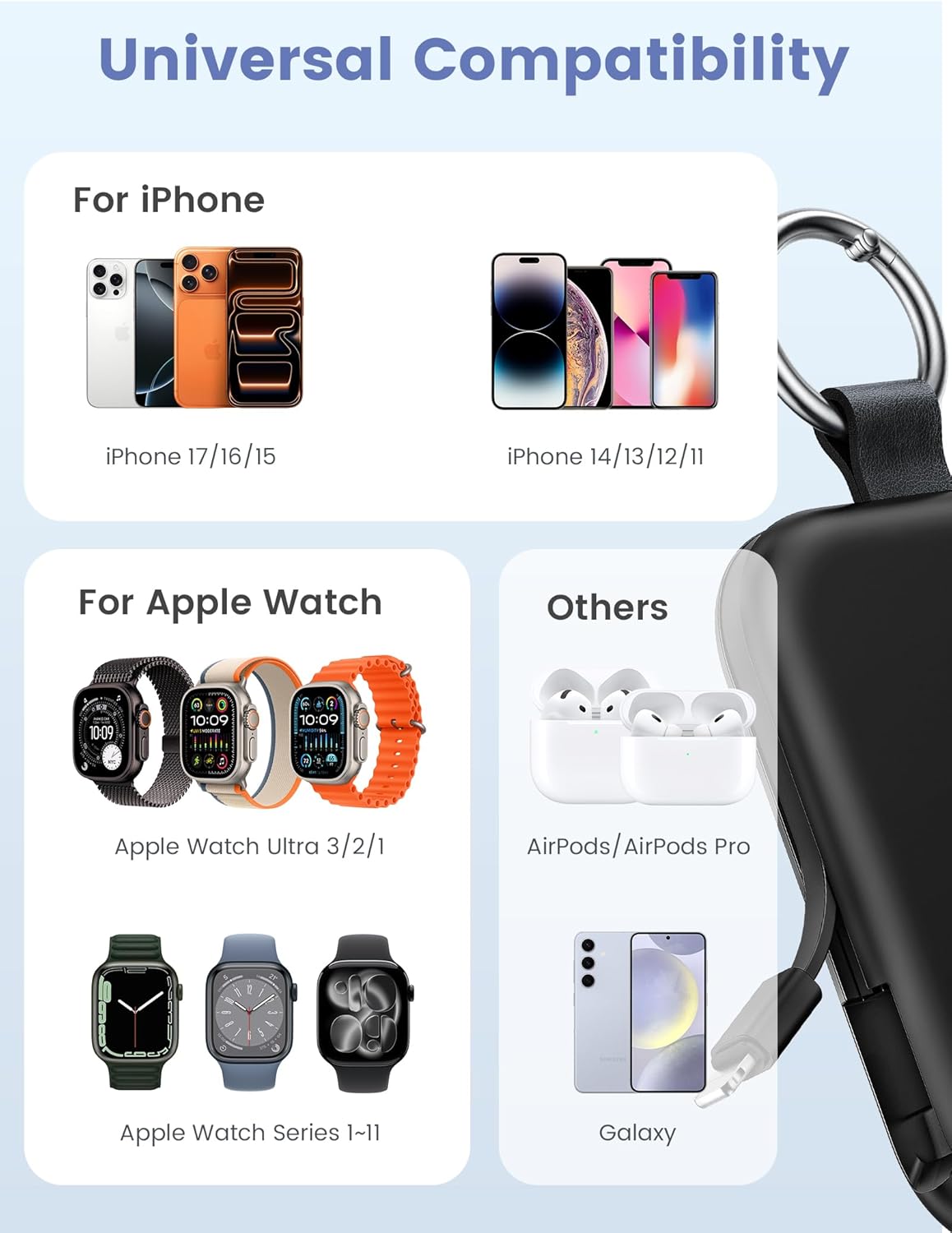
Image: Universal compatibility of the RORRY portable charger with various devices.
3. Konfigurazioa eta hasierako kargatzea
3.1 Bateria eramangarria kargatzea
- Connect the provided USB-C to USB-C charging cable to the USB-C input port on the RORRY D2 Portable Charger.
- Connect the other end of the cable to a compatible USB-C wall adapter (not included).
- The LED indicator lights on the power bank will illuminate to show the charging status. A full charge typically takes approximately 2.5 hours.
- Once fully charged, all LED indicators will be solid. Disconnect the power bank from the charger.

Image: Charging the RORRY D2 Portable Charger using the included USB-C cable.
4. Funtzionamendu-argibideak
4.1 Charging Apple Watch
- Press the power button on the side of the RORRY D2 Portable Charger to activate the wireless charging pad.
- Place your Apple Watch onto the magnetic charging pad located on the top surface of the power bank.
- Ensure the watch is properly aligned for optimal charging. The watch screen will indicate charging status.
4.2 Charging iPhone and USB-C Devices
- Locate the built-in Lightning cable (for iPhone) or USB-C cable (for Android/other USB-C devices) on the sides of the power bank.
- Gently pull out the appropriate cable.
- Connect the cable to your device's charging port. The device should begin charging automatically.
- To charge multiple devices simultaneously, use the wireless charging pad for Apple Watch and the built-in cables for other devices.

Image: RORRY D2 Portable Charger actively charging an Apple Watch and an iPhone.

Irudia: Gainetikview of charging times and capacities for various devices with the RORRY D2.
4.3 Potentzia-adierazlea
The LED lights on the front of the power bank indicate the remaining battery level. Press the power button once to check the current battery status.
Video: Demonstration of the RORRY Portable Apple Watch Charger's features and usage.
5. Zehaztapenak
| Modelo zenbakia | D2 |
| Bateria Edukiera | 5000 milioiamp Orduak |
| Produktuaren neurriak | 3.86 x 2.82 x 0.65 hazbete |
| Elementuaren pisua | 4.4 ontza |
| Konektore mota | Built-in Cable L+C, USB-C Port |
| Ezaugarri bereziak | Compact, Built-in Cables, All-in-one, Keychain Design |
6. Segurtasun-ezaugarriak eta neurriak
The RORRY D2 Portable Charger is equipped with multiple safety features to protect your devices and the power bank itself:
- Tenperatura gaindiko babesa: Kargatzean eta deskargatzean gehiegi berotzea saihesten du.
- Gainkorrontearen babesa: Gehiegizko korronte-fluxuaren aurkako babes-neurriak.
- Gehiegizko bolumenatage Babesa: Bolumenaren aurka babesten dutagEtengabeak.
- Zirkuitu laburren babesa: Zirkuitu labur baten kasuan automatikoki itzaltzen da.
Segurtasun-neurri orokorrak:
- Do not disassemble, squeeze, or hit the device.
- Keep away from fire, water, and heat sources.
- Mantendu haurren eskura.
- Do not use the power bank in extremely high or low temperatures.
- Saihestu gailua erortzea edo kolpe gogorrak jasan.
7. Zainketa eta Mantentzea
- Garbitu bateria eramangarria oihal leun eta lehor batekin. Ez erabili produktu kimiko gogorrik edo material urratzailerik.
- Gorde gailua leku fresko eta lehor batean erabiltzen ez duzunean.
- If the power bank will not be used for an extended period, charge it fully at least once every three months to maintain battery health.
8. Arazoak
Gailua ez da kargatzen:
- Ziurtatu bateria eramangarria behar bezala kargatuta dagoela. Begiratu LED adierazleak.
- Verify that the charging cables are securely connected to both the power bank and your device.
- For Apple Watch, ensure it is correctly placed on the magnetic charging pad and the power button has been pressed.
- Try using a different charging cable or wall adapter to charge the power bank itself.
Karga motela:
- Ensure you are using a compatible wall adapter for optimal charging speed.
- Hainbat gailu aldi berean kargatzeak gailu bakoitzaren kargatze-abiadura murriztu dezake.
Power bank not turning on:
- Charge the power bank fully. If the battery is completely depleted, it may take a few minutes for the LED indicators to light up.
9. Bermea eta Laguntza
RORRY products are designed and manufactured to the highest quality standards. For warranty information, after-sales service, or technical support, please refer to the contact details provided in the packaging or visit the official RORRY webgunea.
Harremanetarako informazioa:
- Fabrikatzailea: Shenzhen Xianyang Innovation Technology Co., Ltd
- Webgunea: www.rorry.com (Kontuan izan: Hau leku-markatzailea da) URL, refer to actual product for correct webgunea)


