Sarrera
Thank you for choosing the La Crosse Technology SW403 Weather Station. This device provides comprehensive weather information, including indoor and outdoor temperature and humidity, a 4-day forecast, and time/date functions, all displayed on a vibrant color screen. Its Wi-Fi connectivity allows for advanced features and data history via the Tuya application. Please read this manual carefully to ensure proper setup and operation.
Paketearen edukia
- La Crosse Technology SW403 Weather Station
- Outdoor Temperature/Humidity Sensor (assumed, typical for weather stations)
- AC Potentzia Egokitzailea
- Erabiltzailearen eskuliburua (dokumentu hau)
Konfigurazioa
1. Powering On the Weather Station
- Insert the AC power adapter into the power jack on the back of the weather station.
- Plug the adapter into a standard wall outlet. The display will illuminate.
2. Installing Batteries in the Outdoor Sensor
Open the battery compartment of the outdoor sensor and insert 2 AA batteries (not included), observing the correct polarity. Close the compartment securely. The sensor will automatically attempt to connect to the weather station.
3. Wi-Fi Connection (Mandatory for Full Functionality)
The SW403 requires a Wi-Fi connection for full functionality, including 4-day forecasts and data history. Follow these steps to connect:
- Deskargatu "Tuya Smart" or "Bizitza Adimenduna" application from your smartphone's app store (iOS or Android).
- Eman izena edo hasi saioa zure kontuan aplikazioaren barruan.
- On the weather station, press and hold the Wi-Fi button (often indicated by a Wi-Fi icon or a specific button on the side/back) for a few seconds until the Wi-Fi indicator on the display starts flashing rapidly. This puts the station into pairing mode.
- In the Tuya app, tap the "+" icon to add a new device. Select "Small Home Appliance" > "Weather Station" or search for "Weather Station".
- Confirm that the Wi-Fi indicator on the station is flashing rapidly.
- Sartu zure 2.4 GHz-ko Wi-Fi sarearen pasahitza (5 GHz-ko sareak ez dira onartzen).
- Follow the on-screen instructions in the app to complete the connection. Once connected, the Wi-Fi indicator on the station will become solid.
Note: If you experience difficulty connecting, ensure your Wi-Fi network is 2.4GHz and that your phone is connected to the same network during the pairing process. Try moving the station closer to your router.
4. Initial Settings (Time, Date, Units)
Once connected to Wi-Fi, the time and date should synchronize automatically. If manual adjustment is needed, refer to the operating instructions for setting time, date, and preferred units (Celsius/Fahrenheit, 12/24 hour format).
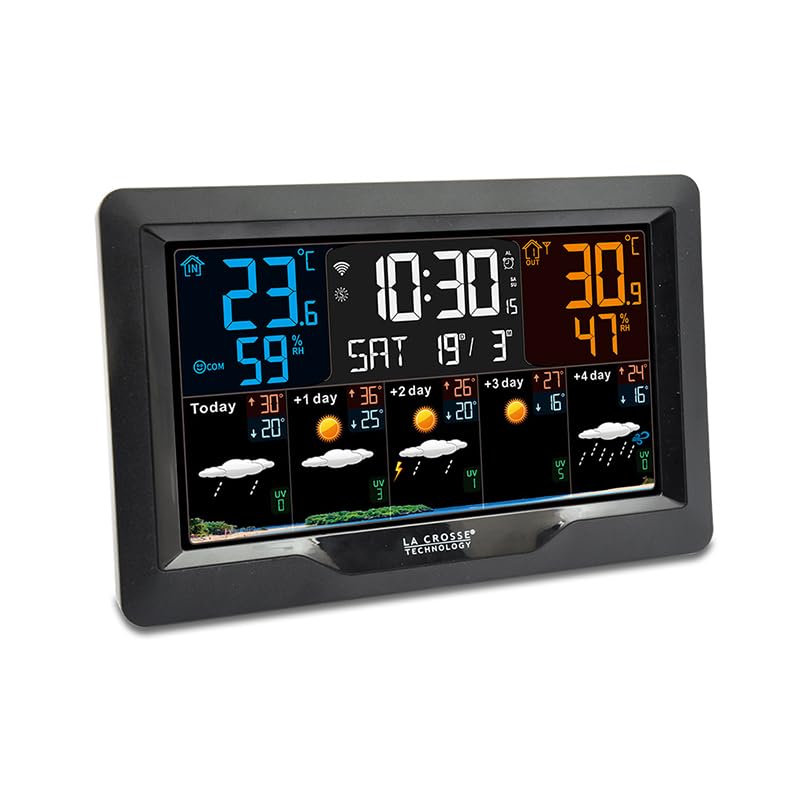
Irudia: Aurrealdea view of the La Crosse Technology SW403 Weather Station, displaying time, indoor/outdoor temperature and humidity, and a multi-day weather forecast on its color screen.
Funtzionamendu-argibideak
1. Erakutsi baino gehiagoview
The color LCD screen provides various data points:
- Ordua eta data: Displays current time (12 or 24-hour format) and date.
- Asteko eguna: Clearly shown on the display.
- Indoor Temperature and Humidity: Current readings for the station's location.
- Outdoor Temperature and Humidity: Readings from the connected wireless sensor.
- Gutxieneko/gehieneko erregistroak: Historical minimum and maximum temperature/humidity values.
- 4 eguneko eguraldiaren iragarpena: Icons and temperature predictions for today and the next four days.
- Erosotasun adierazlea: An icon or text indicating the current indoor comfort level.
- Wi-Fi konexioaren egoera: An icon indicating if the station is connected to Wi-Fi.
2. Alarmak ezartzea
The station features 3 alarms with a snooze function.
- Press the "ALARM" button (or similar) to cycle through Alarm 1, Alarm 2, Alarm 3, and Alarm Off.
- When an alarm is selected, press and hold the "ALARM" button to enter setting mode.
- Use the "UP" and "DOWN" arrows to adjust the hour and minute. Press "ALARM" to confirm each setting.
- To activate/deactivate an alarm, press the "ALARM" button briefly when the desired alarm is displayed. An alarm icon will appear/disappear.
- When an alarm sounds, press any button (except "SNOOZE") to stop it for 24 hours, or press "SNOOZE" for a temporary delay.
3. ViewGutxieneko/Maximo Erregistroak
Press the "MIN/MAX" button (or similar) repeatedly to cycle through the recorded minimum and maximum indoor/outdoor temperature and humidity values. These records typically reset daily or can be manually cleared.
4. Temperature Alerts
Set customizable alerts for indoor and outdoor temperatures. Consult the specific button layout on your device for accessing and setting these alerts. When an alert threshold is met, an audible alarm or visual indicator will activate.
5. USB kargatzeko ataka
A USB charging port is integrated into the weather station, allowing you to conveniently charge your smartphone or other USB-powered devices.
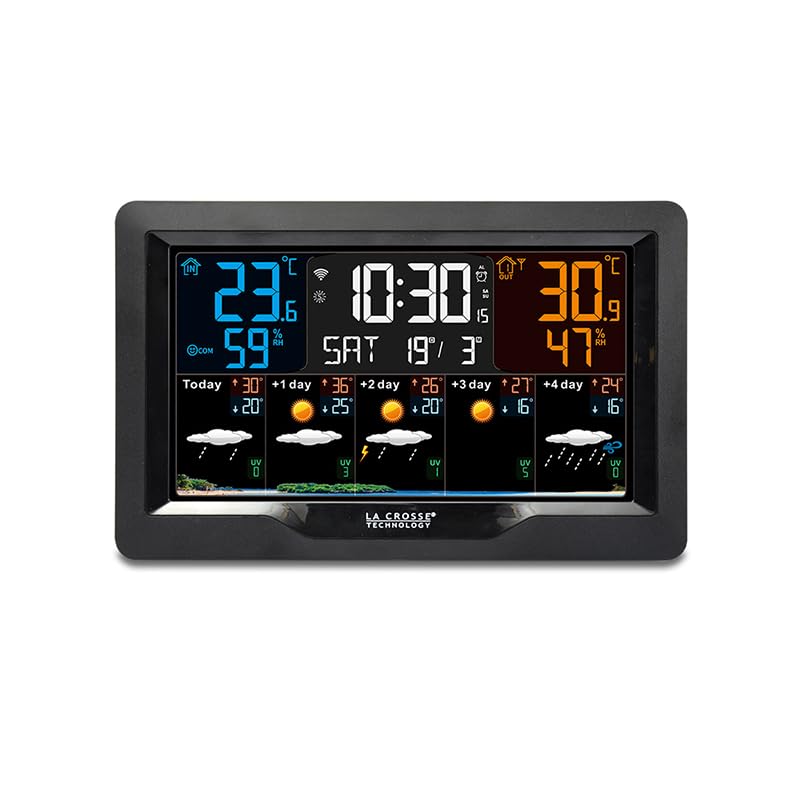
Irudia: Angelua view of the La Crosse Technology SW403 Weather Station, showcasing its sleek design and the clear, colorful display from a different perspective.
Mantentzea
1. Unitatea garbitzea
Wipe the weather station and outdoor sensor with a soft, damp oihal. Ez erabili garbitzaile edo disolbatzaile urratzailerik, pantaila edo c kaltetu baitezakete.asing. Ensure no moisture enters the device openings.
2. Battery Replacement (Outdoor Sensor)
When the low battery indicator appears for the outdoor sensor, replace the batteries with new ones (2 AA, alkaline recommended). Ensure correct polarity. After replacement, the sensor should automatically re-establish connection with the main unit.
3. Firmware eguneraketak
Periodically check the Tuya Smart app for any available firmware updates for your weather station. Updates can improve performance and add new features. Follow the app's instructions for any update procedures.
Arazoak konpontzea
| Arazoa | Kausa posiblea | Irtenbidea |
|---|---|---|
| Ez dago pantailarik unitate nagusian | Energia-egokitzailea ez dago konektatuta edo akastuna. | Ensure the AC adapter is securely plugged into the unit and a working power outlet. Try a different outlet. |
| Outdoor sensor not displaying data | Sensor out of range, low batteries, or interference. | Replace sensor batteries. Move sensor closer to the main unit. Avoid large metal objects or electronics between units. Re-sync the sensor if necessary (refer to specific device instructions). |
| Wi-Fi connection fails or disconnects frequently | Incorrect Wi-Fi password, 5GHz network, weak signal, or app issue. | Ensure you are connecting to a 2.4GHz Wi-Fi network. Verify the password. Move the station closer to your Wi-Fi router. Restart your router and the weather station. Re-attempt pairing via the Tuya app. |
| Tenperatura/hezetasun irakurketa zehaztugabeak | Sensor exposed to direct sunlight, heat sources, or moisture. | Relocate the outdoor sensor to a shaded, well-ventilated area, away from direct sunlight, rain, or heat sources. Allow time for readings to stabilize. |
Zehaztapenak
- Eredua: SW403-BLA
- Fabrikatzailea: La Crosse Teknologia
- Kolorea: Beltza
- Materiala: Plastikoa
- Bistaratzeko mota: LCD, Color
- Konektibitate Teknologia: Wi-Fi
- Energia iturria: Battery Powered (for sensor), AC Adapter (for main unit)
- Ezaugarri bereziak: Large screen, Wi-Fi connectivity, 4-day forecast, USB charging port, Alarms, Min/Max records, Comfort indicator
- Neurketaren zehaztasuna: +/- 1 ° C
- Paketearen neurriak: 21.8 x 14.4 x 6.8 cm
- Elementuaren pisua: 500 gramo
- Dakarten osagaiak: AC Potentzia Egokitzailea
Bermea eta Laguntza
La Crosse Technology products are designed for reliability and performance. For warranty information, please refer to the warranty card included with your product or visit the official La Crosse Technology website. For technical support, troubleshooting assistance, or to inquire about replacement parts, please contact La Crosse Technology customer service through their official webgunea edo zure produktuaren ontzian emandako harremanetarako informazioa.


