Sarrera
Thank you for choosing the LEXIP Madara Design Headset. This manual provides detailed instructions for setting up, operating, and maintaining your headset. Please read this manual thoroughly before use to ensure optimal performance and longevity of your device.
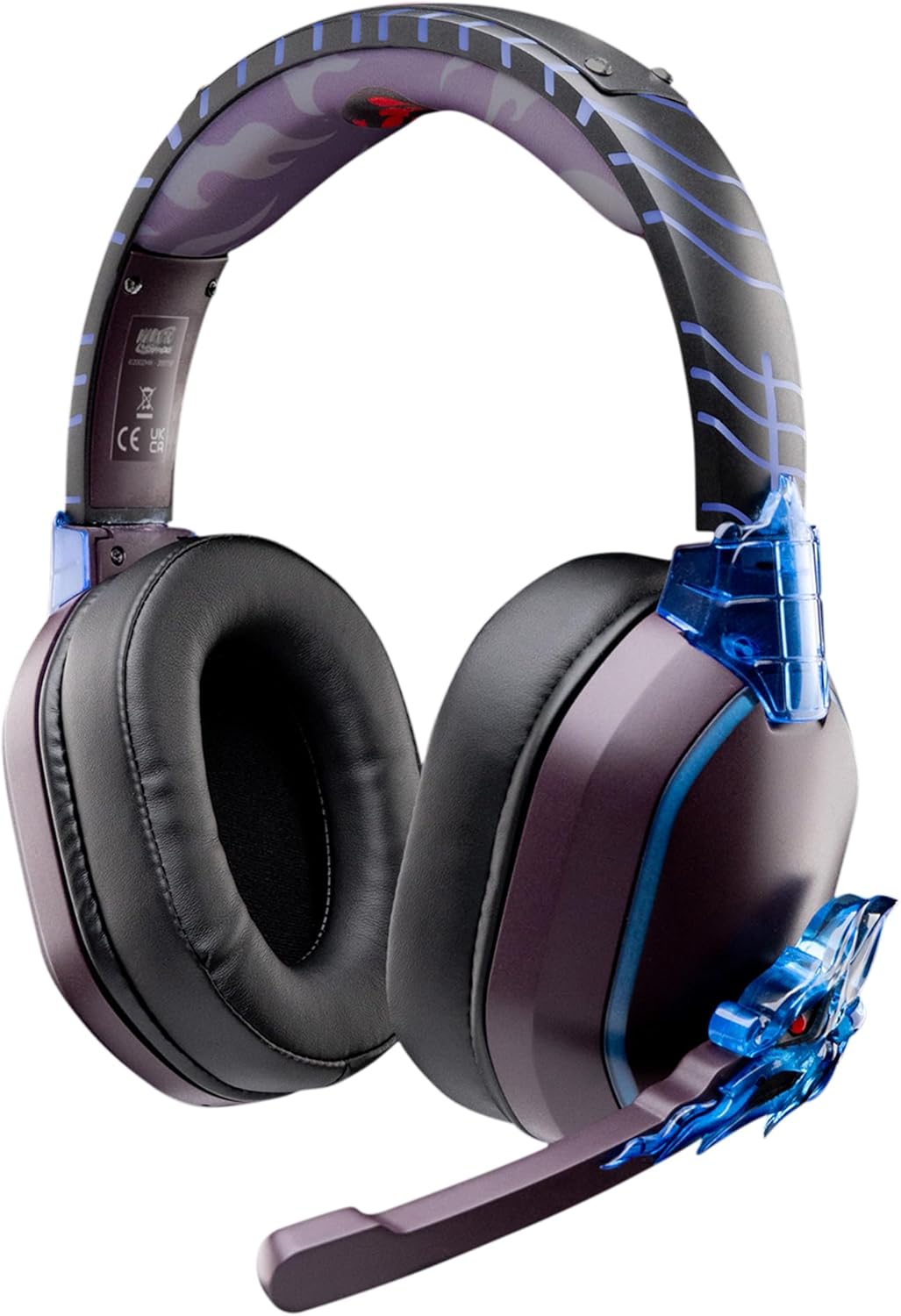
Image: The LEXIP Madara Design Headset, featuring a distinctive purple and blue color scheme with intricate design elements inspired by Madara.
Paketearen edukia
Ziurtatu elementu guztiak paketean daudela:
- LEXIP Madara Design Headset
- Mikrofono desmuntagarria
- 3.5 mm-ko audio kablea
- USB kargatzeko kablea
- Erabiltzailearen eskuliburua
Produktua amaituview
Familiarize yourself with the components and design features of your headset.

Image: Close-up of the headset's ear cup, highlighting the intricate blue dragon design element.

Irudia: View of the soft earcups and adjustable headband, designed for comfort during extended use.
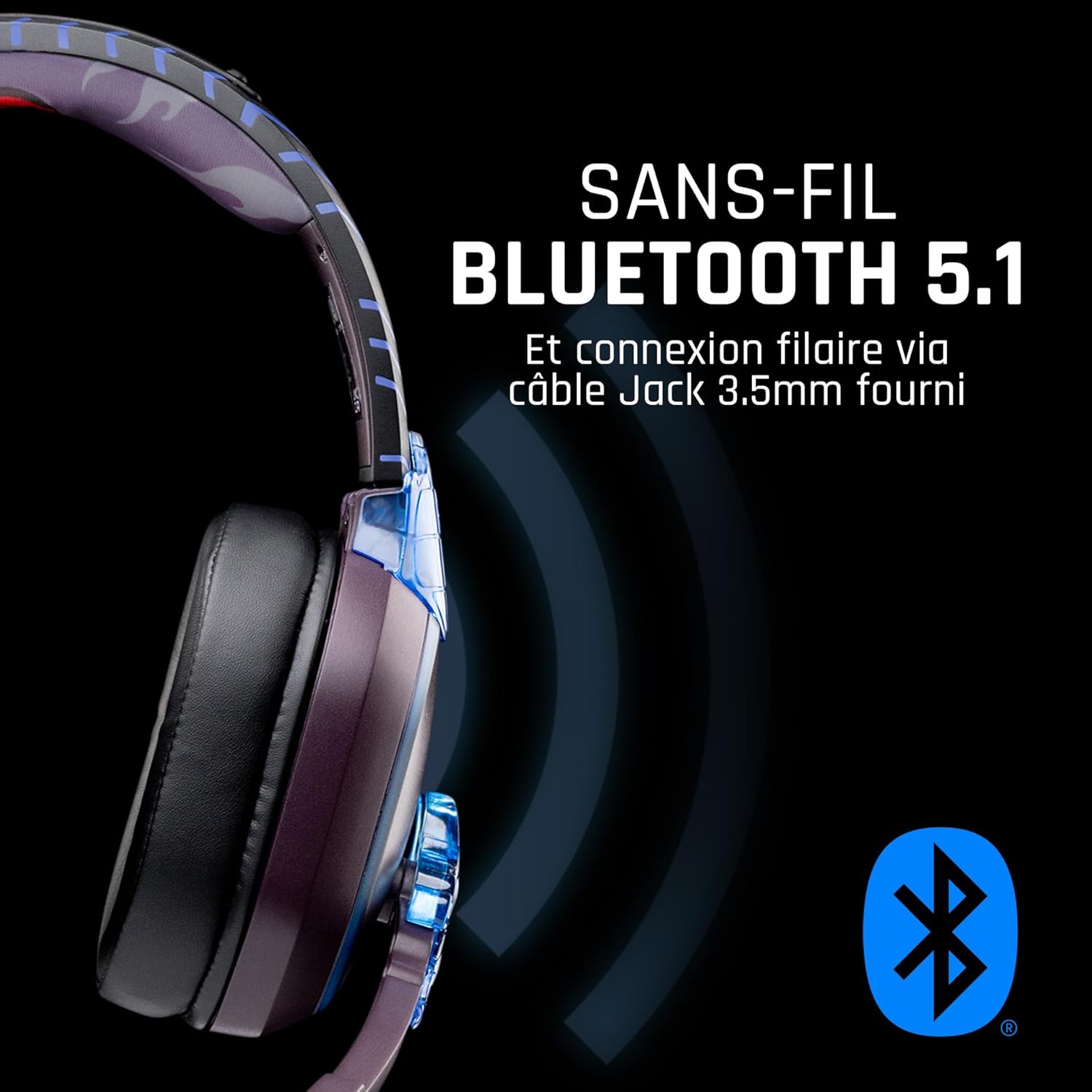
Irudia: Albokoa view of the headset, illustrating its wireless Bluetooth 5.1 capability and connection points.

Image: The headset displayed on a stand, alongside a matching game controller, showcasing its gaming application.
Ezaugarri nagusiak:
- Wireless Bluetooth 5.1: For seamless wireless audio.
- Kable bidezko konexioa: Via the included 3.5mm Jack cable.
- Mikrofono desmuntagarria: For clear communication and versatility.
- Bolumen kontrola: Integrated controls for easy audio adjustment.
- Zarata isolatzea: Passive noise reduction for an immersive experience.
- Diseinu erosoa: Adjustable headband and over-ear form factor.
Konfigurazioa
1. Entzungailua kargatzea
- Connect the USB charging cable to the charging port on the headset.
- Konektatu USB kablearen beste muturra USB elikatze-iturri bateragarri batera (adibidez, ordenagailuko USB ataka, USB hormako egokigailua).
- The LED indicator on the headset will show the charging status. A full charge typically takes approximately 2-3 hours.
2. Mikrofonoa konektatzea
- Locate the microphone input port on the headset, usually on the left earcup.
- Align the detachable microphone connector with the port and gently push it in until it clicks into place.
- Mikrofonoaren posizioa doitu ahotsa modu optimoan jasotzeko.
Funtzionamendu-argibideak
1. Piztu/Itzaltzea
- Pizteko: Sakatu eta eutsi pizteko botoia 3 segundo inguru, LED adierazlea piztu arte.
- Itzaltzeko: Sakatu eta eutsi pizteko botoia 5 segundo inguru LED adierazlea itzali arte.
2. Bluetooth parekatzea (haririk gabeko modua)
- Ziurtatu entzungailua itzalita dagoela.
- Sakatu eta eutsi pizteko botoia 5-7 segundo inguru, LED adierazlea azkar keinuka hasi arte, parekatze modua adieraziz.
- On your device (Windows 10/11, Mac, PS5, PS4, Xbox Series X/S, Xbox One, Nintendo Switch, Android, iOS, tablets), navigate to Bluetooth settings.
- Bilatu available devices and select "LEXIP Madara Headset" (or similar name).
- Parekatu ondoren, LED adierazlea keinuka geldituko da eta urdin mantenduko da.
3. Wired Connection (3.5mm Jack)
- Insert one end of the 3.5mm audio cable into the headset's audio jack.
- Insert the other end into the 3.5mm audio port of your desired device.
- The headset will operate in passive wired mode, even if the power is off.
4. Bolumenaren kontrola
- Use the volume control dial or buttons located on the headset to adjust the audio level.
Mantentzea
- Garbiketa: Erabili zapi leun eta lehor bat entzungailuak garbitzeko. Ez erabili garbitzaile edo disolbatzaile urratzailerik.
- Biltegiratzea: Gorde entzungailuak leku fresko eta lehor batean, eguzki-argitik eta muturreko tenperaturetatik babestuta.
- Bateria zaintzea: Bateriaren iraupen optimoa lortzeko, saihestu entzungailuak maiz erabat deskargatzea. Kargatu aldizka.
- Uraren erresistentzia: The headset is not waterproof. Avoid exposure to liquids.
Arazoak konpontzea
| Arazoa | Kausa posiblea | Irtenbidea |
|---|---|---|
| Ez dago soinurik entzungailuetatik | Headset not powered on; Volume too low; Not paired/connected; Incorrect audio output selected on device. | Ensure headset is powered on and charged. Increase volume. Re-pair Bluetooth or check 3.5mm cable connection. Select headset as audio output on your device. |
| Ezin da Bluetooth bidez parekatu | Aurikularrak ez daude parekatze moduan; Gailuaren Bluetooth itzalita; Gailutik urrunegi; Interferentzia. | Ensure headset is in pairing mode (flashing LED). Turn device Bluetooth off and on again. Move headset closer to device. Avoid strong Wi-Fi signals or other Bluetooth devices. |
| Mikrofonoa ez dabil | Microphone not properly attached; Muted on headset/device; Incorrect input selected on device. | Ensure microphone is securely attached. Check if microphone is muted. Select headset microphone as input device in your device's sound settings. |
| Bateriaren iraupen laburra | Headset not fully charged; Old battery. | Ensure headset is fully charged before use. Battery performance may degrade over time. |
Zehaztapenak
| Modelo zenbakia | TSXLXHS0003 |
| Marka | Lexip |
| Konektibitate Teknologia | Haririk gabekoa (Bluetooth 5.1), Kable bidezkoa (3.5 mm-ko jacka) |
| Maiztasun barrutia | 20 Hz - 20,000 Hz |
| Inpedantzia | 3 ohmio |
| Sentikortasuna | 116 dB |
| Zarata Isolamendua | Zarata murrizketa pasiboa |
| Mikrofonoa | Desmuntagarria |
| Kontrolak | Bolumenaren kontrola, urrutiko agintea |
| Gailu bateragarriak | Windows 10/11, Mac, PS5, PS4, Xbox Series X/S, Xbox One, Nintendo Switch, Android, iOS, tablets |
| Forma-faktorea | Over-ear, Extra-aural |
| Materiala | Material nahasiak |
| Adin tartea | Heldua |
| Uraren Erresistentzia Maila | Ez Urarekiko Erresistentea |
| Bateria | 1 non-standard battery (included) |
Bermea eta Laguntza
The LEXIP Madara Design Headset comes with a 2 urteko fabrikatzailearen bermea erosketa-datatik aurrera. Berme honek ohiko erabileran materialen eta eskulanen akatsak estaltzen ditu.
For warranty claims, technical support, or further assistance, please contact LEXIP customer service through their official website or the retailer where the product was purchased. Please have your proof of purchase and model number (TSXLXHS0003) ready when contacting support.
Oharra: Ordezko piezen erabilgarritasunari eta software eguneratzeei buruzko informazioa ez dago eskuragarri une honetan.


