Segurtasun-argibide garrantzitsuak
Please read this manual thoroughly before operating the appliance and retain it for future reference. Failure to follow these instructions may result in electric shock, fire, or serious injury.
- Ziurtatu beti liburukiatagE-ren balio-etiketako zenbakia sare nagusiaren bolumenarekin bat datortage.
- Ez erabili haizagailua hondatutako kable edo entxufe batekin.
- Mantendu haizagailua uretatik eta hezetasunetik urrun. Ez murgildu uretan.
- Deskonektatu haizagailua entxufetik erabiltzen ez duzunean, garbitu aurretik edo mantentze-lanak egin aurretik.
- Do not insert fingers or foreign objects into the fan's openings.
- Tresna hau ez da gaitasun fisiko, sentsorial edo mental murriztua duten edo esperientzia eta ezagutza falta duten pertsonek (haurrak barne) erabiltzeko, baldin eta haien segurtasunaz arduratzen den pertsona batek gailuaren erabilerari buruz gainbegiratu edo jarraibiderik eman ez badu.
- Children should be supervised to ensure they do not play with the appliance. The bladeless design enhances safety around children and pets.
- Ziurtatu haizagailua gainazal egonkor eta lau batean jartzen dela, iraultzea saihesteko.
Produktua amaituview
The Pro Breeze® OmniAir Bladeless Tower Fan with Air Purifier combines powerful cooling with advanced air purification for a healthier home environment.

Image: The Pro Breeze OmniAir 41-inch Bladeless Tower Fan in white, shown alongside its remote control. The fan features a sleek, modern design with a tall, open air outlet and a sturdy base. The remote control is compact and white, with clearly marked buttons for various functions.
Osagaiak:
- Bladeless Tower Fan Unit
- Urruneko Kontrola
- HEPA 13 Air Purifier Filter (pre-installed)
- Elikatze kablea
Konfigurazioa
1. Deskargatzea
Carefully remove the fan and all accessories from the packaging. Inspect for any damage. Retain packaging for future storage or transport.
2. Kokapen
Place the fan on a firm, level surface. Ensure there is adequate space around the fan for optimal airflow and oscillation. Avoid placing it directly against walls or furniture that might obstruct air intake or output.

Image: A diagram illustrating the dimensions of the Pro Breeze OmniAir 41-inch Bladeless Tower Fan. The height is 1056mm, width is 255mm, and depth is 255mm, highlighting its slim and space-saving design suitable for various room settings.
3. Energia-konexioa
Plug the power cord into a standard 120 Volt AC electrical outlet. Ensure the connection is secure.
Funtzionamendu-argibideak
Kontrol Panela eta Urruneko Kontrola
The fan can be operated using the touch control panel on the unit's top or the included wireless remote control. The LED display provides visual feedback on settings.

Image: A close-up of the top control panel of the Pro Breeze OmniAir 41-inch Bladeless Tower Fan, showing its touch-sensitive buttons and LED display. The remote control is also depicted, highlighting its 6-meter operating range.
1. Piztu/Itzali
Sakatu Pizteko botoia (lerro bertikal batekin zirkulu baten ikurra) kontrol-panelean edo urrutiko agintean haizagailua piztu edo itzaltzeko.
2. Fan Abiadura Doitzea
The fan offers 10 speed settings. Use the '+' eta '-' buttons on the remote or control panel to increase or decrease the fan speed.
3. Funtzionamendu moduak
Sakatu Modu botoia (symbol 'M') to cycle through the 5 available operating modes:
- Modu estandarra: Provides a continuous airflow at the selected speed.
- Gaueko modua: Gradually lowers the fan speed over time to provide quiet operation for undisturbed sleep. The noise level can be as low as 38dB.
- Modu naturala: Simulates natural breeze by auto-cycling through different fan speeds.
- Modu automatikoa: The fan automatically adjusts its speed based on the ambient room temperature, optimizing cooling and energy efficiency.
- Gehienezko modua: Operates the fan at its highest speed for maximum cooling.
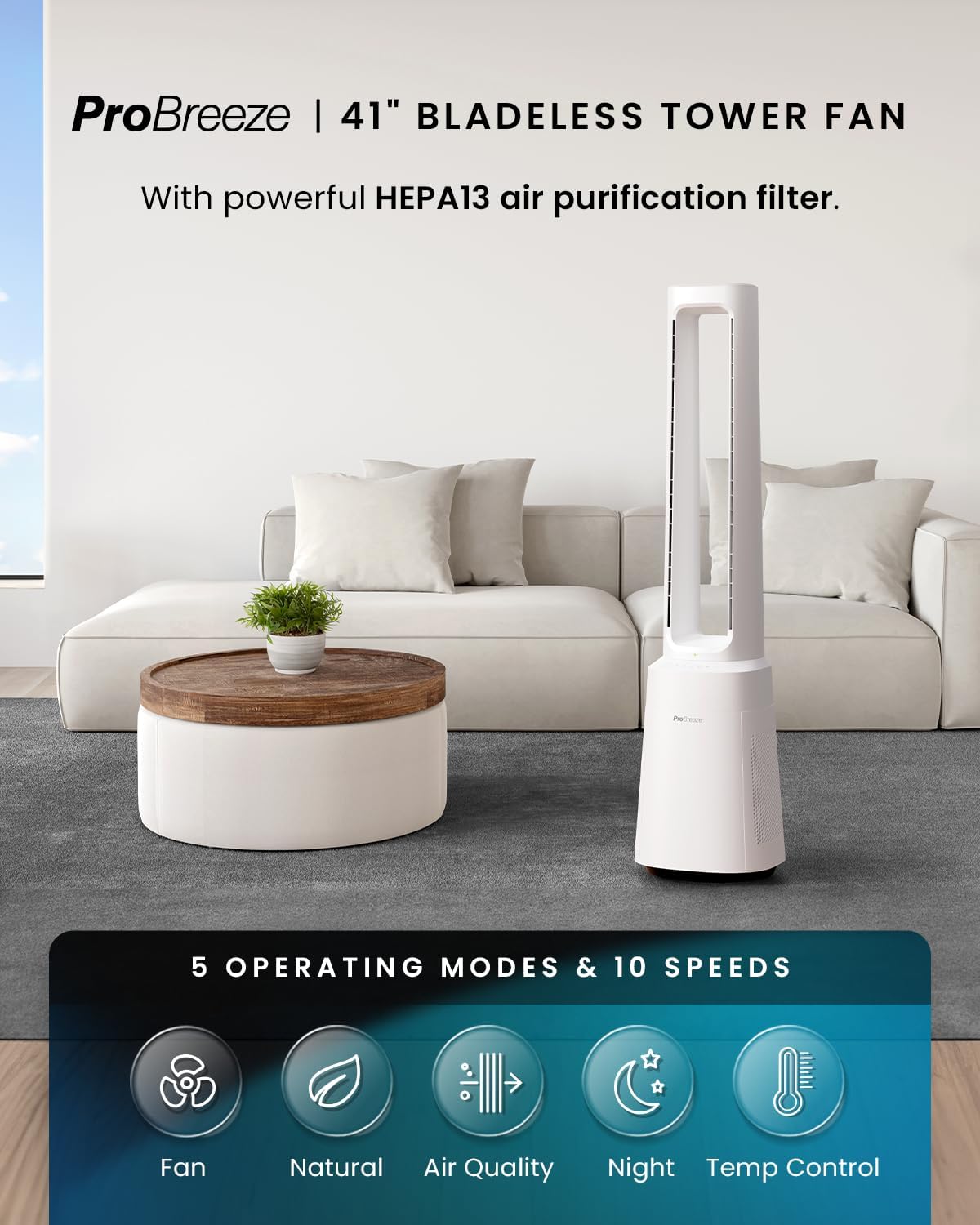
Image: The Pro Breeze OmniAir 41-inch Bladeless Tower Fan positioned in a living room. Below the fan, icons represent the five operating modes: Fan, Natural, Air Quality, Night, and Temp Control, indicating the fan's versatility.
4. Oszilazioa
Sakatu Oszilazio botoia (symbol of two arrows forming a circle) to activate or deactivate the 75° automatic oscillation, distributing cool air across a wider area.

Image: A diagram showing the Pro Breeze OmniAir 41-inch Bladeless Tower Fan in a room, with an arc indicating its 75-degree oscillation range, demonstrating its ability to distribute air widely.
5. Tenporizadorearen funtzioa
Sakatu Tenporizadorearen botoia (erloju baten sinboloa) to set the automatic shut-off timer for up to 7 hours. Each press increases the timer by one hour.

Image: The Pro Breeze OmniAir 41-inch Bladeless Tower Fan placed in a bedroom. A graphic below shows a 12-hour timer split between day and night, illustrating the fan's programmable shut-off feature for uninterrupted comfort.
6. Air Purification Function
The integrated HEPA 13 air purifier filter removes 99.99% of microparticles, including pet dander, bacteria, dust, and allergens. The fan features an air quality sensor that displays current air quality via a color-coded light (blue for excellent, green for good, yellow for ok, red for poor).
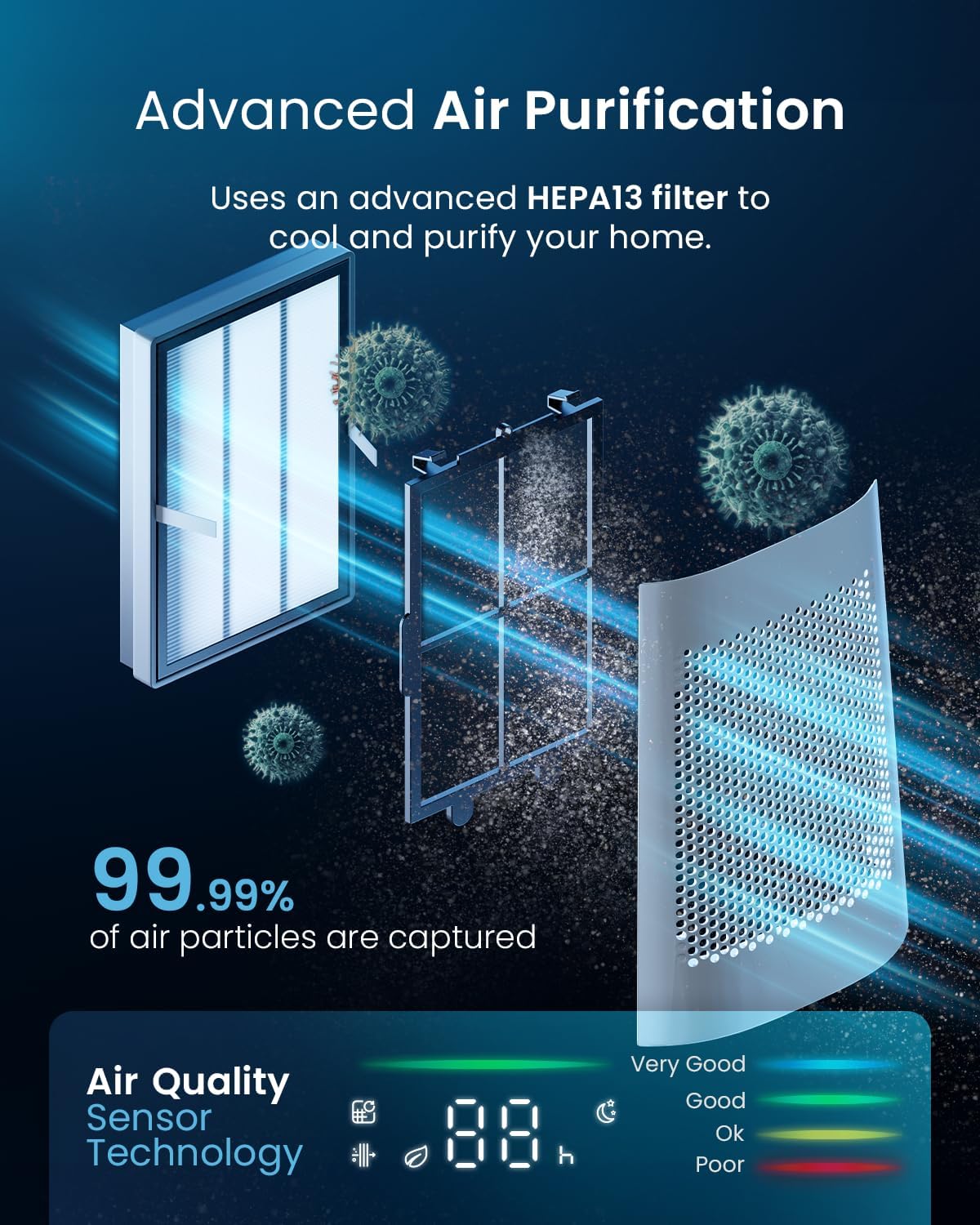
Image: A detailed diagram illustrating the advanced HEPA13 filter system within the Pro Breeze OmniAir 41-inch Bladeless Tower Fan, showing how it captures 99.99% of air particles. An air quality sensor display is also shown, indicating air quality levels.
Mantentzea
1. Kanpoaldea garbitzea
Garbitu aurretik, deskonektatu beti haizagailua entxufetik. Erabili eskuila leun eta lehorra.amp cloth to wipe the exterior surfaces. Do not use abrasive cleaners or solvents. The bladeless design makes cleaning easier and safer.
2. HEPA Filter Replacement
The HEPA 13 filter should be replaced periodically, depending on usage and air quality. Refer to the filter compartment for instructions on how to access and replace the filter. Replacement filters can be purchased from authorized Pro Breeze retailers.
3. Biltegiratzea
When storing the fan for extended periods, unplug it and clean it thoroughly. Store it in a cool, dry place, preferably in its original packaging, to protect it from dust and damage.
Arazoak konpontzea
| Arazoa | Kausa posiblea | Irtenbidea |
|---|---|---|
| Haizagailua ez da pizten. | Ez dago konektatuta; Entxufea ez dabil; Pizteko botoia ez da sakatu. | Ensure power cord is securely plugged into a working outlet. Press the Power button. |
| Aire fluxu ahula. | Fan speed too low; Air intake/output blocked; Filter needs cleaning/replacement. | Increase fan speed. Clear any obstructions. Check and clean/replace the HEPA filter. |
| Haizagailuak zarata ezohikoa egiten du. | Fan not on a level surface; Internal obstruction. | Place fan on a flat, stable surface. Unplug and check for any foreign objects inside the air vents. |
| Urruneko kontrola ez dabil. | Batteries dead/incorrectly inserted; Obstruction between remote and fan. | Replace batteries (ensure correct polarity). Ensure clear line of sight to the fan's receiver. |
| Air quality indicator always red/poor. | High particulate matter in the air; Sensor dirty; Filter needs replacement. | Ensure proper ventilation. Clean the air quality sensor (refer to maintenance). Replace HEPA filter. |
Zehaztapenak
| Marka | Pro Breeze |
| Modelo zenbakia | PB-F-22W |
| Produktuaren neurriak | 25.5 x 25.5 x 105.6 cm |
| Elementuaren pisua | 8.93 kg |
| liburukiatage | 120 Volt |
| Zarata maila (min) | 38 dB |
| Zarata-maila (gehienez) | 62 dB |
| Fan Abiadurak | 10 |
| Funtzionamendu moduak | 5 (Standard, Night, Natural, Auto, Max) |
| Oszilazio angelua | 75° |
| Tenporizadorea | Gehienez 7 ordu |
| Aire-iragazki mota | HEPA 13 |
Bermea eta Laguntza
Pro Breeze products come with a standard manufacturer's warranty. For detailed warranty information, product support, or to purchase replacement parts (such as HEPA filters), please visit the official Pro Breeze webwebgunean edo jarri harremanetan bere bezeroarentzako arreta zerbitzuarekin.
Informazio gehiago eta harremanetarako datuak aurki ditzakezu hemen: Pro Breeze Store on Amazon.