1. Sarrera
Eskerrik asko erosketagatik.asing the Ankilo Projection Alarm Clock. This device is designed to provide convenient timekeeping with a unique projection feature, allowing you to view the time on your ceiling or wall. It also includes an alarm, temperature display, and USB charging capabilities. Please read this manual carefully to ensure proper use and maintenance of your new alarm clock.
2. Segurtasun informazioa
- Ez jarri gailua tenperatura altuen, eguzki-argiaren eraginpean edo hezetasun handiaren eraginpean.
- Mantendu gailua uretatik edo beste likidoetatik urrun.
- Ez saiatu gailua zeuk desmuntatzen edo konpontzen. Mantendu mantentze-lan guztiak langile kualifikatuen esku.
- Erabili emandako USB kablea soilik energia lortzeko.
- The CR2032 battery is for backup only; the clock requires continuous USB power for full functionality.
3. Paketearen edukia

- 1 x Ankilo Projection Alarm Clock
- 1 x USB Power Cable (1.5m)
- 1 x CR2032 Memory Battery (pre-installed for backup)
- 1 x Erabiltzailearen eskuliburua
The image above shows the complete contents included in your Ankilo Projection Alarm Clock package. Please verify all items are present upon unboxing.
4. Produktua amaitu daview

This diagram illustrates the various buttons and ports on your Ankilo Projection Alarm Clock for easy identification and operation.
| Osagaia | Deskribapena |
|---|---|
| SNOOZE / ARGIA botoia | Press to snooze alarm or adjust display brightness. |
| PROJECT Button | Press to adjust projection brightness. |
| ALARMA botoia | Press to set or activate/deactivate alarm. |
| EZAR botoia | Press to enter time/date setting mode. |
| GORA botoia | Increase values during setting, or switch 12/24H format. |
| BEHERA Botoia | Decrease values during setting, or switch temperature unit. |
| L proiekzioaamp | Emits time projection onto surface. |
| Potentzia Portua | Connect USB power cable here. |
| CR2032 bateriaren konpartimentua | Houses the backup battery. |
| Hizlaria | Outputs alarm sound. |
5. Konfigurazioa
5.1 Gailua piztea
The Ankilo Projection Alarm Clock is primarily powered by a USB cable. Connect the provided USB cable to the power port on the back of the clock and plug the other end into a standard USB power adapter (not included) or a USB port.
Ohar garrantzitsua:
- The LED screen will only remain on when the USB power supply is connected.
- The included CR2032 battery serves as a backup to retain time and alarm settings during power outages, but it does not power the display or projection.
5.2 Hasierako ordua eta data ezartzea
- Eduki sakatuta EZARTU botoia 3 segundoz ordua ezartzeko moduan sartzeko. Orduko digituak keinuka hasiko dira.
- Erabili UP or BEHERA ordua doitzeko botoiak.
- Sakatu EZARTU berriro ordua berresteko eta minutuen ezarpenera joateko. Minutuen digituak keinuka hasiko dira.
- Erabili UP or BEHERA minutuak doitzeko botoiak.
- Sakatu EZARTU again to confirm the minute and move to year setting.
- Repeat the process using UP/BEHERA eta EZARTU to set the year, month, and day.
- After setting the day, press EZARTU azken aldiz ezarpen modutik irteteko.
6. Funtzionamendu-argibideak
6.1 Alarma ezartzea
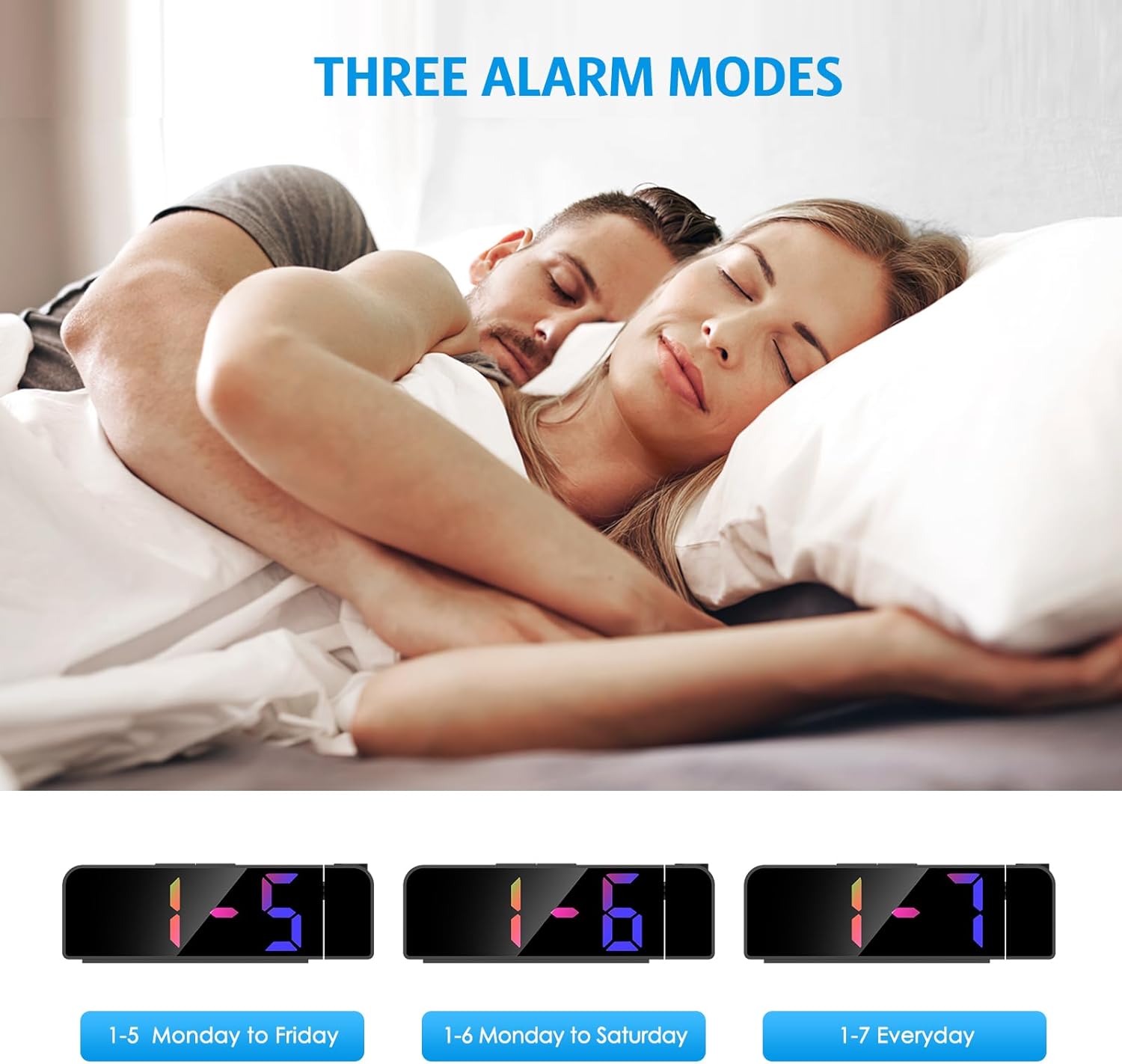
- Eduki sakatuta ALARMA botoia 3 segundoz. Alarmaren orduko digituak keinuka hasiko dira.
- Erabili UP or BEHERA botoiak nahi duzun alarmaren ordua ezartzeko.
- Sakatu ALARMA berriro ordua berresteko eta minutuen ezarpenera joateko.
- Erabili UP or BEHERA botoiak nahi duzun alarmaren minutua ezartzeko.
- Sakatu ALARMA berriro alarma modua hautatzeko:
- 1-5: Alarm sounds Monday to Friday.
- 1-6: Alarm sounds Monday to Saturday.
- 1-7: Alarm sounds Everyday.
- Sakatu ALARMA one last time to confirm and exit alarm setting mode.
The image above illustrates the three available alarm modes: weekdays, weekdays plus Saturday, and every day.
6.2 Snooze funtzioa

Alarma jotzen duenean, sakatu botoi handia SNOOZE / ARGIA button on the top of the clock to activate the snooze function. This will provide an additional 5 minutes of sleep before the alarm sounds again. You can repeat this process as needed.
The image highlights the prominent SNOOZE/LIGHT button, easily accessible for quick snooze activation.
6.3 Pantailaren distira doitzea

Sakatu SNOOZE / ARGIA button (short press) to cycle through 4 levels of display brightness: Bright, Medium, Low, and Off. Select the brightness level that best suits your environment.
This image demonstrates the four distinct brightness settings for the main LED display, from bright to completely off.
6.4 Adjusting Projection Brightness and Orientation

Sakatu PROIEKTUA button (short press) to cycle through 3 levels of projection brightness: Off, Dim, and Bright. The projection lamp can be rotated 180 degrees to project the time onto your ceiling or wall.
The image illustrates the projection feature, showing the clock projecting time onto a wall and the three available brightness levels for the projection.

Important Projection Orientation: The projection digits are only displayed correctly when the projection direction is towards the back of the alarm clock (away from the front display). If you project forward, the numbers will appear reversed. Ensure the projection is directed appropriately for correct readability.
This image clearly demonstrates the correct and incorrect projection orientations, emphasizing that projection should be directed backward for proper display.
6.5 Gaueko modua

The alarm clock features an automatic night mode. By default, the display brightness will automatically dim between 18:00 (6 PM) and 5:59 (5:59 AM). This time range can be adjusted to suit your preferences within the settings menu (refer to the full manual for advanced settings).
The image depicts the alarm clock operating in a low-light environment, showcasing the automatic dimming feature of the night mode.
6.6 12/24 orduko formatua

To switch between 12-hour and 24-hour time formats, short press the UP button during normal time display. The display will toggle between AM/PM indication (12-hour) and military time (24-hour).
This image visually compares the appearance of the time display in both 12-hour and 24-hour formats.
7. Mantentzea
To maintain your Ankilo Projection Alarm Clock, gently wipe the surface with a soft, dry cloth. Avoid using abrasive cleaners or solvents, as these may damage the finish or electronic components. Keep the projection lens clean for clear time display.
8. Arazoak
| Arazoa | Kausa posiblea | Irtenbidea |
|---|---|---|
| Pantaila itzalita edo ilun dago. | Not connected to USB power, or display brightness set to 'Off'. | Ensure USB cable is securely connected. Press SNOOZE / ARGIA distira doitzeko. |
| Projection numbers are reversed. | Proiekzioa lamp is facing forward. | Rotate the projection lamp 180 degrees so it projects towards the back of the clock. |
| Alarmak ez du jotzen. | Alarma ez dago ezarrita edo desaktibatuta dago. | Luze sakatu ALARMA to set the alarm time and mode. Ensure the alarm icon is visible on the display. |
| Ordua/ezarpenak berrezartzen dira energia itzaltzeantage. | CR2032 backup battery is dead or missing. | Replace the CR2032 battery in the battery compartment. |
| Proiekzioa lausoa da. | Projection lens is dirty or surface is too far/close. | Clean the projection lens with a soft cloth. Adjust the clock's distance from the projection surface (ideal 1.6ft-16ft). |
9. Zehaztapenak
| Ezaugarri | Xehetasuna |
|---|---|
| Marka | Ankilo |
| Modelo zenbakia | WA113B&C-MA06US-HY |
| Bistaratzeko mota | LED digitala |
| Bistaratzeko tamaina | 7.9 hazbetekoa |
| Produktuaren neurriak | 1.7"Z x 3.3"A |
| Energia iturria | Corded Electric (USB cable) |
| Backup Bateria | 1 x CR2032 (barne) |
| Ezaugarri bereziak | 180° Projection, Adjustable Brightness (Display & Projection), USB Charging Port, Night Mode, Temperature Display, Snooze Function, Multiple Alarm Modes (1-5, 1-6, 1-7) |
| Materiala | Metala |
| Elementuaren pisua | 6.7 ontza |
10. Bermea eta Laguntza

- Itzultzeko politika: Enjoy a 6-month return period from the date of purchase.
- Bermea: Your Ankilo Projection Alarm Clock is covered by a 24-month warranty against manufacturing defects.
- Bizi osorako laguntza: Ankilo is committed to providing lifetime technical support for this product.
The image above summarizes our commitment to customer satisfaction, including return policy, warranty, and ongoing support.
For any questions, troubleshooting assistance, or warranty claims, please contact Ankilo customer support through the platform where you purchased the product or visit our official webharremanetarako informazioa lortzeko gunea.


