1. Produktua amaitu daview
The Porodo Universal Wireless Remote & Mouse is a compact and versatile input device designed to combine the functionalities of a keyboard and a mouse. It offers convenient control for various devices, including Smart TVs, PCs, laptops, Android projectors, and more. This device features a full QWERTY keyboard, a multi-touch touchpad, and dedicated media control keys, all operating via 2.4GHz wireless technology or Bluetooth.
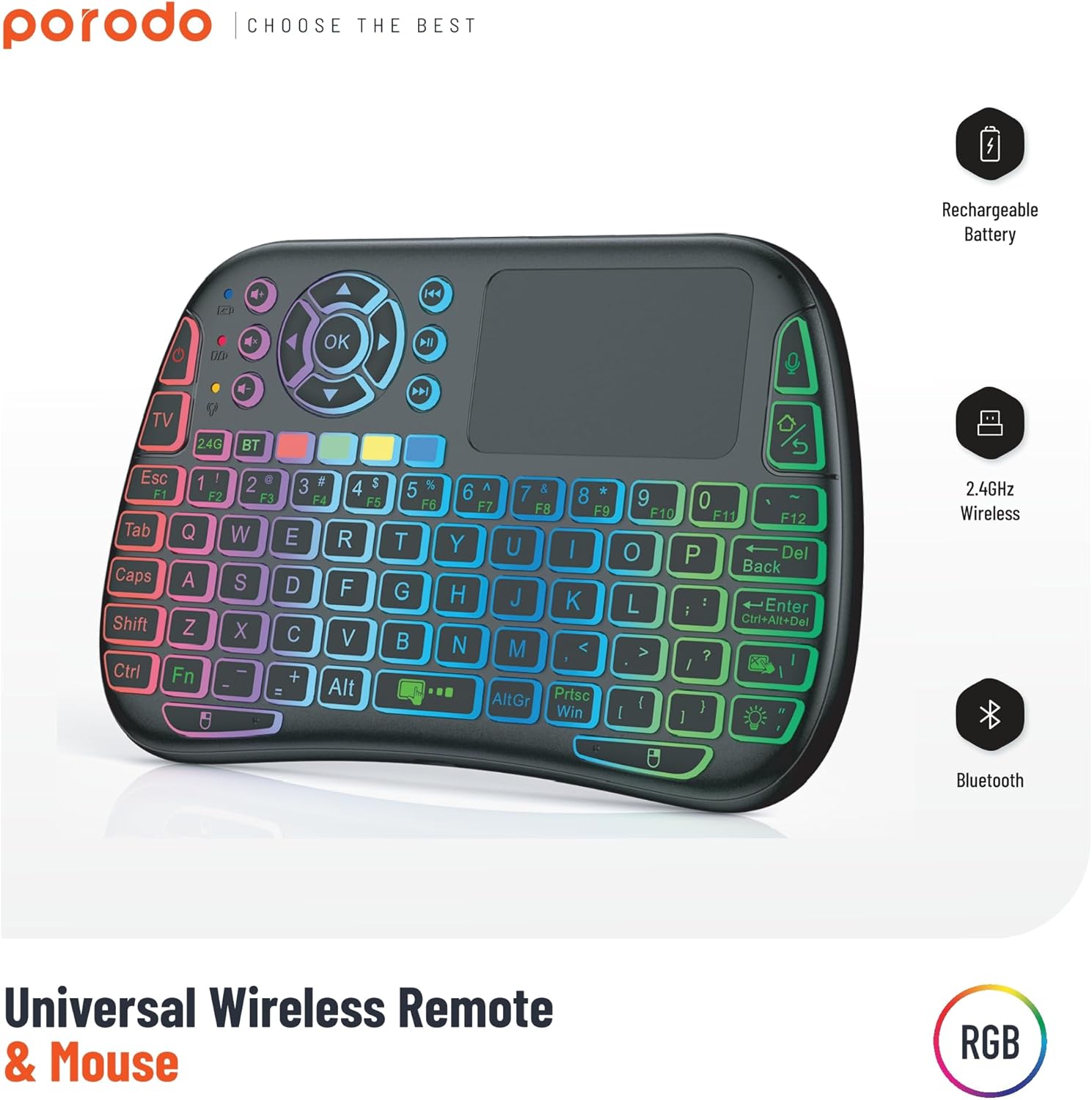
Image 1: The Porodo Universal Wireless Remote & Mouse, highlighting its RGB backlighting, rechargeable battery, 2.4GHz wireless, and Bluetooth connectivity.

2. irudia: Aurrealdea eta atzealdea views of the remote and mouse, illustrating its compatibility with various devices such as All-in-one PCs, Computers, Android Projectors, Smart TVs, HTPCs, PADs (OTG), Phones (OTG), and TV Boxes.
2. Konfigurazio gida
2.1 Paketearen edukia
- Porodo Universal Wireless Remote & Mouse
- USB Receiver (typically stored in the battery compartment)
- Kargatzeko kablea
- Erabiltzailearen eskuliburua
2.2 Gailua kargatzea
Before first use, ensure the device is fully charged. Connect the provided charging cable to the charging port on the remote and to a standard USB power source (e.g., computer USB port, USB wall adapter). The charging indicator light will illuminate during charging and turn off when fully charged.
2.3 Connecting the USB Receiver (2.4GHz Wireless Mode)
- Locate the USB receiver, usually found in the battery compartment of the remote.
- Insert the USB receiver into an available USB port on your target device (e.g., Smart TV, PC, Android box).
- Turn on the Porodo Remote & Mouse using the power switch. The device should automatically connect to the receiver.
- The device is plug-and-play; no additional drivers are typically required.
2.4 Connecting via Bluetooth (if applicable)
If your device supports Bluetooth connectivity, you can pair it directly without the USB receiver. Refer to your device's Bluetooth pairing instructions. On the Porodo Remote & Mouse, activate Bluetooth pairing mode (refer to specific key combinations in the operating section if available).

Image 3: The remote and mouse highlighting its dual connectivity options: 2.4 GHz wireless and Bluetooth.
3. Funtzionamendu-argibideak
3.1 Teklatuaren funtzionalitatea
- Idazketa: Erabili QWERTY diseinua testua idazteko.
- Funtzio-teklak (F1-F12): These keys often have secondary functions (e.g., media control, volume) accessible by pressing the 'Fn' key simultaneously.
- Atzeko argia: Some models feature RGB backlighting. Press the dedicated backlight key (often indicated by a light bulb icon) to cycle through colors or turn it on/off.
3.2 Touchpad Functionality
- Hatz bakarreko ukitu: Ezkerreko klik baten moduan funtzionatzen du.
- Bi hatzekin ukitzea: Eskuineko botoiarekin klik egitea bezala funtzionatzen du.
- Two-Finger Drag: For scrolling up/down or left/right.
- Hatz bakarreko arrastatzea: Moves the cursor on the screen.
- Dedicated Left/Right Click Buttons: Located below the touchpad for traditional mouse clicks.
3.3 Media Control Keys
Dedicated buttons for volume up/down, mute, play/pause, next/previous track are typically located above the touchpad or integrated into the function keys.
3.4 Voice Control (if applicable)
Some models may include a microphone for voice input. Press the dedicated microphone button to activate voice commands or search functions on compatible devices.
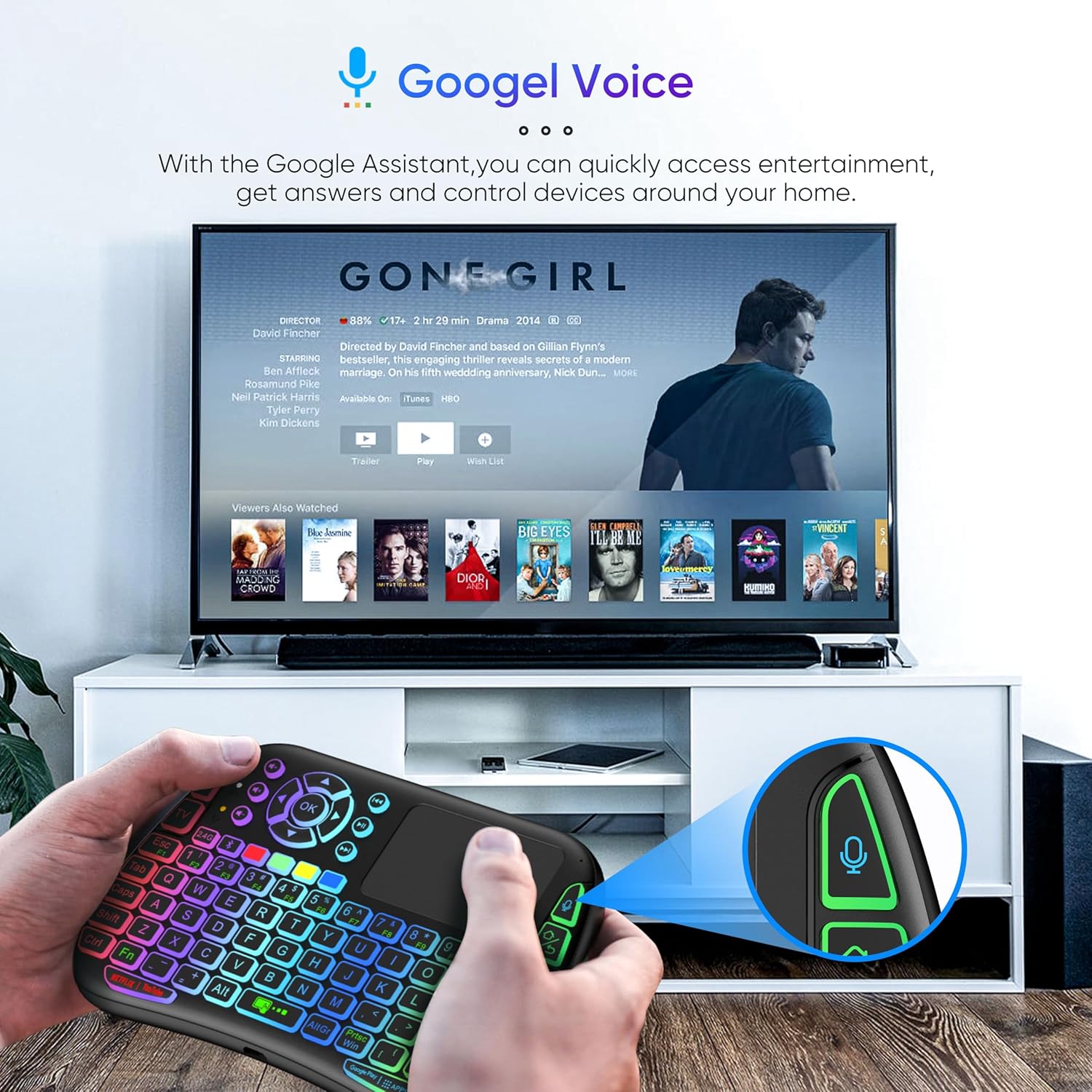
Image 4: The remote and mouse in use, demonstrating its Google Voice integration for controlling entertainment and accessing information on a connected TV.
3.5 Funtzionamendu-eremua
The device offers an extended operational range of up to 10 meters (approximately 33 feet), allowing flexible control from a comfortable distance.
1 bideoa: Produktuaren erakustaldi bideo batasing the features and ease of use of a similar wireless keyboard with touchpad. This video illustrates comfortable wireless control, long battery life, and plug-and-play connectivity.
4. Mantentzea
4.1 Garbiketa
To clean the device, use a soft, dry cloth. For stubborn dirt, slightly dampen the cloth with water or a mild cleaning solution. Avoid using harsh chemicals, abrasives, or solvents, as these can damage the surface.
4.2 Bateria zaintzea
- Recharge the device when the battery indicator is low to ensure continuous operation.
- Saihestu bateria maiz erabat deskargatzea, haren iraupena luzatzeko.
- If storing the device for an extended period, charge it to about 50% and store it in a cool, dry place.
4.3 Biltegiratzea
Store the device in a dry environment, away from extreme temperatures, direct sunlight, and high humidity. Keep it away from liquids and dust.
5. Arazoak
5.1 Gailuak ez du erantzuten
- Egiaztatu bateria: Ziurtatu gailua kargatuta dagoela. Konektatu energia-iturri batera eta saiatu berriro.
- Switch potentziala: Verify that the power switch on the device is in the 'ON' position.
- USB hargailua: For 2.4GHz mode, ensure the USB receiver is securely plugged into the target device's USB port. Try a different USB port.
- Berriro parekatzea: If using Bluetooth, try re-pairing the device with your host system.
- Interferentzia: Move the device closer to the receiver/host device and away from other wireless devices that might cause interference.
5.2 Touchpad or Keys Unresponsive
- Azalera garbia: Ensure the touchpad surface and keys are clean and free from debris.
- Berrabiarazi: Itzali gailua eta piztu berriro.
- Ostalari gailua: Restart the host device (PC, Smart TV, etc.).
5.3 Bateriaren iraupen laburra
- Karga osoa: Ziurtatu gailua guztiz kargatuta dagoela erabili aurretik.
- Atzeko argiaren erabilera: If your model has a backlight, frequent or continuous use will consume more battery. Turn it off when not needed.
- Lo automatikoa: The device is designed to enter sleep mode after a period of inactivity to save power. Waking it up should be quick.
6. Zehaztapenak
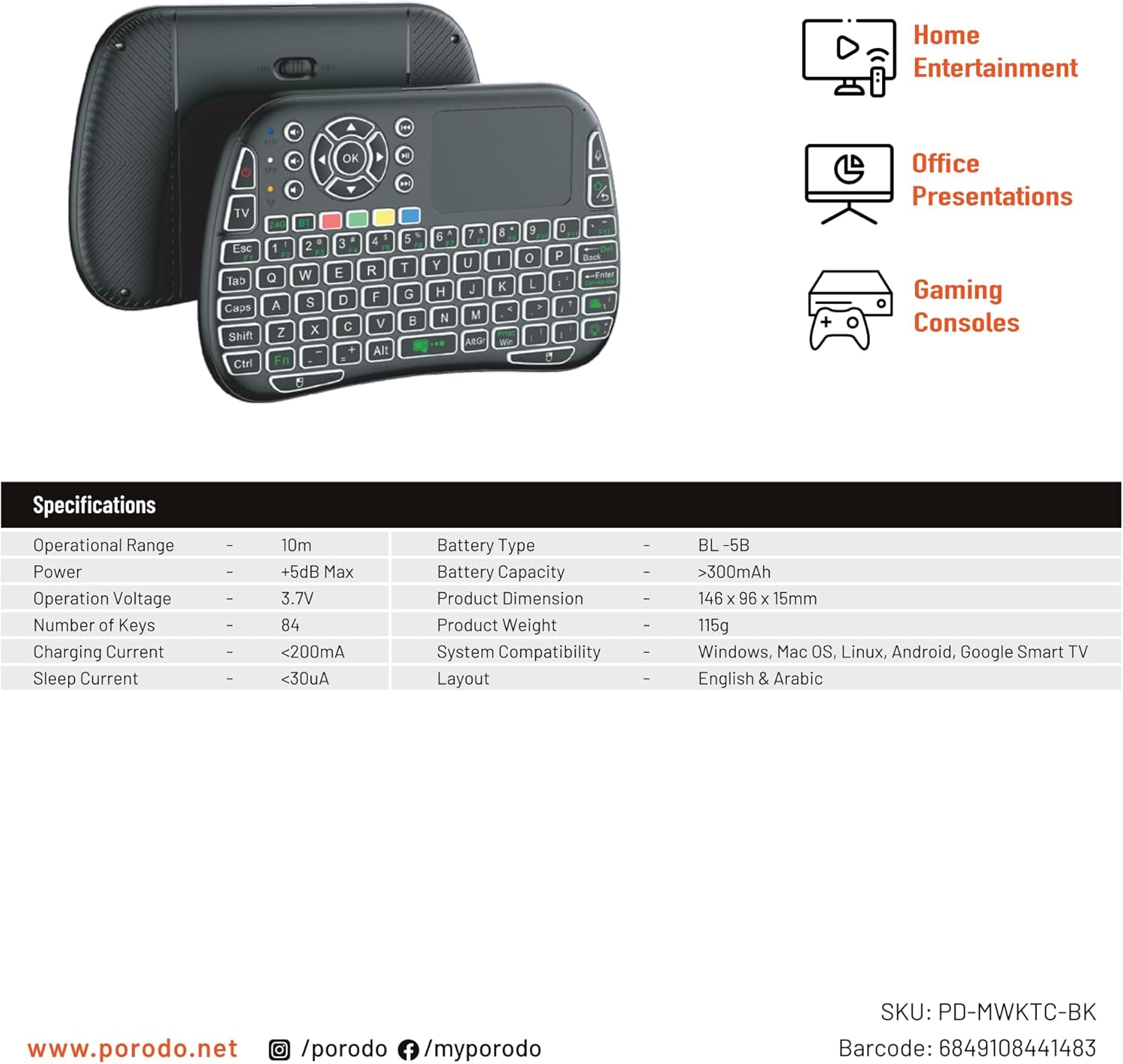
Image 5: The remote and mouse, illustrating its use for home entertainment, office presentations, and gaming consoles, alongside a table of detailed product specifications.
| Ezaugarri | Xehetasuna |
|---|---|
| Fabrikatzailea | Porodo |
| Modelo zenbakia | PD-MWKTC-BK (68491084488) |
| Produktuaren neurriak | 14.6 x 9.6 x 1.5 cm |
| Elementuaren pisua | 115 gramo |
| Kolorea | Beltza |
| Konektibitate Teknologia | Radio Frequency (2.4GHz) / Bluetooth |
| Ezaugarri Berezia | Programmable Buttons, Touchpad, Backlight |
| Gailu bateragarriak | Laptop, PC, Smart TV, Android Box, Projector |
| Teklatuaren deskribapena | Internal (Integrated) |
| Mugimenduak detektatzeko teknologia | Optikoa |
| Energia iturria | Bateriak (kargagarria) |
| Bateria Edukiera | > 300mAh |
| Eremu operatiboa | 10 m |
| Sistemaren bateragarritasuna | Windows, Mac OS, Linux, Android, Google Smart TV |
| Diseinua | English & Arabic |
7. Bermea eta Laguntza
For warranty information, technical support, or further assistance, please refer to the official Porodo webwebgunera edo jarri harremanetan bezeroarentzako arreta-zerbitzura zuzenean. Gorde erosketa-agiria erosketaren frogagiri gisa berme-erreklamazioetarako.


