1. Sarrera
Thank you for choosing the VIMTAG Light Bulb Security Camera Model 847. This device is designed to provide reliable surveillance for your home, offering 2.5K/4MP high-definition video, pan/tilt functionality, night vision, two-way audio, and smart detection features. This manual will guide you through the setup, operation, and maintenance of your camera to ensure optimal performance.
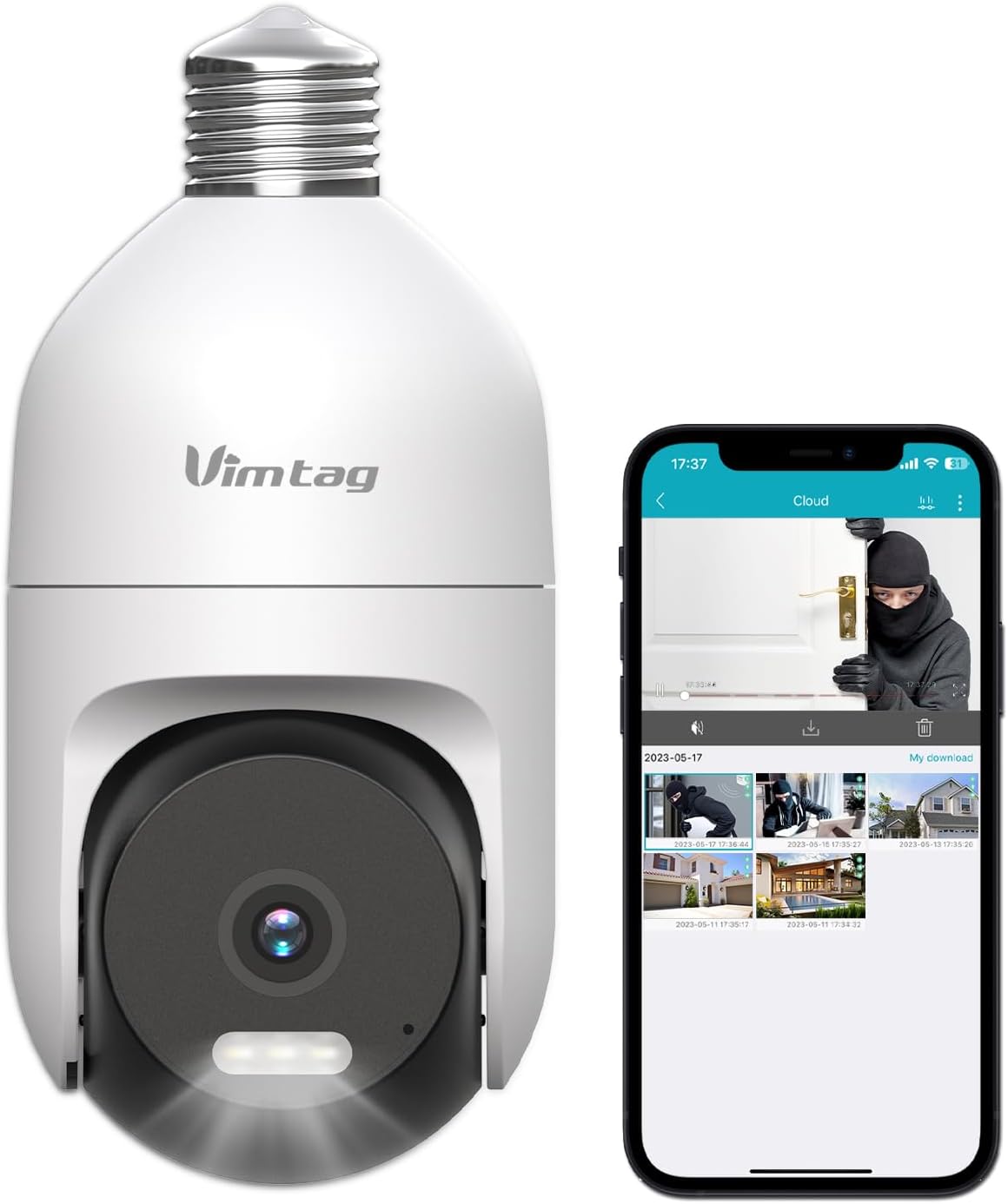
Image: The VIMTAG Light Bulb Security Camera Model 847, shown alongside a smartphone displaying its live feed.
2. Segurtasun informazioa
- Ensure the power is off before installing or removing the camera from a light socket.
- Install the camera in a standard E27/E26 light bulb socket.
- Ez jarri kamera bere funtzionamendu-eremutik kanpo dauden tenperatura edo hezetasun handien eraginpean.
- Mantendu kamera eremu magnetiko indartsuetatik urrun.
- Ez saiatu kamera zeuk desmuntatzen edo konpontzen. Jarri harremanetan bezeroarentzako arreta-zerbitzuarekin laguntza jasotzeko.
- This camera is rated IP66 for weather resistance, suitable for outdoor use, but avoid submerging it in water.
3. Paketearen edukia
The VIMTAG Light Bulb Security Camera package includes:
- VIMTAG Light Bulb Security Camera (Model 847)
- Argibide eskuliburua (dokumentu hau)
Note: An SD card for local storage is not included and must be purchased separately if desired.
4. Produktua amaitu daview
The VIMTAG Light Bulb Security Camera features a compact design that fits into a standard light bulb socket. Key components include:
- Kameraren lentea: Captures 2.5K/4MP video.
- LED infragorriak (IR): Gaueko zuri-beltzeko ikusmenerako.
- Fokua: Provides color night vision and acts as a deterrent.
- Mikrofonoa: Bi norabideko elkarrizketan audio sarrerarako eta soinua detektatzeko.
- Hizlaria: For audio output during two-way talk and siren alarms.
- Mikro SD txartelaren zirrikitua: Tokiko bideo biltegiratzerako (512 GB arteko edukiera onartzen du).
- Berrezarri botoia: Used for factory reset (usually a small pinhole).
- E27/E26 Base: Standard light bulb screw-in base for power and mounting.
5. Konfigurazioa
5.1 Instalazio fisikoa
- Itzali: Ensure the power to the light socket is turned off at the circuit breaker before installation.
- Torlojatu: Carefully screw the VIMTAG Light Bulb Camera into a standard E27/E26 light bulb socket. Ensure it is securely fastened.
- Piztu: Berrezarri argiaren entxufea korrontea. Kamera piztuko da eta abiarazteko sekuentzia hasiko da.

Image: Illustration of screwing the camera into a light bulb socket.
5.2 Aplikazioaren deskarga eta kontuaren sorrera
- Deskargatu aplikazioa: Bilatu "Vimtag" in your smartphone's app store (iOS App Store or Google Play Store) and download the official VIMTAG aplikazioa.
- Erregistratu kontua: Open the app and follow the on-screen instructions to register a new account using your email address or phone number.

Image: A smartphone screen showing the VIMTAG app icon, indicating the app download step.
5.3 Kameraren parekatzea eta Wi-Fi konexioa
- Gehitu gailua: In the VIMTAG app, tap the "+" icon (usually in the top right or center) to add a new device.
- Select Camera Type: Choose "Light Bulb Camera" from the list of device types.
- Follow In-App Prompts: The app will guide you through connecting the camera to your 2.4GHz Wi-Fi network. This typically involves scanning a QR code generated by the app with the camera lens or listening for an audio prompt.
- Konexioaren berrespena: Once connected, the camera will indicate successful pairing (e.g., a voice prompt or LED indicator change), and its live feed will appear in the app.

Image: A smartphone screen showing the process of adding a new device, specifically selecting the light bulb camera.

Image: A smartphone displaying the live video feed from the VIMTAG camera after successful setup.
6. Kameraren funtzionamendua
6.1 Bizi View eta Pan/Tilt kontrola
Once connected, open the VIMTAG aplikazioa eta hautatu zure kamera view the live feed. Use the on-screen controls to pan (horizontal 355°) and tilt (vertical 100°) the camera lens to adjust the viewing angle. The camera offers 8x digital zoom for closer inspection.

Image: Multiple devices (phone, tablet, laptop, desktop) displaying the live feed from the VIMTAG camera, illustrating multi-terminal viewing.
6.2 Bi norabideko audioa
The camera features a built-in microphone and speaker. Tap the microphone icon in the app to speak through the camera, and listen to audio from the camera's location. This allows for real-time communication with visitors or to deter intruders.

Image: A person speaking into a phone to communicate with a delivery person at the door via the VIMTAG camera's two-way audio.
6.3 Gaueko ikusmen moduak
Kamerak bi gaueko ikusmen modu onartzen ditu:
- IR gaueko ikuspegia: Defaults to black and white infrared vision in low light conditions.
- Color Night Vision with Spotlight: When the spotlight mode is activated (manually or via motion detection settings), the camera will switch to full-color night vision.
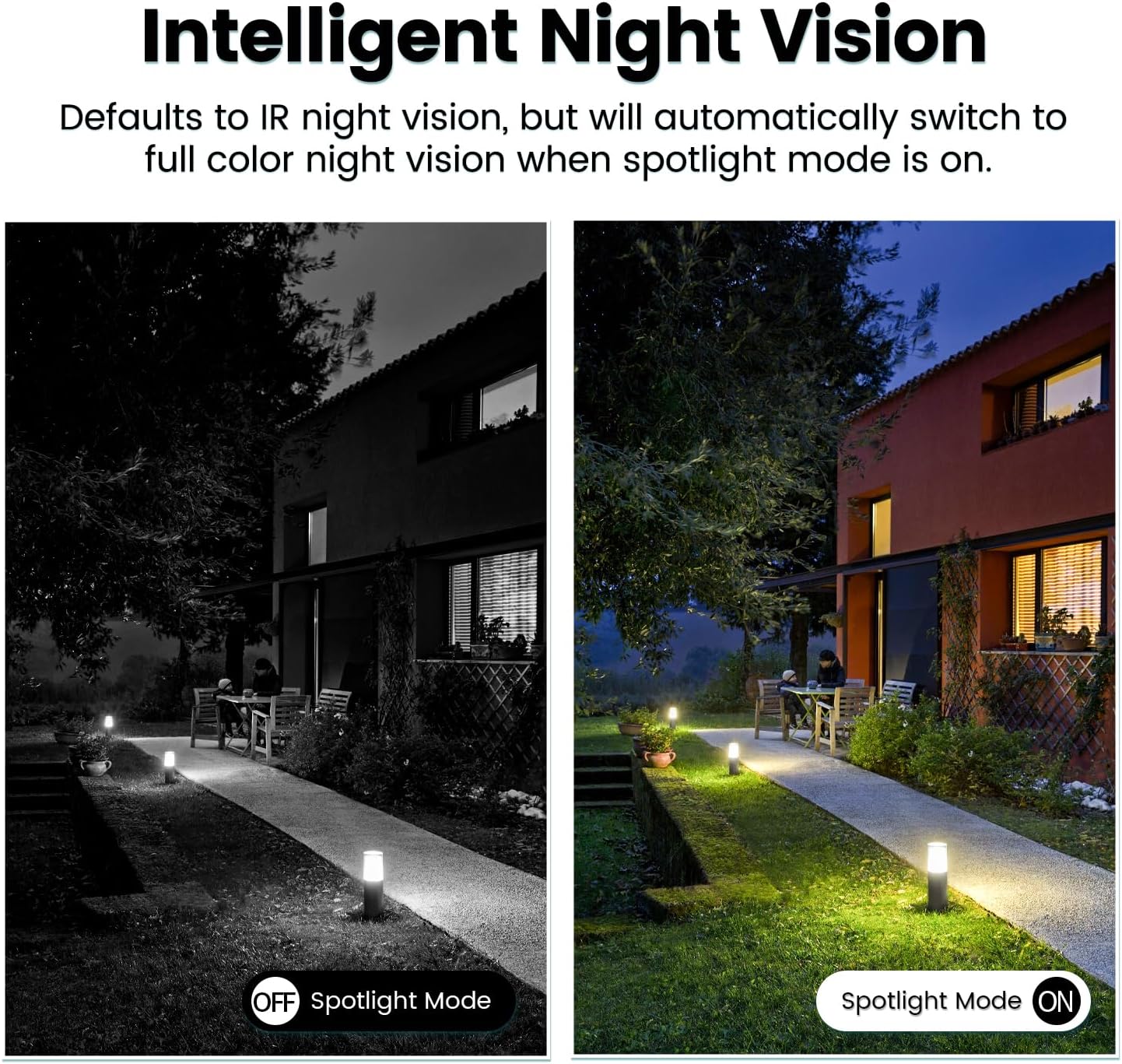
Image: Comparison of IR night vision (black and white, spotlight off) and color night vision (full color, spotlight on) from the VIMTAG kamera.
6.4 AI Human/Motion/Sound Detection and Alarms
Configure detection settings in the VIMTAG app. The camera can detect human shapes, general motion, and sounds. Upon detection, you will receive notifications on your phone, and the camera can trigger a siren alarm or activate its spotlight to deter unwanted activity.

Image: An illustration of the VIMTAG camera detecting an intruder, triggering a spotlight and sending an alert to a smartphone.

Image: A smartphone displaying a "Motion Detection Alert" notification from the VIMTAG aplikazioa.
6.5 Bideo grabaketa eta biltegiratzea
Kamerak bi biltegiratze aukera onartzen ditu:
- Tokiko biltegiratzea: Insert a Micro SD card (up to 512GB, not included) into the camera's SD card slot for continuous 24/7 recording. Recorded footage can be accessed and managed through the VIMTAG aplikazioa.
- Hodeiko biltegiratzea: An optional cloud storage service is available through the VIMTAG app for secure, encrypted video storage. Subscription details can be found within the app.
6.6 Alexa integrazioa
The VIMTAG camera is compatible with Amazon Alexa. To integrate:
- Enable the VIMTAG trebetasuna Alexa aplikazioan.
- Link your VIMTAG kontua.
- Ezagutu gailuak.
You can then use voice commands such as, "Alexa, show me the [camera name]" to view the live feed on compatible Alexa-enabled devices with screens (e.g., Echo Show).

Image: A person interacting with an Amazon Echo Show to view the VIMTAG camera feed using voice commands.
7. Mantentzea
- Garbiketa: Garbitu kameraren lentea eta gorputza oihal leun eta lehor batekin. Ez erabili produktu kimiko gogorrik edo garbitzaile urratzailerik.
- Firmware eguneraketak: Regularly check the VIMTAG app for available firmware updates. Keeping your camera's firmware updated ensures optimal performance, security, and access to new features.
- SD Txartela Kudeatzeko: SD txartel bat erabiltzen baduzu, aldizka berrituview eta egin babeskopia garrantzitsuen janariari buruztage. Format the SD card through the app if you experience recording issues or to clear old data.
8. Arazoak
| Arazoa | Kausa posiblea | Irtenbidea |
|---|---|---|
| Camera fails to power on. | No power to the light socket; camera not screwed in properly. | Check the light socket's power supply; ensure the camera is securely screwed in. |
| Ezin da wifira konektatu. | Incorrect Wi-Fi password; camera too far from router; 5GHz Wi-Fi network used. | Verify Wi-Fi password; move camera closer to router; ensure you are connecting to a 2.4GHz Wi-Fi network. |
| Bideoaren kalitate eskasa. | Wi-Fi seinale ahula; lente zikina. | Improve Wi-Fi signal strength; clean the camera lens. |
| Mugimendu-hautemateak ez du funtzionatzen. | Detection settings disabled or sensitivity too low; camera positioned incorrectly. | Check and adjust motion detection settings in the app; ensure camera has a clear view ingurukoa. |
| SD txartelak ez du grabatzen. | SD txartela beteta edo hondatuta; grabazio ezarpen okerrak. | Format the SD card via the app; check recording schedule and settings. Replace SD card if necessary. |
9. Zehaztapenak
| Ezaugarri | Xehetasuna |
|---|---|
| Ereduaren izena | 847 |
| Bideo Ebazpena | 2.5K / 4MP (1440p) |
| Panorama/Tilt barrutia | 355° horizontala, 100° bertikala |
| Zoom digitala | 8x |
| Gaueko Ikusmena | IR Night Vision & Color Night Vision with LED Spotlight |
| Bi norabideko audioa | Yes (Built-in Microphone & Speaker) |
| Detekzioa | AI Human, Motion, Sound Detection |
| Konektibitatea | 2.4 GHz-ko Wi-Fia (IEEE 802.11b/g/n) |
| Biltegiratze-aukerak | Micro SD Card (up to 512GB), Cloud Storage (optional subscription) |
| Energia iturria | Corded Electric (E27/E26 Light Bulb Socket) |
| Barruan/Kanpoan erabilera | Yes (IP66 Weatherproof) |
| Gailu bateragarriak | iOS, Android, Mac, iPad, Windows, Amazon Alexa |
| Neurriak (L x W x H) | 3.07 x 3.07 x 5.31 hazbete |
| Elementuaren pisua | 9.1 ontza |
| Fotograma-tasa | 25 fotograma segundoko |
| Bideo-kodeketa | H.264/H.265 |
10. Bermea eta Laguntza
VIMTAG products come with a standard manufacturer's warranty. For specific warranty terms and conditions, please refer to the warranty card included with your product or visit the official VIMTAG website. For technical support, troubleshooting assistance, or any product-related inquiries, please contact VIMTAG customer service through the VIMTAG app or their official webgunea.
Sareko baliabideak:
- VIMTAG Ofiziala Webgunea: Visit the VIMTAG Denda Amazonen
- In-App Support: Access support features directly within the VIMTAG mugikorretarako aplikazioa.


