1. Sarrera
Thank you for choosing the Kärcher AF 50 Signature Line Air Purifier. This device is designed to significantly improve the air quality in your indoor spaces by filtering out particles, allergens, and odors. Please read this manual carefully before operating the device to ensure safe and efficient use. Keep this manual for future reference.
2. Segurtasun-argibideak
- Deskonektatu beti energia-iturria garbiketa edo mantentze-lanak egin aurretik.
- Ez erabili gailua korronte-kablea edo entxufea hondatuta duela.
- Keep the air purifier away from water and moisture. Do not use it in bathrooms or other humid environments.
- Ziurtatu unitatearen inguruko aireztapen egokia dagoela; ez blokeatu aire-sarrerak edo irteerak.
- Tresna hau ez da gaitasun fisiko, sentsorial edo mental murriztua duten edo esperientzia eta ezagutza falta duten pertsonek (haurrak barne) erabiltzeko, baldin eta haien segurtasunaz arduratzen den pertsona batek gailuaren erabilerari buruz gainbegiratu edo jarraibiderik eman ez badu.
- Only use original Kärcher replacement filters.
3. Paketearen edukia
Egiaztatu elementu guztiak paketean daudela:
- Kärcher AF 50 Signature Line Air Purifier
- Integrated HEPA and Activated Carbon Filters (2 sets)
- Elikatze-kablea
- Erabiltzailearen eskuliburua
4. Produktua amaitu daview
The Kärcher AF 50 Signature Line Air Purifier is designed for effective air purification in rooms up to 100 m². It features a dual filtration system with HEPA and activated carbon filters, an intuitive display, and various operating modes.
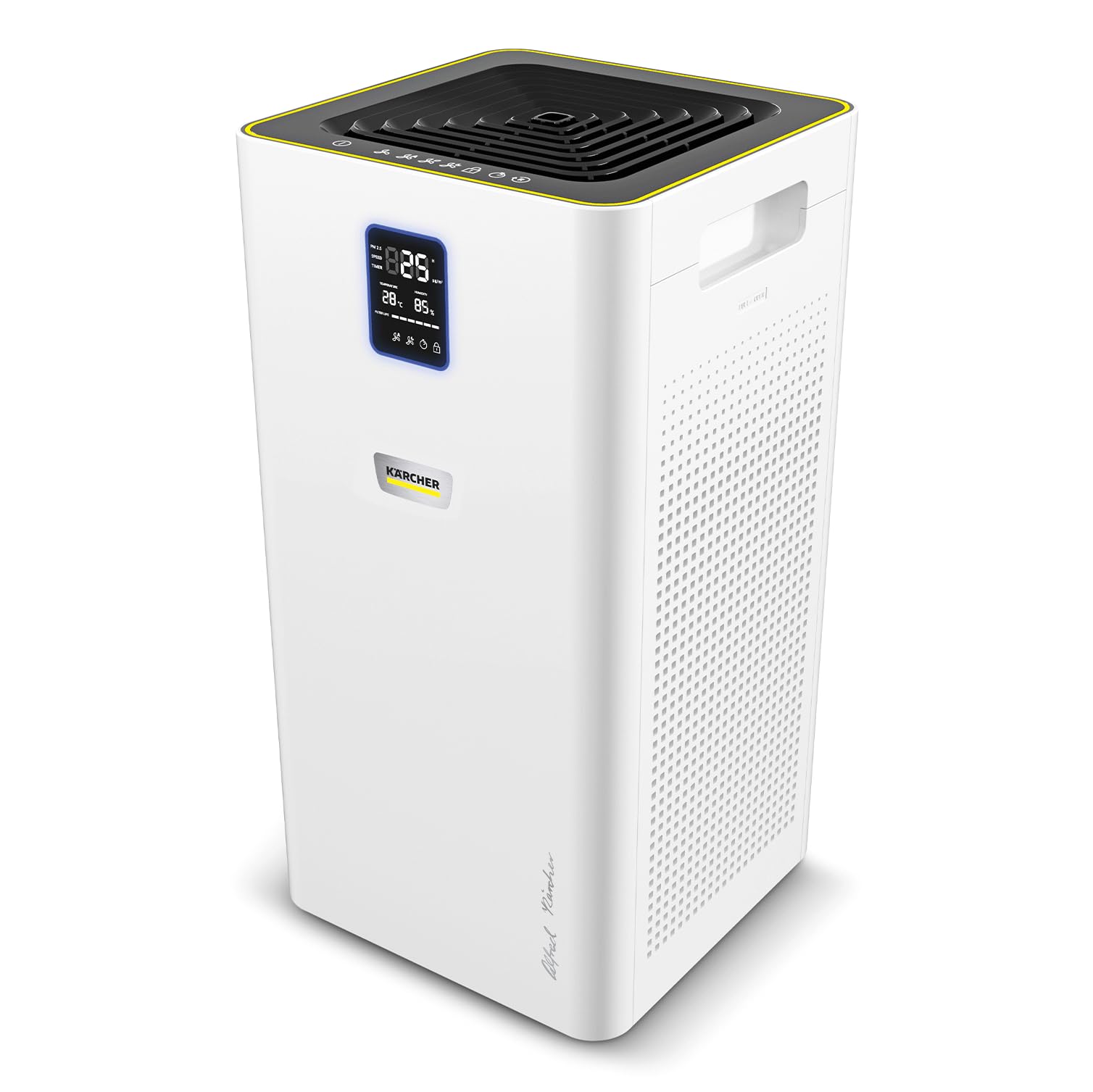
The Kärcher AF 50 Air Purifier in an office environment, demonstrating its compact design.

The AF 50 Signature Line air purifier effectively improves air quality in rooms up to 100 m².

The dual HEPA filters are designed to eliminate particles, allergens, pollen, and pathogenic agents from the air.

The integrated activated carbon layer within the filters effectively helps to reduce unpleasant odors.

The clear display provides real-time information on temperature, humidity, and current air quality levels.
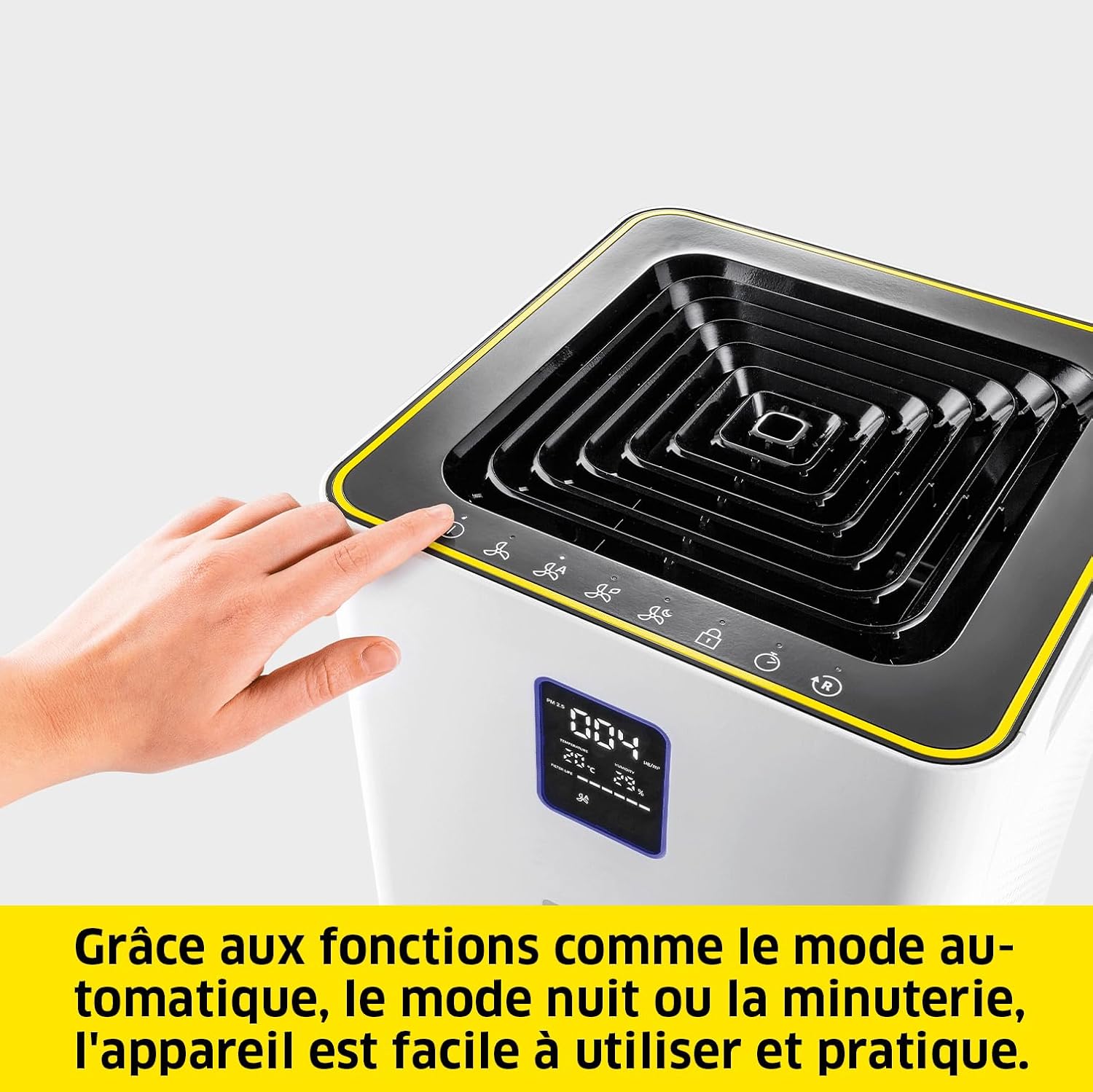
The device offers practical functions such as automatic mode, night mode, and a timer for convenient operation.
5. Konfigurazioa
- Despaketatzea: Carefully remove the air purifier and all accessories from the packaging. Retain packaging for future transport or storage.
- Iragazkien instalazioa: The filters are pre-installed. Ensure they are correctly seated and any protective packaging is removed before first use. Refer to Section 7 for detailed filter replacement instructions.
- Lekua: Place the air purifier on a flat, stable surface. Ensure there is at least 20 cm (8 inches) of clear space around all sides for optimal airflow. Avoid placing it directly against walls or furniture.
- Potentzia-konexioa: Plug the power cable into the power inlet on the back of the unit, then plug the other end into a suitable electrical outlet.
6. Funtzionamendu-argibideak
6.1 Kontrol-panela eta pantaila
The control panel is located on the top of the unit, and the display is on the front. The display shows real-time information such as temperature, humidity, and air quality. An LED ring around the display indicates air quality:
- Berdea: Airearen kalitate bikaina
- Urdina: Airearen kalitate ona
- Horiak: Airearen kalitate moderatua
- Gorria: Airearen kalitate txarra
6.2 Piztu/Itzali
Sakatu pizteko botoia (O/I) kontrol-panelean unitatea pizteko edo itzaltzeko.
6.3 Funtzionamendu moduak
- Modu automatikoa: Press the 'Auto' button. The integrated laser sensor continuously analyzes ambient air quality and adjusts the cleaning power accordingly.
- Eskuzko haizagailuaren abiadura: Press the 'Fan Speed' button to cycle through different fan speeds (e.g., Low, Medium, High).
- Gaueko modua: Press the 'Night' button. The unit operates at the lowest fan speed with reduced display brightness for quiet operation during sleep.
- Tenporizadorearen funtzioa: Press the 'Timer' button to set the operating duration (e.g., 1h, 2h, 4h, 8h). The unit will automatically turn off after the set time.
6.4 Haurrentzako blokeoa
To activate or deactivate the child lock, press and hold the 'Child Lock' button for a few seconds. This prevents accidental changes to settings.
7. Mantentzea
7.1 Iragazkia ordezkatzea
The HEPA and activated carbon filters should be replaced approximately every 8 to 12 months, depending on usage and air quality. The display will indicate when filter replacement is due.
- Itzali: Turn off and unplug the air purifier from the power outlet.
- Ireki iragazkiaren konpartimentua: Locate the filter access panel, usually on the side or back of the unit. Open it according to the markings.
- Kendu iragazki zaharrak: Carefully pull out the used filters. Dispose of them responsibly.
- Iragazki berriak instalatu: Insert the new Kärcher replacement filters, ensuring they are correctly oriented.
- Itxi konpartimentua: Itxi ondo iragazkiaren sarbide-panela.
- Berrezarri iragazkien adierazlea: Plug in the unit and power it on. Press and hold the 'Filter Reset' button (if available, or refer to specific icon on control panel) for a few seconds until the filter indicator resets.

The filter can be replaced in a few simple steps, ensuring continuous optimal performance.
7.2 Unitatea garbitzea
- Garbitu aire-arazgailuaren kanpoaldea leun batekin, damp oihal. Ez erabili garbitzaile edo disolbatzaile urratzailerik.
- Gently vacuum the air inlet and outlet grilles to remove dust accumulation.
8. Arazoak
| Arazoa | Kausa posiblea | Irtenbidea |
|---|---|---|
| Unitatea ez da pizten | Ez dago elikadura hornidurarik | Check if the power cable is securely plugged into the unit and the outlet. Test the outlet with another device. |
| Airearen arazketa-errendimendu eskasa | Clogged or old filters | Replace the filters as per Section 7.1. |
| Ezohiko zarata funtzionamenduan | Obstruction in fan or loose component | Turn off and unplug the unit. Check for any foreign objects in the air inlets/outlets. If the noise persists, contact customer support. |
| Airearen kalitatearen adierazlea beti gorria/horia | High pollution levels or sensor issue | Ensure the room is adequately ventilated. Clean the air quality sensor (refer to manufacturer's guidelines if specific cleaning is needed). If the issue persists, contact support. |
9. Zehaztapenak
| Ezaugarri | Zehaztapena |
|---|---|
| Marka | Karcher |
| Modelo zenbakia | 1.024-826.0 |
| Kolorea | Zuria |
| Produktuaren neurriak (L x W x H) | 29 x 29 x 58 cm |
| Elementuaren pisua | 10.27 kilogramo |
| Energia iturria | Kable elektrikoa |
| Kontrol-metodoa | Touch, Digital Buttons |
| Iragazki mota | HEPA, karbono aktibatua |
| Solairuaren Estaldura | Gehienez 100 m² |
| Air Delivery Rate (CADR) | 520 m³/h |
| Jatorrizko Herrialdea | Txina |
10. Bermea eta Laguntza
Kärcher products are manufactured to high-quality standards and come with a manufacturer's warranty. For detailed warranty information, including terms and conditions, please refer to the warranty card included with your product or visit the official Kärcher website. For technical support, spare parts, or service inquiries, please contact Kärcher customer service through their official channels.
You can find more information and support on the official Kärcher webgunea: www.kaercher.com