1. Sarrera
This manual provides detailed instructions for the installation, operation, and maintenance of your Alpine INE-W970HD Audio/Video/Navigation System and Alpine PXE-C80-88 OPTIM8 8-Channel Hi-Res DSP Amplifier. Please read this manual thoroughly before using the product to ensure proper and safe operation.
The Alpine INE-W970HD is an advanced in-dash unit compatible with Apple CarPlay and Android Auto, offering comprehensive audio, video, and navigation functionalities. The Alpine PXE-C80-88 OPTIM8 is a high-resolution digital sound processor amplifier designed to enhance your vehicle's audio system with precise sound tuning capabilities.
2. Segurtasun informazioa
Beti jarraitu segurtasun neurri hauek unitateari lesioak edo kalteak saihesteko:
- Do not operate the system in a way that distracts you from driving.
- Ensure proper wiring and connections to avoid electrical shorts or fire hazards.
- Instalaziorako, kontsultatu profesional bati urratsen bat zalantzan bazaude.
- Mantendu unitatea hezetasunetik eta muturreko tenperaturatik urrun.
3. Paketearen edukia
Egiaztatu elementu guztiak zure paketean daudela:
- Alpine INE-W970HD Audio/Video/Nav System
- Alpine PXE-C80-88 OPTIM8 8-Channel Hi-Res DSP Ampbiziagoa
- Kableatu arnesak
- Muntatzeko Hardwarea
- GPS Antenna (for INE-W970HD)
- USB luzapena kablea
- Erabiltzailearen eskuliburuak (dokumentu hau)

Image: The Alpine INE-W970HD head unit and the Alpine PXE-C80-88 DSP amplifier, showing both main components of the bundle.
4. Konfigurazioa eta instalazioa
Professional installation is highly recommended for these components. Incorrect wiring can cause damage to the units or your vehicle's electrical system.
4.1. INE-W970HD Installation
The INE-W970HD is designed for in-dash mounting. Ensure adequate space and proper ventilation.
- Prestaketa: Deskonektatu ibilgailuaren bateriaren terminal negatiboa edozein lan elektriko hasi aurretik.
- Muntaketa: Securely mount the INE-W970HD into the vehicle's double-DIN opening using the provided mounting brackets.
- Kableatua: Connect the main power harness, speaker wires, and other input/output cables (RCA, USB, HDMI, GPS antenna) as per the wiring diagram provided in the separate installation guide.
- Antena konexioa: Connect the GPS antenna and radio antenna. Position the GPS antenna in a location with a clear view zeruko.

Image: The Alpine INE-W970HD head unit displaying the Apple CarPlay interface, showing various app icons.
4.2. PXE-C80-88 OPTIM8 Installation
The PXE-C80-88 OPTIM8 should be mounted in a dry, well-ventilated area, such as under a seat or in the trunk.
- Muntatzeko kokapena: Choose a location that is protected from moisture and excessive heat, and allows for proper cable routing.
- Potentzia-konexioa: Connect the power and ground wires directly to the vehicle's battery, ensuring proper fusing.
- Sarrerako konexioak: Connect the audio input signals from the INE-W970HD (or other source) to the PXE-C80-88. This can be done via RCA or speaker-level inputs.
- Irteerako konexioak: Connect the speaker outputs from the PXE-C80-88 to your vehicle's speakers.

Irudia: Xehetasun zehatza view of the Alpine PXE-C80-88 OPTIM8 DSP amplifier, highlighting its compact design and connection ports.
5. Funtzionamendu-argibideak
5.1. INE-W970HD Basic Operation
- Piztu/Itzali: Press and hold the power button (usually located on the front panel) to turn the unit on or off.
- Bolumen kontrola: Use the rotary encoder or on-screen controls to adjust the volume.
- Iturburuaren hautaketa: Tap the "Source" icon on the touchscreen or use the physical buttons to select between Radio, USB, Bluetooth Audio, HDMI, Apple CarPlay, Android Auto, and other inputs.
- Nabigazioa: Access the built-in navigation system by tapping the "NAV" button. Enter destinations, view maps, and follow turn-by-turn directions.
- Apple CarPlay / Android Auto: Connect your compatible smartphone via USB. The system will automatically launch the respective interface, allowing access to phone functions, messaging, music, and navigation apps.

Image: The Alpine INE-W970HD head unit displaying the Android Auto interface, showing various app icons like Maps, Spotify, and YouTube Music.
5.2. PXE-C80-88 OPTIM8 Sound Tuning
The OPTIM8 offers advanced sound tuning capabilities. It can be configured via a PC application or an iOS app.
- Aplikazioaren konexioa: Connect your PC or iOS device to the PXE-C80-88 via USB or Bluetooth (if applicable).
- Sintonizazio automatikoa: Utilize the "5 Minute Self-Tuning" feature for quick and optimized sound calibration. This process uses a microphone (sold separately) to analyze your vehicle's acoustics.
- Eskuzko sintonizazioa: For advanced users, the PC App provides comprehensive control over equalization, crossovers, time correction, and level adjustments for each of the 8 channels.
- Aurrez ezarritako kudeaketa: Save and recall custom sound presets for different music genres or listening preferences.

Irudia: Goitik behera view of the Alpine PXE-C80-88 OPTIM8 DSP ampbizitzailea, erakustaldiaasing its sleek design and central branding.
6. Mantentzea
Regular maintenance ensures the longevity and optimal performance of your Alpine system.
- Pantaila garbitzea: Erabili zapi leun eta lehor bat ukipen-pantaila garbitzeko. Orban egoskorrak garbitzeko, garbitu apur batampen the cloth with water or a screen cleaner designed for electronics. Do not use abrasive cleaners.
- Software eguneraketak: Aldian-aldian egiaztatu Alpine website for firmware updates for both the INE-W970HD and PXE-C80-88. Updates can improve performance, add features, and fix bugs.
- Kable konexioak: Noizean behin, egiaztatu kable-konexio guztiak ondo finkatuta daudela eta korrosiorik gabe daudela ziurtatzeko.
- Aireztapena: Ensure that the PXE-C80-88's ventilation fins are not obstructed to prevent overheating.
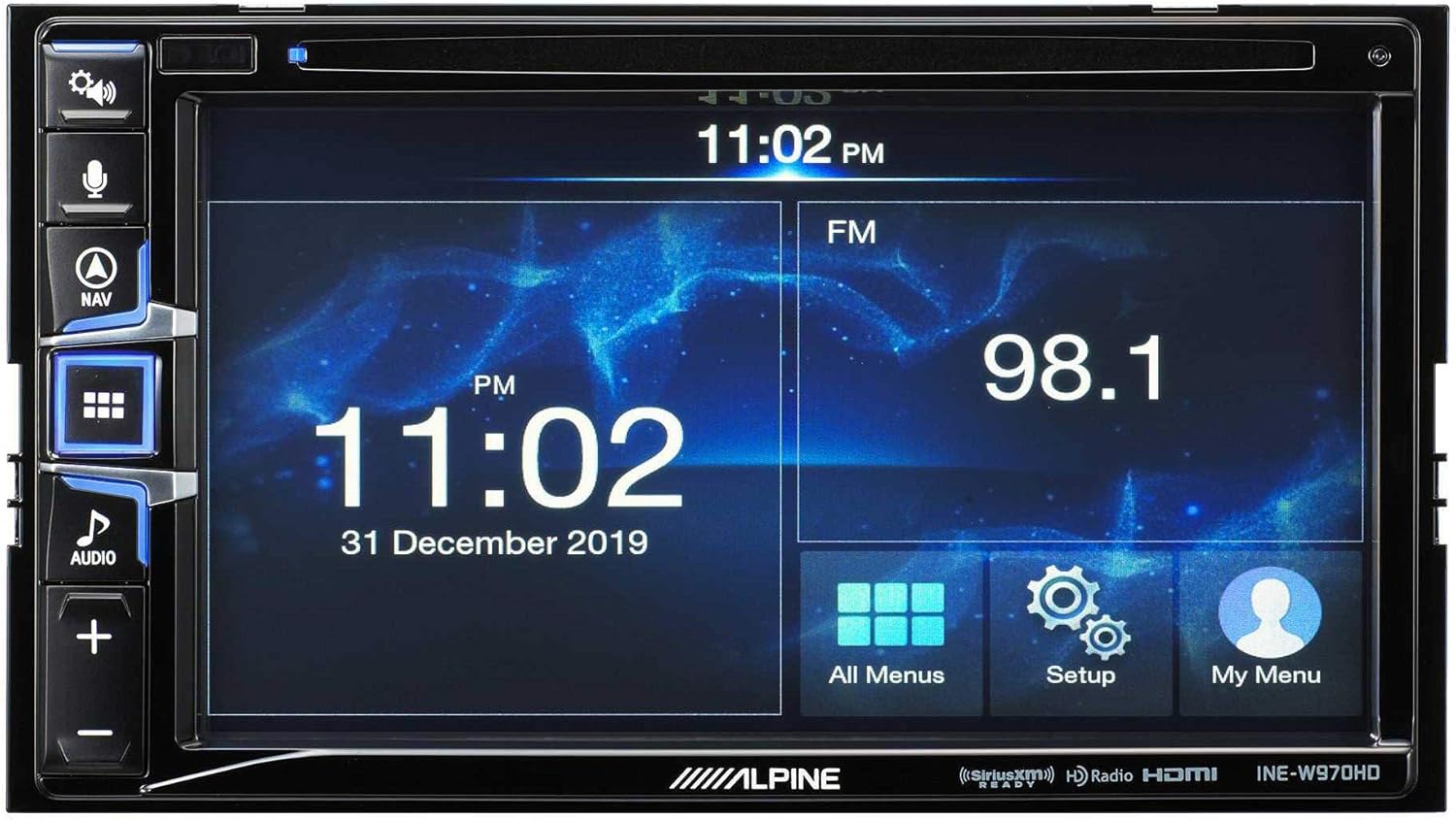
Image: The Alpine INE-W970HD head unit displaying the radio interface, showing frequency and time information.
7. Arazoak
Arazoak badituzu, jo ezazu honako arazo eta irtenbide ohikoenei:
| Arazoa | Kausa posiblea | Irtenbidea |
|---|---|---|
| Botererik ez | Blown fuse, loose power connection. | Check vehicle fuses and unit's inline fuse. Verify power and ground connections. |
| Soinurik ez | Muted, incorrect source, loose speaker wires, DSP not configured. | Check mute function. Select correct audio source. Verify speaker connections. Ensure PXE-C80-88 is properly configured via its app. |
| Navigation Not Working | GPS antenna not connected or obstructed. | Ensure GPS antenna is securely connected and has a clear view zeruko. |
| CarPlay/Android Auto ez da konektatzen | Faulty USB cable, phone not compatible, software glitch. | Try a different USB cable. Ensure your phone's OS is up to date. Restart both phone and head unit. |

Image: The Alpine INE-W970HD head unit displaying a navigation map with route information.
8. Zehaztapenak
8.1. Alpine INE-W970HD
- Pantaila: Ukipen-pantaila
- Konektibitatea: USB, HDMI, Ethernet, optical audio, component video, RCA
- Bateragarritasuna: Apple CarPlay, Android Auto
- Audio irteera modua: Estereoa, Inguratzailea
- Inguruko soinu-kanalaren konfigurazioa: 7.1
- Bideo Kodetzea: H.264, H.265/HEVC
8.2. Alpine PXE-C80-88 OPTIM8
- AmpKanalak: 8-Kanal
- Potentzia irteera: 50W x 6 @ 2Ω + 300W x 2 @ 2Ω
- Prozesatzea: Hi-Res Digital Sound Processor (96kHz/24Bit)
- sintonia: Automatic (5-minute self-tuning) & Manual via PC/iOS App

Irudia: Alde bat view of the Alpine PXE-C80-88 OPTIM8 DSP amplifier, showing its compact profile eta konexio puntuak.
9. Bermearen informazioa
Alpine products are covered by a limited warranty. Please refer to the warranty card included with your product or visit the official Alpine website for detailed terms and conditions. Typically, the warranty covers defects in materials and workmanship for a specified period from the date of purchase.
Gorde erosketaren frogagiria (ordainagiria), bermearen erreklamazioetarako beharrezkoa izango baita.
10. Bezeroarentzako arreta
For technical assistance, troubleshooting beyond this manual, or warranty inquiries, please contact Alpine customer support:
- Webgunea: Bisitatu www.alpine-usa.com/support maiz egiten diren galderen, softwarearen deskargak eta harremanetarako informazioa lortzeko.
- Telefonoa: Refer to the Alpine webbezeroarentzako arreta-zerbitzuko telefono-zenbaki eguneratuenen webgunea.
- Baimendutako saltzaileak: Your authorized Alpine dealer can also provide support and service.
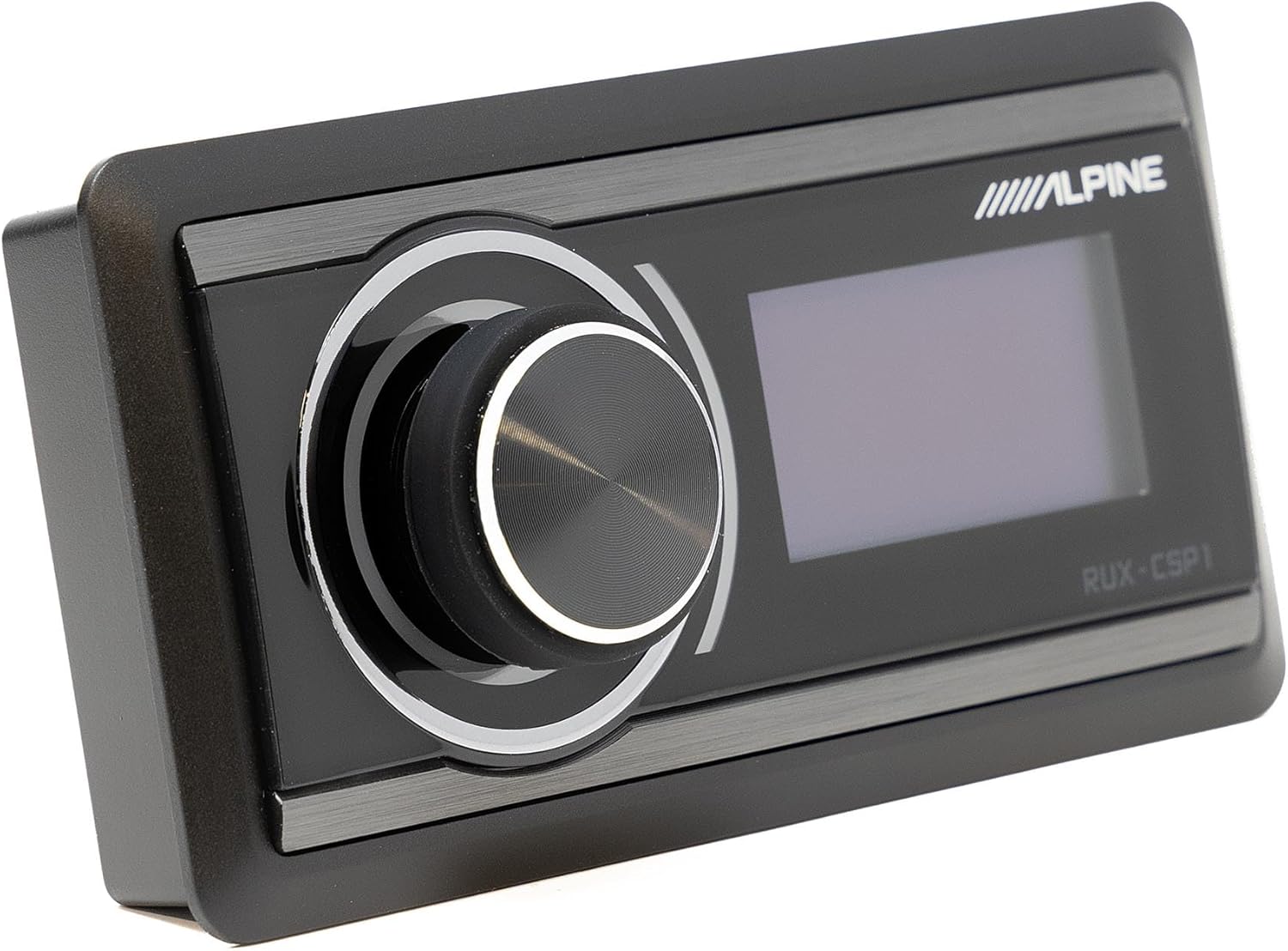
Image: The Alpine RUX-CSP1 remote control, an optional accessory for the DSP, featuring a rotary knob and display.


