1. Produktua amaitu daview
The ASUS ROG Ally is a powerful portable gaming handheld designed to deliver a console-like experience with the versatility of a Windows 11 PC. It features a 7-inch 120Hz touchscreen IPS display, an AMD Ryzen Z2 A processor, 16GB of LPDDR5X RAM, and a 512GB SSD, making it suitable for a wide range of PC games on the go.
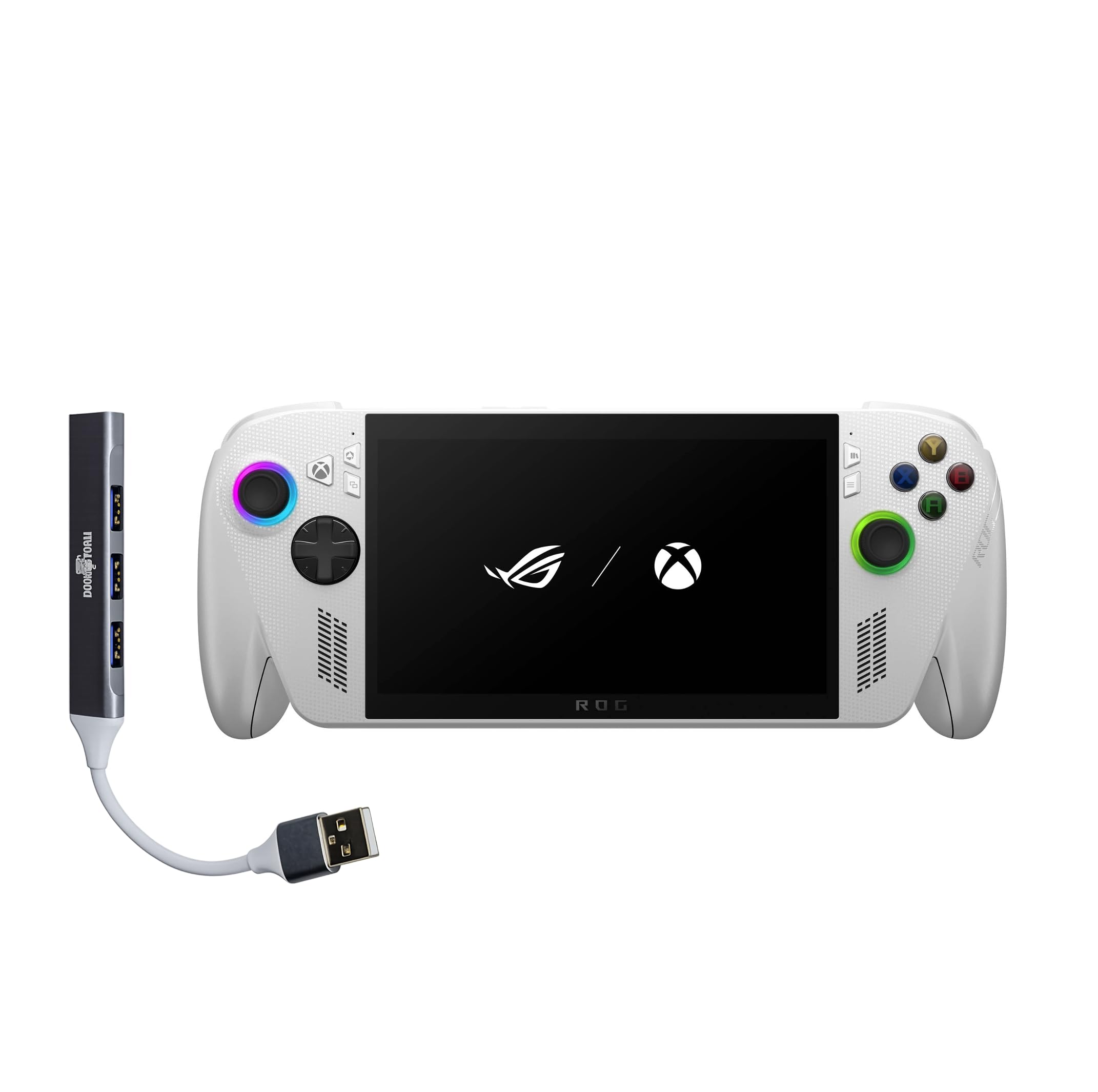
Figure 1: ASUS ROG Ally Gaming Handheld.
2. Zer dago kutxan
Upon unboxing your ASUS ROG Ally, ensure all components are present:
- ASUS ROG Ally Gaming Eskuko gailua
- Elikatze-moldagailua
- Dokumentazioa (Hasierako Gida Azkarra, Berme Txartela)

Figure 2: Included items in the ROG Ally package.
3. Gailuaren diseinua eta kontrolak
Familiarize yourself with the physical layout and controls of your ROG Ally for optimal gaming and navigation.
Aurrealdea View
- 7-inch IPS Touchscreen Display: Main interface for visuals and touch input.
- Ezkerreko Joystick: Mugimendurako eta nabigaziorako.
- D-Pad: Norabideko sarrera.
- Xbox botoia: Accesses Xbox Game Bar and other Xbox features.
- Eskuineko Joystick: For camera control and navigation.
- A/B/X/Y botoiak: Ekintza-botoi estandarrak.
- Aurrealdeko bozgorailuak: Audio irteera estereoa.

3. irudia: Aurrealdea view of the ROG Ally, highlighting the display and primary controls.
Goiena View
- Power Button/Fingerprint Scanner: Powers the device on/off and provides secure login.
- 3.5 mm-ko audio-konexioa: Entzungailuak edo kanpoko audio gailuak konektatzeko.
- MicroSD txartelaren zirrikitua: Biltegiratze zabalgarrirako.
- Bero-hautsak: For cooling the internal components.
- Bolumena igo / jaitsi botoiak: Audioaren bolumena doitzen du.
- LED adierazlea: Displays device status (e.g., charging, power on).
- USB-C atakak (x2): For charging, data transfer, and external device connectivity (one supports Thunderbolt).
- R1/R2/L1/L2 Buttons: Shoulder and trigger buttons for gaming.

4. irudia: Goikoa view of the ROG Ally, showing various ports and buttons.
Atzekoa View
- Rear Grips: Contoured for comfortable handling during extended play sessions.
- Rear Vents: Additional ventilation for cooling.

5. Irudia: Atzealdea view of the ROG Ally, highlighting ergonomic grips.
4. Konfigurazioa
Hasierako piztea eta Windows 11 konfigurazioa
- Connect the power adapter to the ROG Ally and a power outlet.
- Eduki sakatuta Pizteko botoia until the device powers on.
- Follow the on-screen instructions to complete the Windows 11 Home setup, including language, region, and network settings.
- Set up your Microsoft account and create a user profile.
Wi-Fira konektatzen
During the initial Windows setup, you will be prompted to connect to a Wi-Fi network. If you need to connect later:
- Sakatu Sarearen ikonoa ataza-barran.
- Hautatu nahi duzun Wi-Fi sarea zerrendatik.
- Sareko pasahitza idatzi behar baduzu eta sakatu Konektatu.
Fingerprint Sensor Setup
For secure and quick login, set up the integrated fingerprint sensor:
- Joan zaitez Ezarpenak > Kontuak > Saioa hasteko aukerak.
- Hautatu Hatz-markak hautematea (Windows Hello) and follow the on-screen instructions to register your fingerprint.
5. Operating Your ROG Ally
Joko Esperientzia
The ROG Ally provides a versatile gaming experience, allowing access to various platforms.
- Xbox Game Bar Integration: Launch Game Bar with a tap of the Xbox button to access game-related features, social interactions, and performance monitoring.
- Game Libraries: Play titles natively from platforms like Xbox Game Pass, Steam, Epic Games, and other Windows game stores.
- Bistaratzeko Ezaugarriak: The 7-inch 120Hz display with FreeSync Premium variable refresh rate ensures smooth gameplay and reduces screen tearing. With 500 nits of brightness, the display offers vivid and immersive visuals.

Figure 6: The 7-inch 1080p 120Hz display provides ultra-smooth graphics.
Errendimendu moduak
The ROG Ally is powered by an ultra-efficient AMD Ryzen Z2 A processor, offering console-caliber performance. You can adjust performance modes through the Armoury Crate SE software to balance power consumption and gaming fidelity.

Figure 7: The AMD Ryzen Z2 A processor ensures powerful performance.
Baterien kudeaketa
The device features a 60Whrs battery for extended gaming sessions. It supports fast charging, allowing you to reach 50% charge from 0% in approximately 30 minutes.

Figure 8: The 60Wh battery provides longer playtime.
6. Zehaztapenak
| Ezaugarri | Xehetasuna |
|---|---|
| Plataforma | Windows 11 Home |
| Prozesadorea | AMD Ryzen Z2 A |
| Grafikoak | AMD RDNA 2 Graphics |
| Bistaratzea | 7" 120Hz Touchscreen IPS Display, 1080p, 500 nits, Gorilla Glass |
| Memoria | 16GB LPDDR5X 6400MHz RAM |
| Biltegiratzea | 512GB PCIe Gen4 M.2 2280 SSD (Upgradable) |
| Haririk gabeko konexioa | Wi-Fi 6E MT7922, Bluetooth 5.4 |
| Sarrera gailua | Gamepad, Fingerprint Sensor |
| Bateria | 60Whrs |
| Kolorea | Zuria |
| Elementuaren pisua | 1.47 lb (gutxi gorabehera 2 libra) |
7. Mantentzea
Zainketa eta Garbiketa Orokorrak
- Use a soft, dry cloth to clean the device's exterior.
- For the screen, use a microfiber cloth specifically designed for electronics. Avoid harsh chemicals.
- Keep the device away from liquids, excessive dust, and extreme temperatures.
Software eguneraketak
Regularly check for and install Windows 11 updates to ensure optimal performance, security, and compatibility with the latest games and applications.
- Joan zaitez Ezarpenak > Windows eguneratzea.
- Egin klik Egiaztatu eguneratzeak eta instalatu eskuragarri dauden eguneratzeak.
8. Arazoak
Ohiko arazoak eta irtenbideak
- Gailua gainberotzea: Ensure the device's air vents are not blocked. Avoid placing it on soft surfaces like blankets during use. Consider adjusting performance modes to a lower setting if prolonged high-intensity gaming causes excessive heat.
- Bateriaren iraupen laburra: Battery life can vary significantly based on game intensity and performance settings. For longer sessions, keep the device plugged into the power adapter. Adjusting screen brightness and performance modes can also extend battery life.
- Game Compatibility/Performance: Ensure your Windows 11 and graphics drivers are up to date. Adjust in-game graphics settings to match the device's capabilities for optimal performance.
- Kontrolek ez dute erantzuten: Restart the device. Check for any software conflicts or driver issues.
9. Produktuen bideoak
ROG Xbox Ally X Review
1. bideoa: Berrikuspen zehatzaview of the ROG Xbox Ally X, showcasing its features, design, and performance. This video provides an in-depth look at the device's capabilities and user experience.
Amazingly Powerful Mobile Device
Video 2: A user's perspective on the ROG Ally, highlighting its portability, power, and suitability for various gaming titles, including PC games and emulators.
10. Bermea eta Laguntza
For warranty information, technical support, or service inquiries, please refer to the official ASUS support channels. The product typically includes a manufacturer's warranty, details of which can be found in the documentation provided with your device or on the official ASUS webgunea.
- Lineako laguntza: Visit the official ASUS support website for FAQs, driver downloads, and troubleshooting guides.
- Jarri harremanetan laguntzarekin: Refer to your product documentation for regional contact numbers for technical assistance.


