1. Sarrera
The ProtoArc XKM03 is an ergonomic, foldable Bluetooth keyboard and mouse combo designed for portability and comfortable use across various devices. This manual provides instructions for setup, operation, maintenance, and troubleshooting to ensure optimal performance.

Image: The ProtoArc XKM03 foldable keyboard, ergonomic mouse, and protective carrying case.
Ezaugarri nagusiak:
- Diseinu ergonomiko zatitua: The keyboard features a V-shape with a 166-degree angle and split keyset to promote a natural typing posture and reduce wrist strain.
- Ultra-Slim and Foldable: The keyboard folds for compact storage and portability, with automatic power on/off upon unfolding/folding.
- Sagu ergonomikoa: The wireless mouse is designed with a contoured shape for palm and thumb support, reducing wrist discomfort. It offers adjustable DPI settings up to 2400.
- Gailu anitzeko konexioa: Connects to up to three Bluetooth devices simultaneously, allowing for easy switching between them.
- Bateragarritasun zabala: Compatible with Mac OS, iOS, Android, and Windows operating systems on iPads, iPhones, tablets, cellphones, and laptops.
2. Paketearen edukia
- ProtoArc XKM03 Foldable Bluetooth Keyboard
- ProtoArc Ergonomic Bluetooth Mouse
- USB-C kargatzeko kablea
- Erabiltzailearen eskuliburua
- Eramateko zorroa
3. Konfigurazioa eta konexioa
3.1 Gailuak kargatzea
Before initial use, fully charge both the keyboard and the mouse using the provided USB-C charging cable. The charging port for the keyboard is typically located on the side or back edge. The mouse charging port is usually on the front edge.
- Karga osoak 2 ordu behar ditu gutxi gorabehera.
- The keyboard has a standby time of up to 250 hours on a full charge.
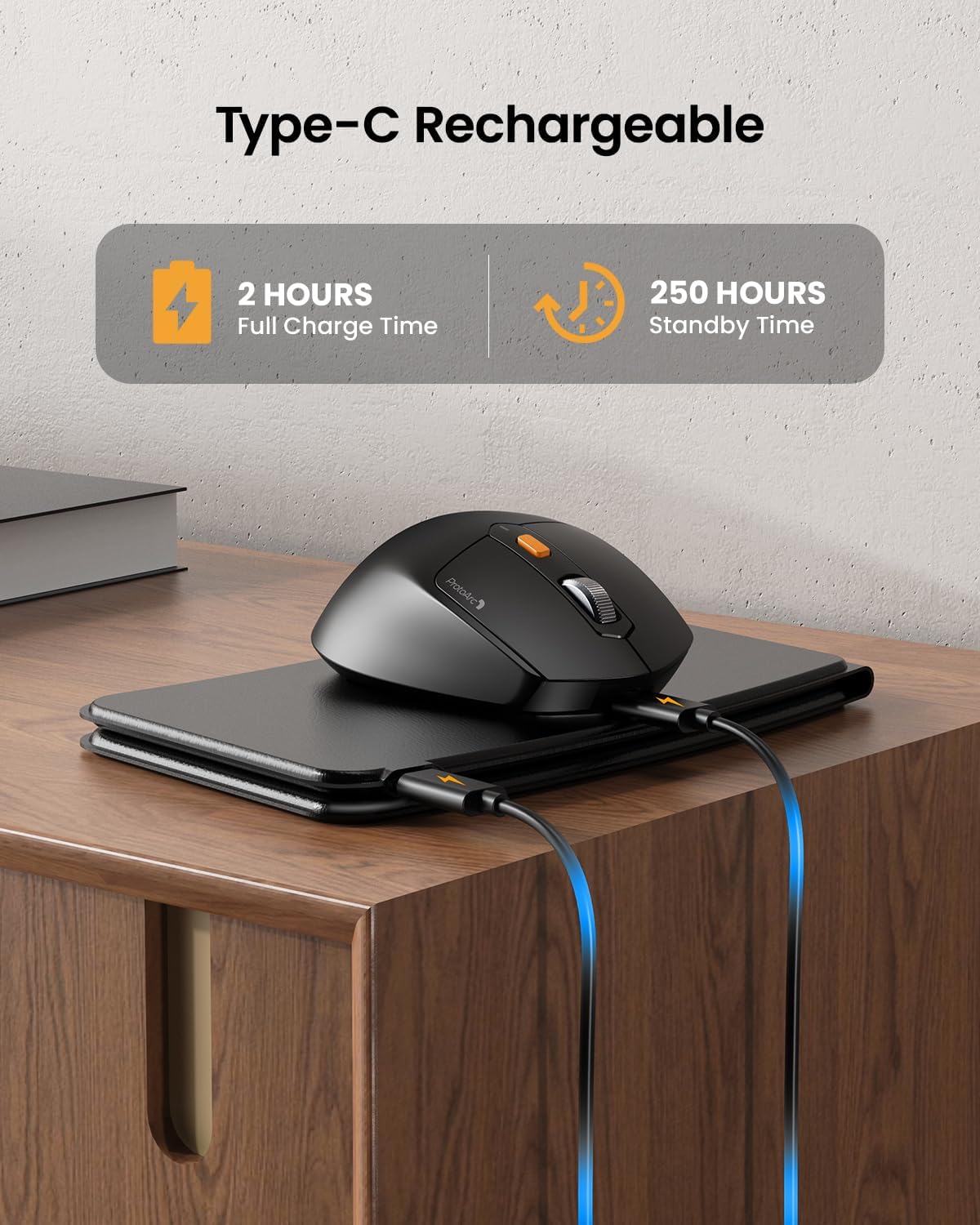
Image: The keyboard and mouse connected to power via USB-C cables for charging.
3.2 Keyboard Bluetooth Pairing
- Unfold the keyboard. This action automatically powers on the keyboard.
- Eduki sakatuta Fn tekla eta Bluetooth kanalaren tekletako bat (BT1, BT2, edo BT3) 3-5 segundoz dagokion adierazle-argia azkar keinuka hasi arte. Horrek adierazten du teklatua parekatze moduan dagoela.
- On your device (iPad, tablet, iPhone, laptop), go to Bluetooth settings and search for available devices.
- Hautatu "ProtoArc XKM03 Keyboard"zerrendatik.
- Behin konektatuta, adierazle-argia keinuka utziko du eta segundo batzuetan finko egongo da itzali aurretik.
3.3 Mouse Bluetooth Pairing
- Piztu sagua azpialdean dagoen etengailua erabiliz.
- Press the Bluetooth pairing button (usually on the underside or top near the scroll wheel) for 3-5 seconds until the indicator light flashes rapidly.
- Zure gailuan, joan Bluetooth ezarpenetara eta bilatu eskuragarri dauden gailuak.
- Hautatu "ProtoArc XKM03 Mouse"zerrendatik.
- Behin konektatuta, adierazle-argia keinuka geldituko da.

Image: The keyboard and mouse wirelessly connected to a laptop, tablet, and smartphone, illustrating multi-device capability.
4. Funtzionamendu-argibideak
4.1 Teklatuaren erabilera
The XKM03 keyboard features an ergonomic split design for comfortable typing. An initial adaptation period may be required to become accustomed to the layout.

Image: A user's hands positioned on the V-shaped split keyboard, demonstrating the ergonomic design.
Pizte/Itzali automatikoa:
- Ireki teklatua pizteko.
- Fold the keyboard to power it off.
- The keyboard also features magnetic closure to prevent accidental unfolding.
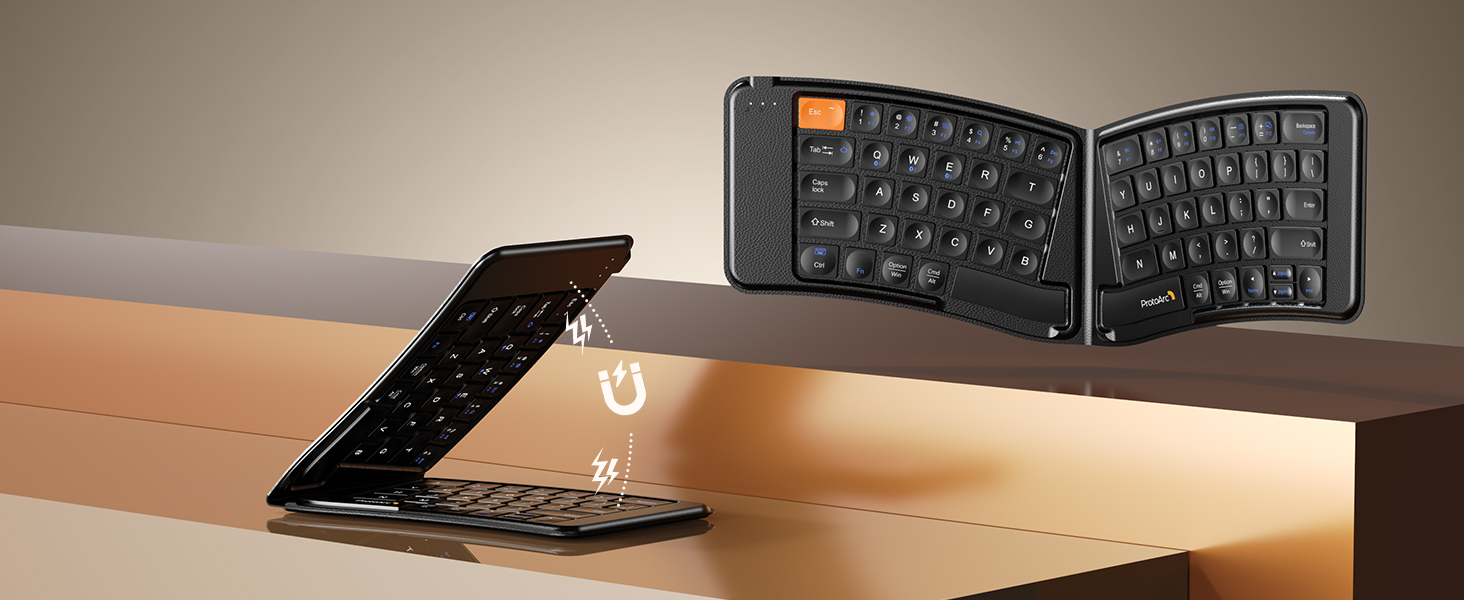
Image: The keyboard shown in both folded and unfolded states, highlighting its magnetic closure mechanism.
4.2 Gailuen artean aldatzea
To switch between paired Bluetooth devices, simply press the Fn tekla dagokion Bluetooth kanalaren teklarekin batera (BT1, BT2, edo BT3) that your desired device is paired to.
4.3 Multimedia funtzio-teklak
The keyboard includes multimedia function keys. Refer to the keycap legends for specific functions (e.g., volume control, media playback).
- Sakatu F1-F10 directly to access number 1-0.
- Sakatu Fn+F1-F12 to activate multimedia functions.
- Sakatu Shift + F1-F12 to input symbols like !, @, #.
- Sakatu Fn + Shift + F1-F12 to access F1-F12 functions.
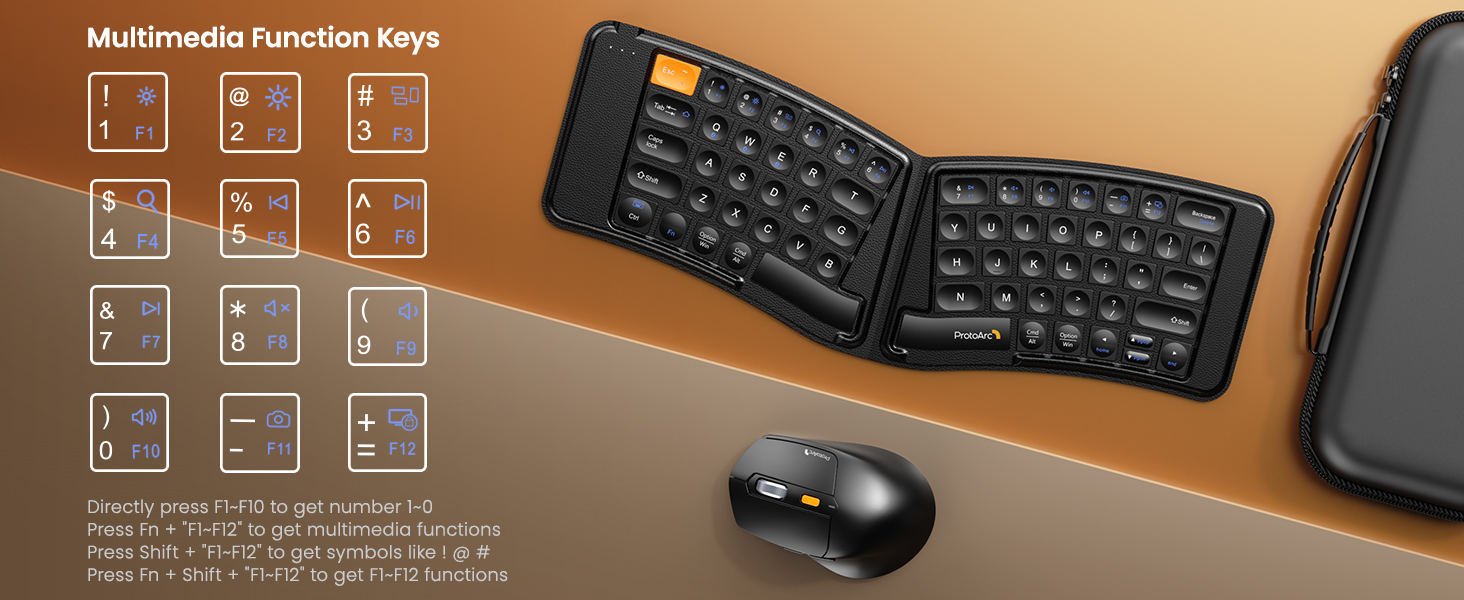
Image: A visual guide to the multimedia function keys and their combinations on the keyboard.
4.4 Saguaren erabilera
The ergonomic mouse provides comfortable navigation. It features adjustable DPI settings and additional navigation buttons.
- DPI doikuntza: Press the DPI button (usually located behind the scroll wheel) to cycle through different sensitivity levels (e.g., 800, 1200, 1600, 2400 DPI).
- Aurrera/Atzera botoiak: Erabili alboko botoiak nabigazio azkarra lortzeko web nabigatzaileak edo file esploratzaileak.

Image: Diagram illustrating the adjustable DPI settings of the mouse.

Image: Diagram showing the location of the forward and backward buttons on the mouse.
5. Mantentzea eta Zainketa
- Garbiketa: Erabili zapi leun eta lehor bat teklatua eta sagua garbitzeko. Zikinkeria egoskorra bada, garbitu zapi pixka bat.amp xaboi leun batekin oihal bat erabil daiteke, likidorik gailuetan sartzen ez dela ziurtatuz.
- Biltegiratzea: When not in use, fold the keyboard and store both devices in the provided carrying case to protect them from dust and damage.
- Kargatzen: Recharge the devices when the battery indicator light shows low power. Avoid prolonged exposure to extreme temperatures.
- Materiala: The keyboard features a wear-resistant PU leather exterior.

Irudia: Gertutik view of the keyboard's surface, highlighting the PU leather material.
6. Arazoak
| Arazoa | Kausa posiblea | Irtenbidea |
|---|---|---|
| Teklatua/sagua ez da Bluetooth bidez konektatzen. | Low battery; not in pairing mode; device's Bluetooth is off; interference. |
|
| Keyboard/Mouse frequently disconnects. | Low battery; too far from host device; interference. |
|
| Saguaren kurtsorea irregularra da edo ez du erantzuten. | Low battery; dirty sensor; unsuitable surface; incorrect DPI setting. |
|
| Keyboard keys are not responding. | Low battery; keyboard not powered on; connection issue. |
|
7. Zehaztapenak
| Ezaugarri | Xehetasuna |
|---|---|
| Modelo zenbakia | XKM03 |
| Marka | ProtoArc |
| Konektibitatea | Bluetooth (up to 3 devices) |
| Teklatuaren diseinua | Ergonomic Split, Foldable |
| Saguaren DPI ezarpenak | 800, 1200, 1600, 2400 |
| Kargatzeko ataka | USB-C |
| Karga osoa denbora | Gutxi gorabehera. 2 ordu |
| Egonean Denbora | Gutxi gorabehera. 250 ordu |
| OS bateragarria | Mac OS, iOS, Android, Windows |
| Dimensions (Folded Keyboard) | Gutxi gorabehera. 7.68 x 5.62 x 0.5 hazbete |
| Elementuaren pisua | 1.96 kilo (konbinazioa) |

Image: Diagram showing the folded dimensions of the keyboard.
8. Bermea eta Laguntza
For warranty information and technical support, please refer to the official ProtoArc webwebgunean edo jarri harremanetan bezeroarentzako arreta-zerbitzuarekin zuzenean. Harremanetarako datuak normalean produktuaren ontzian edo fabrikatzailearen eskuliburuan aurkitzen dira. webgunea.
Fabrikatzailea: ProtoArc


