Sarrera
This manual provides comprehensive instructions for the ASWEE P4 Smart Watch, a versatile fitness tracker with call capabilities, a 1.85" TFT display, and various health monitoring features. Please read this manual thoroughly before using your device.
Kutxan dagoena
- ASWEE P4 Smart Watch
- Kargatzeko kablea
- Erabiltzailearen eskuliburua
Produktua amaituview
The ASWEE P4 Smart Watch features a rectangular 1.85-inch TFT-LCD display with a 240x280 resolution. It includes a physical button on the side for navigation and interaction. The watch is designed for comfortable wear and easy access to its functions.
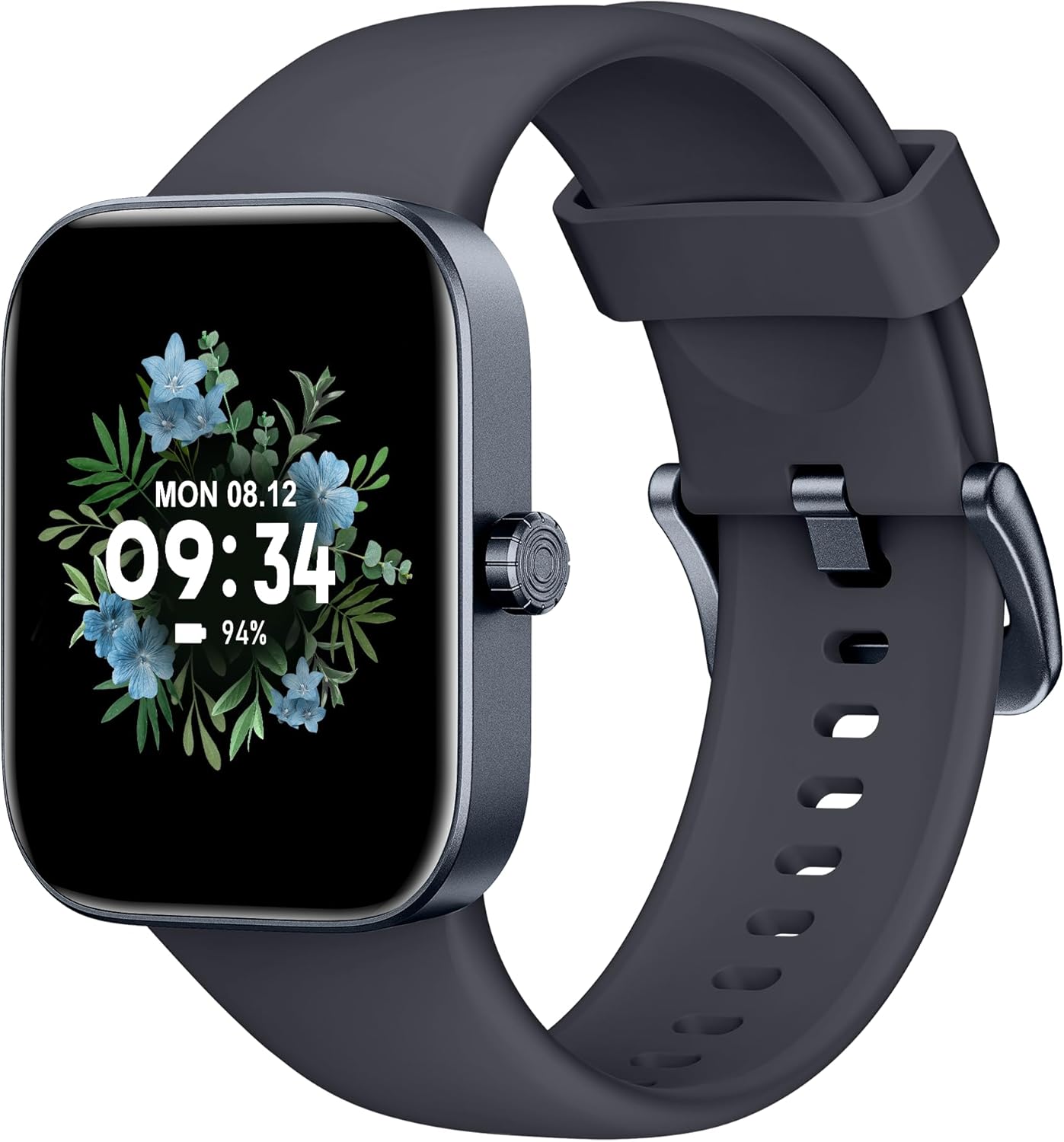
Aurrealdea view of the ASWEE P4 Smart Watch, displaying time and date with a floral background.
Konfigurazioa
Gailua kargatzen
The ASWEE P4 Smart Watch comes with a magnetic charging cable. Align the magnetic end of the cable with the charging contacts on the back of the watch. The watch will indicate when it is charging. A full charge typically takes approximately 2 hours and provides up to 7 days of active use or 15 days on standby.

Illustration showing the magnetic charging cable connected to the back of the ASWEE P4 Smart Watch, highlighting battery life indicators.
Aplikazioen instalazioa eta parekatzea
To utilize all features of your ASWEE P4 Smart Watch, you need to download and install the "FitPro" application on your smartphone. Scan the QR code provided in the watch's packaging or search for "FitPro" in your device's app store.
iPhonearekin parekatzea
Follow these steps to pair your watch with an iPhone:
- Ziurtatu Bluetootha gaituta dagoela zure iPhonean.
- Open the "FitPro" app.
- Navigate to "Setting" and then "Bind device".
- Select your watch (e.g., KM13Pro) from the scan results.
- Confirm the pairing request by clicking "Pair" and then "Allow" for notifications.
- Go to your iPhone's Bluetooth settings and connect to "KM13Pro Audio" for call functionality.
Video tutorial demonstrating how to bind the ASWEE P4 Smart Watch to an iPhone and how to unbind it.
Pairing with Android Phone
Follow these steps to pair your watch with an Android phone:
- Ziurtatu Bluetooth gaituta dagoela zure Android telefonoan.
- Open the "FitPro" app.
- Navigate to "Set" and then "Bind device".
- Select your watch (e.g., KM13Pro) from the scan results.
- Confirm the pairing request by clicking "Pair".
Video tutorial demonstrating how to bind the ASWEE P4 Smart Watch to an Android phone and how to unbind it.
Funtzionamendu-argibideak
Oinarrizko Nabigazioa
The watch features a touch-sensitive screen for navigation. Swipe left/right or up/down to access different functions and menus. The side button typically serves as a home or back button.
Call and Text Functionality
With its built-in speaker and microphone, the ASWEE P4 allows you to answer/dial calls directly from your wrist when connected via Bluetooth. You can also receive SMS text and SNS messages (Facebook, Twitter, WhatsApp, etc.) with vibration alerts.

Image showing the ASWEE P4 Smart Watch on a wrist, with notification icons for various messaging apps, indicating Bluetooth 5.0 connectivity for calls and texts.
Osasunaren jarraipena
The watch provides comprehensive health monitoring:
- Bihotz-taupadak: 24-hour tracking with a high-precision PPG sensor. Stores 7 days of resting heart rate data.
- Odol-oxigenoa: Measures SpO2 levels using a reflective-light based sensor.
- Loaren jarraipena: Tracks sleep quality through Awake, Light, and Deep sleep stages, helping to improve sleep duration and quality.
- Estresaren jarraipena: Estres mailei buruzko informazioa ematen du.

Image illustrating the ASWEE P4 Smart Watch's 24-hour data tracking capabilities, including heart rate, stress level, and blood oxygen monitoring.

Image depicting the ASWEE P4 Smart Watch's sleep health assistant feature, showing sleep duration and patterns.
Fitness moduak
The ASWEE P4 supports multiple workout modes, including running, bike riding, basketball, and tennis. It accurately monitors data points like heart rate, time, and calories burned to enhance workout efficiency.

Irudiaren erakustaldiaasing the ASWEE P4 Smart Watch's various sports modes, including running, bike riding, basketball, and jumping jack, with activity data like steps, distance, and calories.
Pertsonalizazioa
Choose from over 100 stylish watch faces or create your own using photos from your phone gallery.
Mantentzea
Garbiketa
Garbitu aldizka erlojua eta uhala zapi leun eta lehor batekinamp oihal. Saihestu produktu kimiko gogorrak edo material urratzaileak erabiltzea.
Biltegiratzea
Gorde erlojua leku fresko eta lehor batean erabiltzen ez duzunean.
Arazoak konpontzea
Erlojua ez da pizten
- Ziurtatu erlojua guztiz kargatuta dagoela. Konektatu kargatzeko kableari eta energia-iturri bati gutxienez 30 minutuz.
Parekatze arazoak
- Ziurtatu Bluetooth-a gaituta dagoela telefonoan eta erlojua irismen-eremuan dagoela.
- Berrabiarazi telefonoa eta erlojua.
- If previously paired, try "forgetting" the device in your phone's Bluetooth settings and re-pairing through the FitPro app.
- Ensure the FitPro app has necessary permissions (Bluetooth, location).
Osasun-datu zehaztugabeak
- Ziurtatu erlojua eskumuturrean ondo eramaten duzula, ez gehiegi estutzen ez gehiegi soltetzen.
- Garbitu erlojuaren atzealdeko sentsorea.
- Environmental factors and individual physiology can affect readings.
Jakinarazpenak agertzen ez direnak
- Check app permissions for FitPro to ensure it can access notifications.
- Verify that notification push settings are enabled within the FitPro app for desired applications.
- Ziurtatu erlojua telefonora konektatuta dagoela Bluetooth bidez.
Zehaztapenak
| Ezaugarri | Xehetasuna |
|---|---|
| Ereduaren izena | P4 |
| Marka | ASWEE |
| Pantailaren tamaina | 1.85 hazbete |
| Bistaratzeko Teknologia | TFT-LCD |
| Ebazpena | 240 x 280 PPI |
| Sistema eragilea | Wear OS |
| Konektibitatea | Bluetooth 5.3 |
| Uraren Erresistentzia | IP68, 5 ATM |
| Bateriaren iraupena (erabilera arrunta) | 7 egun arte |
| Egonean Denbora | 15 egun arte |
| Kargatzeko Denbora | Gutxi gorabehera. 2 ordu |
| Ezaugarri bereziak | Fitness Tracker, Sleep Monitor, Reminders, Multimedia control, Answer/Dial Call, Heart Rate Monitor, Blood Oxygen Monitor, Stress Monitor |
| Elementuaren pisua | 2.89 ontza |
Oharra: zehaztapenak aldez aurretik jakinarazi gabe alda daitezke.
Bermea eta Laguntza
For warranty information and technical support, please refer to the official ASWEE webwebgunean edo jarri harremanetan bezeroarentzako arreta-zerbitzuan. Gorde erosketa-agiria erosketaren frogagiri gisa.


