1. Sarrera
This manual provides essential information for setting up, operating, maintaining, and troubleshooting your OnePlus 12R PJE110 smartphone. Please read this guide thoroughly to ensure optimal performance and longevity of your device.
The OnePlus 12R is a high-performance 5G smartphone featuring a powerful Octa-core processor, 16GB of RAM, and 256GB of internal storage. It runs on Android 14 with OxygenOS and is equipped with a 5500mAh non-removable battery.
2. Konfigurazioa
2.1 Kutxatik ateratzea eta hasierako ikuskapena
Kontu handiz atera elementu guztiak paketetik. Ziurtatu osagai hauek daudela:
- OnePlus 12R PJE110 Smartphone
- USB kablea
- Hasiera Azkarreko Gida (barne badago)
- Safety Information (if included)
Inspect the device for any physical damage. If any components are missing or damaged, contact your retailer or OnePlus support immediately.
2.2 SIM txartelak sartzea
The OnePlus 12R supports Dual SIM functionality. Follow these steps to insert your SIM cards:
- Bilatu SIM txartelaren erretilua gailuaren alboan.
- Sartu SIM txartela ateratzeko tresna (baldin badago) erretiluaren ondoko zulo txikian eta bultzatu astiro erretilua atera arte.
- Place your Nano-SIM cards into the designated slots on the tray, ensuring the gold contacts face downwards and the cut corner aligns correctly.
- Carefully push the SIM card tray back into the device until it is flush with the side.
Note for USA Buyers: This smartphone is not compatible with CDMA networks, including Verizon, Sprint, and US Cellular. Please verify compatibility with your network provider before use.
2.3 Hasierako piztea eta konfigurazioa
Gailua lehen aldiz pizteko:
- Press and hold the Power button (located on the right side) until the OnePlus logo appears.
- Follow the on-screen instructions to complete the initial setup, which includes selecting your language, connecting to Wi-Fi, setting up your Google account, and configuring security features.
2.4 Gailua kargatzea
Before first use, it is recommended to fully charge your device. The OnePlus 12R supports 100W SUPERVOOC fast charging.
- Connect the USB cable to the charging port on the bottom of your phone.
- Connect the other end of the USB cable to a compatible power adapter (sold separately) and plug it into a power outlet.
- Kargatzeko adierazlea pantailan agertuko da.

Irudia: OnePlus 12R charging. The device features a 5500 mAh battery and supports 100W charging, capable of reaching 100% in approximately 26 minutes.
3. Zure gailua funtzionatzea
3.1 Oinarrizko nabigazioa
The OnePlus 12R utilizes a touchscreen interface for most interactions. Physical buttons include:
- Pizteko botoia: On the right side, used to turn the screen on/off, power the device on/off, or restart.
- Bolumen-botoiak: On the left side, used to adjust media volume, call volume, and notification volume.
- Alert Slider: On the left side, used to quickly switch between Ring, Vibrate, and Silent modes.
3.2 Bistaratzeko Ezaugarriak
Your device features a 6.78-inch LTPO4 AMOLED display with a resolution of 1264 x 2780 pixels.
- Freskatze tasa dinamikoa: The display supports a dynamic refresh rate from 1-120 Hz for smooth scrolling and power efficiency.
- High Touch Response: Up to 1000 Hz touch response rate for quick and accurate input.
- Koloreen zehaztasuna: Compatible with sRGB and Display P3, offering 10-bit color depth and HDR10+ support.

Irudia: OnePlus 12R AMOLED ProXDR Display. Key features include 6.78 inches, 2780 x 1264 pixel resolution, 1-120 Hz dynamic refresh rate, and up to 1000 Hz touch response rate.
3.3 Kameraren erabilera
The OnePlus 12R is equipped with a versatile camera system:
- Kamera nagusia: 50 MP Sony IMX890 with Optical Image Stabilization (OIS).
- Ultra-angelu zabaleko kamera: 8 MP Sony IMX355 with a 112° field of view.
- Lente makroa: 2 MP for close-up shots (4 cm focus distance).
- Aurrealdeko kamera: 16 MP selfieetarako eta bideo-deietarako.
To access the camera, tap the Camera app icon on your home screen or app drawer. You can switch between different modes (Photo, Video, Portrait, Night, Pro, etc.) by swiping across the screen or selecting from the mode options.

Irudia: OnePlus 12R Camera System. Features a 50 MP main camera (Sony IMX890 + OIS), an 8 MP ultra-wide angle camera (112° Sony IMX355), and a 2 MP macro lens (4 cm).
3.4 Konektibitatea
Zure gailuak hainbat konexio aukera onartzen ditu:
- 5G/4G/3G/2G: For cellular data and calls. Ensure your SIM card is active and your plan supports these networks.
- Wi-Fi: Konektatu haririk gabeko sareetara interneterako sarbidea izateko. Joan honera Ezarpenak > Wi-Fi konexioak kudeatzeko.
- Bluetootha: Parekatu haririk gabeko entzungailuekin, bozgorailuekin eta beste Bluetooth gailu batzuekin. Joan honera Ezarpenak > Bluetootha konexioak kudeatzeko.
- GPSa: Kokapen zerbitzuetarako eta nabigaziorako.
3.5 OxygenOS Overview
The OnePlus 12R runs on OxygenOS, a customized version of Android 14. OxygenOS offers a clean, fast, and customizable user experience. Explore the Ezarpenak app to personalize your device, manage notifications, set up gestures, and more.
4. Mantentzea
4.1 Bateria zaintzea
Bateriaren iraupena maximizatzeko:
- Saihestu muturreko tenperaturak.
- Use the provided USB cable and a compatible charger.
- Saihestu bateria maiz erabat deskargatzea edo denbora luzez % 100ean mantentzea.
- Utilize battery optimization features in Ezarpenak > Bateria.
4.2 Software eguneraketak
Regular software updates provide new features, security patches, and performance improvements. To check for updates, go to Settings > About device > OxygenOS version.
4.3 Gailua garbitzea
Use a soft, lint-free cloth to clean your device. Avoid using harsh chemicals or abrasive materials, which can damage the screen or finish. Do not expose the device to excessive moisture.
4.4 Biltegiratze kudeaketa
Your OnePlus 12R comes with 256GB of internal storage, which is not expandable. Regularly manage your storage by:
- Behar ez den ezabatzea fileak, argazkiak eta bideoak.
- Uninstalling unused applications.
- Utilizing cloud storage services for backups.
5. Arazoak
Gailuarekin arazoak badituzu, saiatu arazoak konpontzeko ohiko urrats hauekin:
5.1 Gai arruntak
- Gailuak ez du erantzuten: Berrabiarazteko, sakatu eta eutsi pizteko botoia 10 segundo inguru.
- Bateria azkar agortzen da: Egiaztatu atzeko planoan aplikazioen erabilera hemen: Ezarpenak > Bateria. Reduce screen brightness, disable unused features like GPS or Bluetooth, and ensure apps are updated.
- Sareko konexio arazoak: Ensure SIM cards are correctly inserted. Try toggling Airplane Mode on and off. Restart the device. Verify network settings in Settings > Mobile network.
- Aplikazioak huts egiten edo blokeatzen: Garbitu aplikazioaren cachea eta datuak Ezarpenak > Aplikazioak > [Aplikazioaren izena] > Biltegiratzea > Garbitu cachea/Garbitu datuakArazoak jarraitzen badu, desinstalatu eta berriro instalatu aplikazioa.
5.2 Fabrika berrezarri
Fabrika berrezartzeak gailuko datu guztiak ezabatuko ditu eta jatorrizko fabrika ezarpenetara leheneratuko du. Jarraitu aurretik, egin datu garrantzitsu guztien babeskopia.
- Joan zaitez Settings > System settings > Back up and reset > Reset phone.
- Hautatu Ezabatu datu guztiak (fabrika berrezarri).
- Confirm your decision and enter your screen lock password if prompted.
6. Zehaztapenak
Detailed technical specifications for the OnePlus 12R PJE110 smartphone:
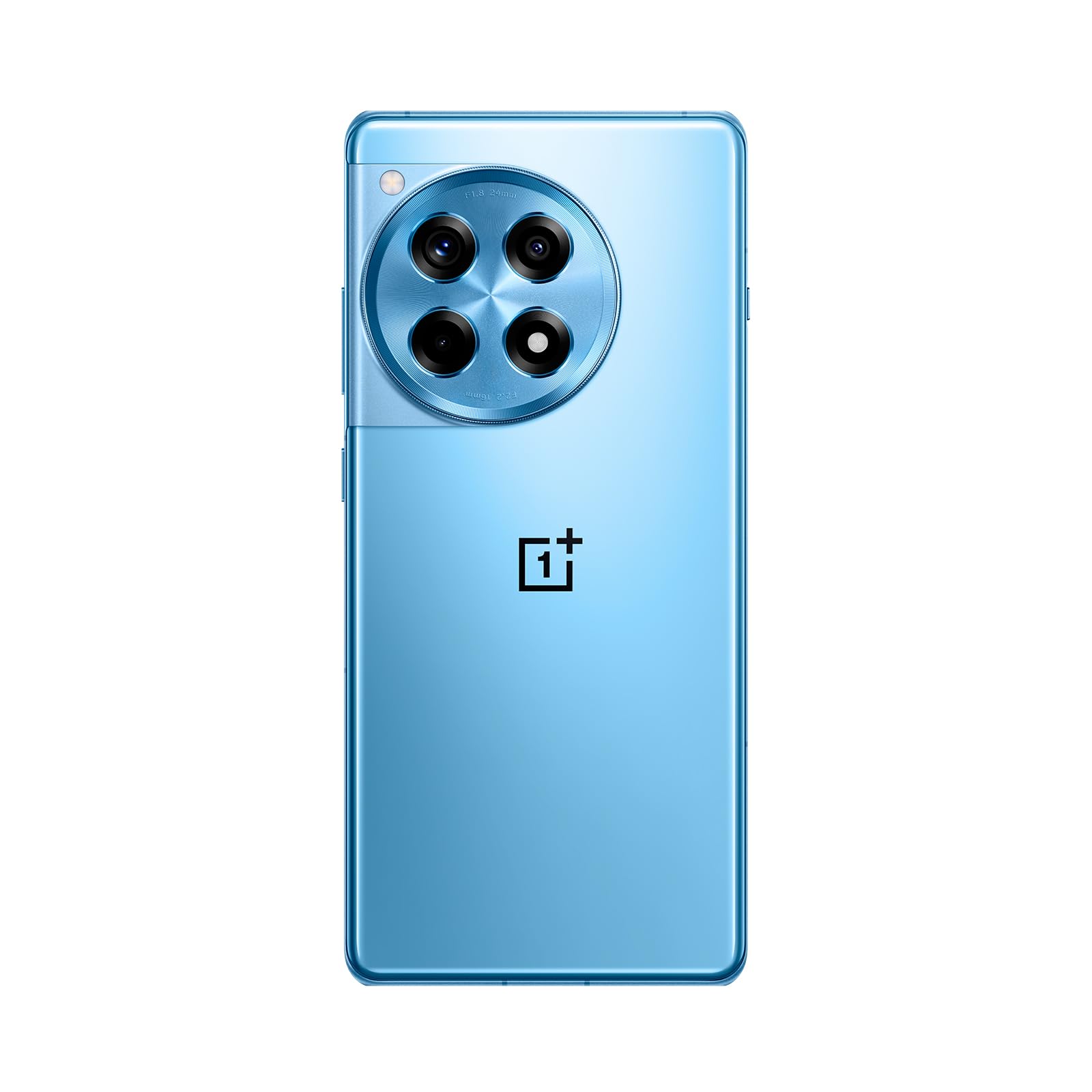
Irudia: Aurretik eta atzetik view of the OnePlus 12R in Cool Blue.
| Ezaugarri | Zehaztapena |
|---|---|
| Ereduaren izena | OnePlus 12R PJE110 |
| Sistema eragilea | Android 14, OxygenOS |
| Prozesadorea | Qualcomm SM8550-AB Snapdragon 8 2. belaunaldia (4 nm) zortzi nukleokoa |
| RAM | 16 GB |
| Barne Biltegiratzea | 256 GB (ezin handitua) |
| Bistaratzea | 6.78 inches LTPO4 AMOLED, 1264 x 2780 pixels, 1-120 Hz dynamic, 1000 Hz touch response |
| Atzeko kamera | 50 MP (main, OIS), 8 MP (ultra-wide), 2 MP (macro) |
| Aurrealdeko kamera | 16 MP |
| Bateria | 5500 mAh (non-removable), 100W SUPERVOOC fast charging |
| Konektibitatea | 5G, 4G LTE, 3G, 2G, Wi-Fi, Bluetooth, GPS |
| Neurriak | 6.43 x 2.96 x 0.35 hazbete (163.30 x 75.27 x 8.8 mm) |
| Pisua | 7.3 ontza (207 gramo) |
| Audio Jack | 3.5 mm |
| Kutxan | USB kablea |

Irudia: Internal components highlighting the Snapdragon 8 Gen 2 processor and 16GB LPDDR5X RAM.

Irudia: Aldea view of the OnePlus 12R.
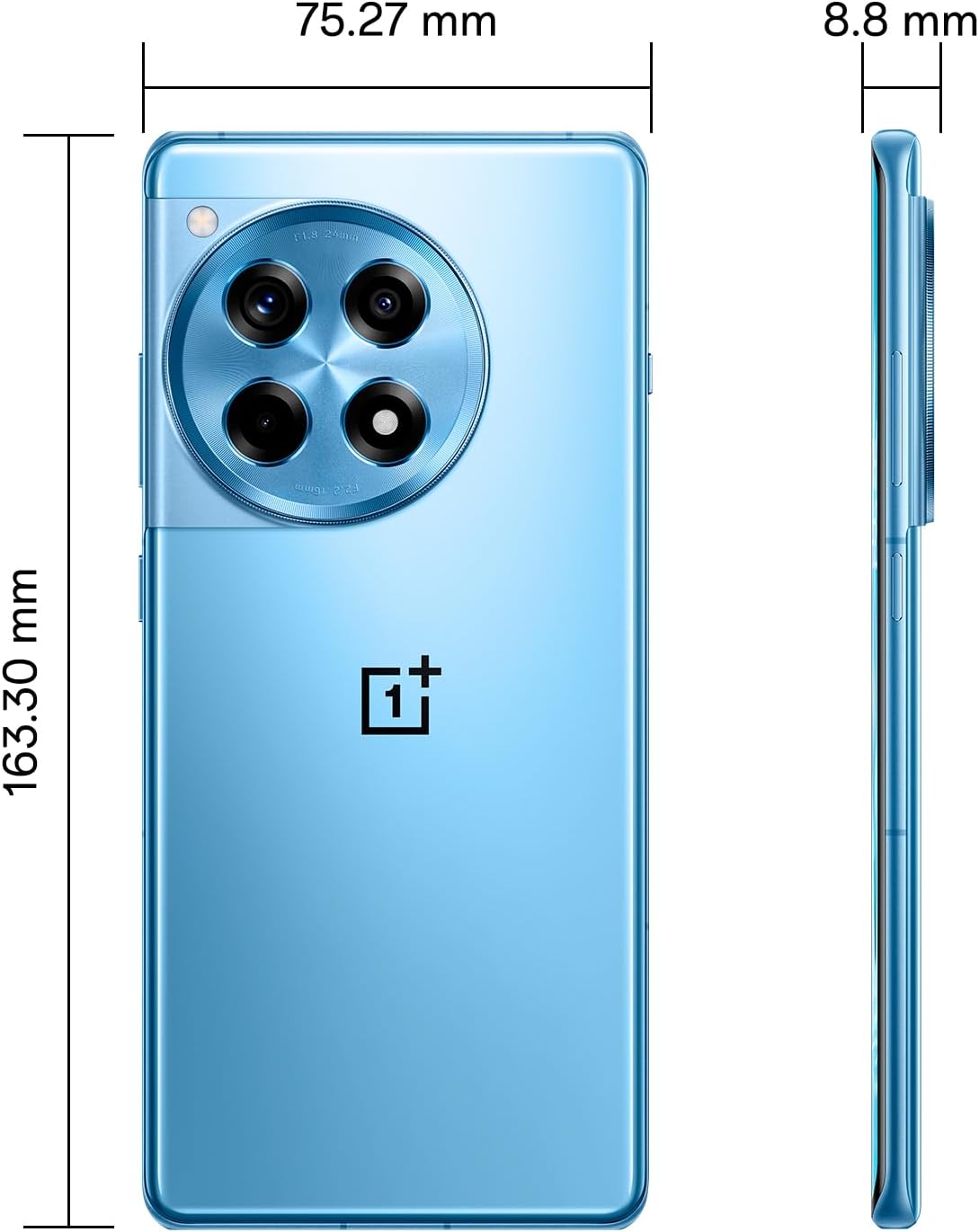
Irudia: Itzuli view of the OnePlus 12R.

Irudia: Aurrealdea view of the OnePlus 12R.
7. Segurtasun informazioa
Mesedez, errespetatu segurtasun jarraibide hauek:
- Ez saiatu gailua zuk zeuk desmuntatzen edo konpontzen.
- Use only authorized accessories (chargers, cables, etc.).
- Saihestu gailua muturreko tenperaturen, eguzki-argiaren edo likidoen eraginpean jartzea.
- Keep the device away from medical implants and pacemakers.
- Tokiko araudien arabera bota gailua eta bateria arduraz.
8. Bermea eta Laguntza
8.1 Bermearen informazioa
Your OnePlus 12R PJE110 smartphone is covered by a limited warranty. The terms and conditions of this warranty may vary by region and retailer. Please refer to the warranty card included with your product or visit the official OnePlus webwebgunea bermearen estaldurari, iraupenari eta erreklamazioen prozesuari buruzko informazio zehatza lortzeko.
8.2 Bezeroarentzako laguntza
For further assistance, technical support, or service inquiries, please contact OnePlus customer support through their official channels:
- OnePlus Official Webgunea: Bisitatu www.oneplus.com/support maiz egiten diren galderen, arazoak konpontzeko giden eta harremanetarako aukeren bila.
- Zerbitzu Zentroak: Locate authorized service centers in your region via the OnePlus webgunea.


