1. Segurtasun-argibide garrantzitsuak
Please read all instructions carefully before using this dehumidifier and retain this manual for future reference. Failure to follow these instructions may result in electric shock, fire, or serious injury.
- Always unplug the dehumidifier from the power outlet before cleaning, performing maintenance, or when not in use.
- Do not operate the dehumidifier with a damaged cord or plug. If the power cord is damaged, it must be replaced by the manufacturer, its service agent, or similarly qualified persons to avoid a hazard.
- Etxetresna hau barrualdean erabiltzeko soilik da. Ez erabili kanpoan.
- Ensure the dehumidifier is placed on a stable, level surface to prevent tipping and water spillage.
- Do not block the air inlet or outlet. Maintain at least 8 inches (20 cm) clearance from walls or other objects.
- Do not immerse the dehumidifier, power cord, or plug in water or other liquids.
- Keep children and pets away from the dehumidifier during operation.
- Ez erabili hezetasun-kentzailea likido edo gas sukoiak gordetzen diren lekuetan.
- Hustu ur-depositua aldizka, gainezka egitea saihesteko.
2. Produktua amaitu daview
The VEWIOR PC-450B Dehumidifier is designed to efficiently remove excess moisture from your indoor environment, improving air quality and comfort. It features a large water tank, quiet operation, and convenient functions like auto shut-off and a night light.
Osagaien identifikazioa
- Kontrol-panela pantaila digitalarekin
- Aire sarrera
- Aireko irteera
- Ur depositua desmuntagarria
- Argindarraren kablearen ataka


3. Konfigurazioa
Follow these steps to set up your dehumidifier for the first time.
- Desegin: Kontu handiz atera deshezegailua bere ontzitik. Gorde ontziratzeko material guztiak etorkizunean biltegiratzeko edo garraiatzeko.
- Lekua: Place the dehumidifier on a firm, level surface in the desired location. Ensure there is at least 8 inches (20 cm) of clear space around the air inlet and outlet for optimal airflow. Avoid placing it directly against walls or furniture.
- Potentzia-konexioa: Plug the power adapter into the dehumidifier's power port, then plug the other end into a standard electrical outlet (100-240V AC, 50/60Hz).
- Hasierako funtzionamendua: Unitatea funtzionatzeko prest dago orain.

4. Funtzionamendu-argibideak
Ezagutu ezazu kontrol panela eta bere funtzioak.
Kontrol panelaren funtzioak
- Pizteko botoia (⏻): Sakatu deshumidifikagailua ON edo Itzaltzeko.
- Night Light Button (☀): Press to cycle through 7 different LED light colors or turn the night light off. This can create a warm ambiance.
- Tenporizadorearen botoia (◷): Press to set an auto-off timer from 1 to 24 hours. Each press increases the timer by one hour. The unit will automatically shut off after the set time.
- Speed/Sleep Mode Button (⇋): Press to switch between different fan speeds or activate Sleep Mode. In Sleep Mode, the unit operates at a lower fan speed for quieter operation (approximately 30dB).
- Bistaratze digitala: Shows the current humidity level in the room and timer settings.
Funtzionamendu moduak
- Deshumidifikazio estandarra: The unit will operate to reduce humidity based on its internal sensor.
- Lo egiteko modua: Activates quiet operation, ideal for bedrooms or quiet environments.
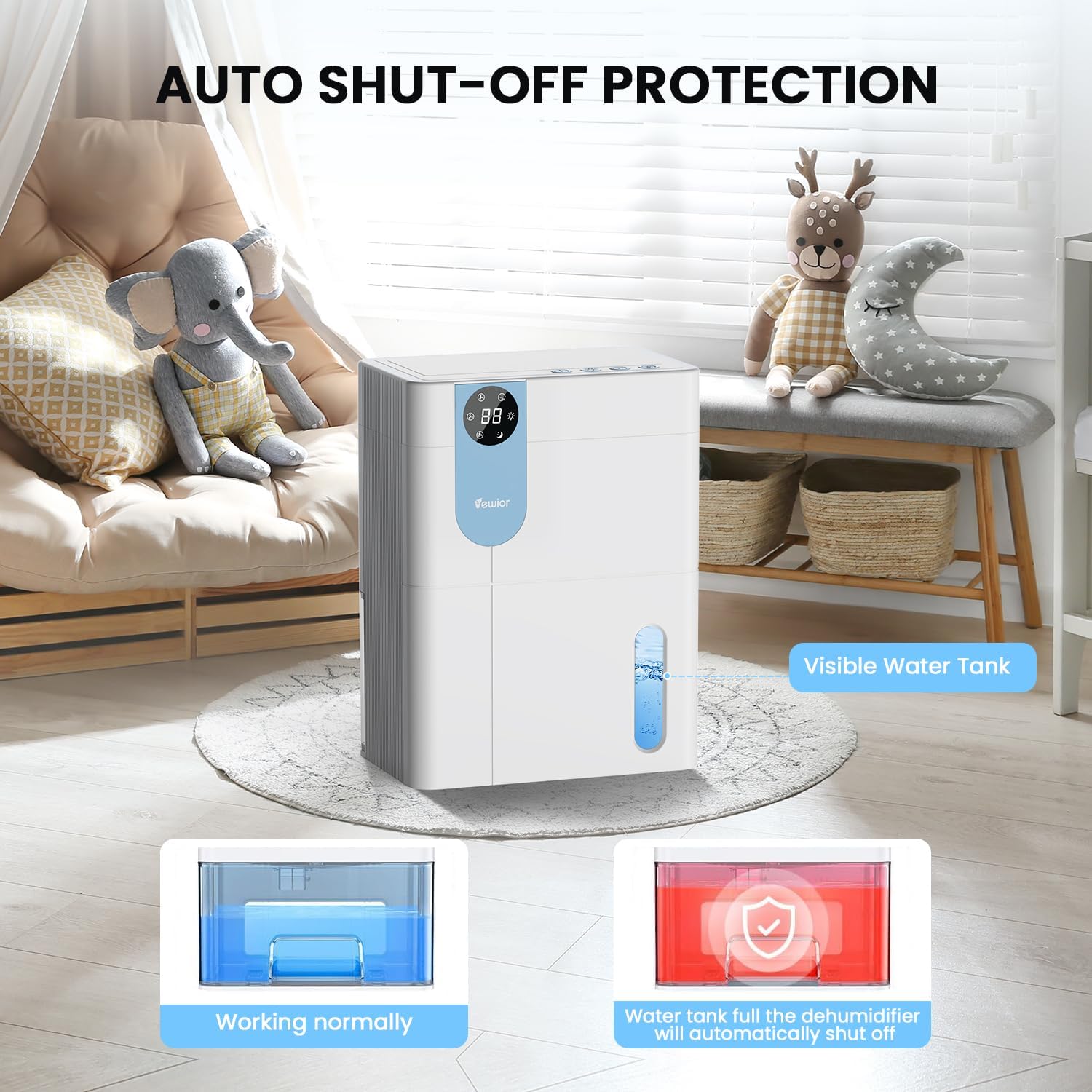
- Itzalketa automatikoa: The dehumidifier will automatically stop operating when the water tank is full to prevent overflow. The digital display may flash a red light to indicate the tank needs emptying.

5. Water Tank Management
The dehumidifier features a 4500ml (152 oz) water tank and an auto shut-off function when the tank is full.
Ur depositua hustea
- When the water tank is full, the dehumidifier will automatically stop operating, and the internal red light will flash to remind you to empty the water.
- Gently pull out the water tank from the side of the dehumidifier.
- Kendu deposituaren tapa.
- Bota bildutako ura.
- Replace the tank lid securely.
- Slide the empty water tank back into the dehumidifier until it clicks into place. The unit will resume operation automatically.

6. Mantentzea
Mantentze-lan erregularrak zure deshezegailuaren errendimendu optimoa eta iraupena bermatzen ditu.
Kanpoaldea garbitzea
- Deskonektatu beti unitatea garbitu aurretik.
- Garbitu kanpoaldea leun batekin, damp oihal. Ez erabili garbitzaile edo disolbatzaile urratzailerik.
- Ziurtatu ez dela urik sartzen kontrol-panelean edo beste osagai elektrikoetan.
Cleaning the Air Filter (Recommended Monthly)
- Locate the air filter (typically at the back or side air inlet).
- Kendu iragazkia.
- Clean the filter with a vacuum cleaner or wash it gently with warm, soapy water.
- Utzi iragazkia airean guztiz lehortzen berriro instalatu aurretik. Ez jarri eguzki-argiaren edo bero handiaren eraginpean.
- Jarri berriro iragazki lehorra unitatean.
Epe luzerako biltegiratzea
- Hustu eta garbitu ur-depositua ondo.
- Garbitu aire-iragazkia.
- Deskonektatu korronte-kablea eta bildu txukun.
- Store the dehumidifier in a cool, dry place, preferably in its original packaging, away from direct sunlight and extreme temperatures.
7. Arazoak
If you encounter issues with your dehumidifier, refer to the following common problems and solutions.
| Arazoa | Kausa posiblea | Irtenbidea |
|---|---|---|
| Hezetasun-kengailuak ez du pizten. | No power supply. Power button not pressed. | Ziurtatu kablea ondo konektatuta dagoela funtzionatzen duen entxufe batera. Sakatu pizteko botoia. |
| Unitatea martxan dago, baina ez du urik biltzen. | Room humidity is too low. Temperature is too low. Air filter is clogged. | Dehumidifiers are most effective in higher humidity. Ensure room temperature is above 41°F (5°C). Clean the air filter. |
| Water tank full indicator (red light) is on, but tank is not full. | Water tank not properly seated. Float sensor malfunction. | Remove and reinsert the water tank, ensuring it is correctly aligned. If the issue persists, contact customer support. |
| Unitatea zaratatsua da. | Unit not on a level surface. Air filter clogged. | Place the unit on a flat, stable surface. Clean the air filter. Ensure no objects are obstructing the fan. |
| Humidity level not decreasing significantly. | Room size exceeds capacity. High external humidity. Doors/windows open. | Ensure the dehumidifier is suitable for the room size. Close all doors and windows. Consider running the unit for longer periods. |
If the problem persists after trying these solutions, please contact VEWIOR customer support.
8. Zehaztapenak
Detailed technical specifications for the VEWIOR PC-450B Dehumidifier.
| Ezaugarri | Zehaztapena |
|---|---|
| Marka | BEGIRA |
| Ereduaren izena | PC-450B |
| Deshumidifikazio Ahalmena | Up to 1060ml (36oz) per day (at 86°F, 80% RH) |
| Ur deposituaren edukiera | 4500 Milliliters (152 OZ) |
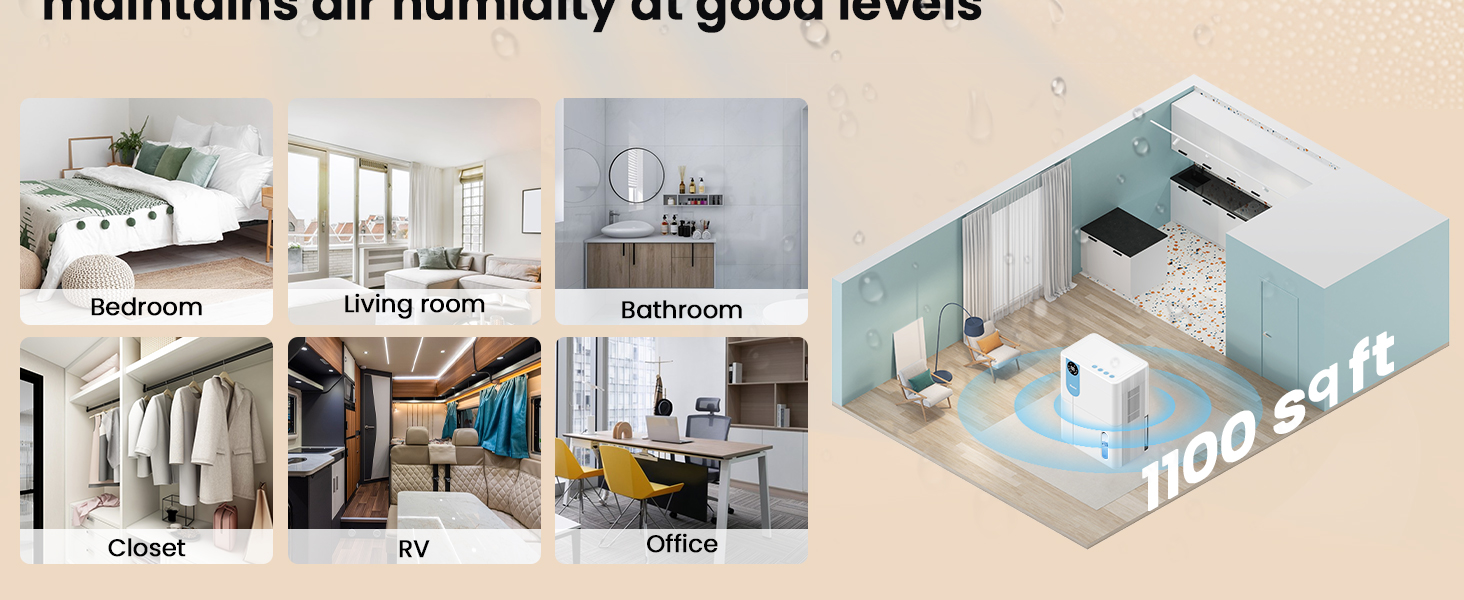
| Estaldura Eremua | Gehienez 1100 oin karratu |
| Produktuaren neurriak (L x W x H) | 6.3" x 9.84" x 12.6" |
| Elementuaren pisua | 2.27 kilo |
| Ezaugarri bereziak | Automatic Shutoff, Colorful Lights, Digital Display, Removable Tank, Timer |
| Eragiketa modua | Lo egin |
| Aire Fluxuaren Ahalmena | 900 Cubic Feet Per Hour |
| Energia iturria | Kable elektrikoa |

9. Bermea eta Laguntza
VEWIOR is committed to providing quality products and customer satisfaction.
Bermearen informazioa
- 3-Year Free Replacement: Your VEWIOR PC-450B Dehumidifier is covered by a 3-year free replacement policy for manufacturing defects.
- Bizi osorako laguntza: VEWIOR offers lifetime technical support and satisfied solutions for its products.
Bezeroarentzako Arreta
For any questions, troubleshooting assistance, or warranty claims, please contact VEWIOR customer service:
- Posta elektronikoa: [Insert VEWIOR Support Email Here]
- Telefonoa: [Insert VEWIOR Support Phone Number Here]
- Sarean: Visit the official VEWIOR webmaiz egiten diren galderen eta laguntza-baliabideen gunea.
Our customer service team is available for quick service via phone or email within 24 hours.
Itzultzeko politika: A 30-day no-reason return policy is available for purchases.


