1. Sarrera
Thank you for choosing the Peakeep MHP6020 Small Digital Alarm Clock. This compact and versatile alarm clock is designed for convenience and reliability, featuring a large, clear display, adjustable brightness, multiple alarm volumes, and a battery backup function. This manual provides detailed instructions for setup, operation, and maintenance to ensure optimal performance.
2. Zer dago kutxan
- Peakeep MHP6020 Digital Alarm Clock
- Type-C Power Adapter (USB cable and wall adapter)
- Argibide eskuliburua
3. Produktua amaitu daview
The Peakeep MHP6020 features a minimalist design with intuitive controls located on the back and a large snooze/light button on top. The display shows time in clear blue digits.

Irudia: Atzealdea view of the Peakeep MHP6020 Digital Alarm Clock, highlighting the 'TIME SET', '12/24HR', 'VOLUME', 'ALARM SET ON/OFF', and 'DIMMER' buttons, along with the Type-C power input.
Kontrol-botoiak:
- SNOOZE/LIGHT Button (Top): Press to activate snooze during an alarm or to temporarily illuminate the display during a power outage.
- TIME SET Button (Back): Used to enter time setting mode.
- 12/24HR Button (Back): Toggles between 12-hour and 24-hour time formats. Also functions as '+' for adjusting values.
- VOLUME Button (Back): Adjusts alarm volume. Also functions as '-' for adjusting values.
- ALARM SET ON/OFF Button (Back): Used to set the alarm time and to turn the alarm on or off.
- DIMMER Button (Back): Adjusts the display brightness.
4. Konfigurazioa
4.1 Erlojua piztea
The Peakeep MHP6020 is primarily powered by the included Type-C adapter. It also supports battery backup for retaining settings during power outages.
- Install Battery Backup (Optional but Recommended): Open the battery compartment on the back of the clock. Insert 4 AAA batteries (not included). These batteries will save your time and alarm settings in case of a power interruption, and allow the display to light up for 20 seconds when the top button is pressed during an outage.
- Konektatu korronte egokitzailea: Plug the Type-C cable into the 'power in' port on the back of the clock and connect the adapter to a standard electrical outlet. The display will illuminate.
Video: A demonstration of the Peakeep compact digital alarm clock, showing its features and ease of use, including setup and basic functions.
Video: This video illustrates the battery backup function of the Peakeep Small Digital Alarm Clock, demonstrating how settings are retained during a power outage.
4.2 Ordua ezartzea
- Eduki sakatuta ORDUA button on the back for 2 seconds until the hour digits flash.
- Erabili 12/24HR (+) or VOLUME (-) ordua doitzeko botoiak.
- Sakatu ORDUA again to confirm the hour and move to minute adjustment. The minute digits will flash.
- Erabili 12/24HR (+) or VOLUME (-) minutuak doitzeko botoiak.
- Sakatu ORDUA behin gehiago berresteko eta ordua ezartzeko modutik irteteko.
4.3 Alarma ezartzea
- Eduki sakatuta ALARM SET ON/OFF button on the back for 2 seconds until the alarm hour digits flash.
- Erabili 12/24HR (+) or VOLUME (-) alarma-ordua doitzeko botoiak.
- Sakatu ALARM SET ON/OFF again to confirm the alarm hour and move to minute adjustment. The alarm minute digits will flash.
- Erabili 12/24HR (+) or VOLUME (-) botoiak alarmaren minutuak doitzeko.
- Sakatu ALARM SET ON/OFF one more time to confirm and exit alarm setting mode. The alarm icon will appear on the display, indicating the alarm is active.
5. Funtzionamendu-argibideak
5.1 Adjusting Display Brightness (Dimmer)
The clock features 5 adjustable brightness levels and an OFF setting to suit your preference.
- Sakatu DIMMER button on the back repeatedly to cycle through the 5 brightness levels (L5 being brightest, L1 being dimmest) and the OFF setting.
- Select the desired brightness level.

Image: The Peakeep MHP6020 Digital Alarm Clock display at various brightness levels (L5 to OFF), demonstrating the dimmer function.
5.2 Alarmaren bolumena doitzea
The alarm offers 5 adjustable volume levels (U01 to U05) ranging from 55-90 dB.
- Ordua bistaratzeko modu normalean zaudela, sakatu tekla VOLUME (-) button on the back to cycle through the 5 alarm volume levels.
- The current volume level (U01-U05) will be displayed temporarily.

Image: The Peakeep MHP6020 Digital Alarm Clock illustrating the range of 5 alarm volumes, from 55dB for light sleepers to 90dB for heavy sleepers.
5.3 Snooze funtzioa
Alarma jotzen duenean, sakatu botoi handia SNOOZE / ARGIA button on top to activate the 9-minute snooze function. The alarm will sound again after 9 minutes. To turn off the alarm completely, press any button on the back of the clock.
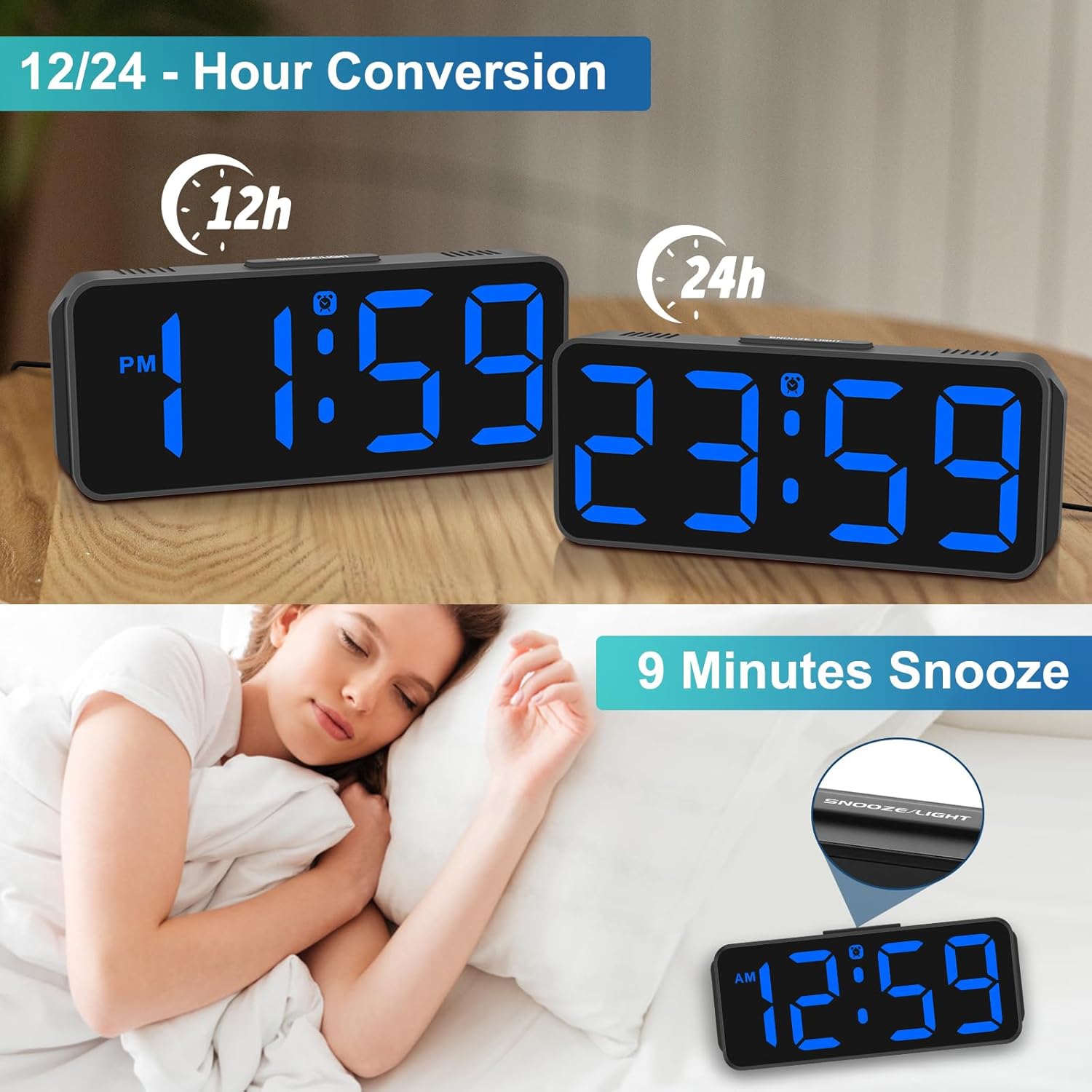
Image: The Peakeep MHP6020 Digital Alarm Clock demonstrating the 12/24 hour format conversion and the 9-minute snooze function activated by the top button.
5.4 12/24 orduko formatua
Ordua bistaratzeko modu arruntean, sakatu 12/24H button on the back to switch between 12-hour and 24-hour time formats.
6. Mantentzea
- Garbitu erlojua zapi leun eta lehor batekin. Ez erabili garbitzaile edo disolbatzaile urratzailerik.
- Saihestu erlojua tenperatura altuetan, eguzki-argia zuzenean edo hezetasun handian jartzea.
- Ensure the clock is placed on a stable surface to prevent accidental falls.
7. Arazoak
| Arazoa | Irtenbidea |
|---|---|
| Pantaila hutsik dago. | Ensure the power adapter is securely plugged into both the clock and the electrical outlet. If using battery backup, check if batteries are correctly installed and not depleted. |
| Alarmak ez du jotzen. | Verify that the alarm is set and the alarm icon is visible on the display. Check the alarm volume setting. |
| Ordua okerra da energia itzali ondorentage. | Ensure 4 AAA batteries are installed for memory backup. If not, reset the time manually. |
| Pantaila oso distiratsua/iluna da. | Sakatu DIMMER button on the back to adjust the brightness level. |
8. Zehaztapenak
| Ezaugarri | Xehetasuna |
|---|---|
| Modelo zenbakia | MHP6020 |
| Marka | Peakeep |
| Bistaratzeko mota | LED digitala |
| Bistaratzeko kolorea | Urdina |
| Neurriak | 5.3"Z x 2.1"A |
| Energia iturria | Corded Electric (Type-C adapter included) |
| Bateria babeskopia | 4 AAA batteries required (not included) for memory backup only. |
| Distira-mailak | 5 levels + OFF |
| Alarmaren bolumena | 5 adjustable levels (55-90 dB) |
| Errepikatzeko iraupena | 9 minutu |
| Materiala | Plastikoa |
| Elementuaren pisua | 4.64 ontza |
9. Bermea eta Laguntza
This product comes with a limited warranty. For detailed warranty information or technical support, please refer to the contact information provided below or visit the official Peakeep webgunea.
Peakeep Zerbitzua: sales@us-myhome.com


