1. Sarrera
Welcome to the user manual for your Tracer TW7-BL FUN Smartwatch. This device is designed to enhance your daily life by combining convenience, style, and advanced health and fitness tracking features. Please read this manual carefully to understand the full capabilities of your smartwatch and ensure proper usage and maintenance.
The Tracer TW7-BL FUN features a 1.83-inch HD touchscreen, Bluetooth 5.0 connectivity for calls and notifications, multiple sport modes, and comprehensive health monitoring including heart rate, blood oxygen saturation, steps, and sleep tracking. It also boasts an IP65 water resistance rating, making it suitable for everyday use.
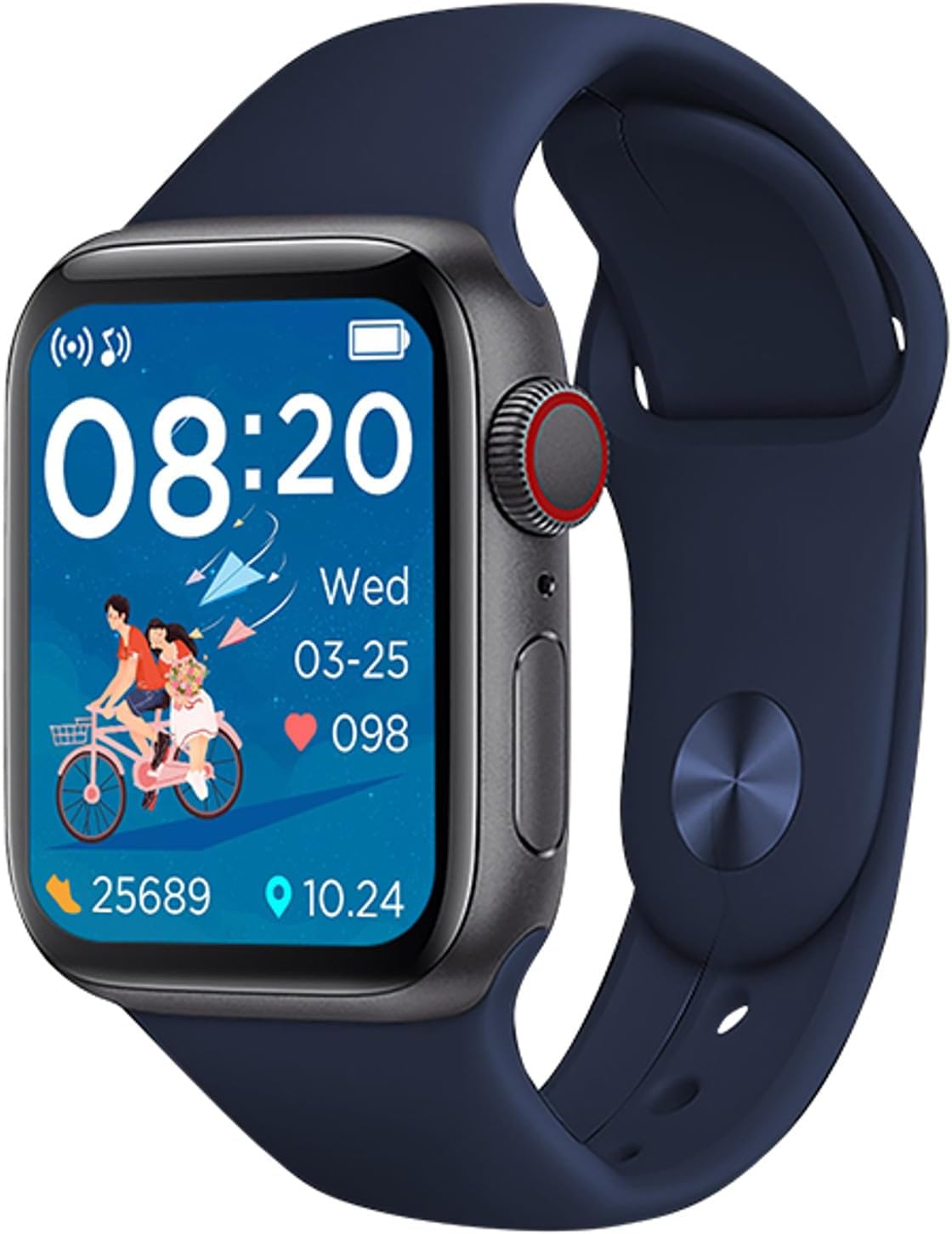
Figure 1: Tracer TW7-BL FUN Smartwatch. This image shows the smartwatch with a blue strap, displaying the time, date, heart rate, and step count on its main screen.
2. Paketearen edukia
Paketea irekitzean, egiaztatu honako elementu guztiak daudela:
- Tracer TW7-BL FUN Smartwatch (with strap)
- Charging Cable (clip-type)
- Erabiltzailearen eskuliburua

Figure 2: Retail packaging of the Tracer TW7-BL FUN Smartwatch. The box highlights key features like BT 5.0, heart pulse, sport modes, and IP65 rating.
3. Konfigurazioa
3.1 Erloju adimenduna kargatzea
Before initial use, fully charge your smartwatch. Connect the provided clip-type charging cable to the charging contacts on the back of the watch and plug the USB end into a standard USB power adapter (not included) or a computer's USB port.
- Ensure the charging contacts are clean and dry.
- Kargatzen ari den adierazle bat agertuko da pantailan.
- Full charge typically takes approximately 2 hours.
3.2 Laguntza-aplikazioa instalatzea
To unlock the full functionality of your Tracer TW7-BL FUN Smartwatch, you need to install the FitPro aplikazioa zure telefonoan.
- Scan the QR code in the manual or on the watch screen (if available) or search for "FitPro" in your smartphone's app store (Google Play Store for Android, Apple App Store for iOS).
- Download and install the FitPro app.
- Ensure your smartphone meets the compatibility requirements: Android 5.0+ or iOS 9.0+.
3.3 Zure telefonoarekin parekatzea
After installing the FitPro app, follow these steps to pair your smartwatch:
- Gaitu Bluetootha zure telefonoan.
- Open the FitPro app and grant all necessary permissions (location, notifications, etc.).
- Navigate to the "Device" or "Mine" section within the app and select "Add Device" or "Bind device".
- The app will search for available devices. Select "TW7-BL FUN" or a similar device name from the list.
- Berretsi parekatze eskaera zure telefonoan eta erloju adimendunean, eskatzen bazaizu.
- Once paired, the time and date on your smartwatch will synchronize with your phone.
4. Funtzionamendu-argibideak
4.1 Oinarrizko nabigazioa
The Tracer TW7-BL FUN Smartwatch features a 1.83-inch full touchscreen display for intuitive control. Swipe left, right, up, or down to navigate through menus and functions. Press the side button to return to the home screen or wake the device.

Figure 3: Smartwatch on a wrist, showing a vibrant watch face. This illustrates the device's display clarity and wearability.
4.2 Bluetooth bidezko deiak
The smartwatch supports Bluetooth calling, allowing you to make and receive calls directly from your wrist. Ensure your watch is connected to your phone via Bluetooth.
- Deiak egitea: Dei bat hasteko, sartu zure erloju adimenduneko markagailura edo kontaktuen zerrendara.
- Deiak jasotzea: Dei bat jasotzen duzunean, erlojuaren pantailatik zuzenean erantzun edo ukatu dezakezu.
- Mikrofono eta bozgorailu integratuak esku libreko komunikazioa errazten dute.
4.3 Osasunaren Zaintza
Your smartwatch is equipped with advanced sensors to monitor various health metrics:
- Bihotz-taupadak: Measures your heart rate throughout the day. Access this feature from the health menu on the watch or view detailed data in the FitPro app.
- Odol-oxigenoa (SpO2) monitorea: Provides estimates of your blood oxygen saturation levels.
- Pedometer & Calorie Counter: Automatically tracks your steps taken and calories burned.
- Loaren monitorea: Zure loaren ereduak kontrolatzen ditu, lo sakona, lo arina eta esnatzeko orduak barne. View sleep analysis in the FitPro app.
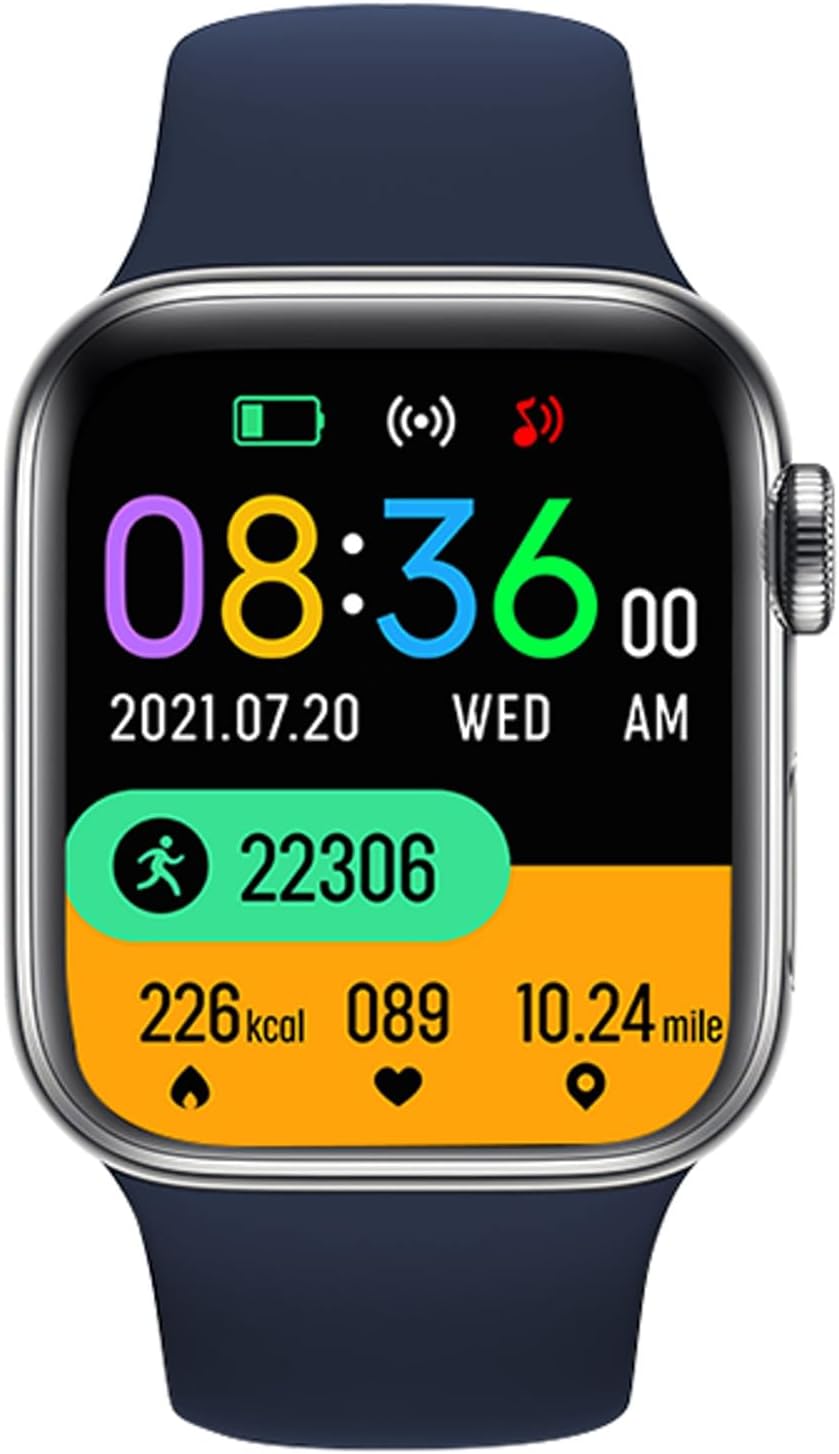
Figure 4: Smartwatch screen showing various health metrics. This display includes step count, calories burned, heart rate, and distance covered, indicating its fitness tracking capabilities.
4.4 Kirol Modu
The smartwatch offers multiple sport modes to track your workouts more accurately. Select the appropriate mode before starting an activity to record specific data such as duration, distance, calories, and heart rate during exercise.

Figure 5: User engaging in a fitness activity while wearing the smartwatch. This image demonstrates the watch's use during exercise, highlighting its sport mode functionality.
4.5 Jakinarazpenak eta beste funtzio batzuk
- Mezuen jakinarazpenak: Receive alerts for incoming calls, SMS messages, and notifications from various social media applications (e.g., Messenger) directly on your watch. Configure these in the FitPro app.
- Eguraldi Iragarpena: View current weather conditions and forecasts on your smartwatch after synchronization with the app.
- Urruneko kameraren kontrola: Use your smartwatch as a remote shutter for your phone's camera (feature availability may vary).
- Musika kontrola: Control music playback on your smartphone from your wrist.
5. Mantentzea
5.1 Garbiketa eta Zainketa
- Regularly clean your smartwatch and strap with a soft, dry, lint-free cloth.
- Beharrezkoa bada, erabili apur bat damp zapi xaboi leun batekin, eta gero lehortu.
- Saihestu produktu kimiko gogorrak, garbitzaile urratzaileak edo disolbatzaileak erabiltzea, hauek gailua kaltetu baitezakete.
- Ensure the charging contacts are free of dust and debris.
5.2 Urarekiko erresistentzia (IP65)
The Tracer TW7-BL FUN Smartwatch has an IP65 rating, which means it is protected against dust ingress and low-pressure water jets from any direction. This makes it suitable for:
- Everyday splashes, rain, and hand washing.
- Hala da ez igeri egiteko, dutxatzeko edo uretan denbora luzez murgiltzeko egokia.
- Avoid exposing the watch to hot water or steam.
6. Arazoak
If you encounter issues with your smartwatch, please refer to the following common solutions:
- Erlojua ez da pizten: Ziurtatu erlojua guztiz kargatuta dagoela. Konektatu kargagailura gutxienez 30 minutuz.
- Ezin da telefonoarekin parekatu:
- Ziurtatu Bluetootha gaituta dagoela telefonoan.
- Ziurtatu erlojua Bluetooth-aren irismenean dagoela (normalean 10 metro).
- Berrabiarazi telefonoa eta erloju adimenduna.
- Clear Bluetooth cache on your phone or forget the device and try pairing again.
- Ensure the FitPro app has all necessary permissions.
- Ez dira agertzen jakinarazpenak:
- Check notification settings in the FitPro app.
- Ensure your phone's notification access is granted to the FitPro app.
- Verify that the watch is properly connected to the app.
- Osasun-datu okerrak:
- Ziurtatu erlojua eskumuturrean ondo eramaten duzula, eskumuturreko hezurretik hatz baten zabalerara gutxi gorabehera.
- Mantendu sentsorea garbi.
- Note that these devices are not medical instruments and provide data for reference only.
- Bateriaren iraupen laburra:
- Murriztu pantailaren distira.
- Disable unnecessary features or continuous monitoring if not needed.
- Ziurtatu erlojua guztiz kargatuta dagoela aldi bakoitzean.
7. Zehaztapenak
| Ezaugarri | Zehaztapena |
|---|---|
| Modelo zenbakia | TRAFON47134 |
| Bistaratzea | 1.83-inch HD Touchscreen (240 x 286p) |
| Bluetooth bertsioa | 5.0 |
| Bateria Edukiera | 180 mAh |
| Egonean Denbora | 20-22 egun |
| Uraren Erresistentzia Balorazioa | IP65 |
| Bateragarritasuna | Android 5.0+ / iOS 9.0+ |
| Lagunentzako aplikazioa | FitPro |
| Osasunaren Jarraipena | Heart Rate, SpO2, Pedometer, Calorie Counter, Sleep Monitor |
| Ezaugarri bereziak | Bluetooth Calling (Mic & Speaker), Sport Modes, Notifications, Weather Forecast |
| Kargatzeko ataka | Clip-type |
| Neurriak (H x W x D) | 3.8 x 1.1 x 4.4 cm |
| Pisua | 53 g |
8. Bermea eta Laguntza
Tracer products are designed for reliability and performance. For warranty information, please refer to the warranty card included with your product or visit the official Tracer website. If you encounter any issues not covered in this manual, please contact Tracer customer support for assistance.
Mesedez, gorde zure erosketa-froga berme-erreklamazioetarako.