Sarrera
Thank you for choosing the HyperGear Halo Waterproof LED Wireless Speaker. This manual provides essential information for setting up, operating, and maintaining your speaker to ensure optimal performance and longevity. The Halo speaker combines powerful HD sound with a vibrant 360° multicolor LED light show, designed for both indoor and outdoor use. Its IPX6 waterproof rating makes it suitable for various environments, from poolside parties to everyday listening.
Kutxan dagoena
- HyperGear Halo Waterproof LED Wireless Speaker
- USB-C kargatzeko kablea
- 3.5mm Aux Cord
Konfigurazio Gida
1. Bozgorailua kargatzea
Before first use, fully charge your Halo speaker. Connect the included USB-C charging cable to the speaker's charging port and the other end to a USB power adapter (not included). The LED indicator will show charging status and turn off when fully charged.
2. Piztu/Itzaltzea
Press and hold the Power button on the speaker's top panel to turn it on or off. A sound prompt will indicate the power status.
3. Bluetooth parekatzea
- Ziurtatu bozgorailua piztuta dagoela eta Bluetooth parekatze moduan dagoela (LED keinukari batek adierazten du).
- Zure gailuan (telefono adimenduna, tableta, ordenagailua), gaitu Bluetooth eta bilatu eskuragarri dauden gailuak.
- Select "HyperGear Halo" from the list.
- Once paired, the speaker will emit a confirmation sound, and the LED will stop flashing.
Bozgorailuak automatikoki konektatuko da azken parekatutako gailura piztean, irismen-eremuaren barruan badago.

The top panel of the HyperGear Halo speaker, showing controls and its connection to a smartphone via Bluetooth.
Funtzionamendu-argibideak
Oinarrizko Kontrolak
| Botoia/Funtzioa | Ekintza |
|---|---|
| Pizteko botoia | Press and hold to Power On/Off |
| Erreproduzitu/Pausatu | Press once to Play/Pause music |
| Bolumena igo (+) | Sakatu behin bolumena handitzeko |
| Bolumena jaitsi (-) | Sakatu behin bolumena jaisteko |
| Hurrengo Pista | Press and hold Volume Up (+) |
| Aurreko Pista | Press and hold Volume Down (-) |
| Erantzun/Amaitu deia | Press Play/Pause button once |
| Deia baztertu | Sakatu eta eutsi Erreproduzitu/Pausatu botoiari |
| Argi-moduaren botoia | Sakatu 6 LED argi-moduetatik pasatzeko |
Party Mode (Stereo Pairing)
To achieve immersive stereo sound, you can pair two HyperGear Halo speakers together:
- Ensure both Halo speakers are powered on and not connected to any other Bluetooth device.
- On one speaker (this will be the primary speaker), double-press the Power button. It will enter pairing mode for Party Mode.
- Bi bozgorailuak automatikoki konektatuko dira elkarri. Baieztapen-soinu batek parekatzea behar bezala egin dela adieraziko du.
- Now, connect your device to the primary speaker via Bluetooth as described in the 'Bluetooth Pairing' section. Both speakers will play synchronized audio and light shows.

Two HyperGear Halo speakers paired together for Party Mode, offering synchronized audio and light effects.
Alternative Playback Modes

The side panel of the HyperGear Halo speaker, revealing the AUX, microSD, and USB-C ports for versatile connectivity.
- Laguntza Sarrera: Connect your device using the included 3.5mm Aux cord to the speaker's AUX port for a wired audio connection.
- microSD txartela: Insert a microSD card loaded with audio files dagokion zirrikituan. Bozgorailuak automatikoki erreproduzituko du musika txarteletik.
Ezaugarriak amaitu diraview
- IPX6 Iragazgaitzaren balorazioa: Designed to withstand splashes, rain, and spills, making it ideal for outdoor adventures and poolside use.
- Powerful 5W Front-Firing Sound: Equipped with a 52mm full-range driver for rich, dynamic audio with pulse-pounding bass. The front-firing design ensures clearer sound projection.
- 360° Multicolor LED Lights: Features a vibrant light ring that synchronizes with your music, offering 6 different lighting modes to enhance your listening experience.
- Mikrofono integratua: Esku libreko deiak eroso egiteko aukera ematen du.
- Bluetooth 5.3 teknologia: Provides a stable, stutter-free wireless connection with a range of up to 33 feet.
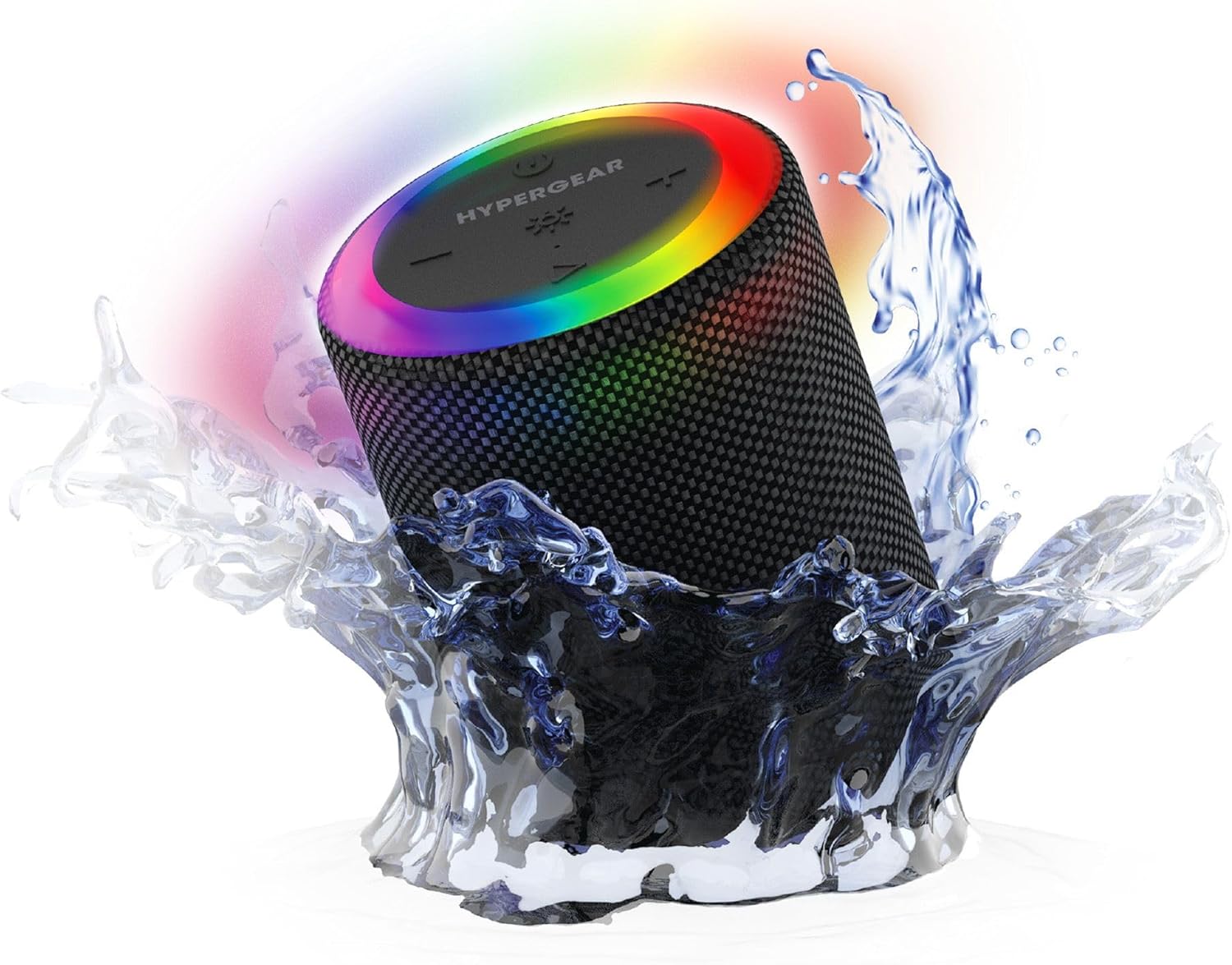
The HyperGear Halo speaker immersed in water, highlighting its robust waterproof design.

Visual representation of the HyperGear Halo speaker's powerful audio features, including its 5W output and 52mm driver.

The HyperGear Halo speaker showcasing its beat-synced 360° multicolor LED light ring with various lighting modes.
Zehaztapenak
| Ezaugarri | Xehetasuna |
|---|---|
| Ereduaren izena | Halo Waterproof LED Wireless Speaker |
| Hizlari mota | Multimedia |
| Konektibitate Teknologia | Bluetooth 5.3 |
| Audio irteera modua | Mono (Stereo with Party Mode) |
| Bozgorailuaren irteera-potentzia maximoa | 5 Watt |
| Audio kontrolatzailearen tamaina | 52 milimetro |
| Uraren Erresistentzia Maila | IPX6 Iragazgaitza |
| Produktuaren neurriak | 3.27" L x 3.27" W x 4.13" H |
| Elementuaren pisua | 1.05 kilo |
| Energia iturria | Bateriaren bidez |
| Dakarten osagaiak | USB-C Charging Cable, 3.5mm Aux Cord |
| Kontrol-metodoa | Botoia |
| UPC | 633755158858 |
Mantentzea
- Garbiketa: Garbitu bozgorailua leun batekin, damp oihal. Ez erabili produktu kimiko gogorrak edo garbitzaile urratzaileak.
- Biltegiratzea: Gorde bozgorailua leku fresko eta lehor batean, eguzki-argitik eta muturreko tenperaturetatik babestuta.
- Bateria zaintzea: Bateriaren iraupena luzatzeko, saihestu bozgorailua maiz erabat deskargatzea. Kargatu aldizka, denbora luzez erabiltzen ez baduzu ere.
- Zigilu iragazgaitza: Ensure the silicone cover for the charging and AUX ports is securely closed when near water to maintain its IPX6 rating.
Arazoak konpontzea
| Arazoa | Irtenbide posiblea |
|---|---|
| Bozgorailuak ez du pizten. | Ziurtatu bozgorailua kargatuta dagoela. Konektatu energia-iturri batera eta saiatu berriro. |
| Ezin da Bluetooth gailuarekin parekatu. | Make sure the speaker is in pairing mode (flashing LED). Turn off and on Bluetooth on your device. Ensure no other devices are connected to the speaker. Move speaker closer to your device. |
| Ez dago soinurik bozgorailutik. | Check volume levels on both the speaker and your device. Ensure the correct input mode (Bluetooth, Aux, MicroSD) is selected. If using Aux, ensure the cable is fully inserted. |
| Party Mode not working. | Ensure both speakers are fully charged and not connected to any other Bluetooth devices. Try resetting both speakers by powering them off and on, then re-attempt Party Mode pairing. |
| LED argiak ez dira funtzionatzen. | Press the Light Mode button to cycle through modes. Ensure the speaker is powered on. |
Bermea eta Laguntza
The HyperGear Halo Waterproof LED Wireless Speaker comes with a Berme mugatua. For specific details regarding warranty coverage, duration, and claims, please refer to the warranty card included with your product or visit the official HyperGear website. For technical support or further assistance, please contact HyperGear customer service through their official channels.


