1. Produktua amaitu daview
This manual provides instructions for the podofo 9-inch Android Car Stereo, designed specifically for Ford Kuga and Ford Escape models manufactured between 2013 and 2019. This unit features Wireless Carplay, Android Auto, GPS navigation, Wi-Fi connectivity, HiFi audio, Bluetooth, FM radio, steering wheel control compatibility, and includes an HD backup camera.
Eredu aplikagarriak
This 9-inch touchscreen car stereo is compatible with Ford Kuga Escape models from 2013, 2014, 2015, 2016, 2017, 2018, and 2019. It includes a Plug and Play wiring harness for simplified installation.
Kutxan dagoena
- HD babeskopia kamera
- Kanpoko Mikrofonoa
- GPS antena
- Argibide eskuliburua
- Jatorrizko USB kablea
- RCA Kablea
- Atzeko kameraren sarrera-kablea
- Elikatze-kablea
- Canbus
- Irrati Antena
- Instalazio tresna
- Additional Accessories (as pictured)

Figure 1: Package contents and dimensions of the podofo Android Car Stereo.
2. Instalazio gida
2.1 Bateragarritasun-egiaztapena
Before installation, verify your vehicle's central control panel matches the supported configuration. This product is designed for vehicles with a central control panel similar to Option A shown below. If your vehicle has a central control panel like Option B, please contact customer support for alternative solutions.
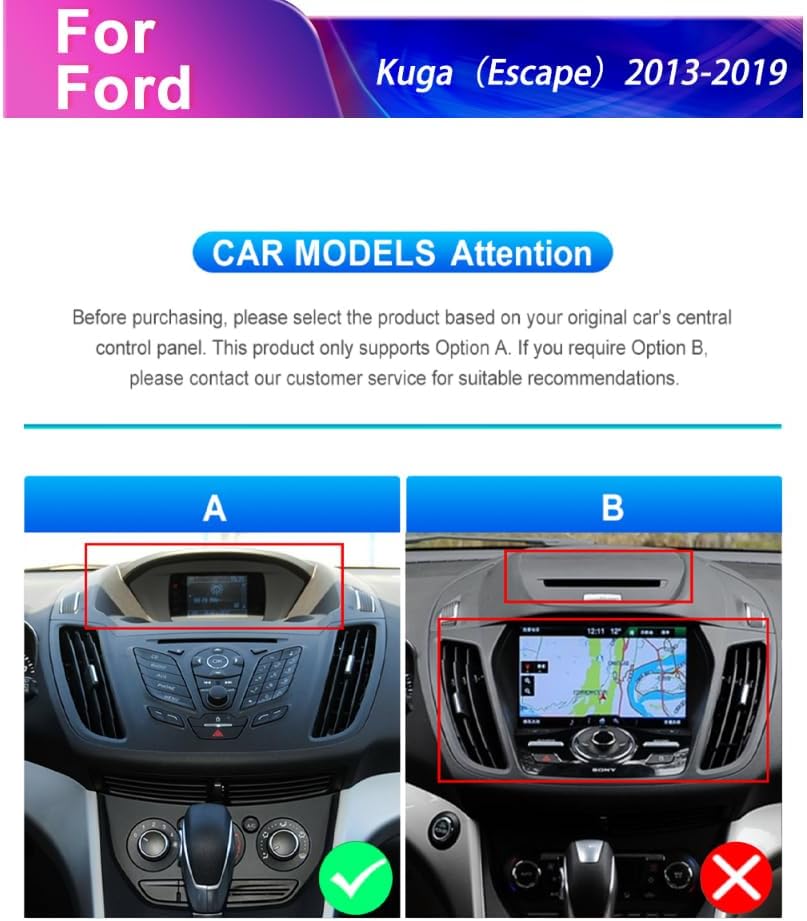
Figure 2: Car model compatibility check for Ford Kuga Escape (2013-2019) central control panels.
2.2 Instalazio Urrats Orokorrak
- Carefully remove the original car stereo unit and trim panels.
- Connect the provided Plug and Play wiring harness to the vehicle's existing wiring.
- Connect the GPS antenna and external microphone to the new head unit.
- Install the HD backup camera (refer to section 2.3 for camera wiring).
- Mount the new podofo Android Car Stereo into the dashboard opening.
- Secure all connections and reassemble the trim panels.
- Power on the unit and perform initial setup.
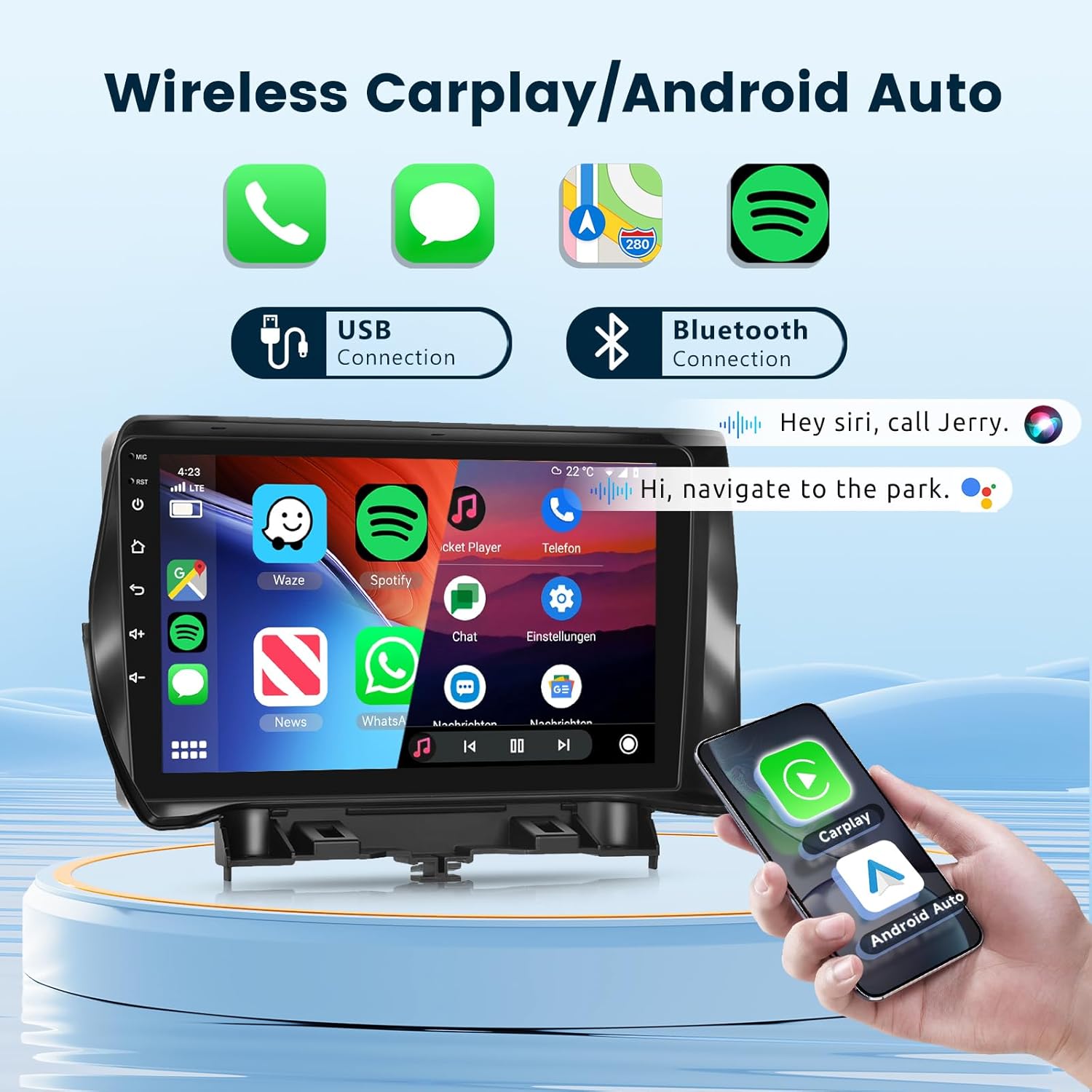
Figure 3: Visual comparison of the dashboard before and after installing the podofo car stereo.
2.3 HD Backup Camera Wiring
Follow these steps to correctly wire the HD backup camera:
- Red wire (+12V in): Connect to the car's reversing light positive terminal.
- Black wire (GND in): Connect to the car's reversing light negative terminal.
- The yellow RCA video cable connects the camera to the head unit's "CAM IN" port.
- The reverse trigger wire (labeled "Reverse/Back") connects to the vehicle's reverse light positive. If this wire is not present in your vehicle's harness, it may not be needed.

Figure 4: Detailed camera wiring diagram.
3. Funtzionamendu-argibideak
3.1 Sistema amaituview
The unit operates on Android 13 OS with 2GB RAM and 64GB storage, providing a responsive user experience. It features a 9-inch 1080P 2.5D glass capacitive touchscreen for clear visuals and sensitive touch control.

Figure 5: Smart Android System interface with key specifications.

Figure 6: The 9-inch 1080P 2.5D Glass Touchscreen for enhanced visual experience.
3.2 Haririk gabeko Carplay eta Android Auto
Connect your smartphone wirelessly via Bluetooth or USB to access Carplay or Android Auto. This allows for seamless integration of navigation, phone contacts, email, music, and voice control features directly on the car stereo display.
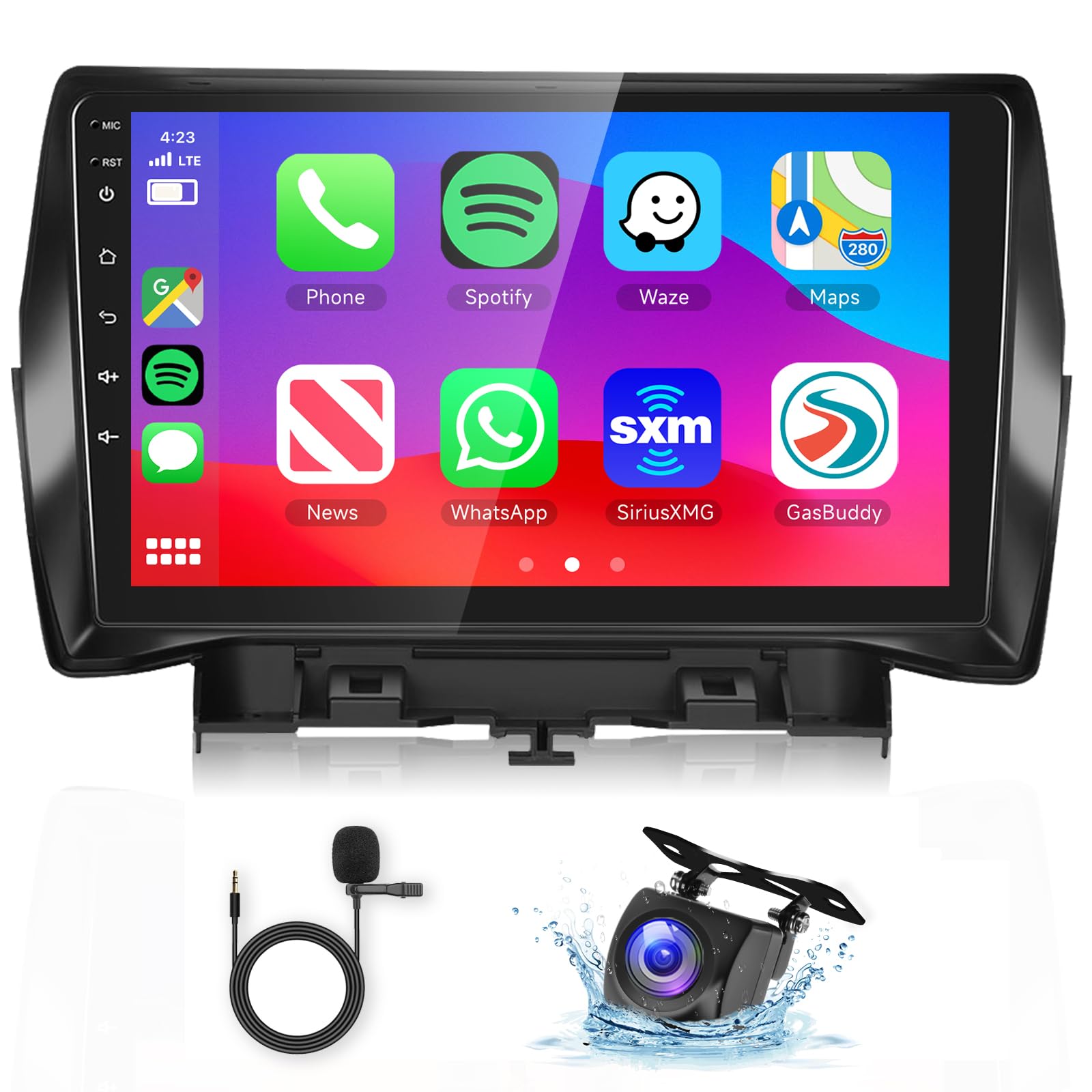
Figure 7: Wireless Carplay and Android Auto interface.
3.3 GPS Navigation & Wi-Fi
The unit includes GPS for both offline and online mapping. Connect to Wi-Fi or a mobile hotspot to access the Play Store, stream online videos, and use real-time navigation services.
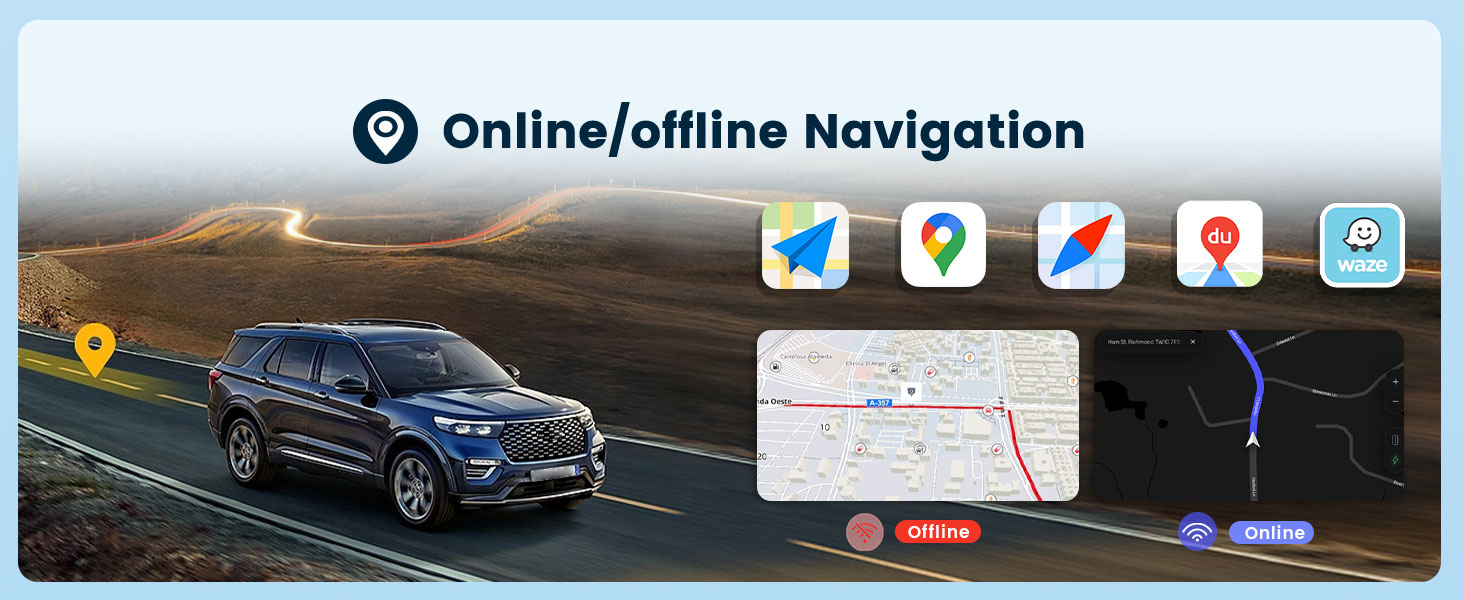
Figure 8: Online/Offline GPS Navigation interface.

Figure 9: Built-in Wi-Fi functionality.
3.4 HiFi Audio
Experience high-fidelity audio with 16-band EQ options. This technology aims to reproduce sound with exceptional clarity and accuracy, providing an immersive listening experience.

Figure 10: HiFi Audio settings with 16-band equalizer.
3.5 Bluetooth Hands-Free Calling & Music
Connect your phone via Bluetooth for hands-free calls and wireless music streaming. The unit supports A2DP for high-quality audio playback and AVRCP for remote control of music.

Figure 11: Bluetooth Call & Music functionality.
3.6 Bolantearen kontrola (SWC)
The unit supports your vehicle's original steering wheel controls, allowing you to manage audio, calls, and other functions without taking your hands off the wheel. Configuration may be required in the system settings.

Figure 12: Steering Wheel Control integration.
3.7 Mirror Link (Screen Casting)
Mirror Link allows you to cast your smartphone's screen (both iOS and Android) onto the car stereo display via USB or Bluetooth connection. This enables viewing content like videos from YouTube or other apps on the larger screen.

Figure 13: Mirror Link (Screen Casting) feature.
3.8 FM/RDS irratia
Tune into your favorite FM radio stations. The unit supports RDS (Radio Data System) for displaying station information, road conditions, and news where available.

14 irudia: FM/RDS irratiaren interfazea.
3.9 Beste funtzio batzuk
- Pantaila zatitua: Allows running two applications side-by-side on the display.
- Customize UI Interface: Personalize the user interface to your preferences.
- USB portu bikoitzak: USB gailuak konektatzeko eta kargatzeko.
- Subwoofer irteera: For enhanced bass audio.
4. Mantentzea
To ensure the longevity and optimal performance of your podofo car stereo, follow these maintenance guidelines:
- Pantaila garbitzea: Erabili zapi leun eta pelunik gabeko bat ukipen-pantaila astiro-astiro garbitzeko. Saihestu garbitzaile edo disolbatzaile urratzaileak.
- Software eguneraketak: Periodically check for and install system software updates to ensure optimal performance and access to new features.
- Ingurumen-baldintzak: Saihestu unitatea tenperatura altuen, eguzki-argiaren eraginpean denbora luzez edo hezetasun gehiegizkoaren eraginpean jartzea.
- Kable konexioak: Ziurtatu kable guztiak ondo konektatuta daudela. Konexio solteek arazoak sor ditzakete tarteka.
5. Arazoak
Zure autoko estereoarekin arazoak badituzu, jarraitu arazoak konpontzeko ohiko urrats hauek:
- Potentziarik gabe:
- Check all power connections and fuses.
- Ziurtatu ibilgailuaren piztea piztuta dagoela.
- Soinurik ez:
- Egiaztatu bozgorailuen konexioak.
- Egiaztatu bolumen mailak eta isilarazteko ezarpenak.
- Ziurtatu audio iturri zuzena hautatuta dagoela.
- GPSak ez du funtzionatzen:
- Ziurtatu GPS antena behar bezala instalatuta dagoela eta argia duela. view zeruko.
- Check GPS settings in the system menu.
- Bluetooth konexio-arazoak:
- Ziurtatu Bluetooth-a gaituta dagoela bai estereoan bai zure telefonoan.
- Ezabatu aurreko parekatzeak eta parekatu berriro gailuak.
- Berrabiarazi estereoa eta telefonoa.
- Atzeko kamera ez da bistaratzen:
- Check all camera wiring connections, especially the reverse trigger wire.
- Ziurtatu ibilgailua atzerako martxan dagoela.
- Ukipen-pantailak ez du erantzuten:
- Berrabiarazi unitatea.
- Ziurtatu pantaila garbi eta hondakinik gabe dagoela.
For persistent issues or complex problems, please contact podofo professional tech support.
6. Zehaztapenak
| Ezaugarri | Zehaztapena |
|---|---|
| Marka | podofo |
| Ibilgailuen Zerbitzu Mota | Kotxea |
| Pantailaren tamaina | 9 hazbete |
| Ezaugarri bereziak | Bluetooth, Wireless Android Auto, Wireless CarPlay |
| Konektibitate Teknologia | Wi-Fi, Bluetooth, Carplay, Android Auto |
| Mapa mota | Worldwide (Offline/Online) |
| Audio irteera modua | Estereoa |
| Ebazpena | 1024 x 600 |
| Sistema eragilea | Android 13 |
| Memoria Biltegiratzeko Ahalmena | 64 GB |
| RAM | 2 GB |
| Ukipen-pantaila mota | Kapazitiboa |
| Bistaratzeko mota | LCDa |
| Giza Interfazearen Sarrera | Ukipen-pantaila |
| Onartutako Satelite bidezko Nabigazio Sistema | GPSa |
| Elementuaren neurriak L x W x H | 9"L x 9"Z x 9"A |
7. Bermea eta Laguntza
7.1 Bermearen informazioa
The podofo Android Car Stereo comes with a 1 urteko bermea erosketa-datatik aurrera. Berme honek fabrikazio-akatsak eta erabilera normalaren ondoriozko matxurak estaltzen ditu. Gorde erosketaren egiaztagiria berme-erreklamazioetarako.
7.2 Professional Technical Support
podofo offers professional technical support for any concerns regarding installation, operation, or troubleshooting. If you have questions or require assistance, please reach out to us directly via Amazon. To help us provide suitable recommendations, especially for compatibility, please share your car's model, year, and a photo of the center console.


Figure 15: podofo's commitment to professional support and assistance for wiring harness issues.