1. Sarrera
The ASMAX F1 Motorcycle Bluetooth Headset is an advanced communication system designed for motorcyclists. It features Bluetooth 5.3 technology, supporting up to 10 riders with a communication range of up to 1.8km. The F1 offers dual intercom modes (Free and Group Mesh), voice control, superior sound quality with ENC noise reduction, and an IP67 waterproof rating. Its magnetic mounting system and fast-charging capabilities ensure convenience and reliability for all your rides.
2. Segurtasun informazioa
- Lehentasuna eman beti errepideko segurtasunari. Ez erabili gailua gidatzeaz arduratzea eragozten dizun moduan.
- Ziurtatu entzungailuak ondo lotuta daudela kaskoan ibili aurretik.
- Doitu bolumen mailak inguruko trafiko soinuak entzuten jarrai dezazun.
- Ez saiatu gailua desmuntatzen edo aldatzen, horrek bermea baliogabetu eta segurtasun arriskuak sor ditzakeelako.
- Mantendu gailua muturreko tenperaturatik eta eguzki-argitik urrun.
- Charge the device using only the provided cable and a compatible power source.
3. Paketearen edukia
Egiaztatu elementu guztiak zure paketean daudela:
- ASMAX F1 Bluetooth Headset Unit(s)
- Speaker and Microphone Kit(s)
- Magnetic Mounting Base(s)
- USB Charging Cable(s)
- Erabiltzailearen eskuliburua
- Mounting Accessories (e.g., adhesive pads, clips)

Image: ASMAX F1 Headset and included accessories.
4. Produktua amaitu daview
4.1 Osagaiak
The ASMAX F1 unit features a sleek design with an illuminated cross-shaped indicator. It is designed for easy attachment to most motorcycle helmets.

Image: ASMAX F1 Bluetooth Headset units.
4.2 Kontrolak eta adierazleak
The ASMAX F1 is equipped with intuitive controls and indicators for ease of use while riding.
- Interfono botoia: Initiates and manages intercom connections.
- Bolumenaren +/- botoiak: Audioaren bolumena doitzen du.
- Funtzio botoia: Erabilera anitzeko botoia hainbat eragiketatarako.
- LED adierazlea: Displays device status (e.g., power, pairing, charging).
- Ahots kontrola: Activates functions using voice commands (e.g., "Hi Max").

Image: ASMAX F1 controls and helmet compatibility.
5. Konfigurazioa
5.1 Kaskoan instalatzea
The ASMAX F1 features a magnetic mounting system for easy and secure attachment to your helmet.
- Choose a suitable location on the side of your helmet, typically on the left side, ensuring it does not obstruct your vision or helmet functionality.
- Clean the helmet surface thoroughly where the mounting base will be attached.
- Attach the magnetic mounting base to the helmet using the provided adhesive pad or clamp. Ensure it is firmly secured.
- Insert the speakers into the helmet's ear pockets. Ensure they are positioned directly over your ears for optimal sound.
- Route the microphone boom or wired microphone to a position near your mouth, ensuring clear voice pickup and minimal wind noise.
- Connect the speaker and microphone cables to the ASMAX F1 unit.
- Attach the ASMAX F1 unit to the magnetic mounting base. The strong magnet will secure it in place.
5.2 Hasierako karga
Before first use, fully charge the ASMAX F1 unit. The 1250mAh battery supports fast charging.
- Connect the provided USB charging cable to the ASMAX F1 unit's charging port.
- Konektatu kablearen beste muturra USB elikatze-egokitzaile batera (ez dago barne) edo ordenagailuko USB ataka batera.
- The LED indicator will show charging status. Once fully charged, the indicator will change (refer to specific LED behavior in the full manual).
- Gailua erabiltzen ari zaren bitartean kargatu daiteke.
6. Funtzionamendu-argibideak
6.1 Piztu/Itzali
- Piztu: Press and hold the Function Button for approximately 3 seconds until the LED indicator lights up and you hear a voice prompt.
- Itzali: Press and hold the Function Button for approximately 3 seconds until the LED indicator turns off and you hear a voice prompt.
6.2 Bluetooth Pairing with Mobile Device
The ASMAX F1 uses Bluetooth 5.3 for stable connections.
- With the ASMAX F1 powered off, press and hold the Function Button for approximately 5-7 seconds until the LED indicator flashes rapidly (usually blue/red alternating), indicating pairing mode.
- On your mobile phone, enable Bluetooth and search for new devices.
- Select "ASMAX F1" from the list of available devices.
- Once paired, the LED indicator will change (e.g., slow blue flashes) and you will hear a confirmation tone.

Image: Universal pairing capability of ASMAX F1.
6.3 Intercom Modes
The ASMAX F1 supports various intercom modes for group communication.
- Doako modua: For spontaneous connections within range. Up to 10 riders can join instantly.
- Group Mode (MESH Communication): For private conversations with a team of up to 10 riders. Supports 1-on-1 chats within the group.
- CloudTalk Mode: (Requires app update) Supports cross-brand cloud intercom for up to 50 people, anywhere with a mobile network.

Image: ASMAX F1 10-Rider Mesh Group Intercom.
6.4 Ahots kontrola
Activate voice commands by saying "Hi Max" followed by your command. This allows for hands-free operation.
- "Hi Max, Music On"
- "Hi Max, Next Track"
- "Hi Max, Volume Up/Down"
- "Hi Max, Answer The Phone"
- "Hi Max, End Intercom"
- "Hi Max, Phone Pairing"
- "Hi Max, Group Mesh"
- "Hi Max, Free Mode"

Image: ASMAX F1 Voice Control feature.
6.5 Audio Multiataza
The ASMAX F1 allows for simultaneous audio streams, such as listening to music while receiving navigation instructions or participating in an intercom conversation.

Image: ASMAX F1 Audio Multitasking.
7. Mantentzea
- Garbiketa: Garbitu unitatea leuna batekinamp oihal. Ez erabili produktu kimiko gogorrak edo garbitzaile urratzaileak.
- Biltegiratzea: Gorde gailua leku fresko eta lehor batean erabiltzen ez duzunean.
- Bateria zaintzea: Bateriaren iraupen optimoa lortzeko, saihestu bateria maiz erabat deskargatzea. Kargatu aldizka.
- Uraren erresistentzia: The ASMAX F1 is IP67 waterproof. While it can withstand rain and splashes, avoid prolonged submersion.

Image: ASMAX F1 IP67 Waterproof feature.
8. Arazoak
| Arazoa | Kausa posiblea | Irtenbidea |
|---|---|---|
| Gailua ez da pizten. | Bateria baxua. | Kargatu gailua guztiz. |
| Ezin da telefonoarekin parekatu. | Gailua ez dago parekatze moduan; Bluetooth-a itzalita telefonoan. | Ensure device is in pairing mode (flashing LED). Turn on phone's Bluetooth. Forget previous pairings on phone. |
| Interfonoaren konexio arazoak. | Out of range; interference; incorrect mode. | Ensure units are within range. Check for obstacles. Verify correct intercom mode (Free/Group). |
| Poor audio quality / Noise. | Microphone position; speaker placement; high speed. | Adjust microphone closer to mouth. Ensure speakers are aligned with ears. ENC noise reduction works best with visor closed at high speeds. |
| Ahots-komandoek ez dute erantzuten. | Microphone issue; noisy environment; incorrect command. | Ensure microphone is clear. Speak clearly. Try again in a quieter environment. Refer to voice command list. |
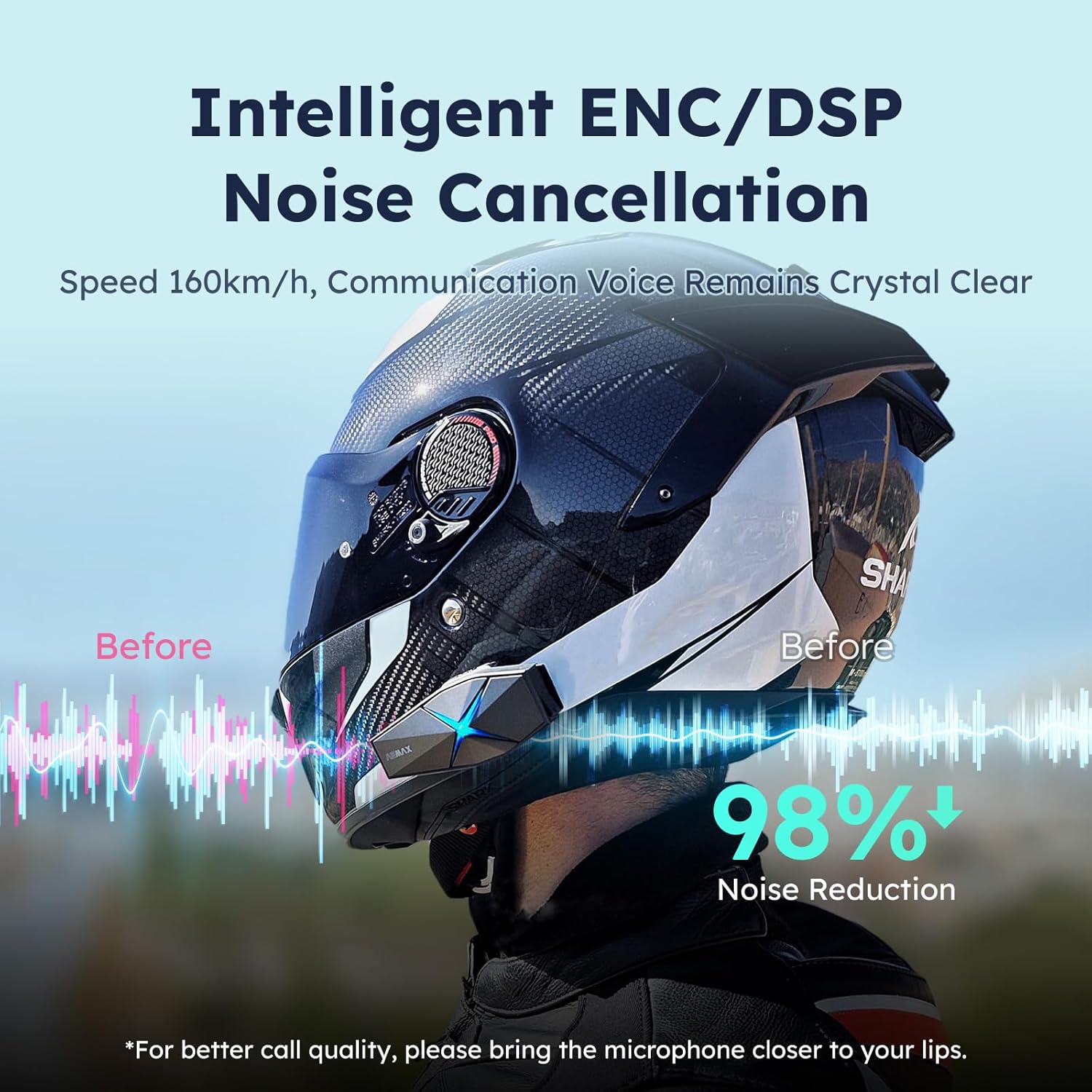
Image: ASMAX F1 Noise Cancellation technology.
9. Zehaztapenak
| Ezaugarri | Xehetasuna |
|---|---|
| Ereduaren izena | ASMAX F1 (F1 DP) |
| Bluetooth bertsioa | 5.3 |
| Interfono barrutia | Up to 1.8 km (10 riders) |
| Bateria Edukiera | 1250mAh |
| Kargatzen | Fast Charging, USB |
| Iragazgaitzaren balorazioa | IP67 |
| Zarata Kontrola | Active Noise Cancellation (ENC/DSP) |
| Ahots kontrola | "Hi Max" commands |
| Audio Ezaugarriak | Audio Multitasking, Superior Sound Quality |
| Neurriak | Approx. 86mm x 36mm x 23.6mm (unit) |
| Pisua | Approx. 50g (unit) |
| Belarrien Kokatzea | Belarrian |
| Inpedantzia | 32 Ohm |
| Sentikortasuna | 105 dB |
| Maiztasun Erantzuna | 20 Hz (gutxienez) |

Image: ASMAX F1 Dual-Chip Octa-Core technology.
10. Bermea eta Laguntza
ASMAX products come with a standard manufacturer's warranty. For specific warranty terms and conditions, please refer to the warranty card included in your product packaging or visit the official ASMAX webgunea.
For technical support, troubleshooting assistance, or any inquiries regarding your ASMAX F1 headset, please contact ASMAX customer service through their official channels. Contact information can typically be found on the ASMAX webgunean edo produktuaren ontzian.
Regularly check the ASMAX website or app for firmware updates to ensure optimal performance and access to new features, such as CloudTalk Mode.


