1. Sarrera
Thank you for choosing the Realfit F3 Earbuds Pro. These true wireless earbuds are designed to provide an immersive audio experience with advanced features such as Active Noise Cancellation (ANC), 360° Spatial Sound, and a dedicated gaming mode. This manual will guide you through the setup, operation, and maintenance of your new earbuds to ensure optimal performance and longevity.
2. Zer dago kutxan
Mesedez, egiaztatu paketearen edukia elementu guztiak daudela ziurtatzeko:
- Realfit F3 Earbuds Pro (Left and Right)
- Kargatzeko kaxa
- USB kargatzeko kablea
- Erabiltzailearen eskuliburua
- Belarri-kuxinen hainbat tamaina (S, M, L)
3. Konfigurazioa
3.1 Entzungailuak eta zorroa kargatzea
Before first use, fully charge the earbuds and the charging case. The charging case has a 300mAh battery capacity, and each earbud has a 30mAh battery capacity. A full charge takes approximately 1 hour.
- Konektatu emandako USB kargatzeko kaxako kargatzeko atakara.
- Konektatu kablearen beste muturra USB elikatze-egokitzaile batera (ez dago barne) edo ordenagailuaren USB atakara.
- The indicator light on the charging case will show charging status. Once fully charged, the light will indicate completion (refer to the case's specific LED behavior).
- Jarri entzungailuak kargatzeko zorroan. Automatikoki hasiko dira kargatzen.

Image: Realfit F3 Earbuds Pro in their charging case, with the lid open, showing the earbuds nestled inside the yellow interior. A small green LED light is visible on the front of the case, indicating power or charging status.

Image: An illustration demonstrating the battery life of the Realfit F3 Earbuds Pro. It shows the earbuds in their charging case, connected to a charging cable. Below, icons indicate '26 hours Battery life with charging case', '5 hours Single battery life', and '90 hours Single battery life' (likely standby or with specific settings).
3.2 Zure gailuarekin parekatzea
The Realfit F3 Earbuds Pro use Bluetooth 5.4 for stable and efficient connectivity.
- Open the charging case. The earbuds will automatically enter pairing mode (indicated by a flashing LED on the earbuds).
- Zure gailuan (telefono adimenduna, tableta, ordenagailua), gaitu Bluetooth-a.
- Bilatu eskuragarri dauden Bluetooth gailuak.
- Select "Realfit F3 Earbuds Pro" from the list.
- Behin konektatuta, entzungailuen adierazle-argiak keinu egiteari utziko diote eta baieztapen-tonu bat entzungo duzu.

Image: An illustration showing the Realfit F3 Earbuds Pro and their charging case, with a smartphone and a laptop icon, indicating quick device connection via Bluetooth 5.4. Text highlights the new Bluetooth 5.4 chip for stable connection and better sound effect.
4. Entzungailuen erabilera
4.1 Ukitu Kontrolak
The Realfit F3 Earbuds Pro feature intuitive touch controls on each earbud. Specific functions may vary slightly based on the device and application.
| Ekintza | Ezkerreko aurikularra | Eskuineko Aurikularra |
|---|---|---|
| Erreproduzitu/Pausatu | Sakatu bakarra | Sakatu bakarra |
| Hurrengo Pista | Sakatu birritan | Sakatu birritan |
| Aurreko Pista | Sakatu hirukoitza | Sakatu hirukoitza |
| Erantzun/Amaitu deia | Sakatu bakarra | Sakatu bakarra |
| Deia baztertu | Luze sakatu (2s) | Luze sakatu (2s) |
| ANC/Transparency/Normal Mode | Luze sakatu (2s) | Luze sakatu (2s) |
| Aktibatu Ahots Laguntzailea | Laukoitz Ukitu | Laukoitz Ukitu |
4.2 Audio moduak
The earbuds offer three distinct audio modes to suit your environment:
- ANC Mode (Active Noise Cancellation): Reduces external noise for an immersive listening experience. Ideal for noisy environments.
- Gardentasun modua: Allows you to hear your surroundings while still enjoying your audio. Useful for awareness in urban areas or during conversations.
- Normal Music Mode: Standard audio playback without noise cancellation or transparency features.

Image: The Realfit F3 Earbuds Pro in their open charging case, with both earbuds slightly elevated as if in use. Text overlay highlights "ANC active noise cancellation" and "Multi-scene quiet enjoyment", emphasizing the noise-cancelling feature.
4.3 Joko modua
For an enhanced gaming experience, the Realfit F3 Earbuds Pro feature a low-latency gaming mode (as low as 35ms). This mode minimizes audio delay, providing seamless gameplay with enhanced sound effects like footsteps and bass.
- To activate/deactivate Gaming Mode, refer to the touch control table or use the companion APP.
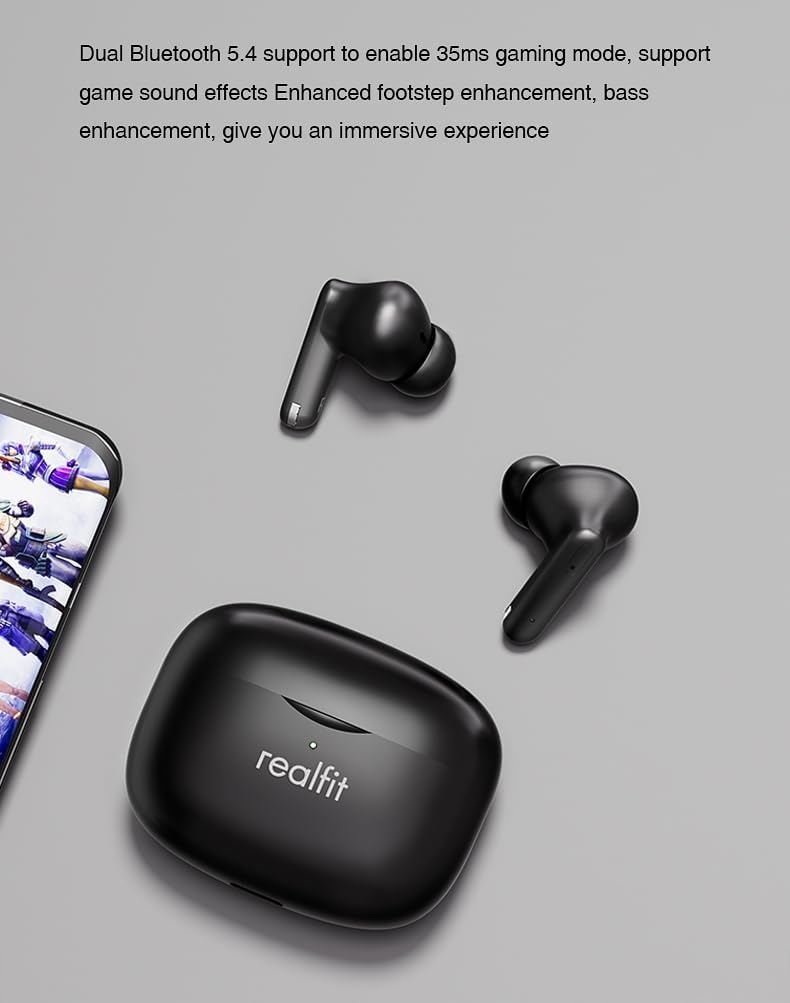
Image: The Realfit F3 Earbuds Pro and their charging case positioned next to a smartphone displaying a game. Text indicates "Dual Bluetooth 5.4 support to enable 35ms gaming mode, support game sound effects Enhanced footstep enhancement, bass enhancement, give you an immersive experience."
4.4 360°-ko soinu espaziala
The earbuds offer 360° Spatial Sound, allowing you to pinpoint sound locations with precision. This feature is particularly beneficial for gamers who rely on directional audio cues.
4.5 ENC Call Functionality
The built-in microphone with Environmental Noise Cancellation (ENC) ensures clear communication during calls, reducing background noise for both the user and the listener.
4.6 APP Customization
Further customize your listening experience and control settings through the dedicated Realfit companion application. The app allows for noise reduction adjustments, EQ settings, key remapping, and changing the device name.

Image: A smartphone screen displaying the Realfit companion app interface. The app shows battery levels for both earbuds, options for 'Noise reduction', 'Shut down', 'Transparent', and a toggle for 'Game Mode'. Further settings like 'EQ setting' and 'Key setting' are also visible, indicating extensive customization options.
5. Mantentzea
5.1 Garbiketa
Garbiketa erregularrak soinuaren kalitatea eta higienea mantentzen laguntzen du:
- Erabili zapi leun, lehor eta lihorik gabeko bat entzungailuak eta kargatzeko zorroa garbitzeko.
- For earwax or debris in the ear tips/grilles, use a small, soft brush or cotton swab lightly dampisopropil alkoholarekin egina.
- Ez erabili garbitzaile urratzailerik, eta ez murgildu entzungailuak edo zorroa uretan.
5.2 Biltegiratzea
Erabiltzen ez dituzunean, gorde entzungailuak kargatzeko zorroan babesteko eta kargatuta mantentzeko. Gorde leku fresko eta lehor batean, muturreko tenperaturetatik urrun.
5.3 Ear Tip Replacement
The earbuds come with different silicone ear tip sizes to ensure a comfortable and personalized fit, which also affects noise reduction. If a tip is damaged or lost, replace it with one of the included spares or a compatible replacement.
6. Arazoak
If you encounter issues with your Realfit F3 Earbuds Pro, try the following solutions:
| Arazoa | Irtenbide posiblea |
|---|---|
| Entzungailuak ez dira parekatzen | Ensure earbuds are charged. Place them back in the case, close, then open again to re-enter pairing mode. Turn Bluetooth off/on on your device. |
| Ez dago soinurik entzungailu batetik | Check battery level of both earbuds. Try re-pairing. Ensure both earbuds are properly seated in the charging case. |
| Bolumen baxua edo soinu-kalitate eskasa | Clean earbud grilles. Ensure ear tips are correctly sized and sealed in your ear. Adjust volume on your device. |
| Aurikularrak ez dira kargatzen | Ensure charging cable is securely connected. Check if the charging case has power. Clean charging contacts on earbuds and case. |
| Bluetooth konexioa ezegonkorra | Ensure no strong interference sources nearby. Keep earbuds within 8m of your device. Try resetting the earbuds (refer to APP or manufacturer's webgunea berrezartzeko argibide zehatzak lortzeko). |
7. Zehaztapenak
| Ezaugarri | Xehetasuna |
|---|---|
| Ereduaren izena | Realfit F3 Earbuds Pro True Wireless Tws |
| Konektibitate Teknologia | Haririk gabeko (Bluetooth) |
| Haririk gabeko Komunikazio Teknologia | Bluetooth V5.4 |
| Entzungailuen bateriaren edukiera | 30 mAh (aurikularra bakoitza) |
| Kargatzeko Kutxa Bateria Edukiera | 300mAh |
| Kargatzeko Denbora | Approx. 1 hour (earbuds and case) |
| Jolasteko denbora (karga bakarra) | Gehienez 5 ordu |
| Erreproduzitzeko denbora osoa (kargatzeko zorroarekin) | Gehienez 28 ordu |
| Transmisio Distantzia | > 8 m |
| Zarata Kontrola | Zarata aktiboaren baliogabetzea (ANC) |
| Mikrofonoa | Built-in with ENC (Environmental Noise Cancellation) |
| Kontrol-metodoa | Ukitu |
| Belarrien Kokatzea | Belarrian |
| Forma-faktorea | Belarrian |
| Kolorea | Beltza |
| Elementuaren pisua | Approx. 2000 Grams (4.41 pounds - likely shipping weight) |
| Elementuaren eredu-zenbakia | Realfit-F3-AUD |
8. Bermea eta Laguntza
For warranty information and technical support, please refer to the warranty card included in your package or visit the official Realfit webgunea. Gorde erosketaren egiaztagiria berme-erreklamazioetarako.
If you require further assistance, please contact Realfit customer service through the contact details provided on the official webgunean edo zure produktuaren dokumentazioan.


